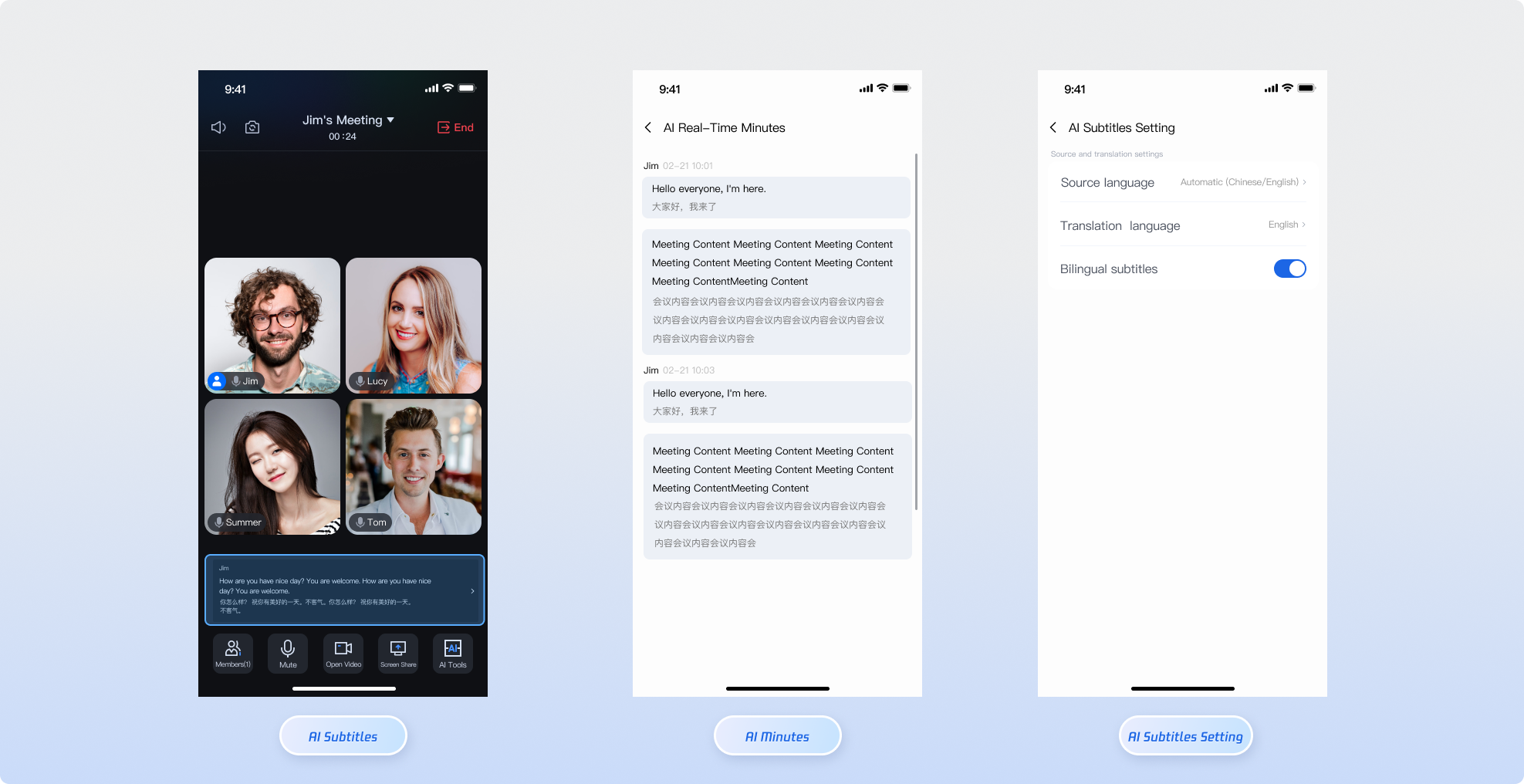
TUIRoomKit integrates AI Meeting Assistant features to deliver intelligent support for online conferences. Once enabled, users can access the following core functions from the interface:
AI Real-Time Subtitles: Transcribes spoken content into text subtitles in real time during a meeting, providing on-screen captions to enhance communication and understanding.
AI Real-Time Translation: When AI Real-Time Subtitles are active, real-time translation is also enabled by default. The room owner can configure the translation language. For a comprehensive list of supported languages, see the Language List.
AI Real-Time Meeting Minutes: Continuously transcribes spoken content into meeting records during the session, making it easier to organize and review discussions after the meeting.
Prerequisites
1. Purchase an AI Speech Duration Package
Before activating AI features, verify that your account includes an available AI Speech Duration Package.
Note:
For first-time use, we recommend subscribing to the Trial Version (Free) to evaluate the features. For production environments, select an appropriate package based on your expected usage from the Purchase Page.
2. Integrate Basic Environment
Follow the Quick Integration Guide to add TUIRoomKit to your project, and ensure your version is ≥ 4.2.0.
Implementation Steps
Enable AI Real-Time Subtitles
The AI Subtitle UI component is available in the TUIRoomKit open-source repository under AITranscriptionView, specifically in AISubtitleView. The Standard Room mode in TUIRoomKit supports AI Real-Time Subtitles out-of-the-box. To enable subtitles, click the AI Tools at the bottom of the Standard Room interface and select "Enable AI Real-Time Subtitles."
Only the room owner can enable the AI Real-Time Subtitles feature. If the room owner exits the room or transfers ownership, the AI subtitle feature will stop automatically.
Disable AI Real-Time Subtitles
When using the AI Real-Time Subtitles component, developers do not need to manually stop the AI transcription task. The component includes an internal automatic cleanup mechanism:
When the room owner ends the room, exits the room, or transfers ownership: The AI transcription task is automatically stopped.
Resource Release: All associated memory resources are automatically freed.
View Real-Time Meeting Minutes
The AI Meeting Minutes UI component is available in the TUIRoomKit open-source repository under AITranscriptionView, specifically in AIMinutesView. To view AI Real-Time Meeting Minutes, the room owner must first enable AI Real-Time Subtitles. Once enabled, you can access real-time meeting minutes from the AI Tools at the bottom of the interface.
Version Dependency: The AI Meeting Assistant feature requires TUIRoomKit version ≥ 4.2.0. Confirm that you are using a compatible version.
Billing Logic: The AI feature is activated only when the room owner enters the room. Each room is billed a single time; additional members joining do not generate extra charges.
Network Requirements: AI recognition depends on a stable uplink network connection. Network instability may result in subtitle delays or loss.
FAQs
Can all members in the room use AI features?
Feature Description: Activation of AI Real-Time Subtitles and Meeting Minutes is managed entirely by the room owner's client. Once the room owner enters the room and enables AI Real-Time Subtitles, all participants in the room can use both AI Real-Time Subtitles and Meeting Minutes.
Will AI features incur duplicate charges?
Billing Description: No duplicate charges will occur. The transcription task is started only once by the room owner, so each meeting room incurs a single charge. If the room owner enters the room but does not enable AI Real-Time Subtitles, the transcription task will not start and no related fees will be generated.