Configuring Read/Write Separation
ダウンロード
フォーカスモード
フォントサイズ
You can configure read-write separation in either of the following two ways:
Read/Write Separation Based on Read-only Account
1. Log in to the TDSQL for MySQL Console. In the instance list, click an instance ID or Manage in the "Operation" column to enter the instance management page.
2. Select the Manage Account tab and click Create.
3. In the pop-up dialog box, set the account information, set Create as read-only account to Yes, and click Confirm and Go Next.
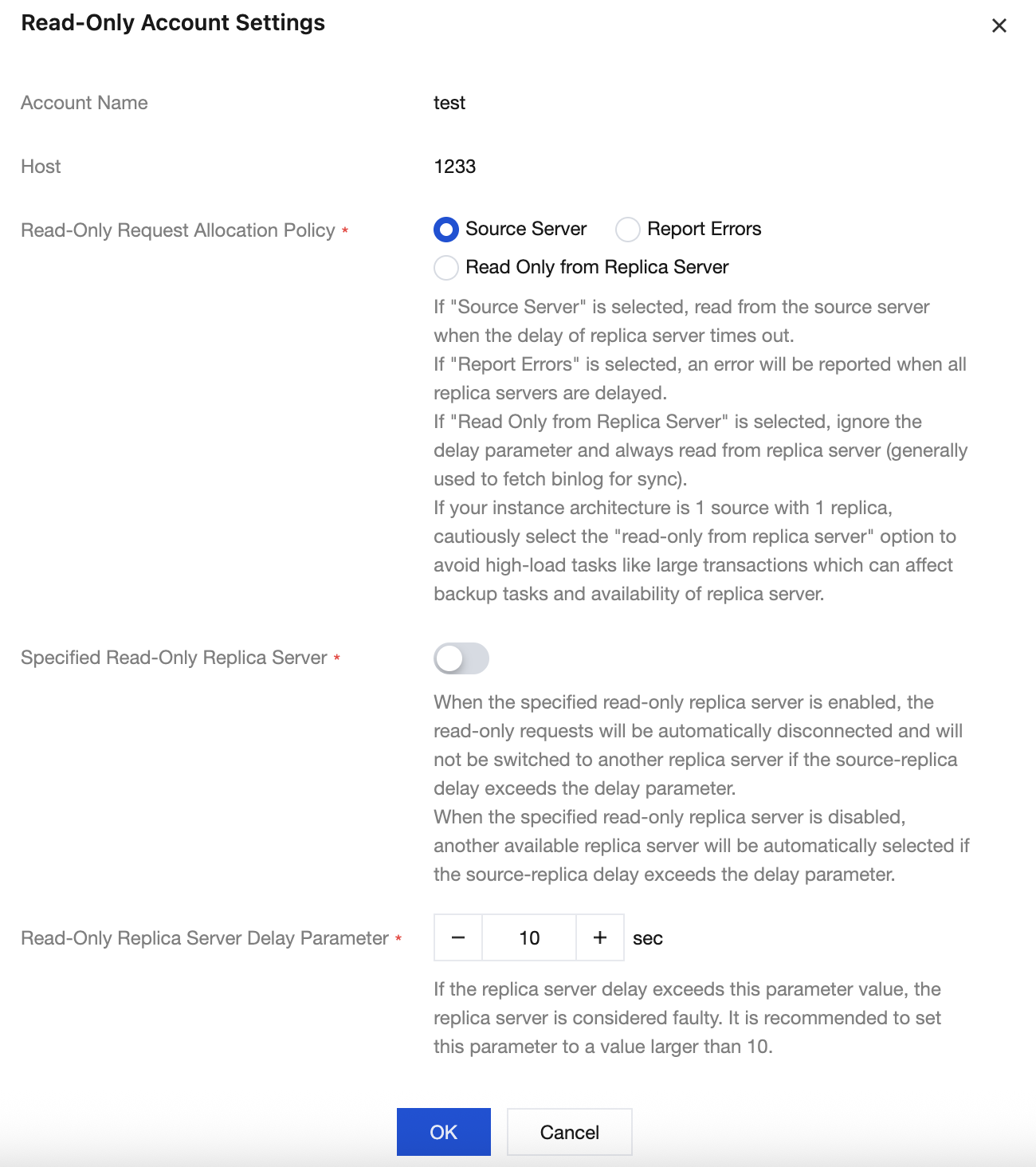
4. In the pop-up dialog box, you can set Read-Only Request Allocation Policy to define the read policy when a secondary server failure (or long delay) occurs and configure the " Read-Only Secondary Server Delay Parameter", and then click OK.
Select Source Server to read from the primary server when the delay of secondary server exceeds the limit.
Select Report Errors to report an error when the delay of secondary server exceeds the limit.
Select Read Only from Replica Server to ignore the delay parameter and always read from the secondary server (this is generally used to pull binlogs for sync).
Set the Read-Only Secondary Server Delay Parameter to define the data sync delay threshold, which is used together with Primary Server and Report Errors under the Read-Only Request Allocation Policy.
Read/Write Separation Based on Comment
Add the
/*slave*/ field before each SQL statement to be "read" by the secondary server, and add the -c parameter after "mysql" to parse the comment, such as mysql -c -e "/*slave*/sql", to automatically assign "read" requests to the secondary server. Below are examples://Read from the primary server//select * from emp order by sal,deptno desc;//Read from the secondary server///*slave*/ select * from emp order by sal,deptno desc;
Note:
This feature only supports read from the secondary server (SELECT) rather than other operations. Non-SELECT statements will fail.
The
-c parameter needs to be added after mysql to parse the comment./*slave*/ must be in lowercase, and no spaces are needed before and after the statement.If the MAR (strong sync) mechanism is affected by a secondary server exception, read from the secondary server will be automatically switched to read from the primary server.
フィードバック