Checkpoint
ダウンロード
フォーカスモード
フォントサイズ
A Checkpoint, also known as Restore to this checkpoint, is a core version rollback and state recovery feature in CodeBuddy IDE. During the coding process with Craft Agent, every time a conversation results in file changes, Craft automatically creates a checkpoint for those changes and manages versioning. You can simply hover your mouse over previous conversation versions to select rollback or re-edit options. This feature is specifically designed to handle accidental operations, experimental code failures, or requirement changes during the coding process. Below is an introduction to how it works.
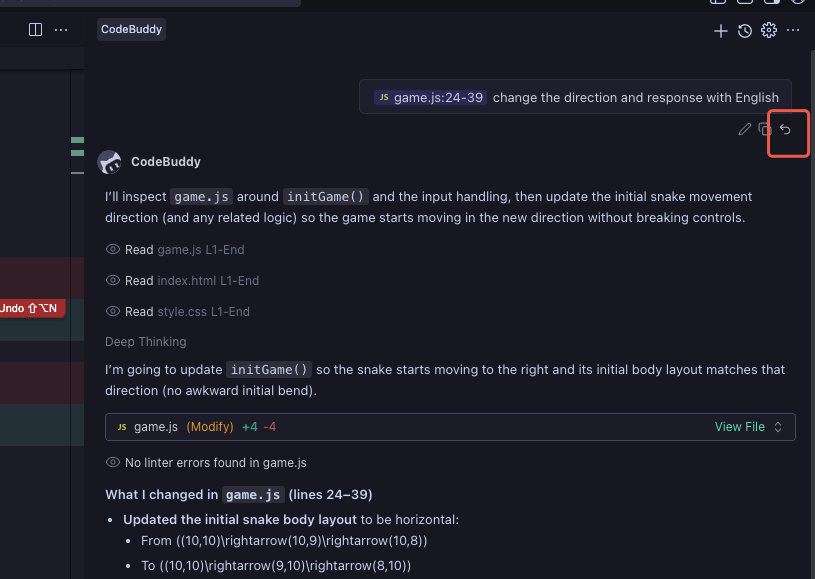
1. In the conversation panel, you can select a specific checkpoint to restore based on your needs. Click the Revert Checkpoint button at the bottom right of a conversation.
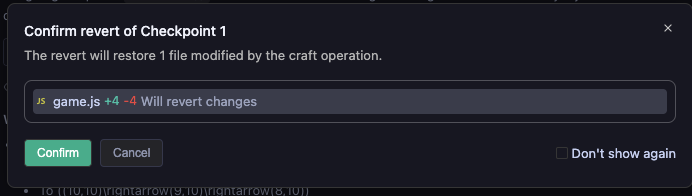
2. After clicking, a popup window will appear asking you to confirm the rollback. If you confirm, select Confirm; otherwise, select Cancel. You can also check Don't show again on the right side. Once checked, this popup will no longer appear in the future, so please choose carefully.
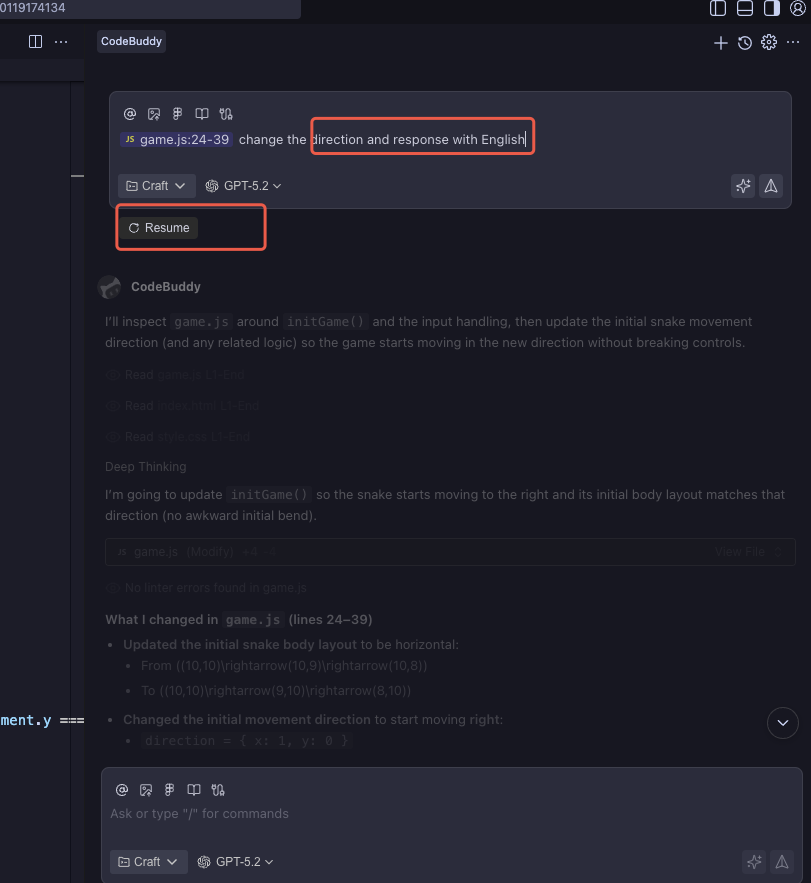
3. After selecting Confirm, the state will immediately revert to the state before that checkpoint. You can then continue your previous task by entering requirement descriptions in the conversation panel based on that checkpoint. Click Resume to revert to the state before that checkpoint, and the task associated with that checkpoint will also be canceled.
フィードバック