History
ダウンロード
フォーカスモード
フォントサイズ
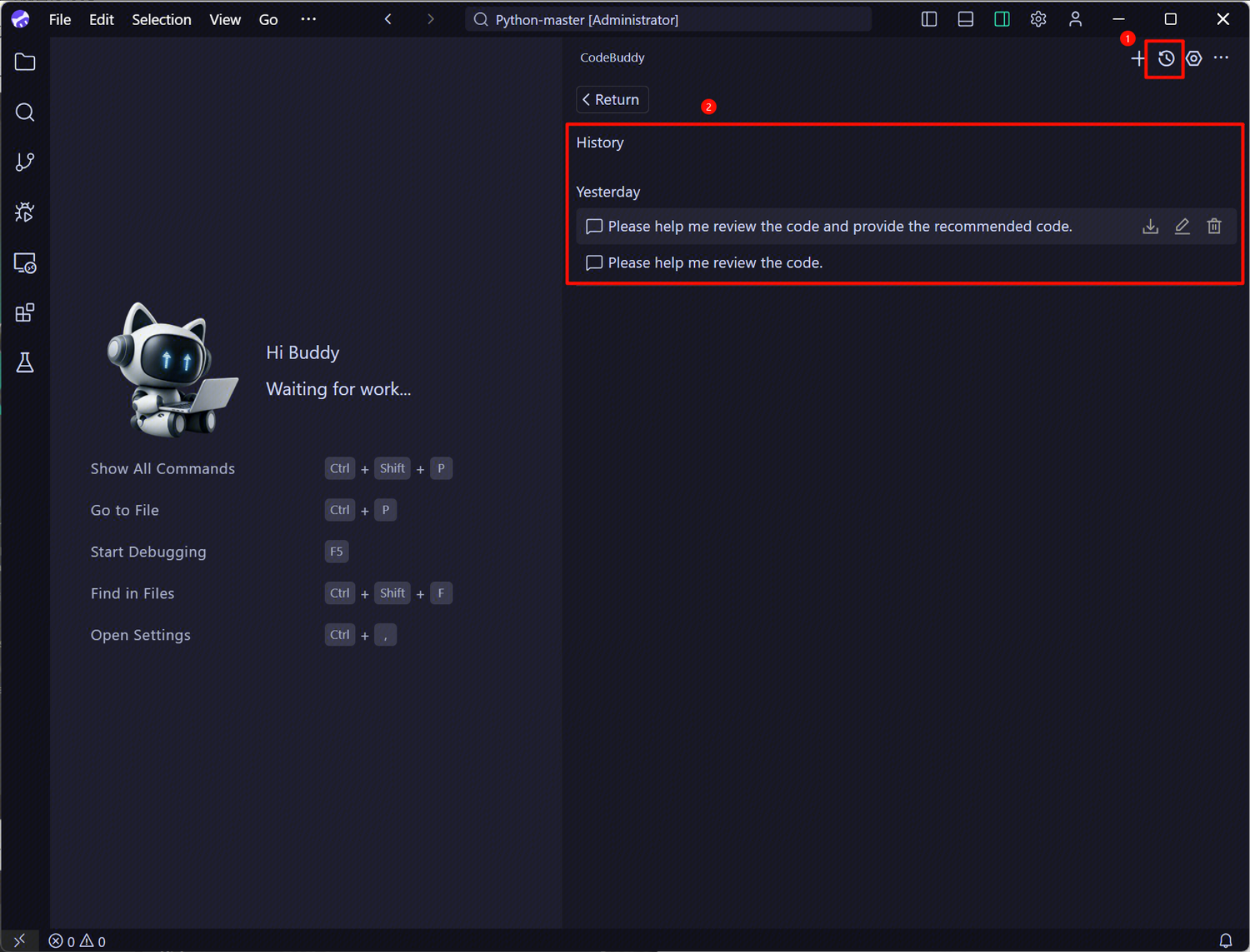
This article introduces how to manage your chat history, including searching for past conversations, continuing previous conversations based on chat history, and deleting chat history.
In the upper right corner of the CodeBuddy IDE sidebar conversation panel, click the History button to view the list of historical conversations.
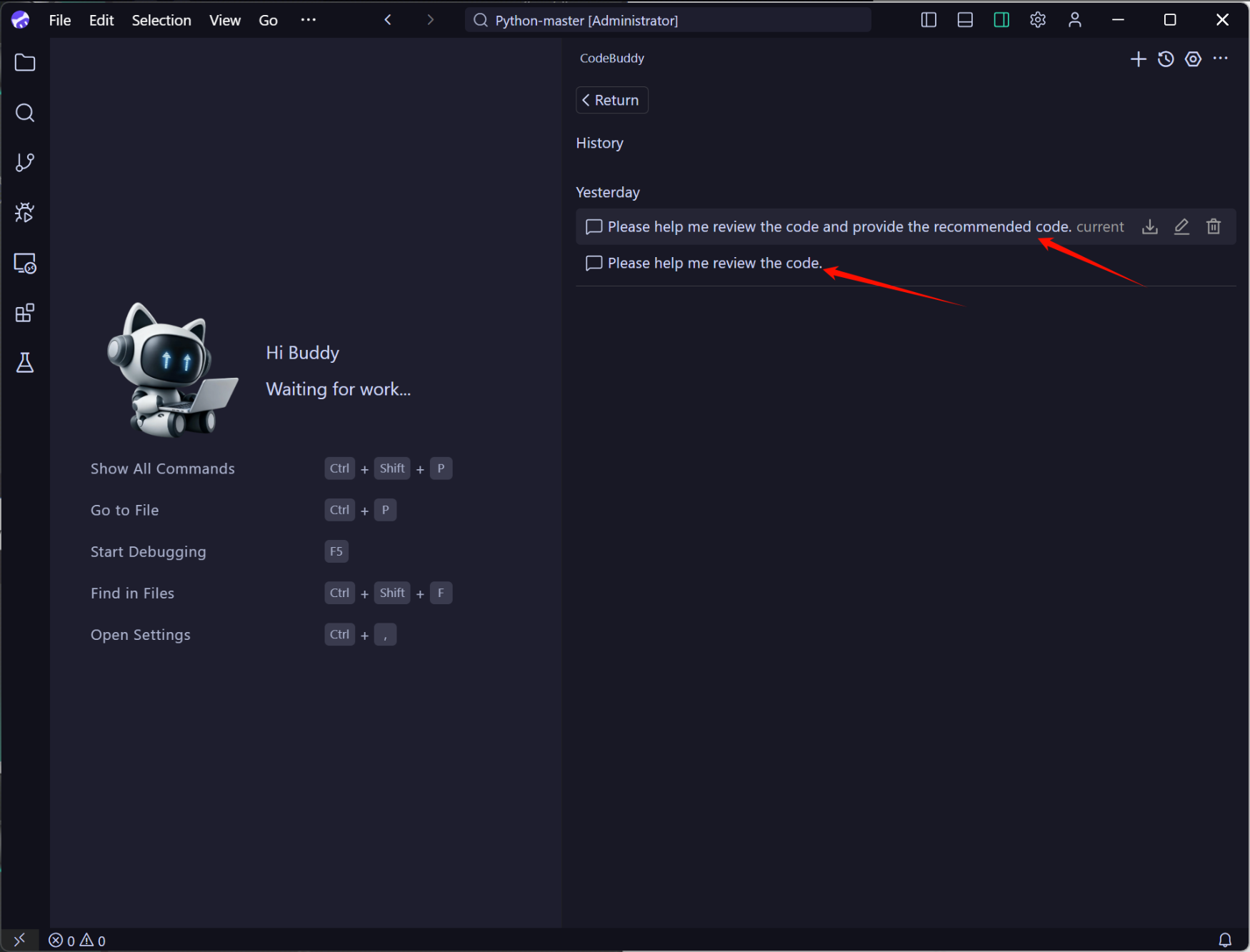
In the history list, you can click on any historical chat record as needed. For example, when you click on the first historical chat record, you will return to that previous conversation, allowing you to continue completing your task based on the previous context.
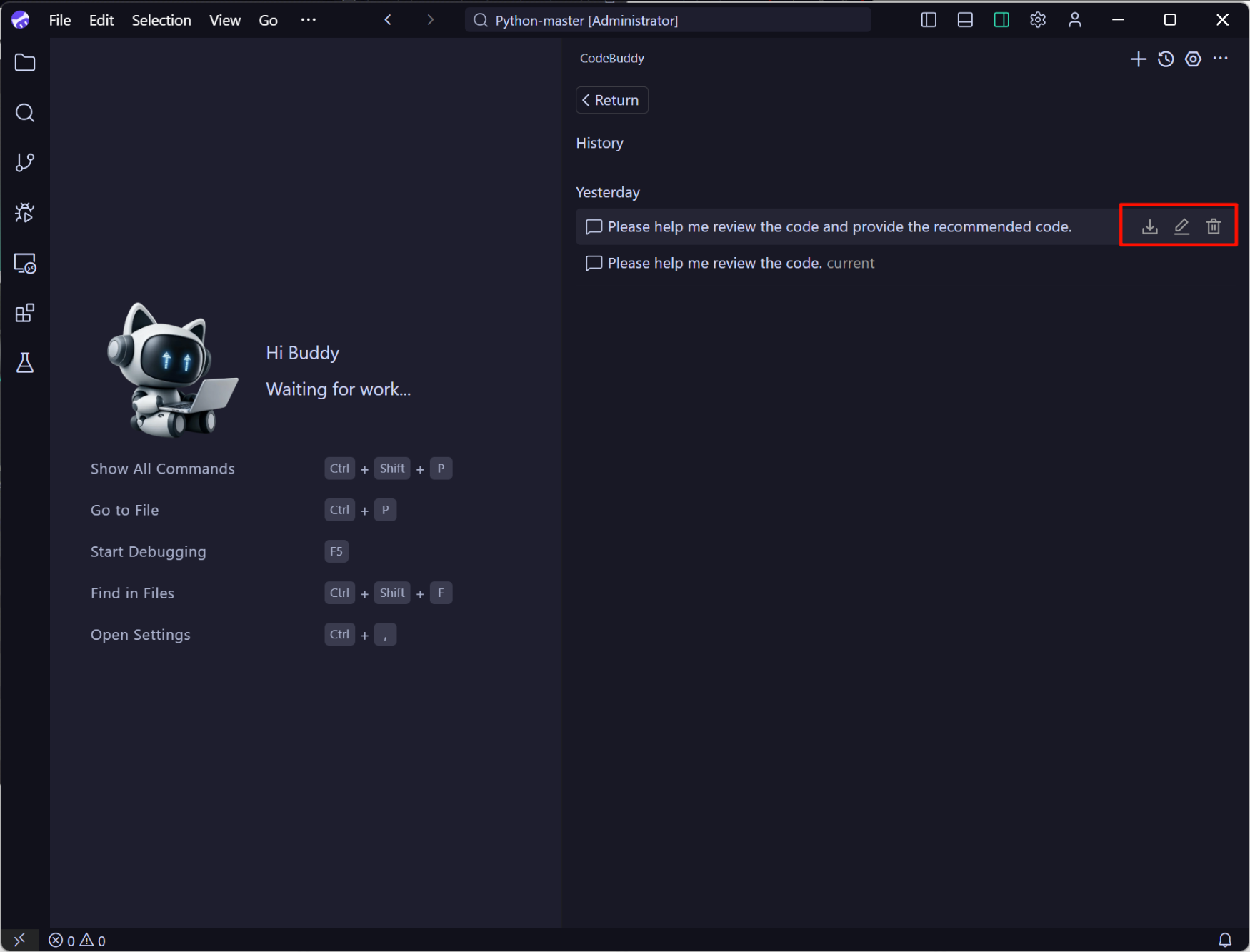
In the history list, you can perform Export, Edit, and Delete operations on historical conversations.
フィードバック