Subscription and Usage Management
ダウンロード
フォーカスモード
フォントサイズ
Managing Subscription
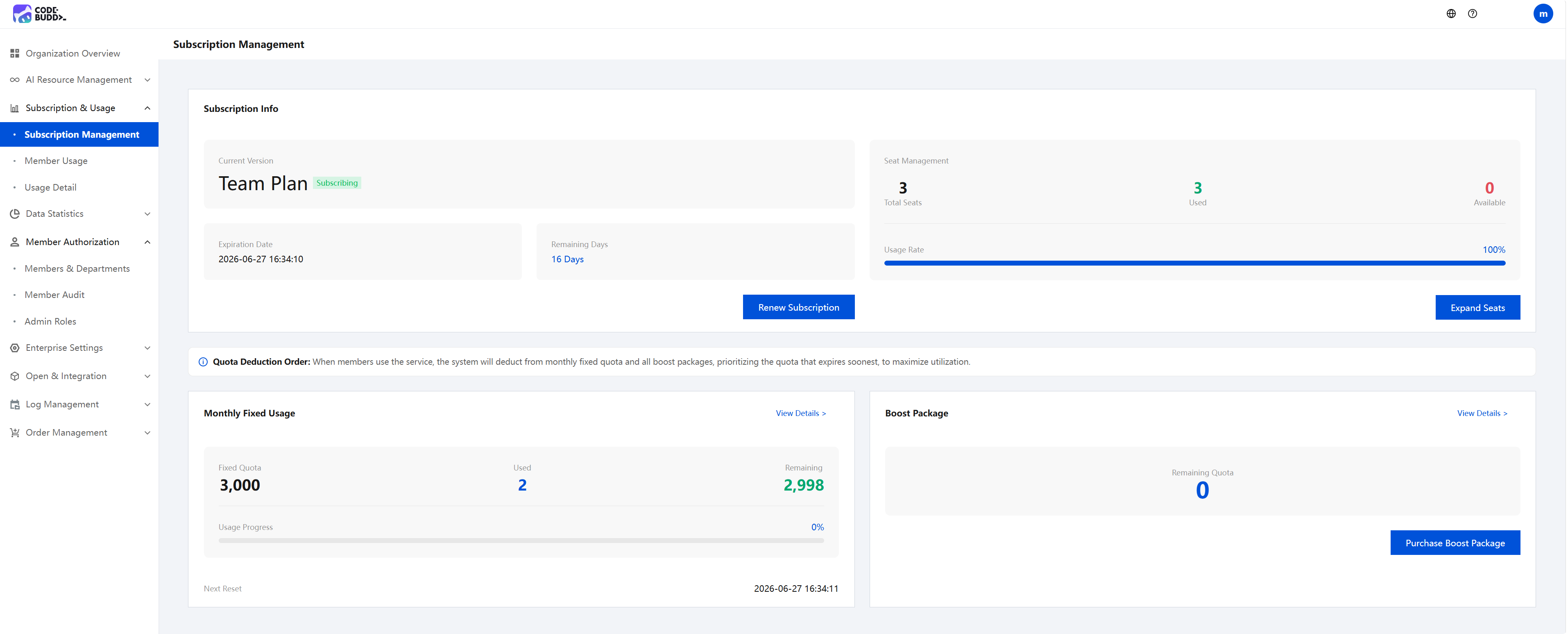
Go to Subscription & Usage > Subscription Management in the admin console to view your enterprise's subscription information, including the subscription edition, seat status, monthly fixed usage, and remaining quota of add-on packages.
Viewing Member Usage
Go to Subscription & Usage > Member Usage in the admin console to view the usage details of members within your enterprise.
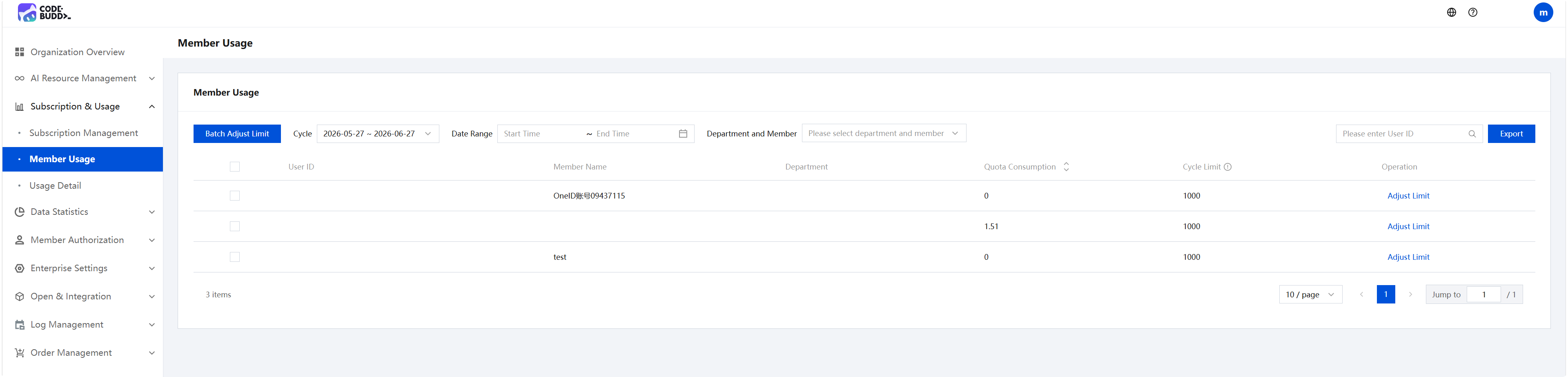
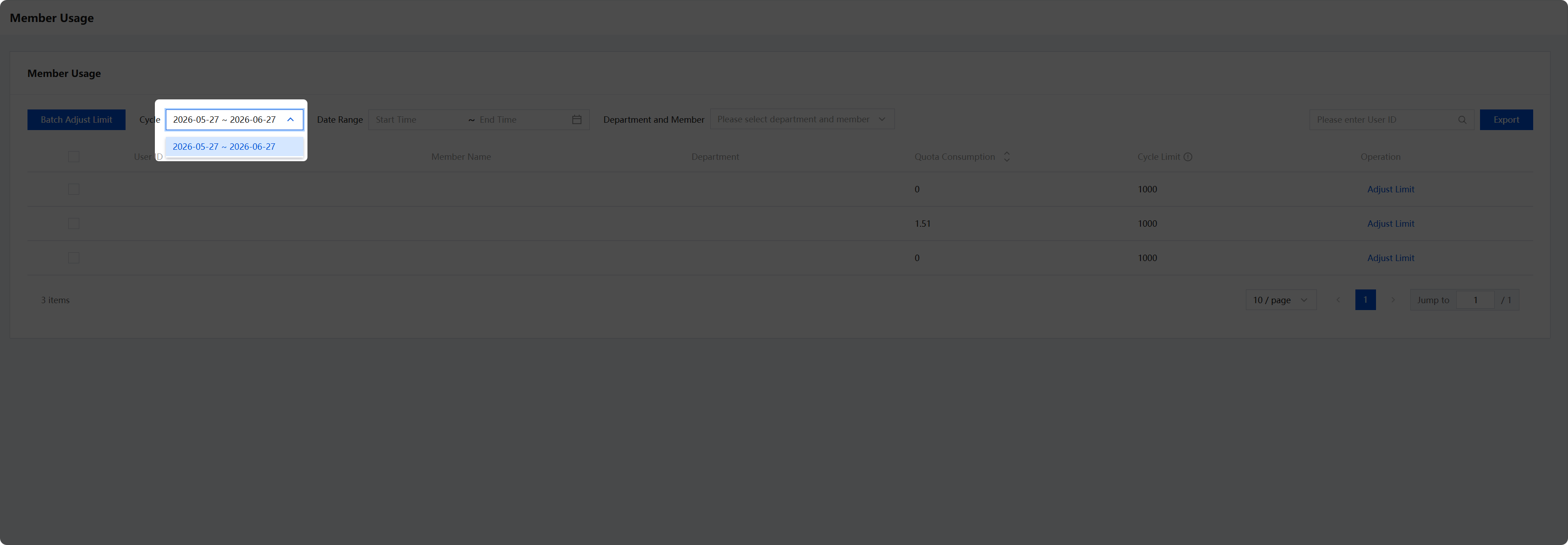
Usage management operates on a monthly cycle. You can filter by different periods to view the usage consumption of members within a selected period.
Adjusting Usage Quotas
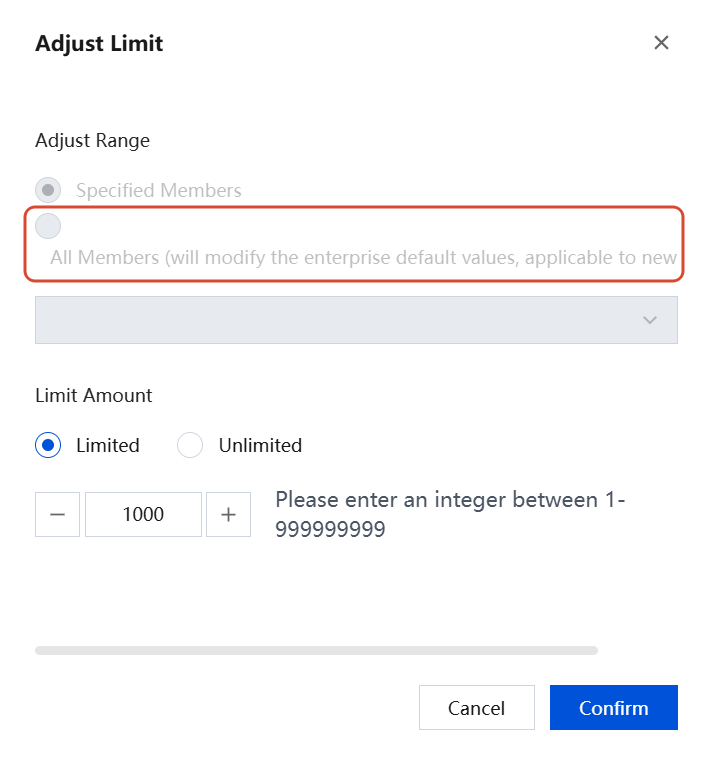
The default quota for members within the enterprise is 1000 points/month. Administrators can allocate quotas to members based on their usage. To modify a quota, enter the specified limit amount and click Confirm to complete the change.
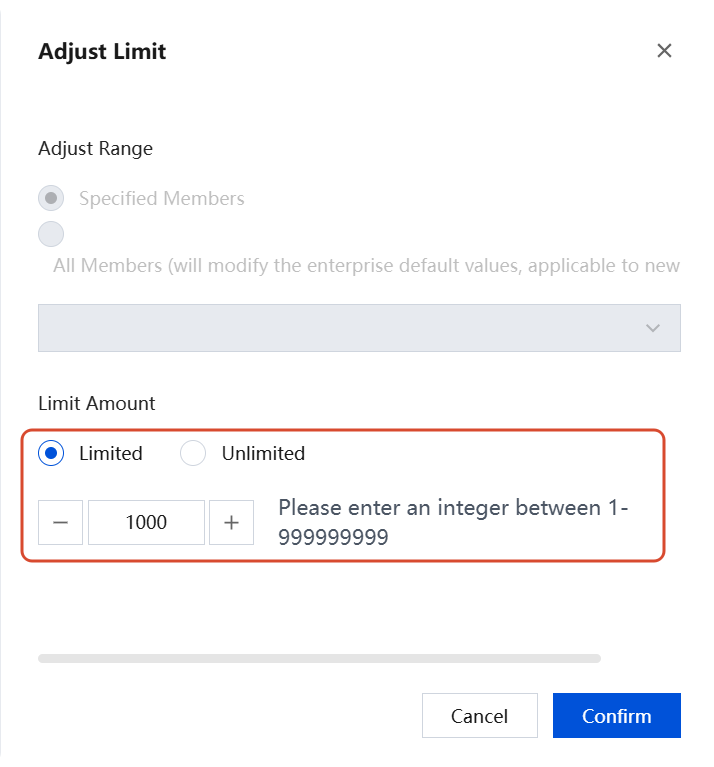
If you choose to adjust All Members, the enterprise default value will be updated accordingly. This change applies not only to all existing members within the enterprise but also to new members.
Usage details viewing
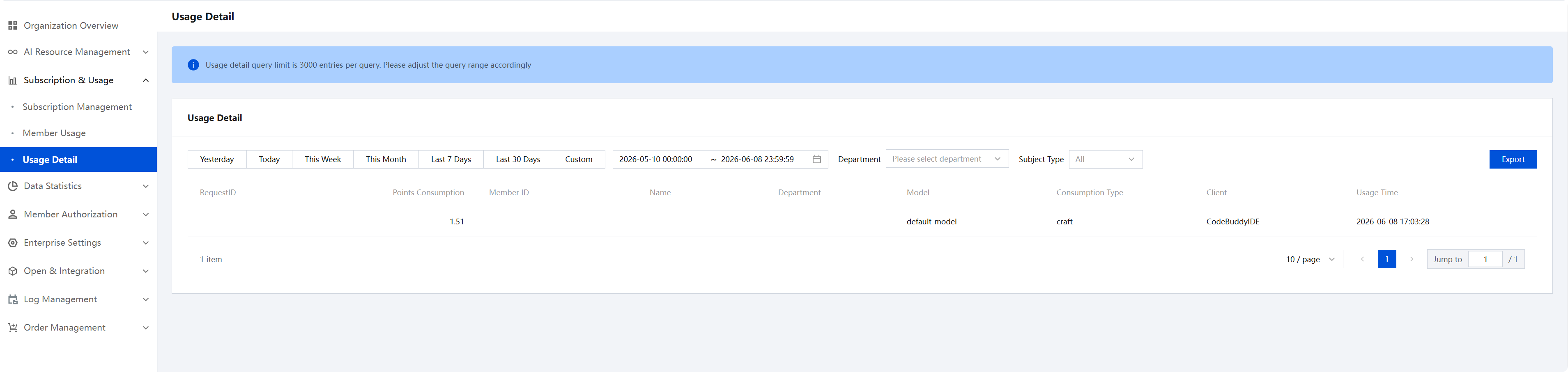
Go to Subscription & Usage > Usage Details in the admin console to view the historical transaction records of all usage for your enterprise. The transaction records are organized by conversation, with each conversation recorded as one Request. You can view the usage consumption generated by each conversation. Note that the maximum number of records returned in a single query for usage details is 3,000.
Viewing Usage for Members
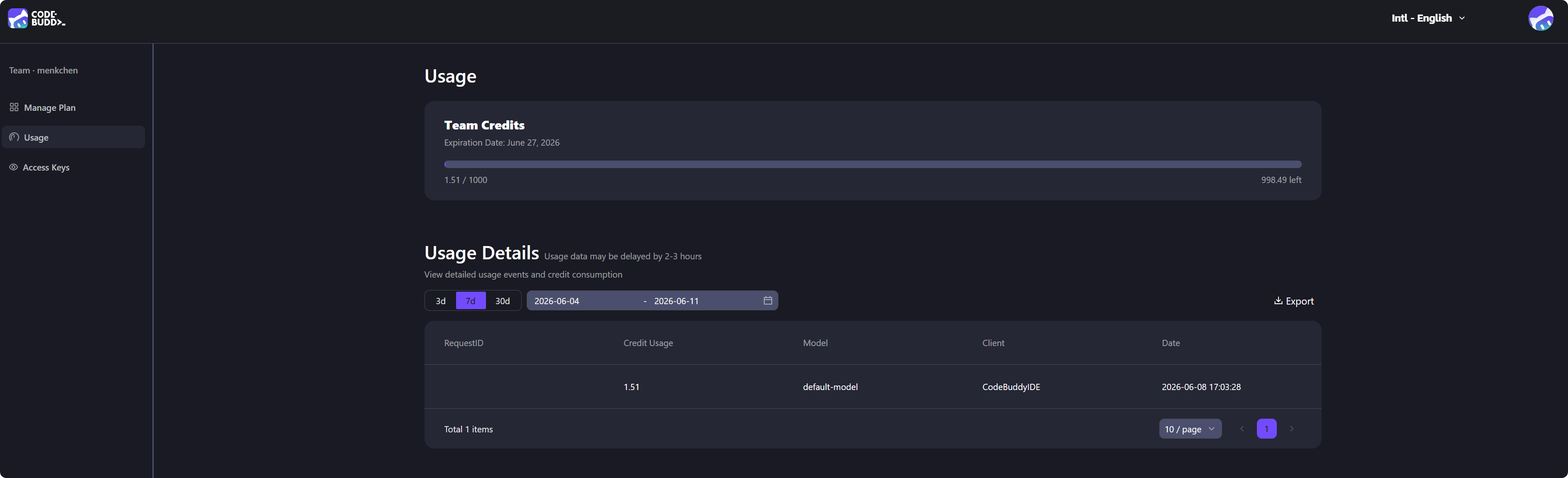
Members can go to the CodeBuddy website and click their avatar in the upper-right corner to enter their Personal Homepage, where they can view Usage Details, Current Usage, and the quota allocated by their team.
フィードバック