Cloud Special Effects
ダウンロード
フォーカスモード
フォントサイズ
The AI Cloud-based Effects feature of Cloud Streaming Services (CSS) integrates with the AI text-to-video technology, allowing users to generate personalized videos with special effects in real time by inputting text descriptions (Prompts). Users can also manage the list of generated special effects via the console or API, as well as send videos with special effects to a specified live stream. This feature enhances the interactive experience of users, creating unique emotional expression methods for both anchors and audiences. Compared with traditional fixed gift special effects, it has increased interactivity.
This article will show you how to send effects through the console.
Must-Knows
Using the AI Cloud-based Effects feature of CSS will incur two charges: one for generating a video with special effects and another for sending it. The specific fees are incurred based on the actual usage. For relevant billing instructions, see Documentation.
Videos with special effects are generated by large models and have a certain degree of randomness. Video effects will gradually improve with technological evolution and version iterations.
The use of Prompts containing prohibited sensitive words (such as violence and illegal sensitive words) is strictly forbidden.
Prerequisites
You have activated Tencent Cloud Streaming Services.
Send Special Effect
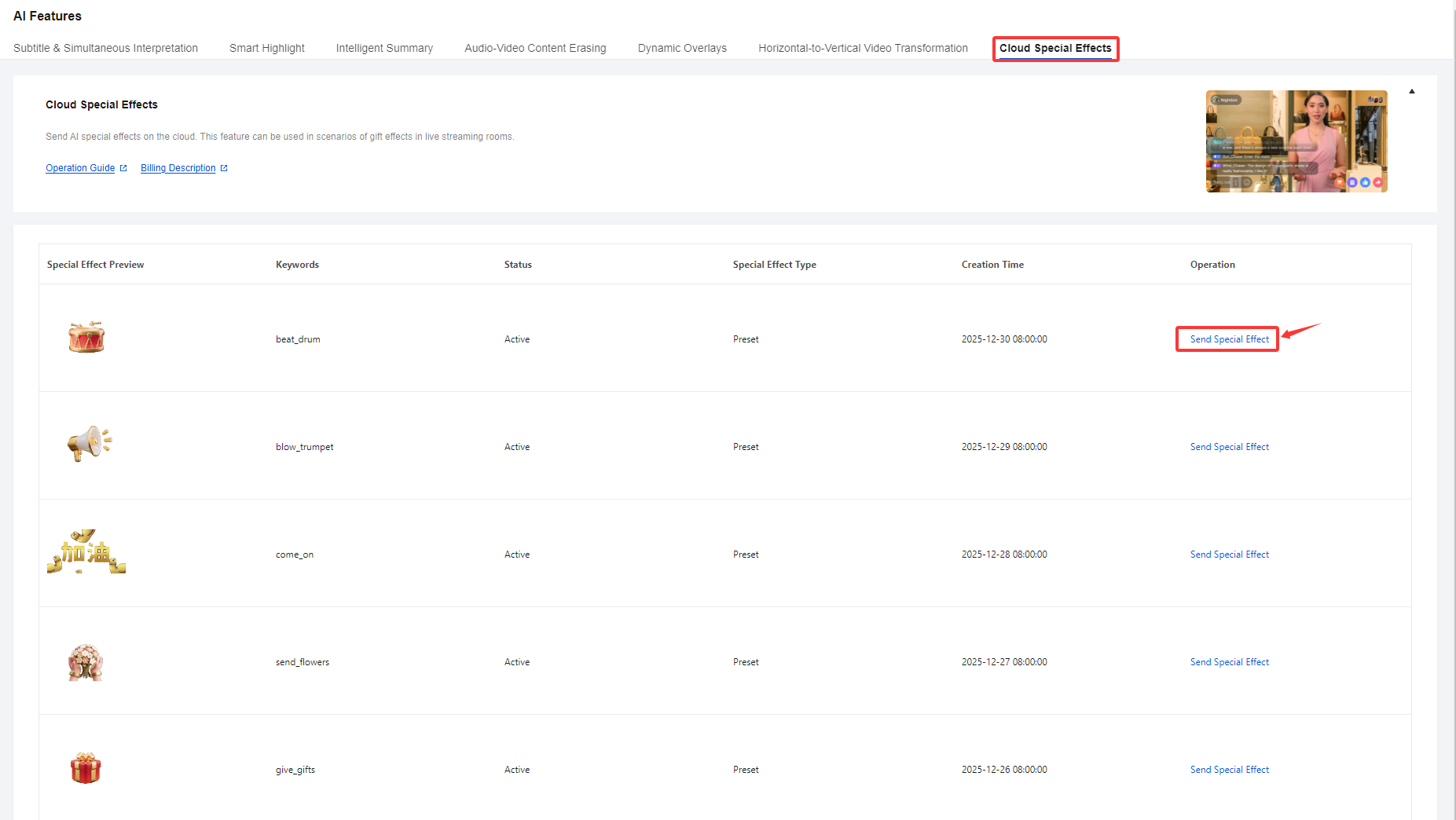
1. Log in to the CSS Console and navigate to Feature Configuration > AI Features > Cloud Special Effects, Click Send Special Effect.
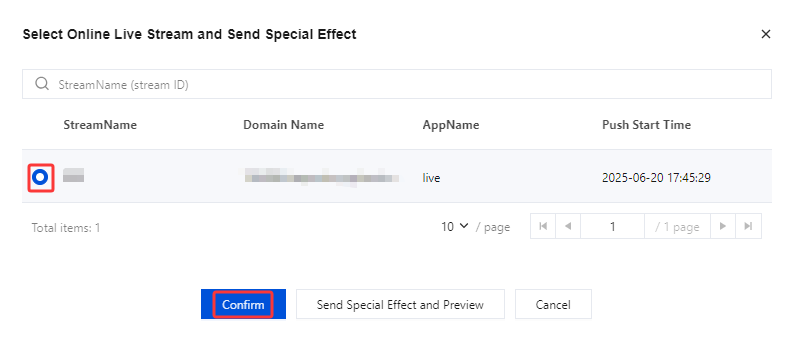
2. In the pop-up page, check Online Live Stream and click Confirm to Send Special Effect.
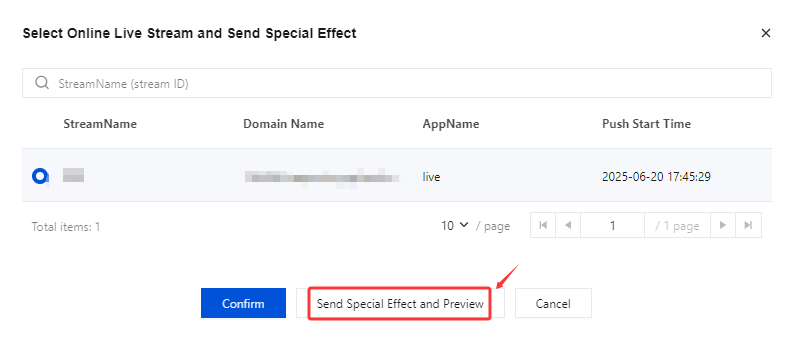
3. You can also click the Send Special Effect and Preview button to preview it.
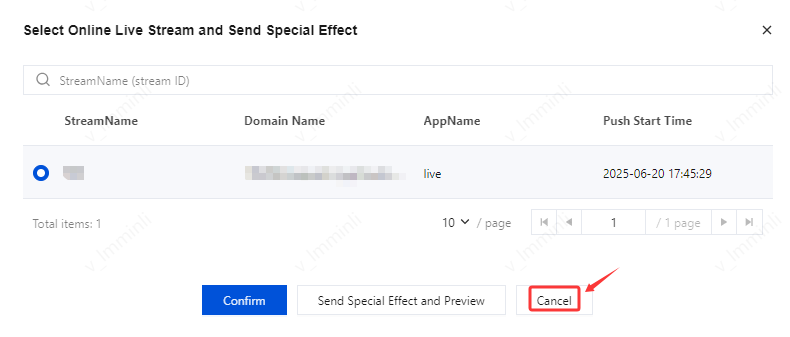
4. Click Cancel to stop the Send Special Effect.
フィードバック