tencent cloud

Cloud File Storage

Releases Notes and Announcements
Release Notes
Announcements
Product Introduction
Overview
Strengths
Storage Classes and Performance
Use Cases
Recommended Regions
Use Limits
Service Regions and Service Providers
Purchase Guide
Billing Overview
Pricing Overview
General Series Billing
Turbo Series Billing
High-Throughput CFS Billing
Billing Mode
IA ‍Storage Billing
Storage Resource Units
Resource Purchase
Viewing Bills
Arrears Reminder
Getting Started
Creating File Systems and Mount Targets
Using CFS File Systems on Linux Clients
Using CFS File Systems on Windows Clients
Using CFS Turbo on Linux Clients
Using the CFS Client Assistant to Mount File Systems
Operation Guide
Access Management
Managing File Systems
Permission Management
Using Tags
Snapshot Management
Guide for Cross-AZ and Cross-Network Access
Automatically Mounting File Systems
Data Migration Service
User Permission Management
User Quotas
Data Encryption
Data Lifecycle Management
Upgrading Standard File Systems
Practical Tutorial
Selecting Kernels for NFS Clients
Managing Turbo CFS Directories
Terminating Compute Instances
Using CFS on TKE
Using CFS on SCF
Using CFS Turbo on TKE
Using CFS Turbo on TKE Serverless Cluster
Selecting a Network for Turbo CFS
Copying Data
CFS Storage Performance Testing
API Documentation
History
Introduction
API Category
Snapshot APIs
File system APIs
Lifecycle APIs
Other APIs
Data Flow APIs
Making API Requests
Permission Group APIs
Service APIs
Scaling APIs
Data Migration APIs
Data Types
Error Codes
Troubleshooting
Client Use Bottleneck due to Large Number of Small Files or Parallel Requests
FAQs
CFS Service Level Agreement
Contact Us
Glossary

Deleting a Snapshot

PDF
フォーカスモード
フォントサイズ
最終更新日: 2024-01-22 22:15:48

Overview

When there is no need to use a snapshot again, you can delete it to release virtual resources.

Notes

When you delete a snapshot, only the data exclusive to the snapshot will be deleted, and the file system for which the snapshot is created will not be affected.
You can use a snapshot to restore a file system to the data status when the snapshot is created. Deleting a snapshot created earlier for a file system will not affect your use of snapshots created later.
Deleting a snapshot will also permanently delete all data in the snapshot. Deleted snapshots cannot be restored. Please proceed with caution.

Directions

1. Log in to the CFS console, and go to the Snapshot Overview page to view the snapshot quota usage in regions.


2. On the Snapshot List page, click Delete Snapshot for the target snapshot.


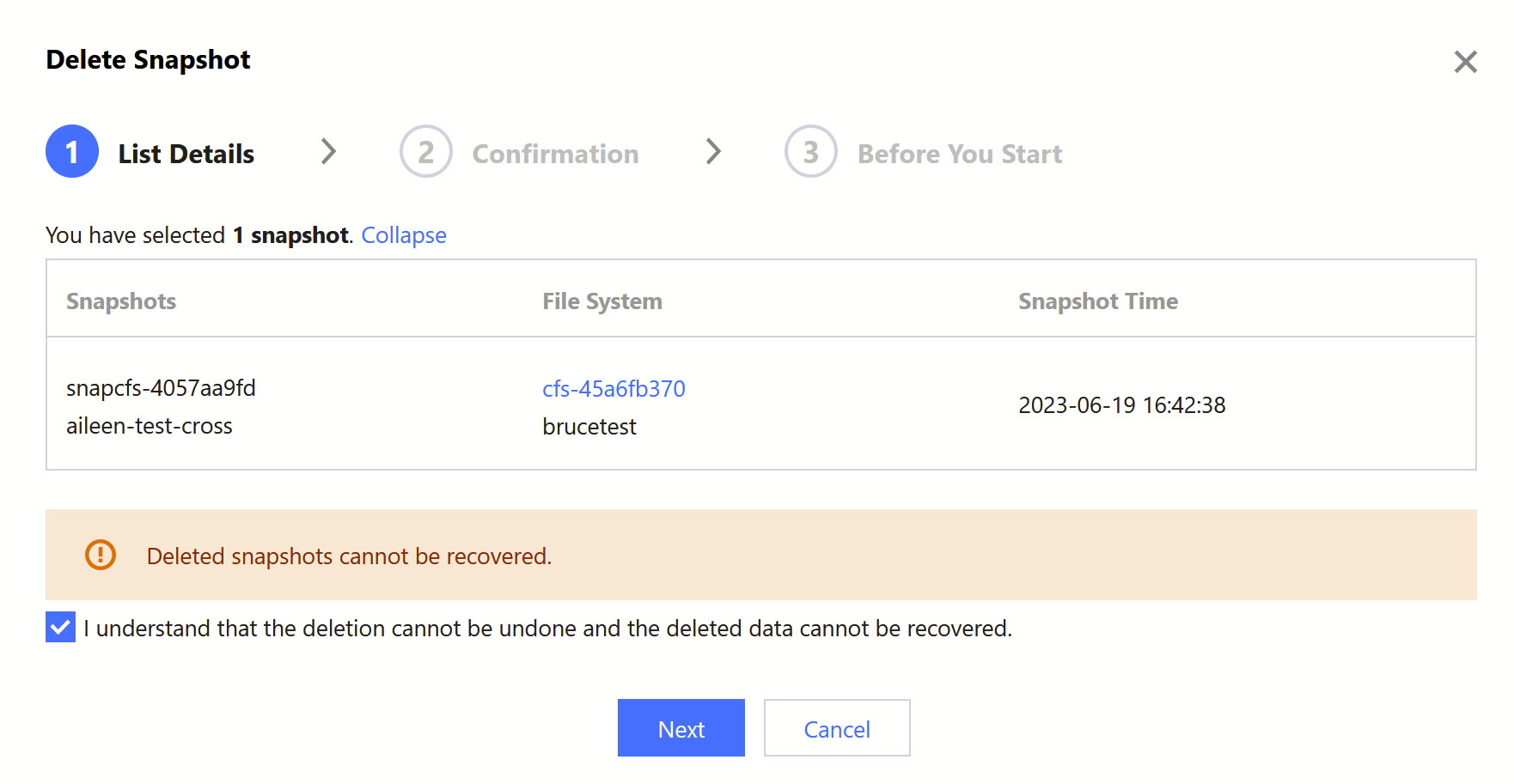
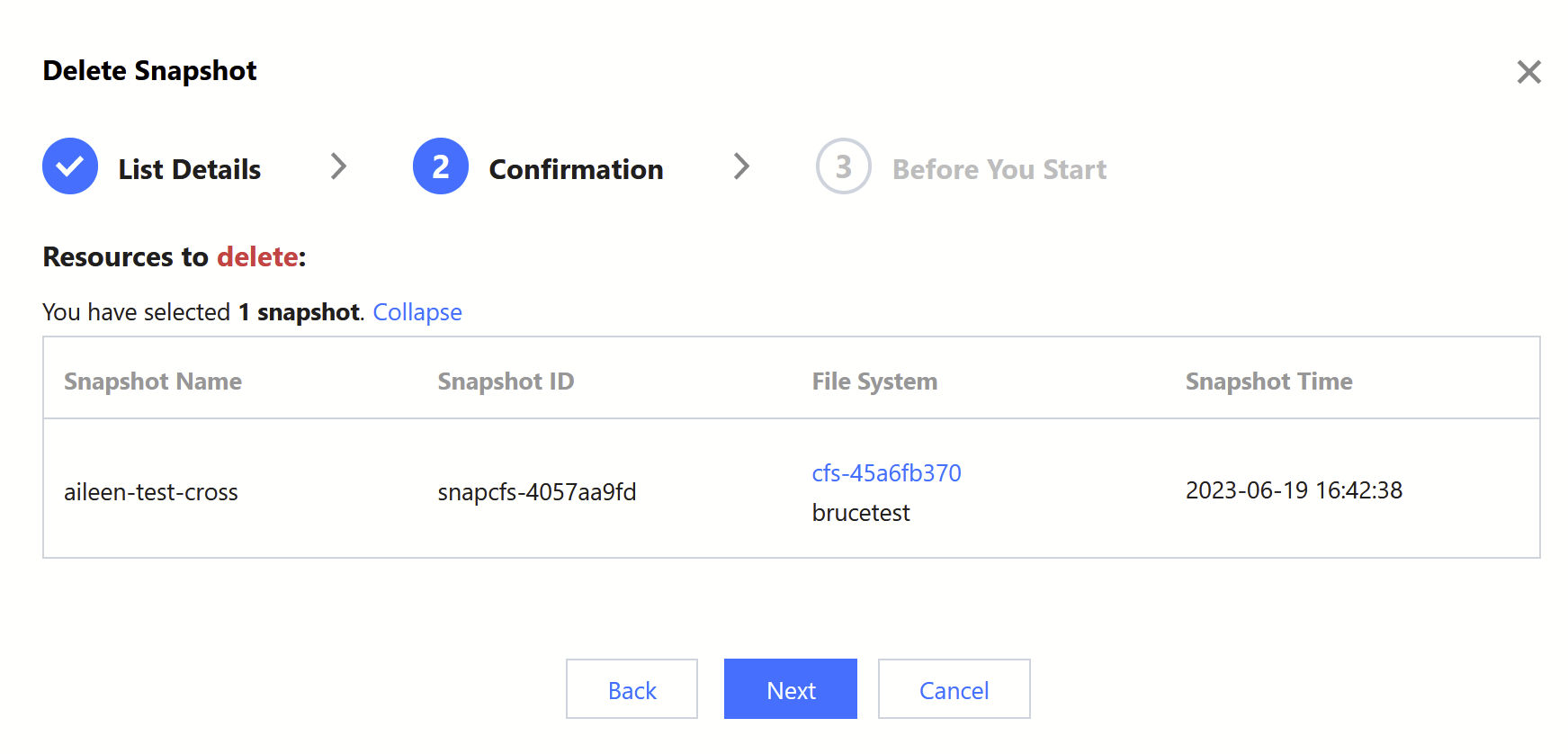
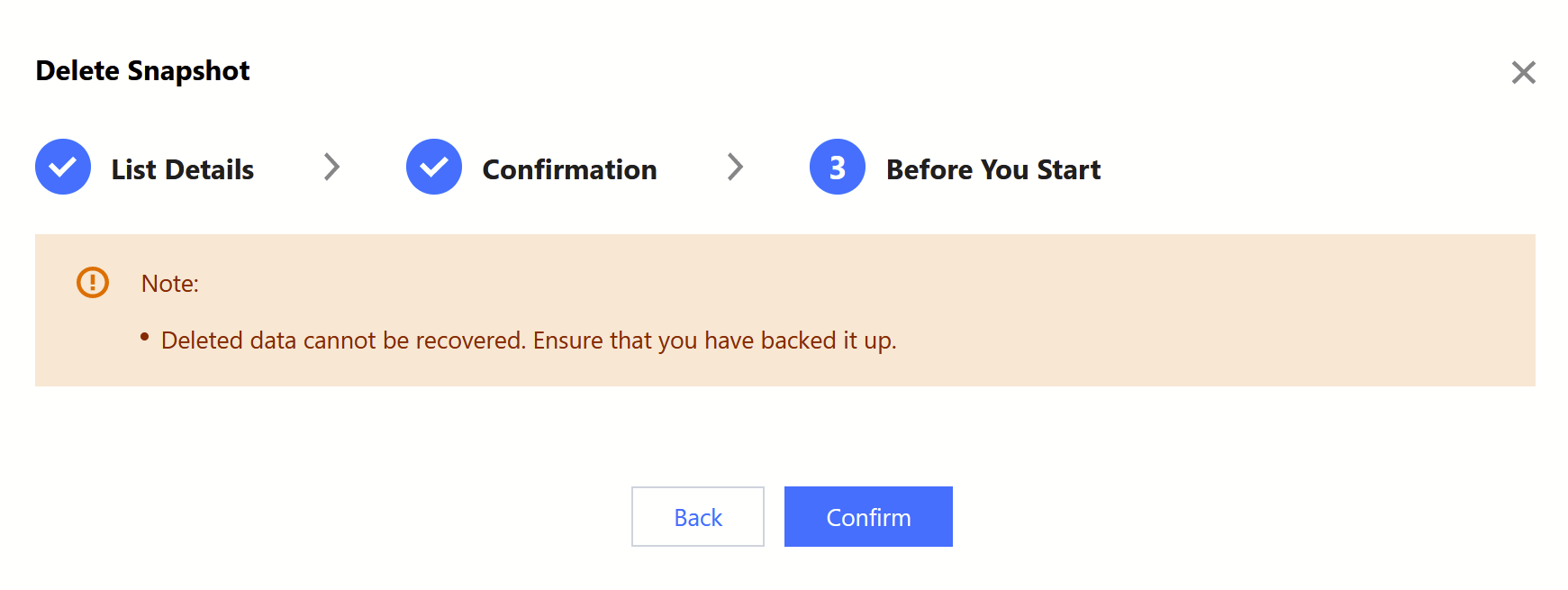
3. Confirm the information of the snapshot to be deleted:
3.1 Confirm the snapshot to be deleted, and click Next.


3.2 Confirm the information, and click Next.


3.3 Read the precautions and click Confirm ‍to execute the deletion.


ヘルプとサポート

この記事はお役に立ちましたか?

フィードバック