Overview
다운로드
포커스 모드
폰트 크기
Product Overview
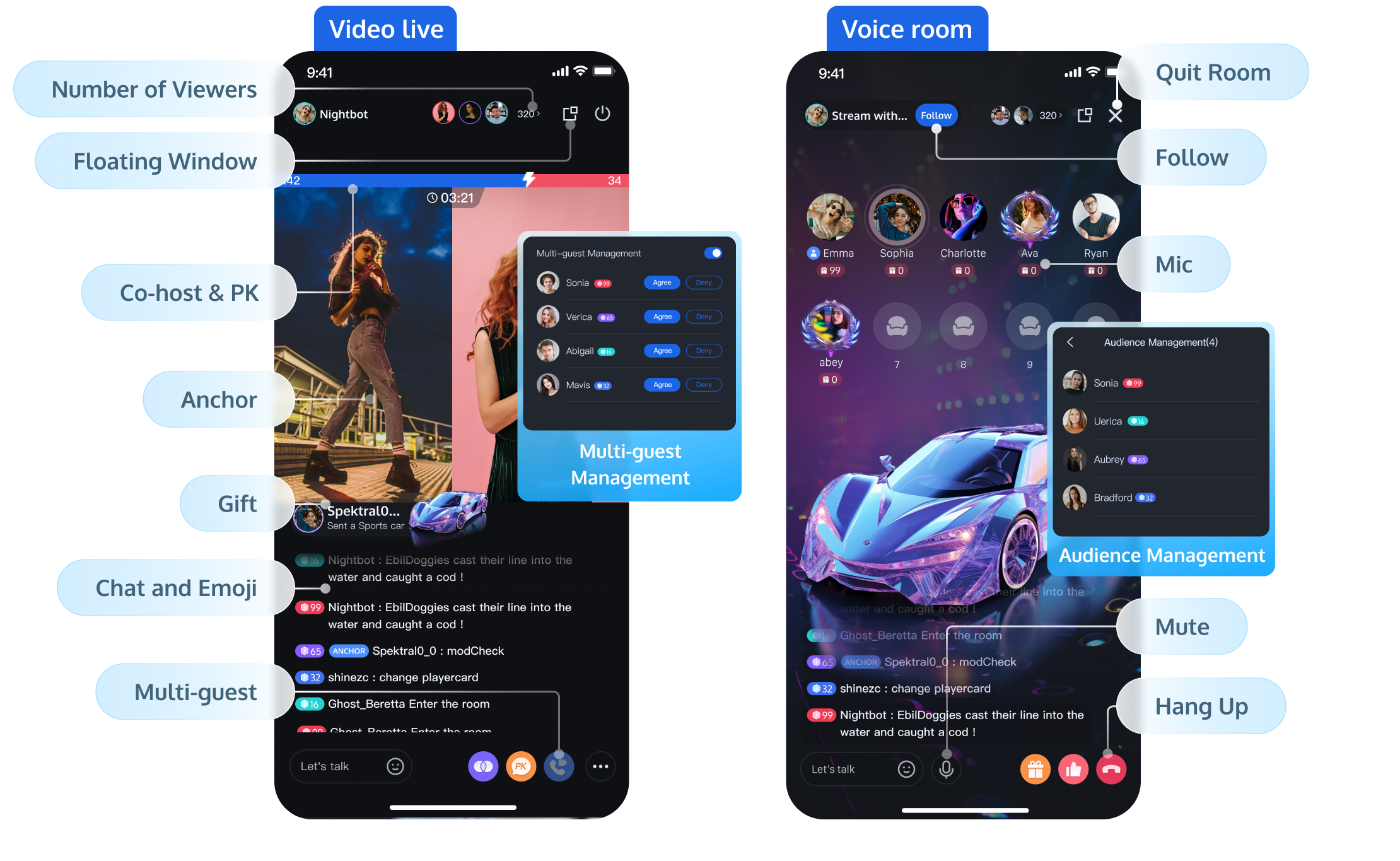
Tencent RTC Live is the next gen Mobile Live Video Broadcasting. With just three steps, you can add host streaming, audience viewing, interactive multi-guest, gifting, and room management to your app in 30 minutes. Core features are shown below.
Note:
The class Mobile Live Video Broadcasting remains fully supported. For details, see the Mobile Live Video Broadcasting (MLVB) documentation.
Supported Platforms
Platform | Android | iOS | Desktop | Flutter | Web |
Supported | | | | | |
Supported Languages/Frameworks | Java Kotlin | Swift Objective-C | Electron(Only Windows currently) | Dart | Vue3 |
Features
Basic Features
| Feature Description |
High-Definition Live Streaming | The host can preview the screen before going live, with the option to start and stop the stream |
Voice Chat Room | The host can set the background and sound effects before starting the voice chat room, with the option to open and close the chat room |
Live Streaming Viewing | Supports multiple viewers watching the live stream simultaneously |
Single-room Multi-Guest | Supports Multi-Guest within a single room |
Cross-room Multi-Guest/PK | Supports two-person and multi-person cross-room connection/PK |
Audience List | The audience list component supports displaying the latest 100 viewers entering the live room and the total number of viewers, with simplified and detailed view options |
Chat and Emoji Chat in Live Room | Users can send emoticons and text message barrages, which are displayed in real-time within the live room |
Likes | Supports a like feature and tracks basic like data |
Advanced Features
| Feature Description |
Member Management | Supports the host in blocking and muting viewers |
Follow | Viewers can follow the host and other viewers in the live room |
In-Room Search | Supports searching for members within the live room |
Live Preview | Viewers can preview the live room content without entering it |
Live Feed | Viewers can swipe up and down the screen to view different live rooms, supporting both single-column and double-column waterfall UI formats |
Gift System | Provide a comprehensive gift solution, including gift material configuration, panel display, special effects playback and data analytics capabilities, to support rapid monetization |
Robot | Supports adding live room robots, which can join the room as dummy viewers, interact via multi-guest, and send comments |
Ultimate Image Quality | Significantly reduces bitrate while maintaining picture quality, or improves picture quality at the same bitrate, optimizing the viewing experience in bandwidth-limited environments |
PC Live Streaming Assistant | Supports multi-camera scene capture and local audio-video mixing, suitable for professional streaming on PC |
RTMP Entry/Input Online Media Stream | Pushes local video and audio to the live room via RTMP protocol, supporting scenarios such as host OBS streaming and virtual host live streaming |
QUIC Weak Network Optimization | Automatically selects and switches network links or multi-link transmission based on the terminal's network condition, improving transmission speed in weak network environments |
Sound Effects | Supports setting volume, voice change, and reverb effects before starting the stream |
Note:
Scenario Types
Live supports a range of real-time interactive scenarios, including video live streaming, voice chat rooms, and karaoke rooms. These options are designed to accommodate various business needs.
Note:
Each scenario has its own interaction mode and billing policy:
Usage of the Live Video Streaming Component is billed according to the Live Video Streaming Billing Description.
Usage of the Voice Chat Room and Karaoke Room components is billed based on Audio and Video Duration.
Name | Video Live Streaming | Voice Chat Room | Karaoke Room |
Description | Centered on the host’s video stream, this scenario enables audience viewing, interactive co-hosting, gifting, and more. Multiple layout templates are available. For details, see Video Live Streaming Layout Types. | Designed for multi-user voice interaction, users communicate in real time through mic slots. The interface displays a mic grid. | Built around voice interaction, this scenario includes features like song selection and chorus. A music player appears above the mic slots. |
Preview | 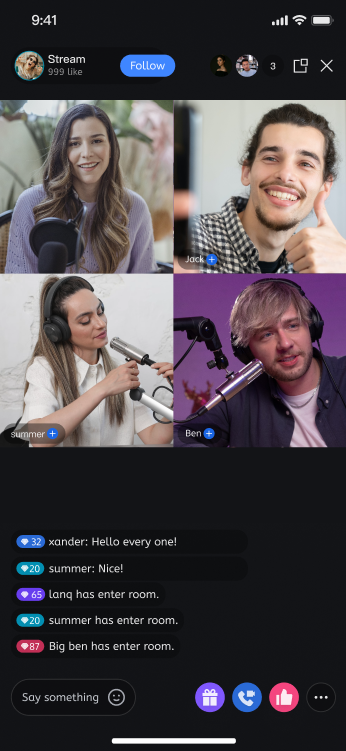 | 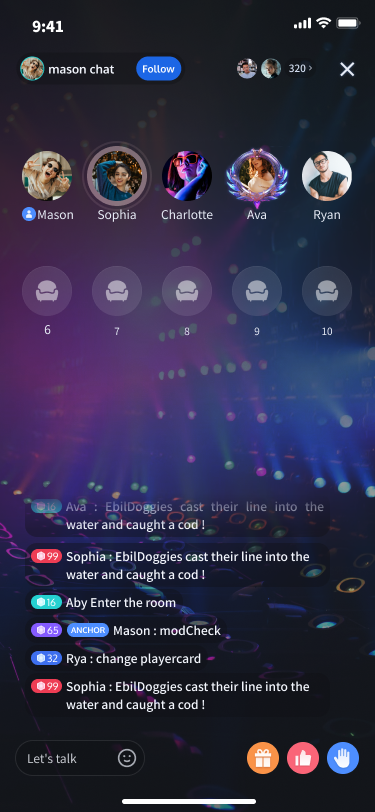 | 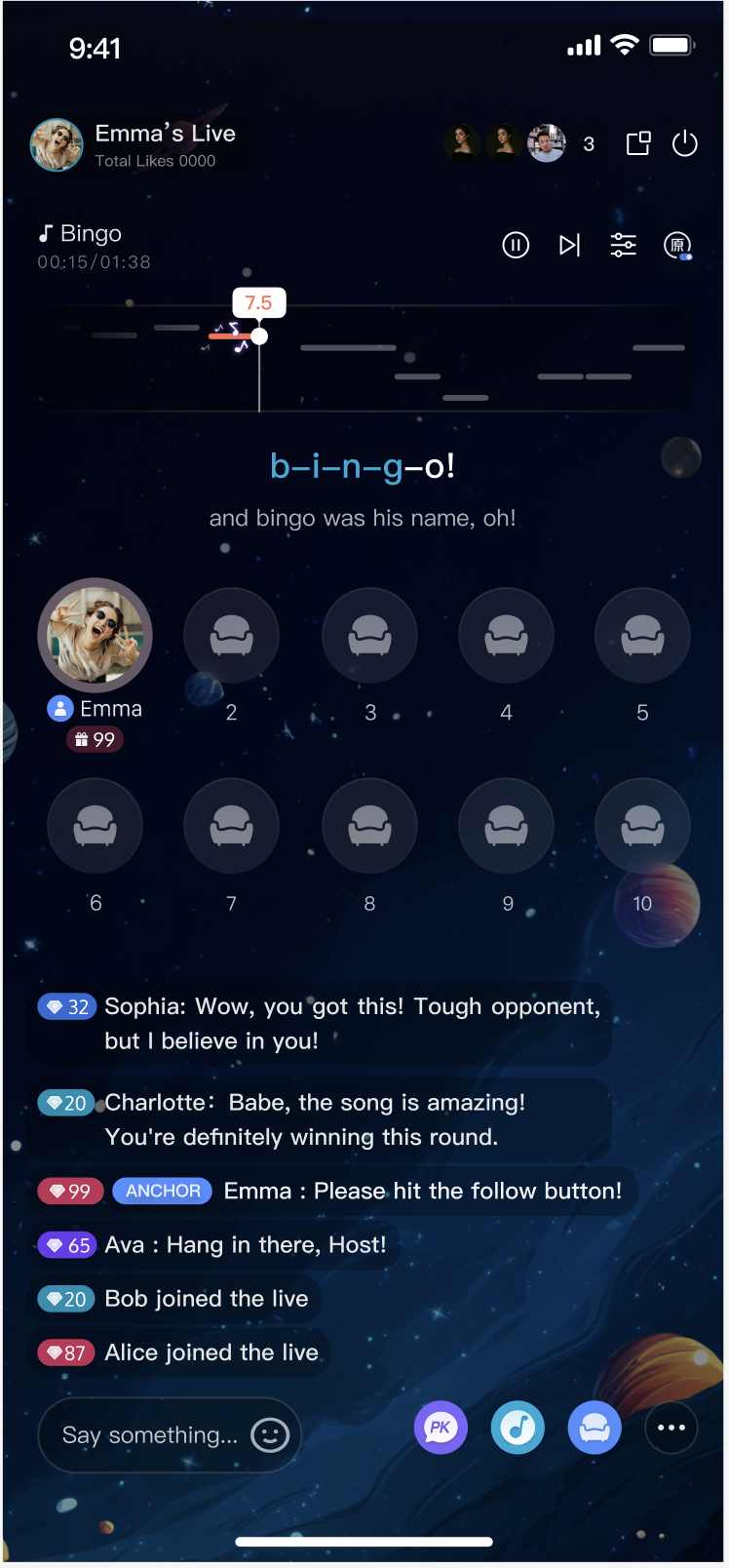 |
Video Live Streaming Layout Types
Video live streaming supports five layout templates, including dynamic grid and floating window options. When creating a room, set
liveInfo.seatTemplate to one of the following Template IDs to use the Live video streaming component.Name | Dynamic grid layout | Dynamic float layout | Static grid layout | Static float layout | Landscape floating layout |
Template ID | VideoDynamicGrid9Seats | VideoDynamicFloat7Seats | VideoFixedGrid9Seats | VideoFixedFloat7Seats | VideoLandscape4Seat |
Description | The default layout; grid size adjusts dynamically based on the number of co-hosts. | Co-hosts are displayed in floating small windows. | The number of co-hosts is fixed, and each co-host occupies a fixed grid cell. | The number of co-hosts is fixed, and co-hosts are displayed in fixed small windows. | Co-hosts are shown as floating small windows at the bottom of the screen. |
Preview | 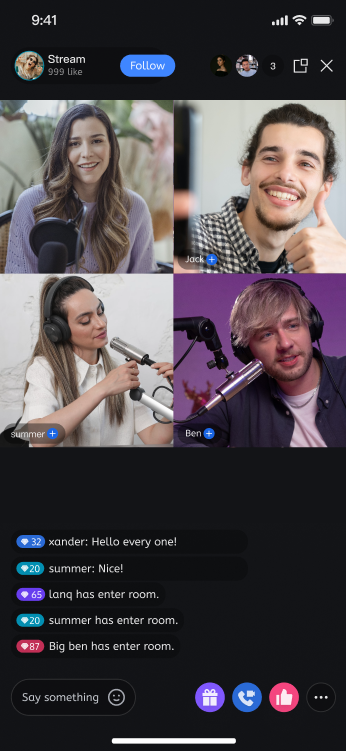 | 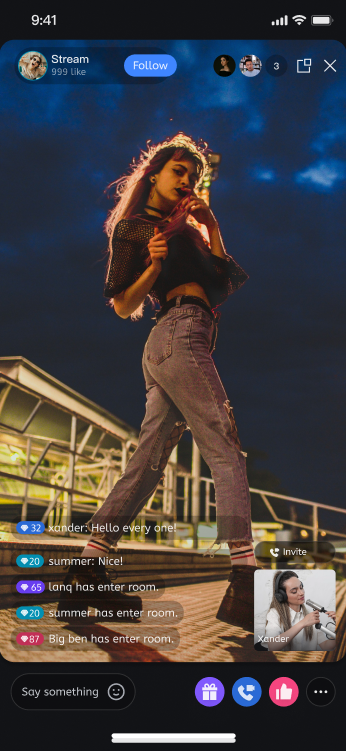 | 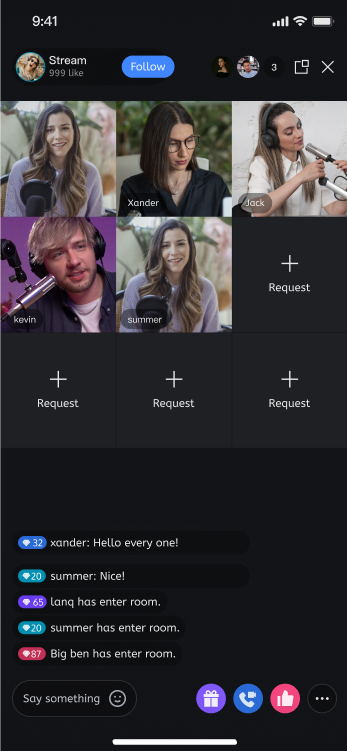 | 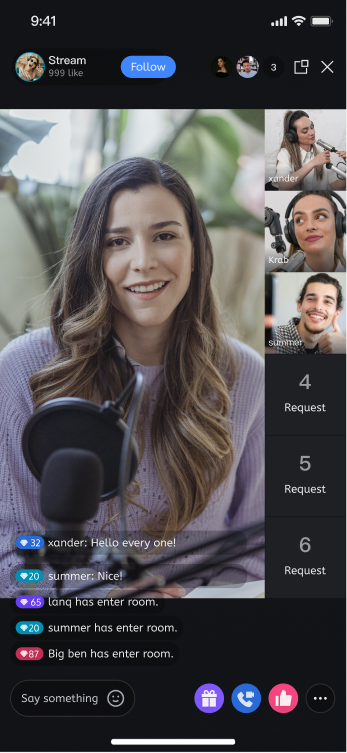 | 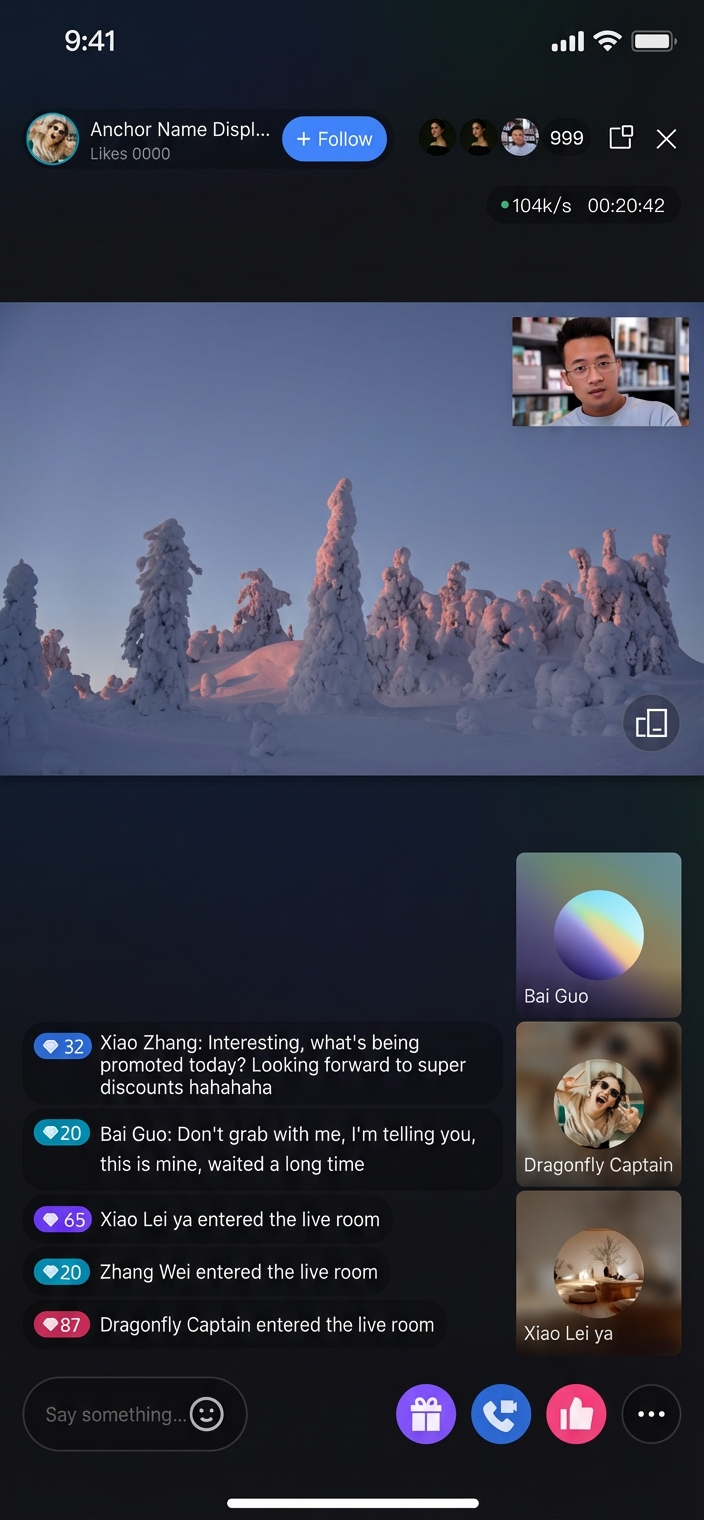 |
Voice Chat & Karaoke Room Layout Templates
To use the Live Voice Chat Room or Karaoke Room component, set
liveInfo.seatTemplate to one of the following Template IDs when creating a room.Name | Voice Chat Room Layout | Karaoke Layout |
Template ID | karaoke | audioSalon |
Description | Default layout. Only the mic seat grid is displayed. | A KTV song player is shown above the mic seat grid. |
Preview | 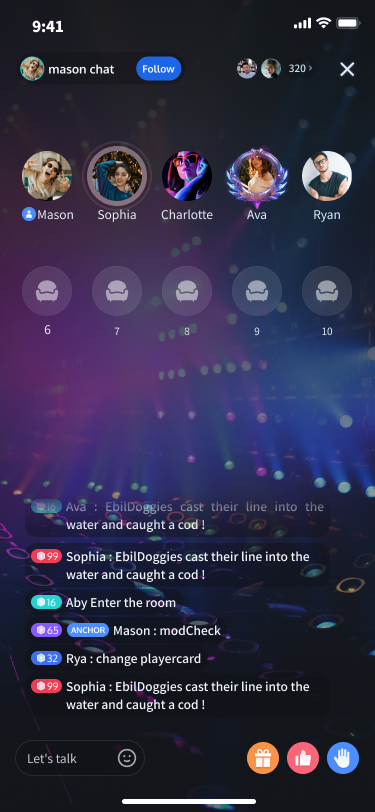 | 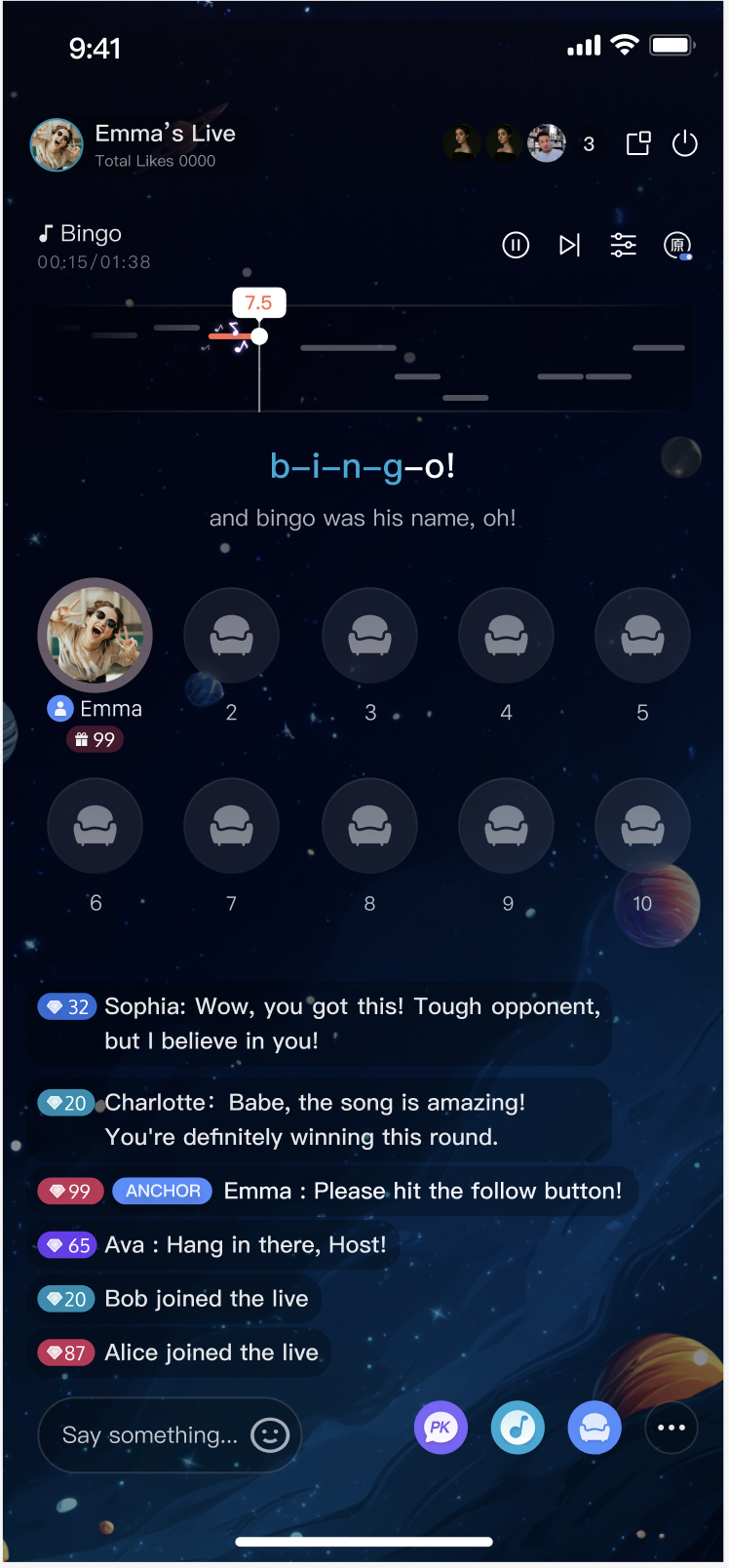 |
피드백