This document analyzes TRTC’s performance in terms of audio/video quality, latency, smoothness, stability, CPU usage, memory usage, battery consumption, heating, and other key indicators in tests under normal and poor network conditions and in different application scenarios (one-to-one, one-to-many, etc.).
Performance Under Normal and Poor Network Conditions
Parameter configuration
Interactive live streaming:
Parameter
Value
Resolution
720 x 1280
Bitrate
1200 Kbps
Frame rate
15
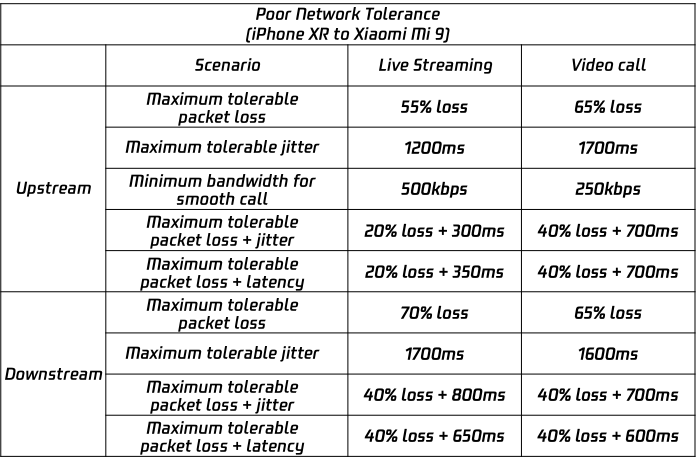
Poor network tolerance test
The TRTC SDK was tested for its tolerance to different bad network conditions.
Note
For the metrics used to measure tolerance to poor network conditions, please see Appendix 1: Network Metrics.
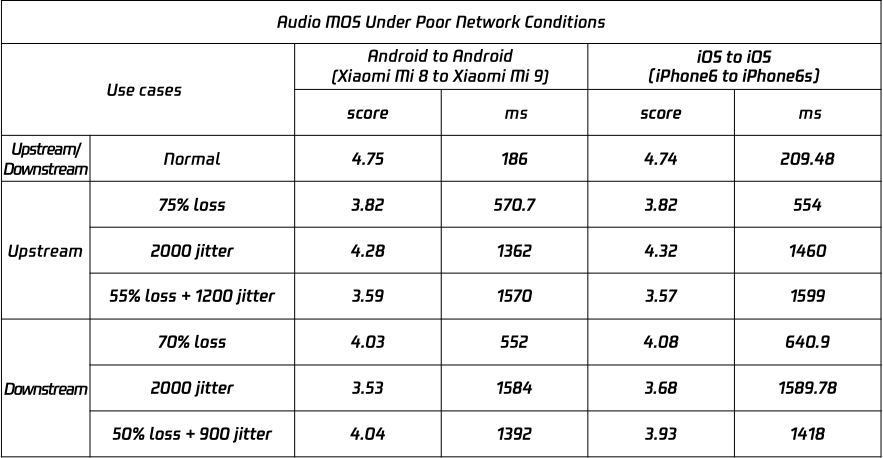
Audio MOS under poor network conditions
TRTC can deliver relatively high-quality audio and low latency under poor network conditions.
The table below lists TRTC’s performance and mean opinion score (MOS) under different poor network conditions.
Method: a Linux robot is used to simulate streaming in one-to-many scenarios. Each device is tested independently.
Test result
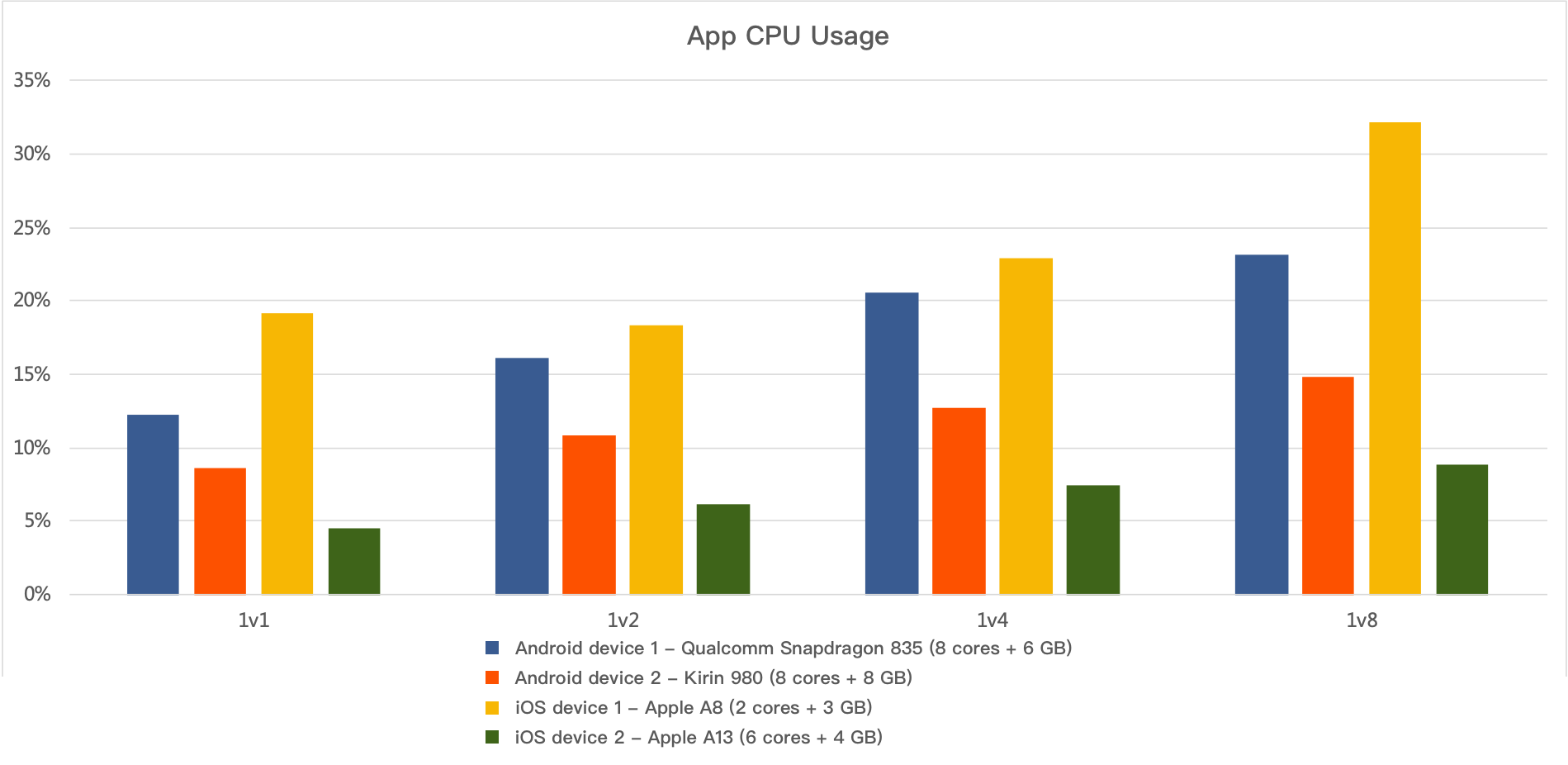
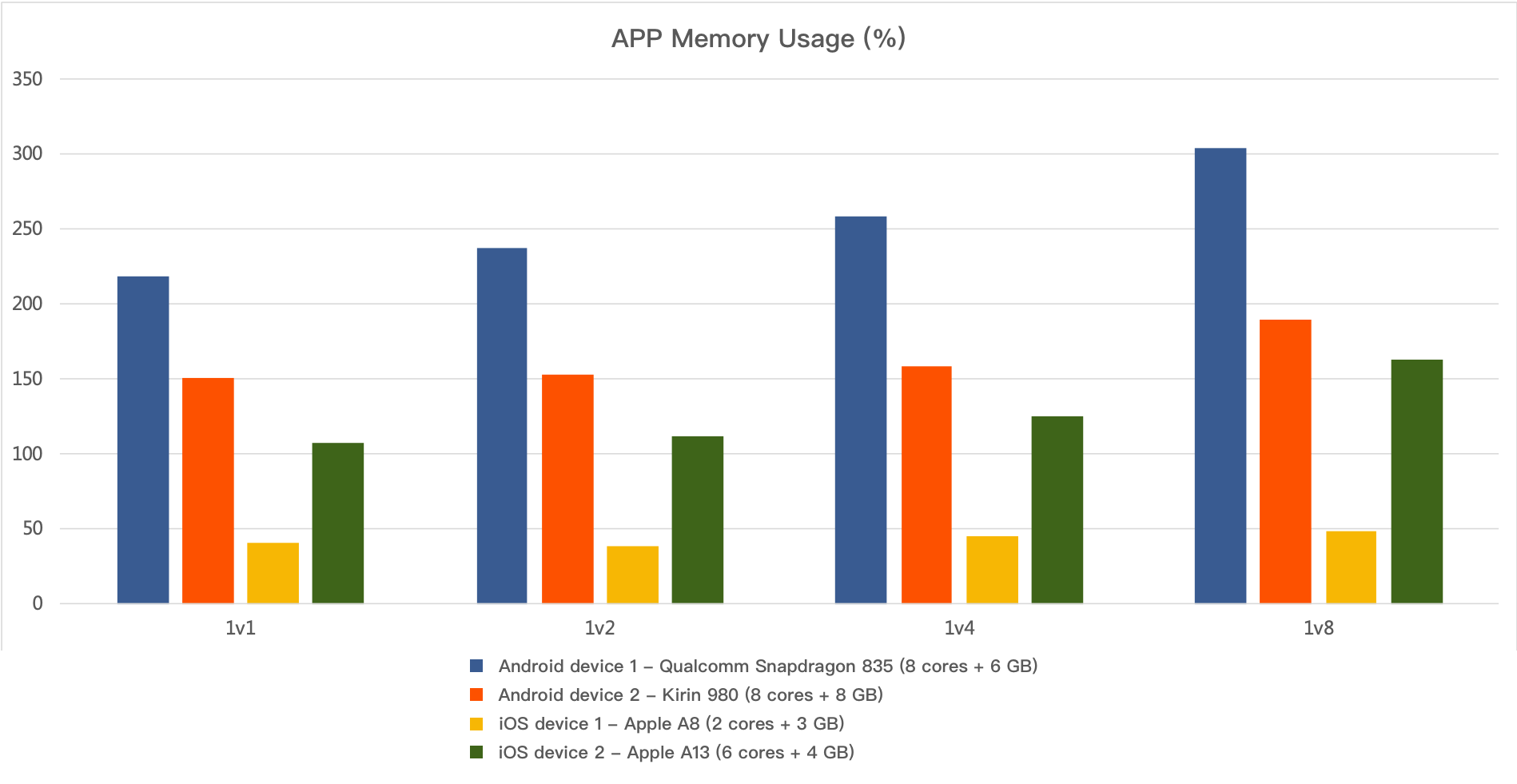
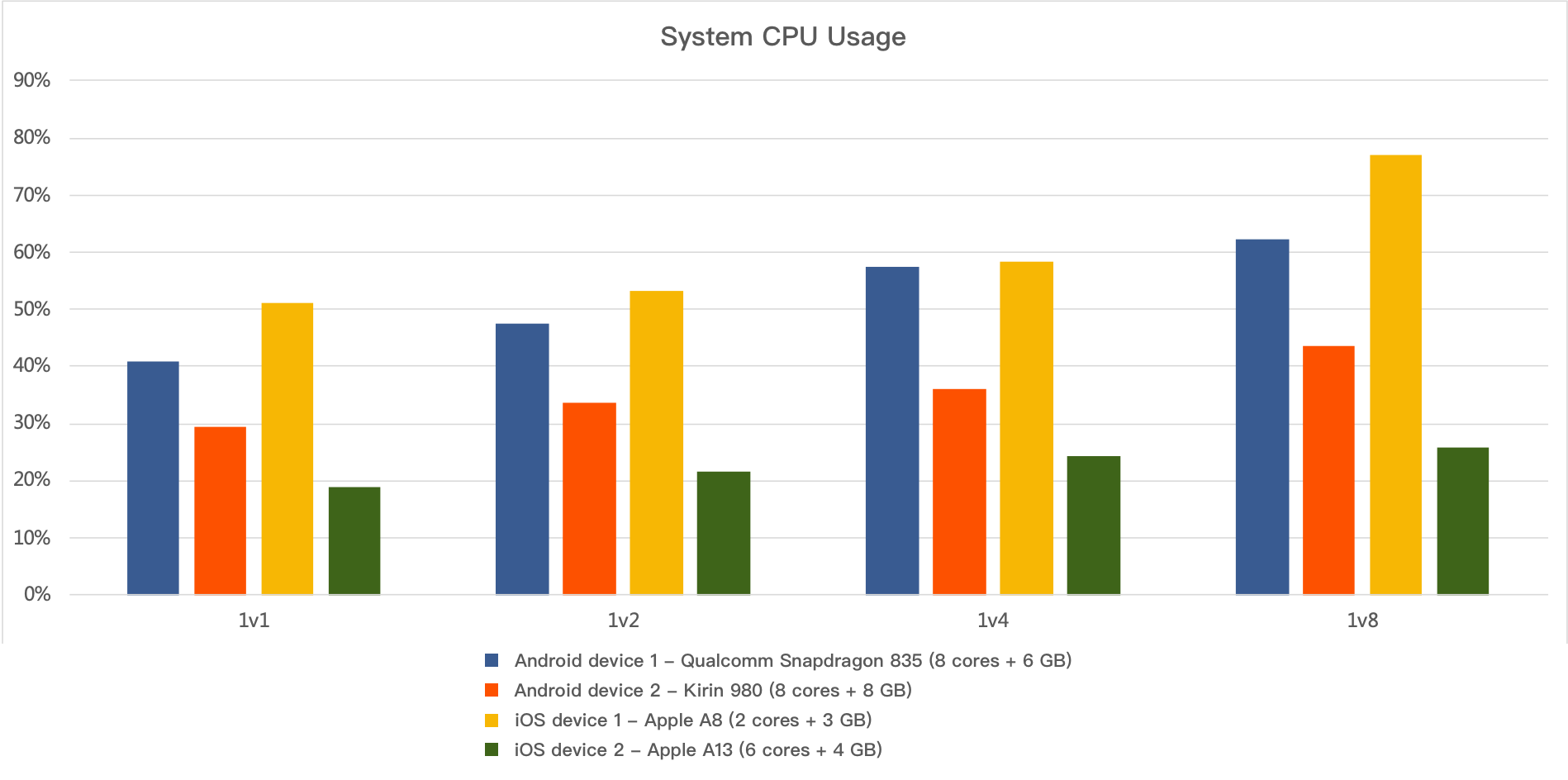
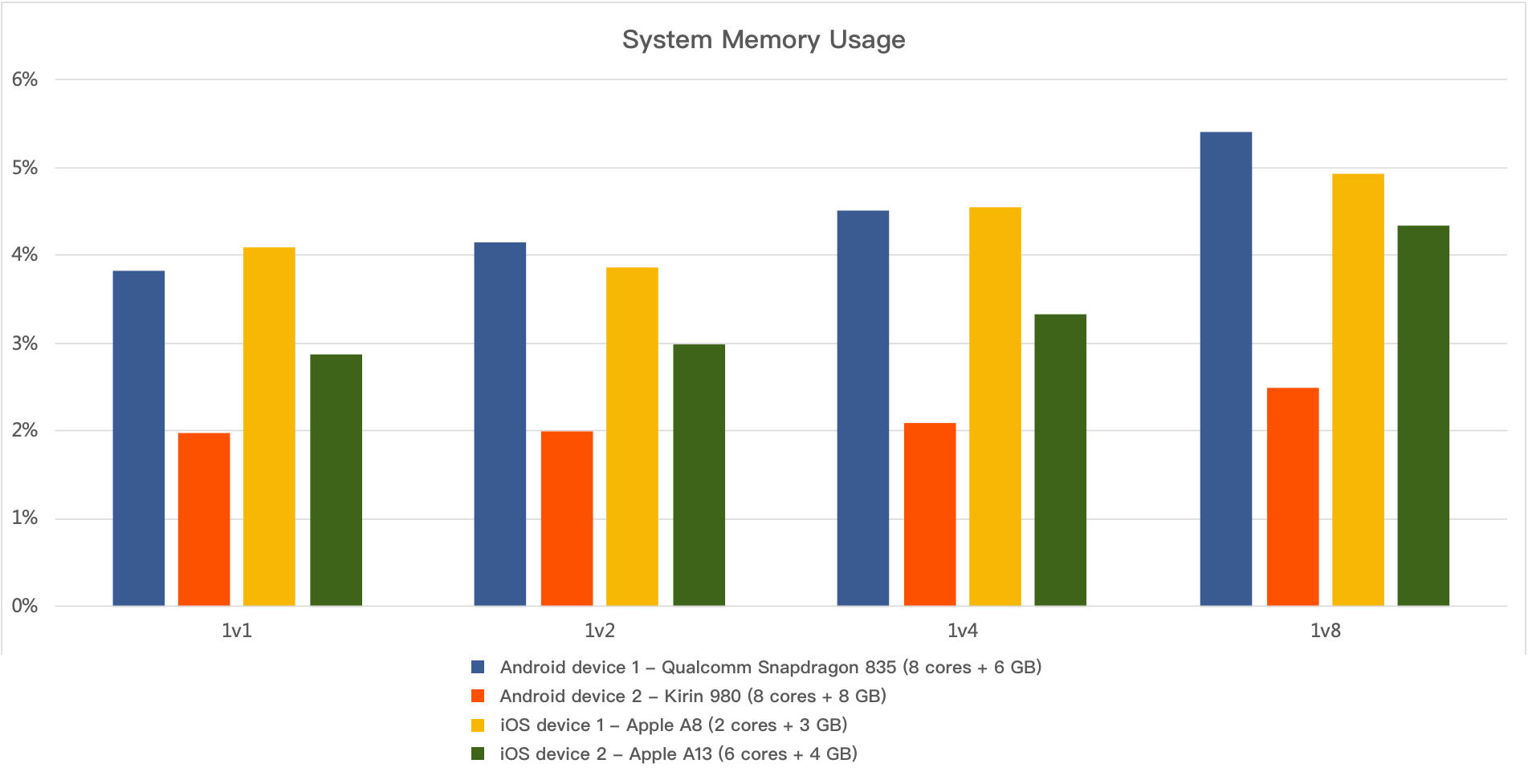
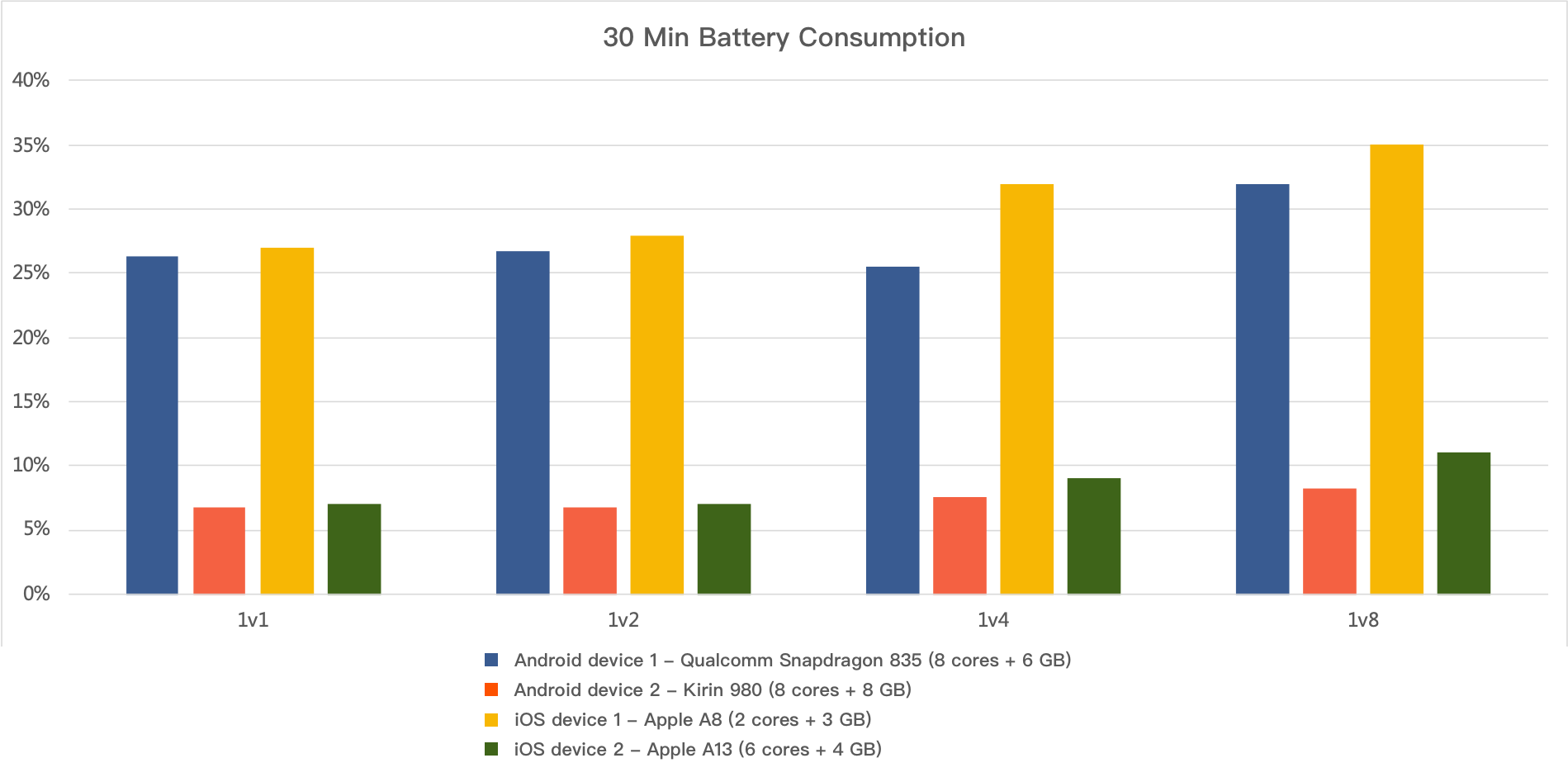
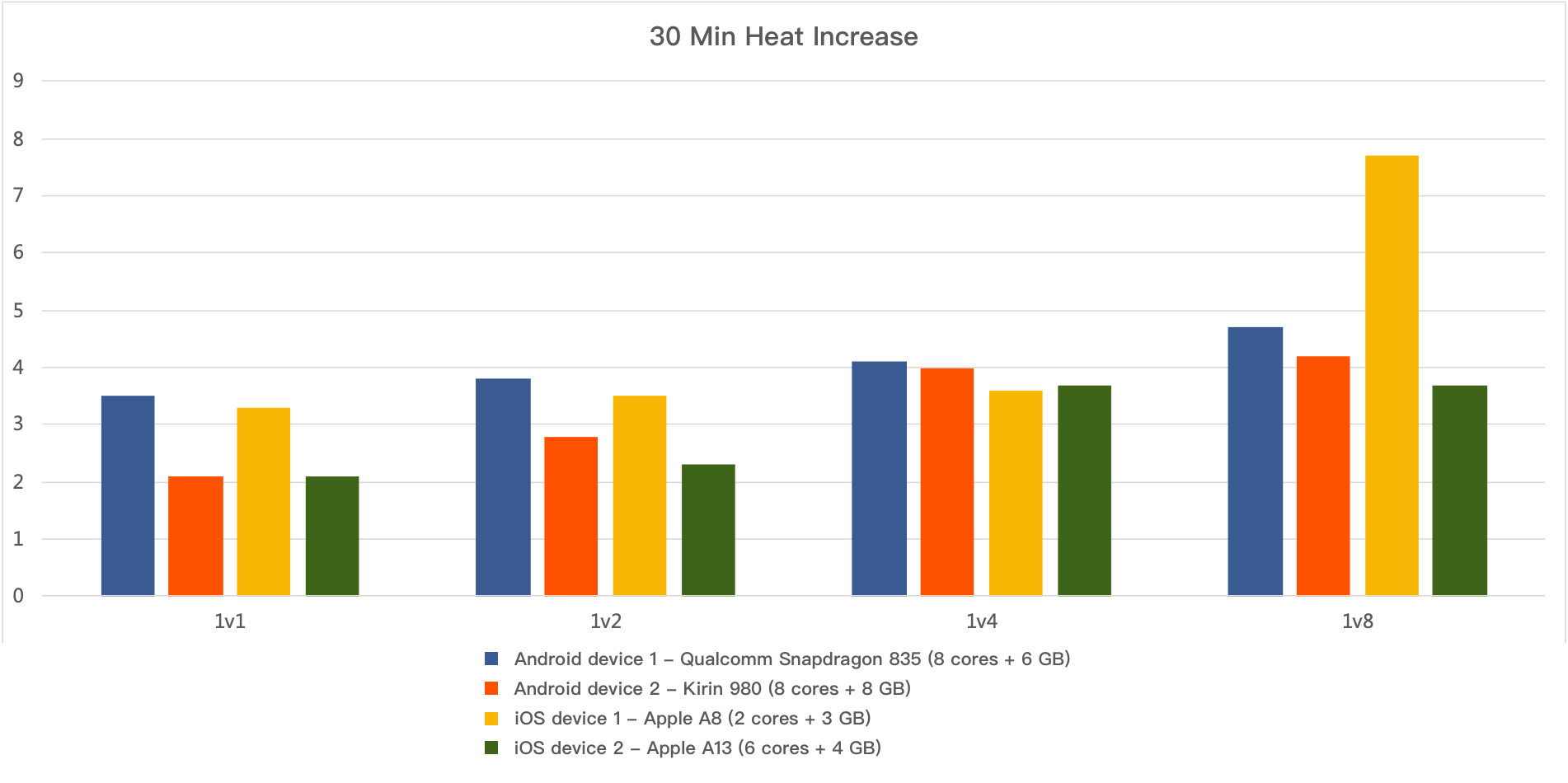
The TRTC SDK performs well in terms of CPU usage, memory usage, heating, and battery consumption. It uses a small amount of hardware resources but provides quality audio/video services.
App CPU usage:
App memory usage:
System CPU usage
System memory usage
Battery drain after 30 min:
Heat increase after 30 min:
Appendix 1: Network Metrics
Metric
Description
Example
Loss
Packet loss rate
50%: for every 10 packets sent, 5 are lost.
Delay
Network delay
200: Data packets are delivered by the network 200 ms after they are sent by the SDK.
Jitter
Network jitter
300: Packet sending may be delayed 20 ms, 50 ms, 250 ms, 280 ms, or any value up to 300 ms. The average delay is 150 ms.
Appendix 2: Performance Metrics Under Poor Network Conditions
Performance Metric
Description
MOS
An important measure of the audio quality of telecommunication systems. MOS is generated by Spirent Nomad using the POLQA standard. The higher the score, the higher the audio quality.
End-to-end latency
The time from when audio is captured at the sender end to when it is played back at the recipient end
Poor network tolerance test
Spirent Nomad is used to score the SDK under different poor network conditions using the POLQA standard. Foreman video sequences are used to send data, and frame intervals are monitored at the recipient end. Data is collected at 30 points over a course of 10 min or longer. If there are perceptible abnormalities of 3 min at more than 3 data points, or the SDK is unavailable for a relatively long period of time, the SDK is considered intolerant of the network conditions.
Note:
Perceptual Objective Listening Quality Analysis (
POLQA
) is the ITU-T P.863 standard. It is a globally applicable standard used to score speech quality under different network conditions.
Appendix 3: SDK Performance Indicators
Indicator
Description
App CPU usage
Android
Non-normalized CPU usage of the app, which is the same as the results generated by Android Studio Profiler
iOS
CPU usage of the app, which is the same as the results generated by XcodePerfDog usage = Xcode usage / Number of cores
System CPU usage
Android
Non-normalized CPU usage of the device, which is the same as the results generated by Android Studio Profiler
iOS
CPU usage of the device, which is the same as the results generated by XcodePerfDog usage = Xcode usage / number of cores
Memory usage
Android
Proportional set size (PSS), which is the same as the results generated by Android Java API and Meminfo
iOS
Xcode memory, which is obtained via debug gauges
Battery drain
Decrease in battery percentage after 30 min (calculation starts the moment the battery percentage drops from 100% to 99%.)
Heat increase
Temperature is measured with a thermometer when the app is not launched. Then run the app for 30 min under different scenarios. Heat increase = Temperature after 30 min – Temperature when the app is not launched