Overview
Download
포커스 모드
폰트 크기
In the custom routing mode of inter-VPC firewalls, users can configure routes according to their needs to implement personalized traffic steering and protection solutions.
Note:
Before using the custom routing mode, ensure that the basic network connectivity has been established (which can be achieved through Peering Connection or CCN), as CFW cannot perform basic network connectivity establishment.
Basic Concepts
Firewall Instance
A virtualized instance for hosting firewall functionality, similar to CVM, can be viewed in the CFW console.
Firewall Traffic Steering VPC
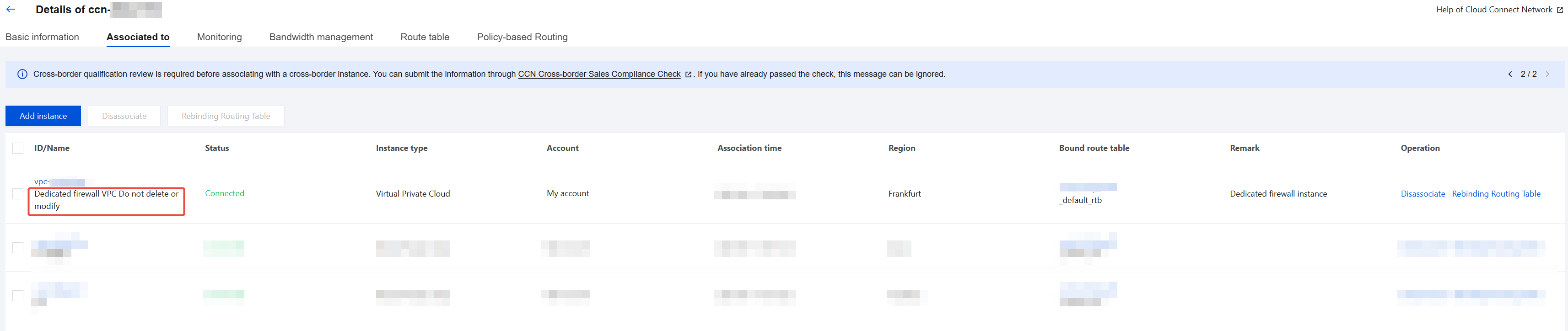
A dedicated VPC created by the firewall in CCN, used to steer user network traffic through the firewall traffic steering VPC to the firewall instance, thereby achieving protection effects. Do not delete or modify. Generally named "Dedicated firewall VPC Do not delete or modify". Can be viewed in the CCN instances details console.
Note:
Firewalls will create different VPCs in each region respectively to steer traffic for the corresponding region.
Firewall Routing Table
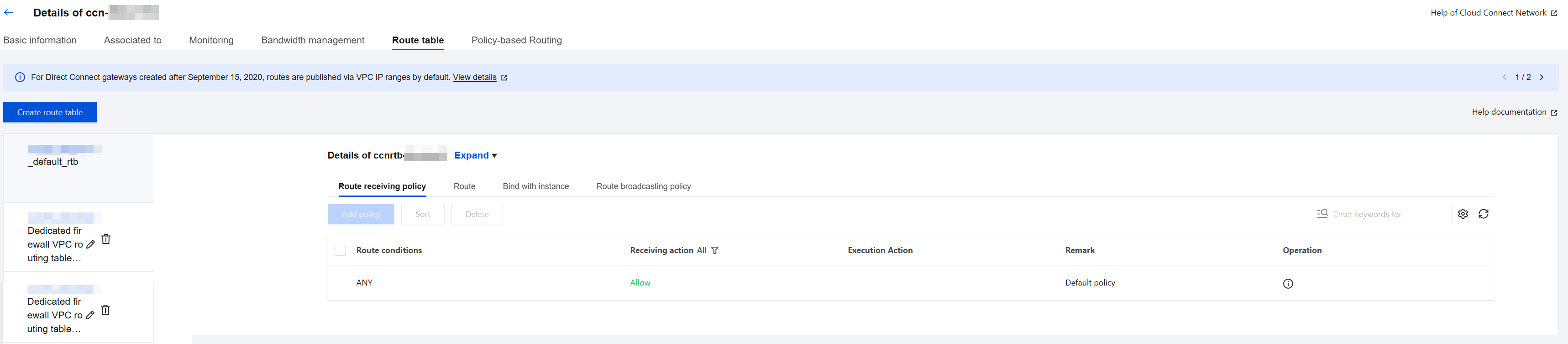
The route table automatically created by the firewall for traffic distribution. Do not manually modify. Generally named "Firewall VPC Dedicated Route Table_Do Not Delete or Modify".
Note:
Each region will have one route table dedicated to the firewall.
Working Mode
Virtual Private Cloud Mode
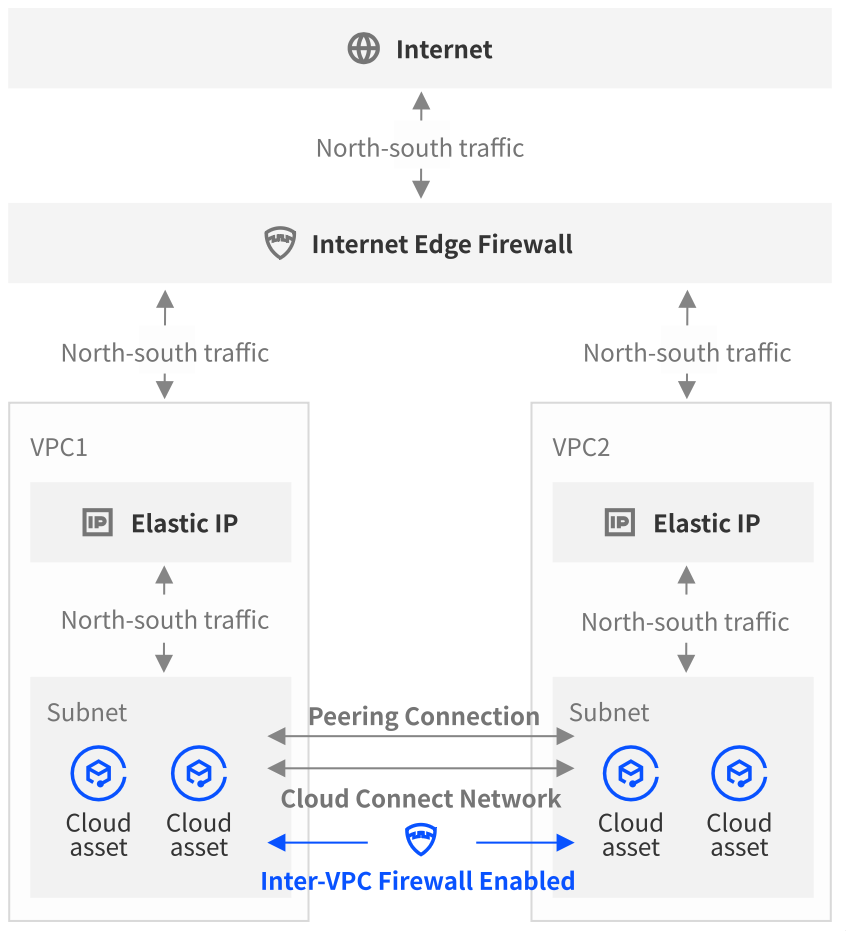
The inter-VPC firewall is directly deployed in the Peering Connection path connecting two or more business VPCs. By directing the peering connection routes to the subnet where the firewall instance resides, it precisely steers mutual access traffic between VPCs to the firewall for inspection and protection.
CCN Mode
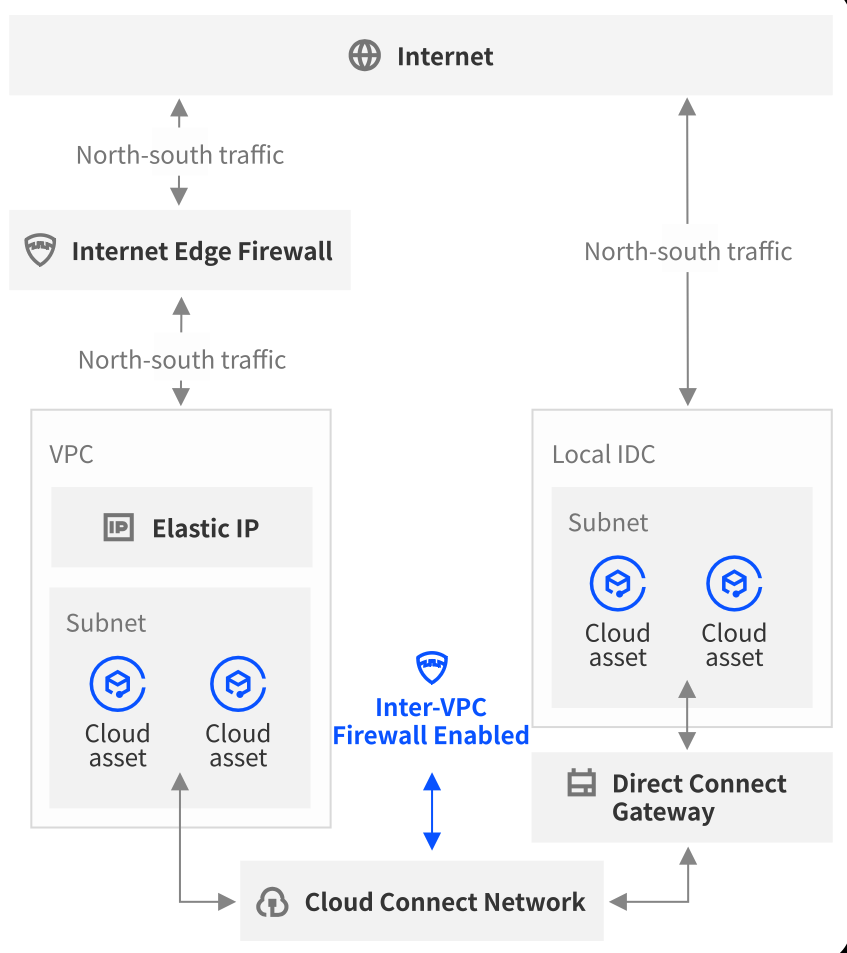
The inter-VPC firewall and all business VPCs are within the same CCN. By establishing a dedicated VPC CIDR block for the firewall, it steers mutual access traffic between user VPCs to the firewall.
피드백