Migrating Across AZs
다운로드
포커스 모드
폰트 크기
Overview
Cross-AZ migration is used to migrate an instance to another AZ within the same region. After the migration, all attributes, configurations, the private network address, and the subnet of the instance remain unchanged. The time required for migration depends on the data volume of the instance. A larger data volume results in a longer data migration time, during which instance access is not affected.
Note:
When you perform operations such as cross-AZ migration / instance specification adjustment / instance edition upgrade that trigger a data migration scenario, system databases are not migrated. Do not create business-related data under system databases to avoid data loss after migration. Furthermore, under the aforementioned operation scenarios, non-standard system database operations and instance-level operations are not migrated together. You must handle them manually after the migration is completed.
Supported instance types
Instances of the single-node (formerly Basic Edition), two-node (formerly HA/Cluster Edition), and multi-node editions are supported.
Note:
If the primary instance of a two-node (formerly HA Edition/Cluster Edition) instance is configured with RO replicas or publish/subscription, you must submit a ticket to apply for cross-AZ migration.
RO instances are not supported.
Prerequisites
A prerequisite for instance migration is that the region where the instance resides has multiple AZs.
Migration Impact
During the migration process, it is not allowed to cancel this migration operation.
The name, access IP address, and access port of the instance remain unchanged before and after migration.
During migration, data is relocated. The SQL Server instance remains accessible, and business operations are not affected.
The time required for migration depends on the data volume of the instance. A larger data volume results in a longer data migration time.
An instance switch will be performed at the specified time after migration is completed, which will cause a second-level momentary database disconnection. Make sure that the reconnection mechanism is configured for the business.
Operation Steps
Cross-AZ migration
1. Log in to the TencentDB for SQL Server console. In the instance list, click Instance ID or Manage in the Operation column to enter the instance details page.
2. On the Instance Details page, click Migrate across AZs after Region/AZ to go to the cross-AZ migration page.

3. On the cross-AZ migration page, complete the following configurations, read and select the cross-AZ migration notes, and click Submit.
Note:
Due to business security and risk control requirements, the system may prompt you to restart the instance in rare cases to lift the feature limitations when you perform the cross-AZ migration operation on instances. At this point, follow the prompt in the console to complete the instance restart before you perform the cross-AZ migration operation.
After you click Submit, the underlying system starts relocating data to the target AZ. This process does not affect instance operation or access. After the relocation is completed, a switch will be performed at the specified time (switch at Migration Completion or switch within Maintenance Window). A second-level momentary database disconnection will occur during the switch. This completes the cross-AZ migration.
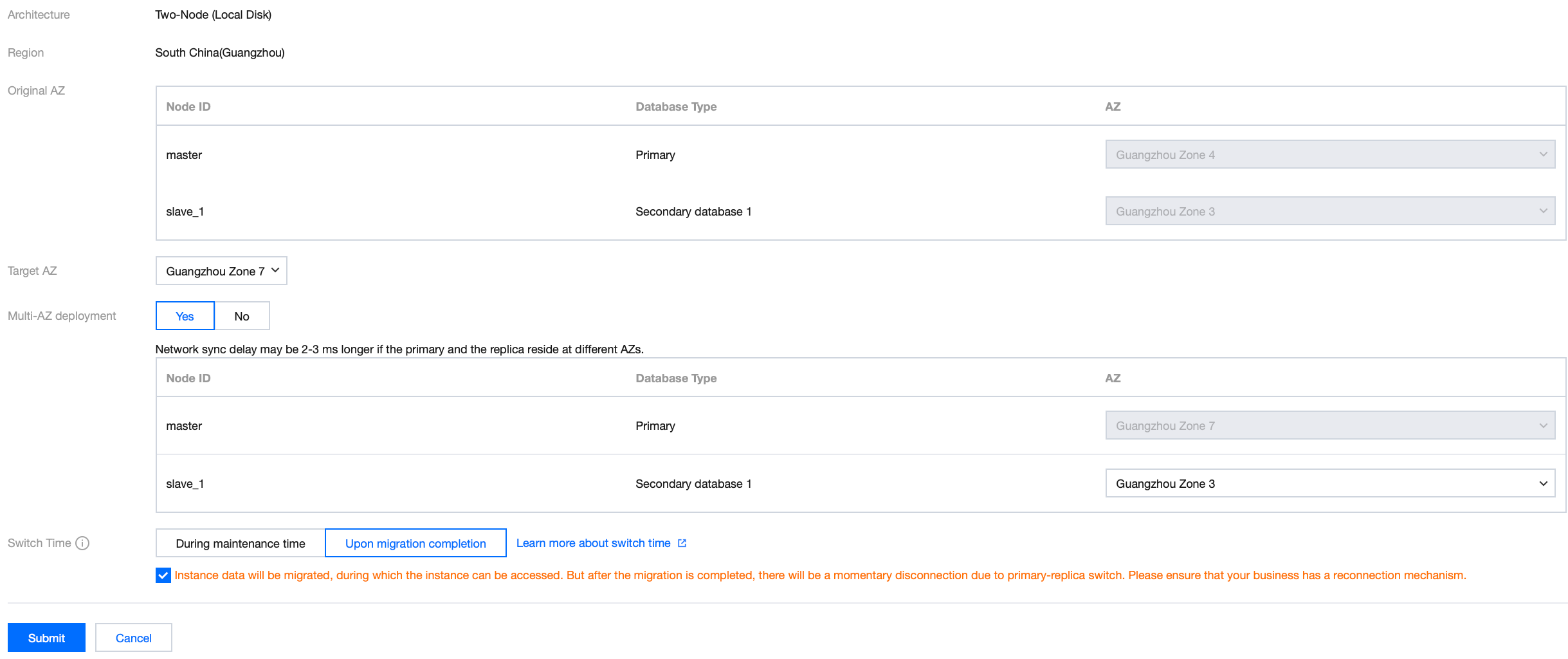
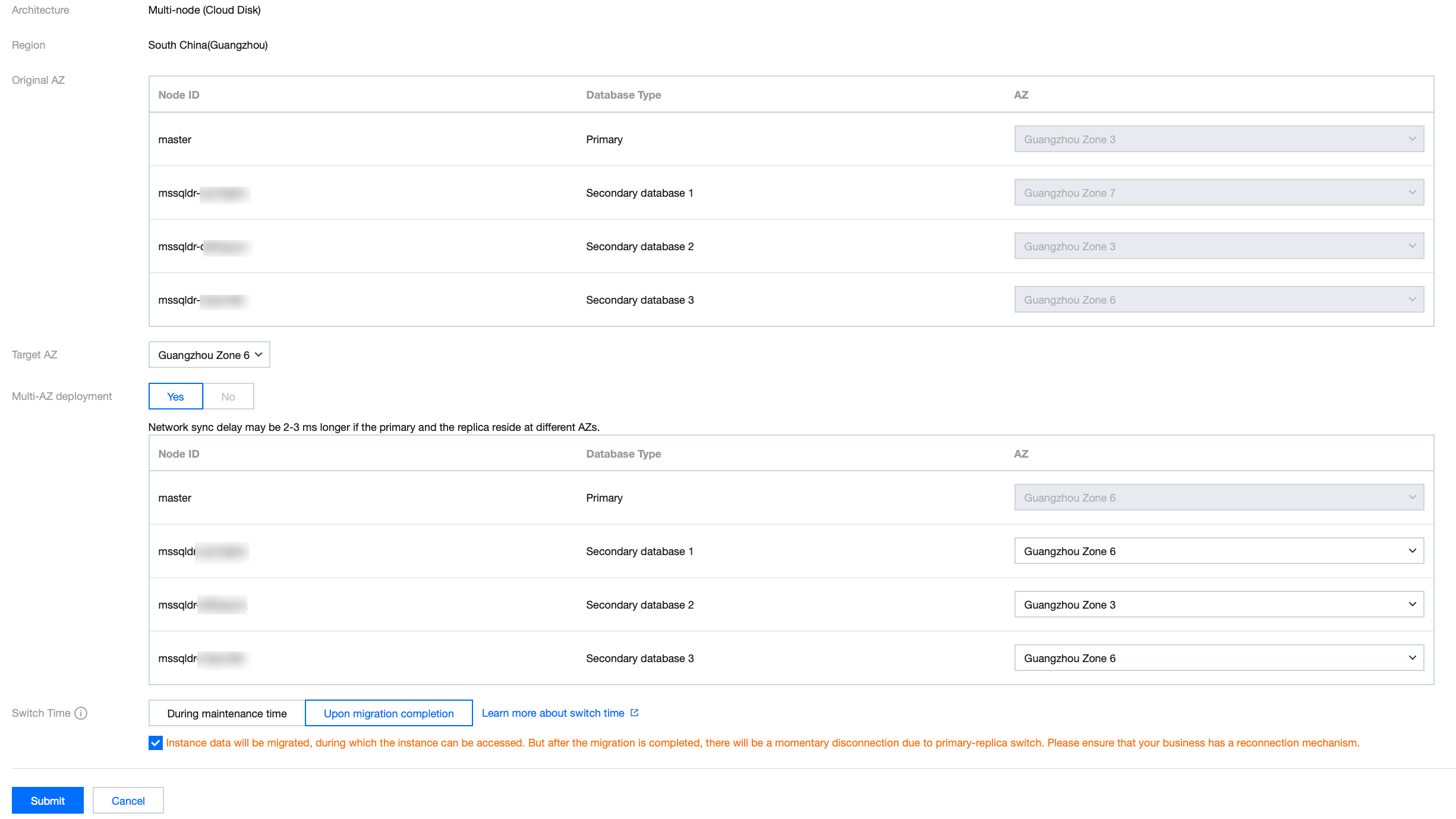
Parameter | Description |
Original AZ | You can query the AZ deployment status of the primary and replica databases of the instance in the current AZ. You can also find the nodes that need to be migrated across AZs by the Node ID field. |
Target AZ | It is the current AZ of the primary database by default. If you want to change AZ of the primary database, specify the AZ here |
Multi-AZ deployment | You can enable or disable multi-AZ deployment for two-node instances here. Multi-node instances do not support disabling multi-AZ deployment. When this feature is enabled, you can set the AZ of the replica database. Selecting Yes means that the primary and replica databases are in different AZs. As a result, the synchronization latency may increase by 2–3 ms. If you select Yes, you can replace the AZ of the replica database. The specific available AZs that can be selected are subject to actual resources. You can view available AZs in the console. If you select No, the primary and replica databases are in the same AZ, but no AZ-level disaster recovery capability is available. It is recommended that you select Yes to enable multi-AZ deployment. |
Time switch | Select the switch time for the cross-AZ migration operation. Within maintenance window: A switch will be performed within the maintenance window you have set after migration is completed. Upon migration completion: A switch will be performed immediately upon the completion of migration. |
Viewing Migration Tasks
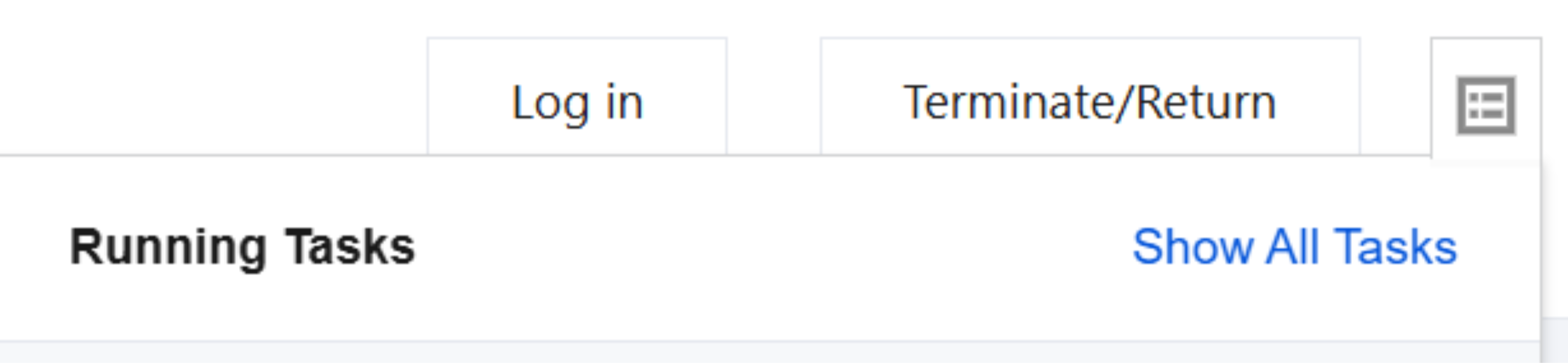
You can view the cross-AZ migration task through Running Tasks in the upper-right corner of the Database Management page.
Switching Immediately
If a migration task is scheduled to be switched within the maintenance window but needs to be switched before the scheduled time due to special circumstances, go to the TencentDB for SQL Server console and click Switch Now in the Operation column to perform the switch immediately.
피드백