Network monitoring requires the use of the qapm-plugin for instrumentation and is by default inserted at various entry and exit points of the network layer.
Currently, only okhttp3 monitoring is supported. The okhttp3 also requires okio version 1.14.0 or later.
Configuration Process
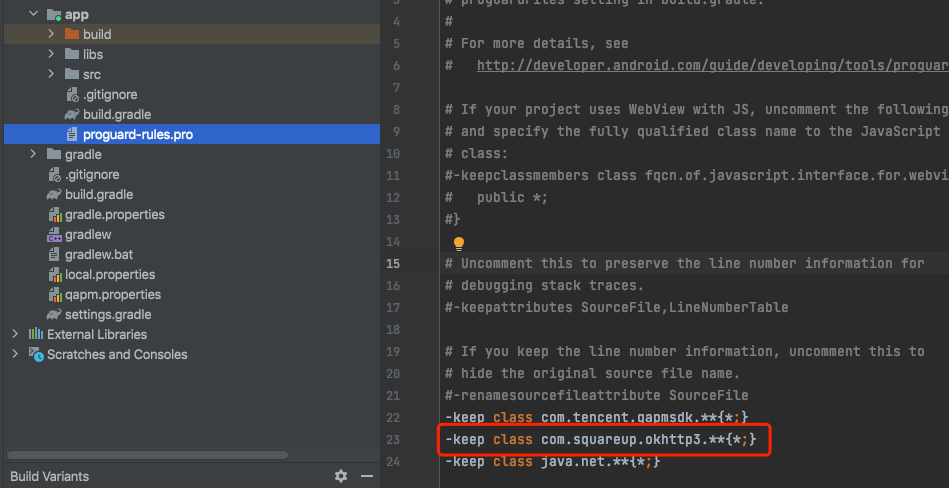
Add obfuscation rules in the proguard-rules.pro file in the app directory to prevent okttp3 code from being obfuscated.
-keep class com.squareup.okhttp3.**{*;}
Verifying Whether the Feature Is Working Properly
Retrieval tag:QAPM_manager_QAPMPluginManager
The log message that appears one minute after each network request indicates successful reporting of network data:
Retrieval tag: [plugin::142]
Note:
It requires the use of the qapm-plugin for instrumentation. Otherwise, it will not work.
The SDK is only responsible for capturing information related to network requests. The backend analyzes issue data, such as slow requests (with the request time being greater than xxs) and network errors (with the request response code being greater than 400).