Audit Logs
Baixar
Modo Foco
Tamanho da Fonte
The database risk monitoring audit log module comprehensively records all database operations, including key traceability information such as SQL statements, operators, source IPs, and timestamps. It supports precise multi-dimensional search and detail viewing, providing full traceability for database operations. This document introduces the audit log capabilities of Data Security Audit.
View Audit Log
1. Log in to the TencentDB for SQL Server console.
2. Select DSAudit in the left sidebar.
3. On the DSAudit page, click Audit Logs.
4. On the audit log page, operation records of database assets with DSAudit enabled are displayed.

5. On the audit log page, you can search logs by instance, time range, database account, client IP address, client port, and SQL statement.
Viewing Archived Logs
1. Log in to the TencentDB for SQL Server console.
2. Select DSAudit in the left sidebar.
3. On the DSAudit page, click Audit Logs.
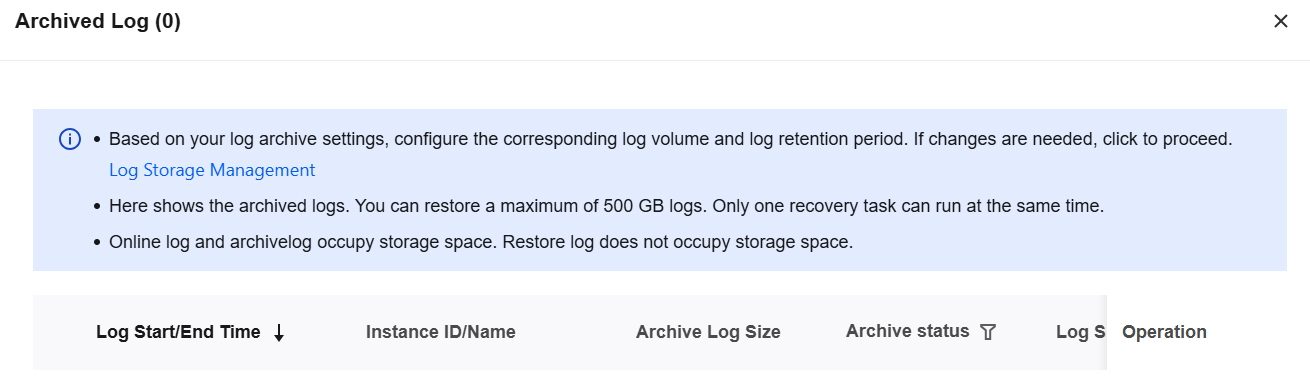
4. On the audit log page, click Archived Log.

5. All archived audit logs are displayed in the pop-up sidebar, where you can delete or restore them (restore to audit logs).
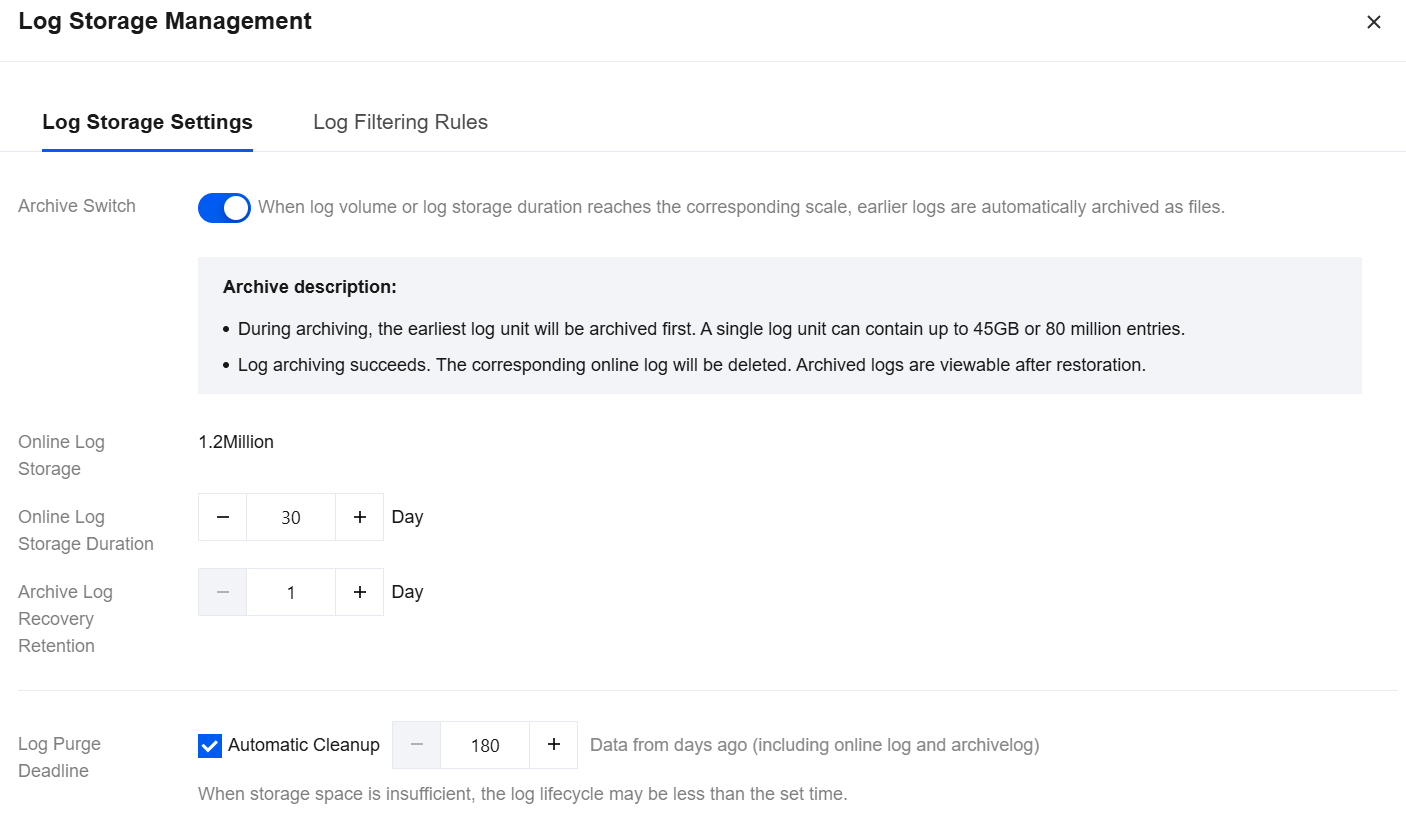
Log Storage Settings
Note:
During log archiving, the earliest log units are archived first. A single log unit can contain up to 45 GB or 80 million log entries.
After log archiving succeeds, the corresponding audit logs are deleted. Archived logs can be viewed only after they are restored.
1. Log in to the TencentDB for SQL Server console.
2. Select DSAudit in the left sidebar.
3. On the DSAudit page, click Audit Logs.
4. On the audit log page, click Log Storage.
5. On the Storage Settings page, you can enable/disable archived log storage. When archived log storage is enabled, you can configure Online Log Storage Duration, Archive Log Recovery Retention, and Log Purge Deadline. When archived log storage is disabled, you can only configure Log Purge Deadline. After completing the settings, click Confirm.
Ajuda e Suporte
Esta página foi útil?
Você também pode entrar em contato com a Equipe de vendas ou Enviar um tíquete em caso de ajuda.
comentários