COS Bucket
Download
Focus Mode
Font Size
Overview
The Cloud Object Storage (COS) Bucket provides a list of input and output buckets bound with Media Processing Service (MPS) schemes, making it easier to query the usage of related buckets.
Details
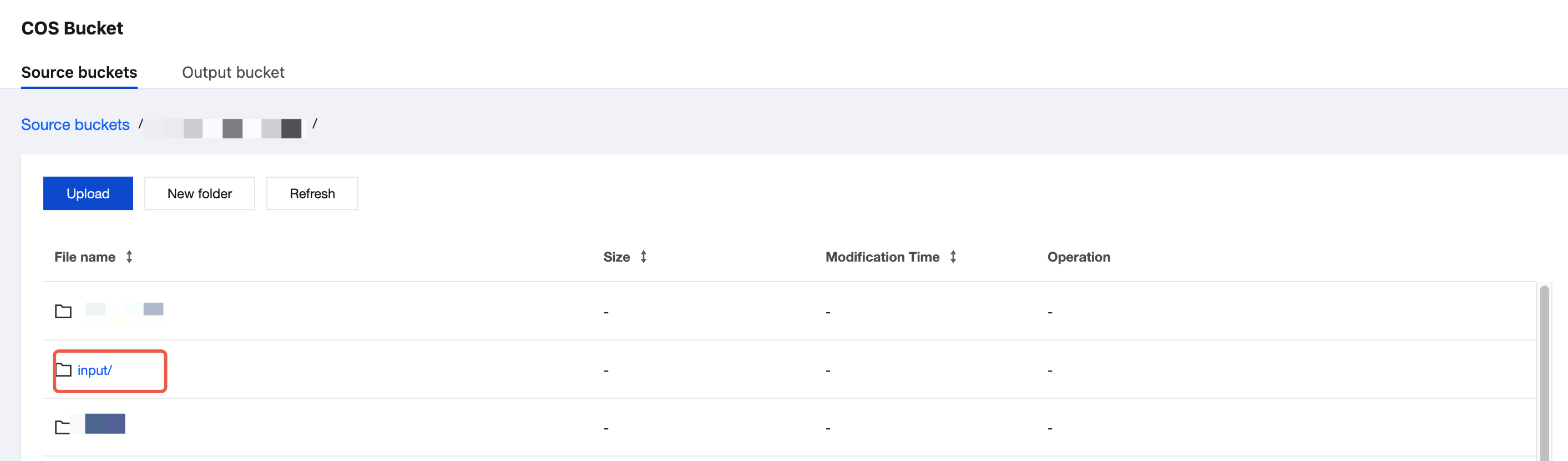
1. Log in to the MPS console, and click Orchestrations > COS Bucket to enter the COS Bucket page. On this page, you can click Source buckets and Output bucket to view the input and output buckets bound with MPS.

2. Click the Bucket name to view the folders and file information in it.
Note:
This page shows only buckets bound with MPS schemes. To create buckets or perform other bucket operations, please go to the COS console.
Help and Support
Was this page helpful?
You can also Contact sales or Submit a Ticket for help.
Help us improve! Rate your documentation experience in 5 mins.
Feedback