Downloading BHLoader
Download
Focus Mode
Font Size
Overview
BHLoader is a program used to call local clients, which should be installed by Ops personnel. Below is a detailed instruction on how to download BHLoader.
Prerequisites
The administrator has informed the Ops personnel of the login address.
The Ops personnel have completed Account Activation.
Directions
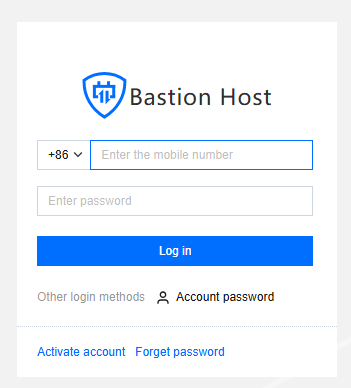
1. Enter the Ops page login address in a browser to open the BH Ops page. Enter your phone number and password to log in to the BH. Alternatively, click Account password to switch to login with account name and password.
2. After entering the BH, choose Tools in the left sidebar to access the Auxiliary Tools page.

3. Download and install the corresponding tool based on the operating system of the user's terminal.
Note
After downloading and installing BHLoader, users should also install the corresponding Ops tools, such as XShell, to access the host.
Help and Support
Was this page helpful?
You can also Contact sales or Submit a Ticket for help.
Help us improve! Rate your documentation experience in 5 mins.
Feedback