Cold-Hot Data Tiering
Download
Focus Mode
Font Size
Tencent Cloud TCHouse-D supports data cooling with lower frequency of inquiry to COS, greatly reducing the storage cost of cold data.
Note:
Currently, only clusters with 2.0/2.1 kernels support this feature. This feature requires allowlist usage. If necessary, submit a ticket to contact us.
Operation Guide
1. Go to Cluster List and click the Cluster ID/Name of the cluster where you want to configure the cold-hot data tiering policy.
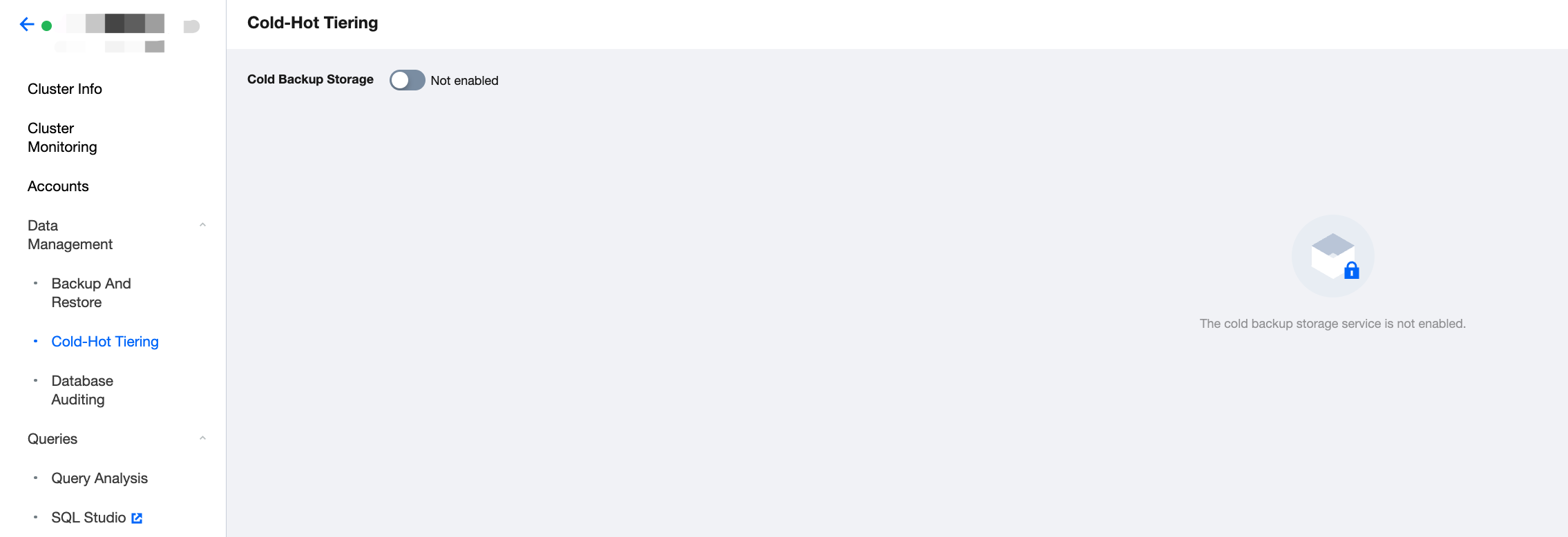
2. On the Cluster Management page, click Data Management > Cold-Hot Data Tiering on the left to enter the Cold-Hot Data Tiering page and click Switch to enable cold-hot data tiering.
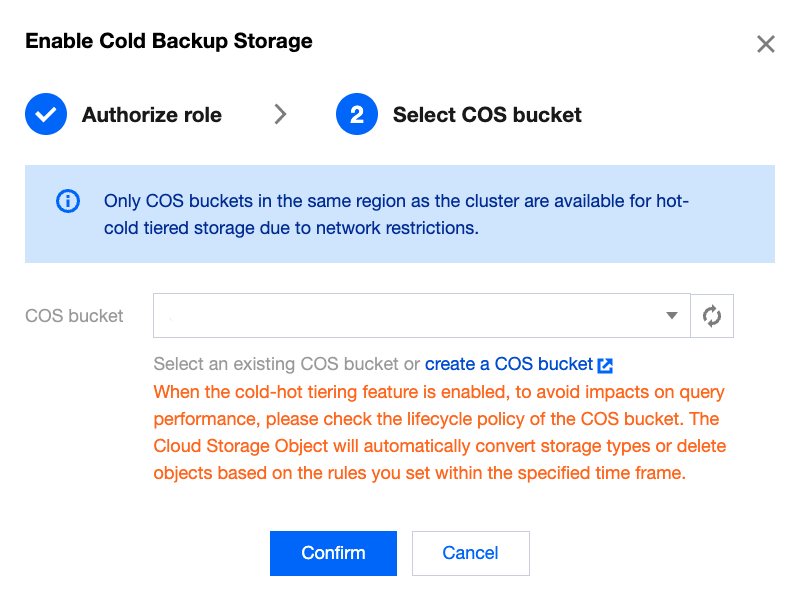
3. When you perform data cooling, the cold data will be written to COS, and therefore you need to select a COS bucket for data storage.
Note:
Before enabling the cold-hot data tiering feature, check the lifecycle policy of the COS bucket to avoid impacts on query performance. The Cloud Storage Object will automatically convert storage types or delete objects based on the rules you set within the specified time frame.
Once the cold-hot data tiering feature is enabled, it cannot be disabled, and the COS storage address cannot be modified.
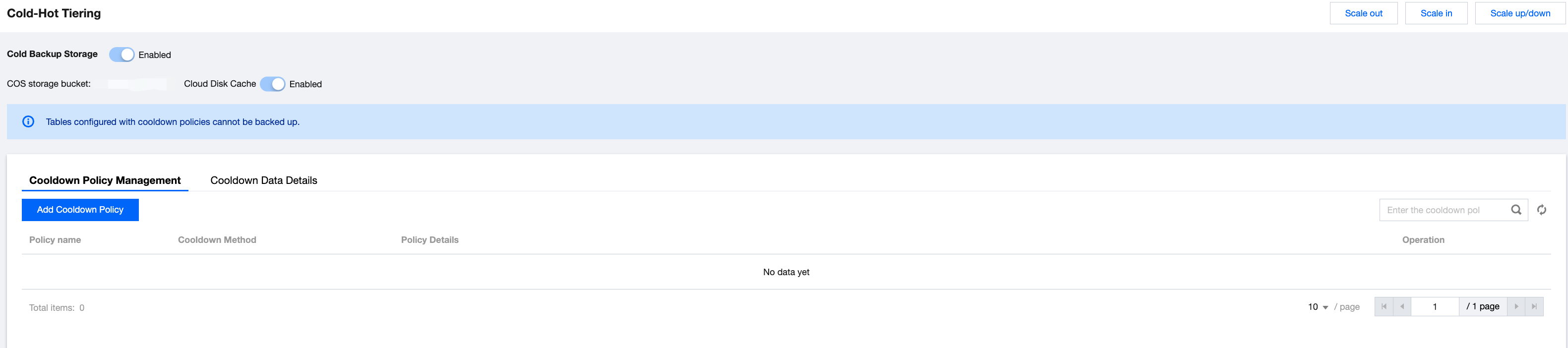
4. After the cold-hot data tiering feature is successfully enabled, you can manage the cooling policies and view the cooling details on the page.
Note:
To improve the performance of querying cold data, the cloud disk cache is enabled by default. The larger the cloud disk cache, the better the query performance. If you need to adjust the cache size, submit a ticket to contact us.
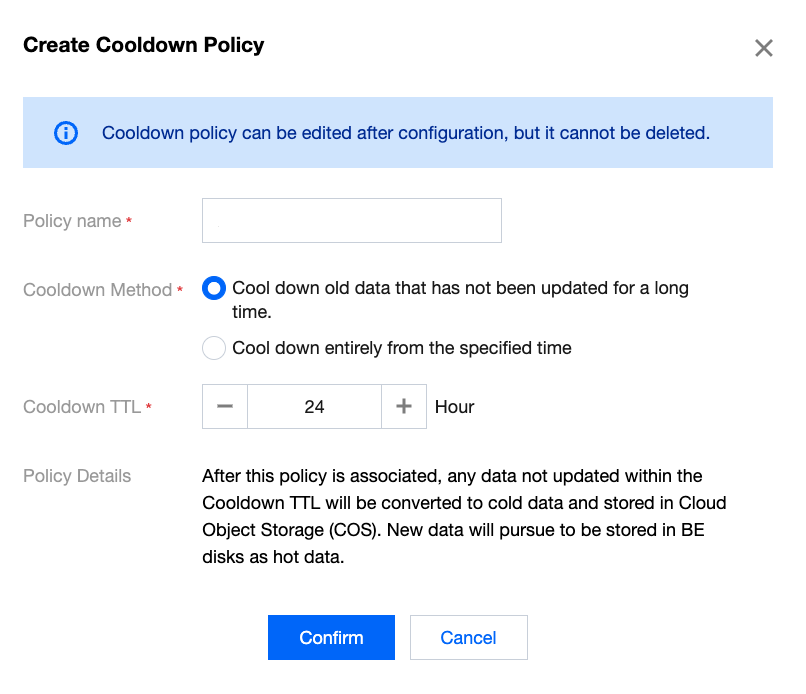
5. Click Create Cooling Policy button to configure data cooling policies. The following two cooling methods are supported:
Performing cooling operations on outdated data that has not been updated for a long time: Once this policy is associated, outdated data (at the segment file level) that has not been updated beyond cooling TTL will be converted to cold data and stored in COS, while new data will continue to be written to the BE cloud disk.
Perform overall cooling from a specified time: Once this policy is associated, all tables/partitions associated with this policy will be cooled and stored in COS at thecooling time, and subsequent data will also be directly cooled and stored in COS.
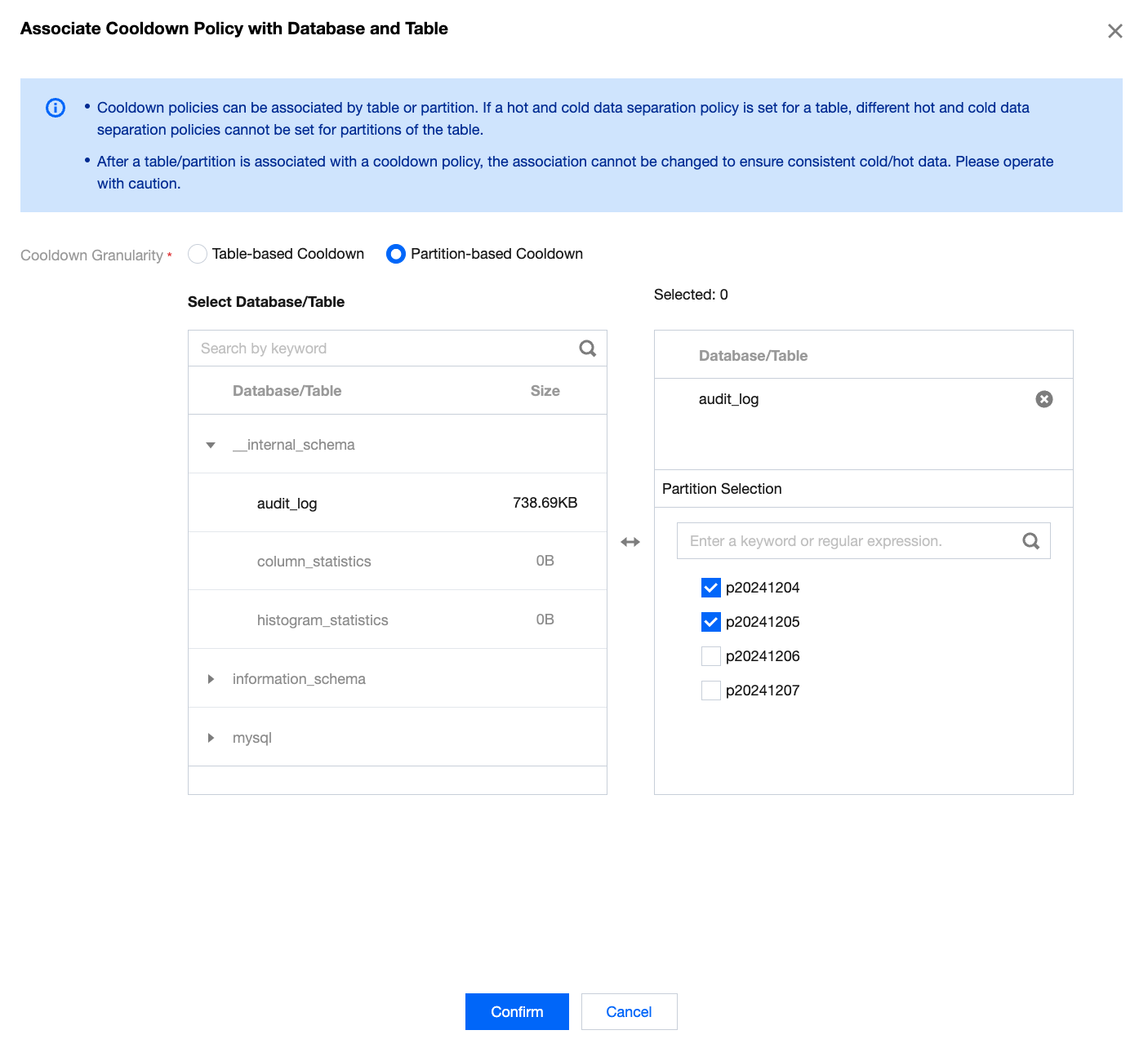
6. Select a cooling policy and click Associate with Databases and Tables to implement batch association of databases/tables or partitions to the same cooling policy. Note that system tables do not support cooling policies.
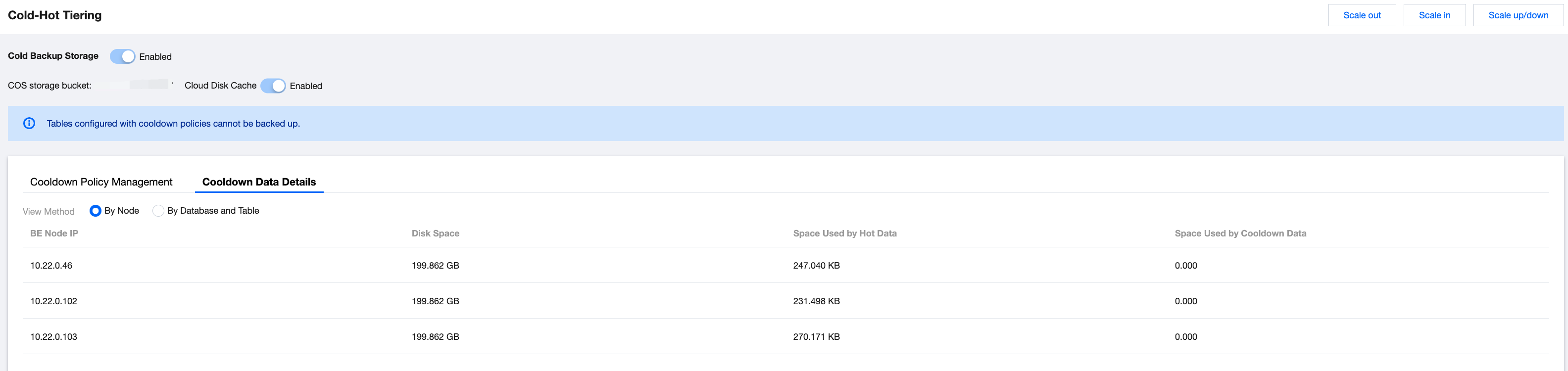
7. On the Cooling Data Details tab page, you can view the cooling data details of the node, database, and table granularity.
Help and Support
Was this page helpful?
You can also Contact sales or Submit a Ticket for help.
Help us improve! Rate your documentation experience in 5 mins.
Feedback