Account Registration
Unduh
Mode fokus
Ukuran font
This section primarily introduces the operational steps and related considerations for registering a Tencent eSign system account.
Operation Steps
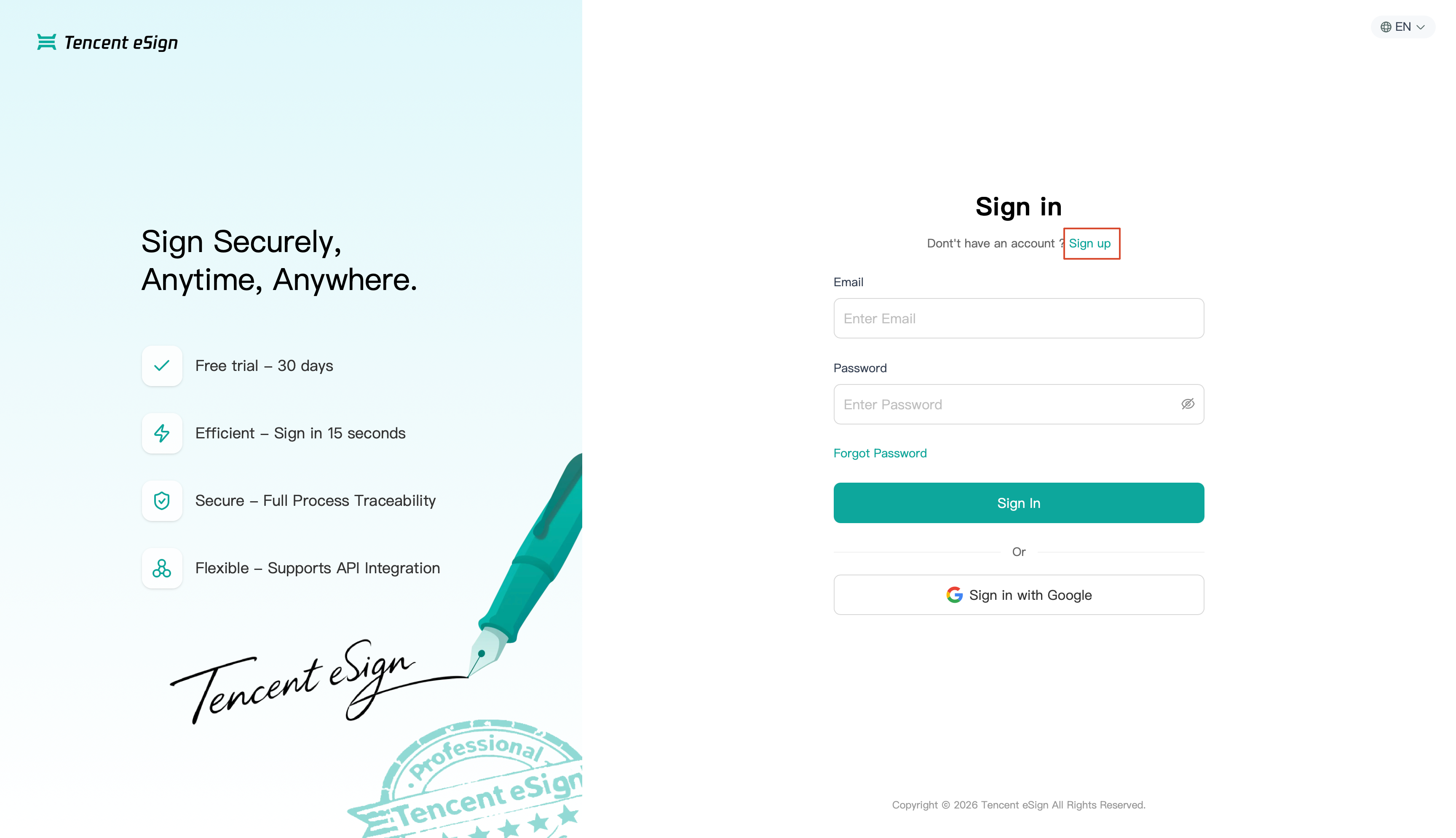
1. Go to the Tencent eSign , click Sign up on the page, and then enter the registration page.
Note:
No credit card is required for registration. After registration is completed, you can enjoy a 30-day free trial.
The language switcher in the upper-right corner of the page allows you to select the interface language: English, Traditional Chinese, or Simplified Chinese.
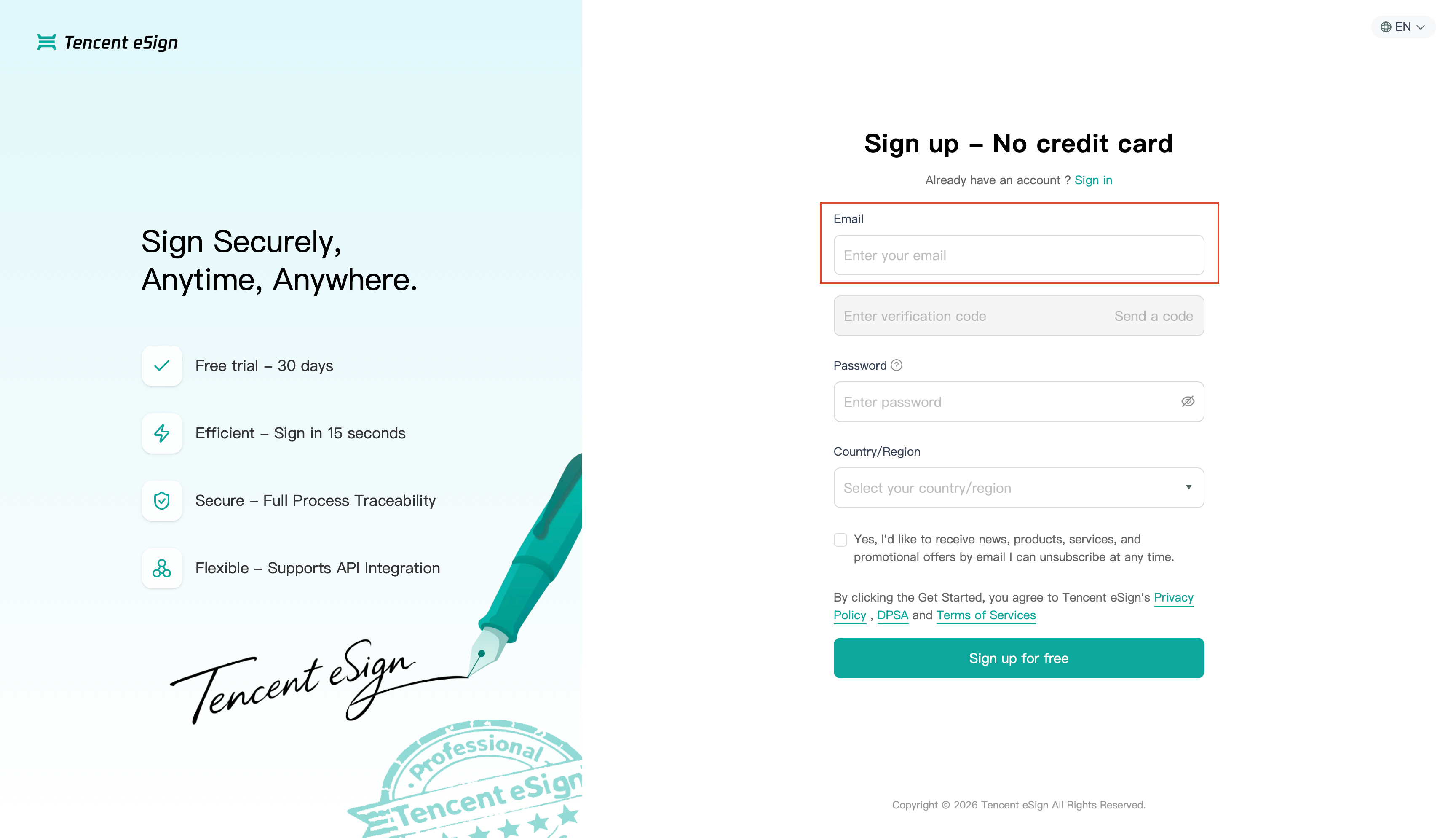
2. Enter a valid email address in the Email input box. This email address will serve as your login account.
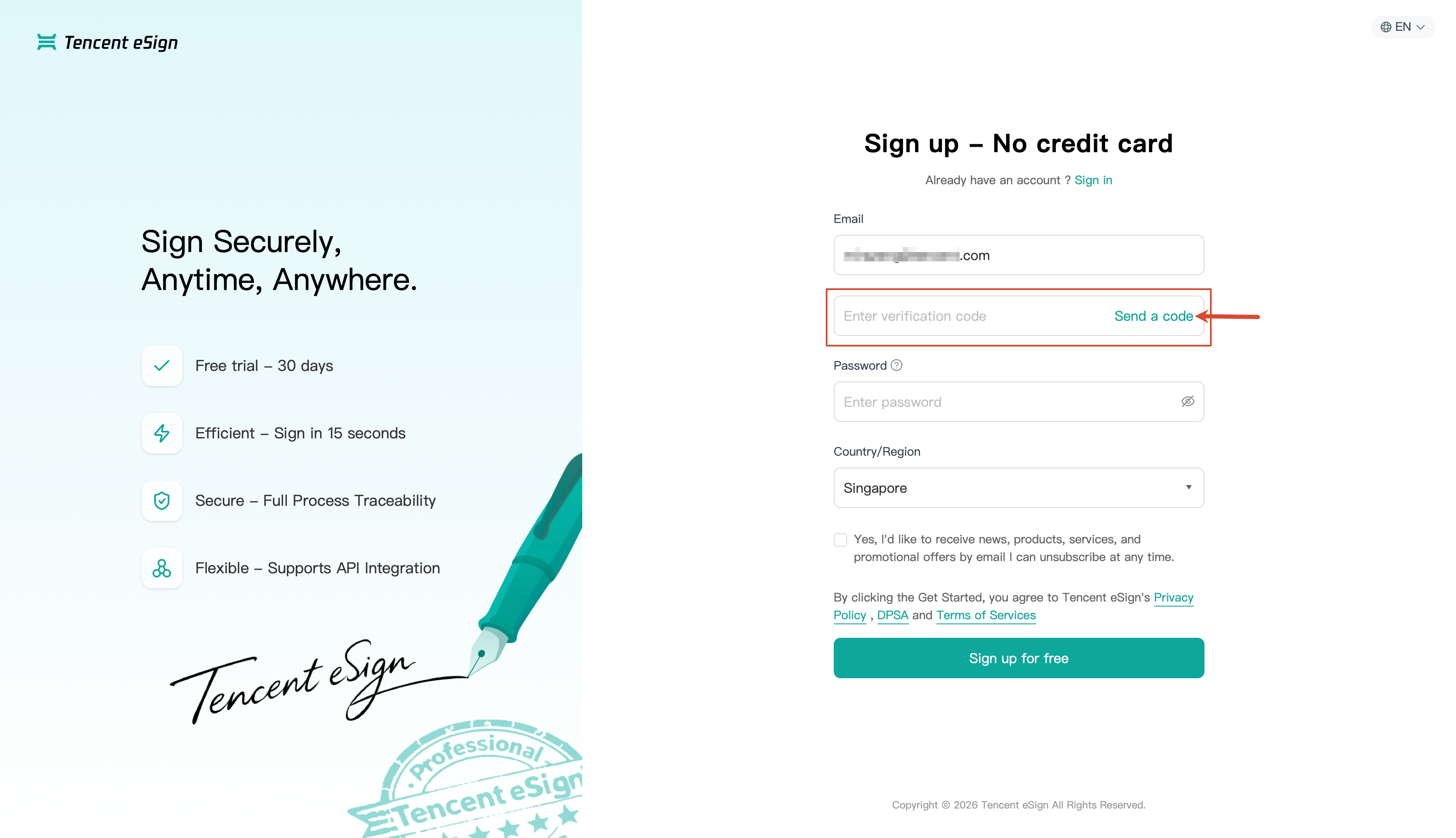
3. After you enter a valid email address, the Verification code input box changes from a grayed-out state to an editable state. Click Send a code, and the system will send a code to that email address. You need to enter the received code in the Verification code input box.
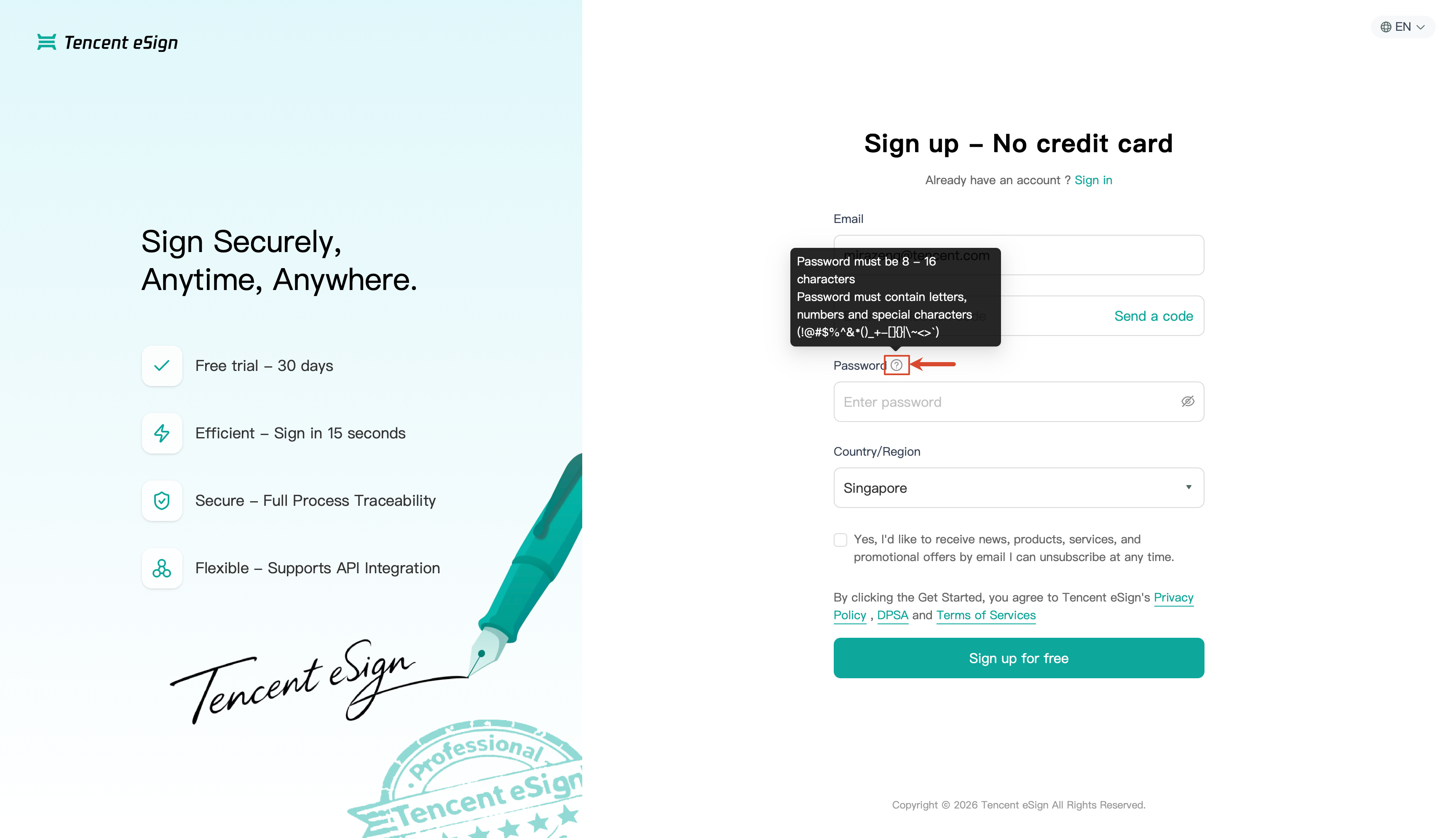
4. Set your login password in the Password Input Box. (You can click the questionicon next to the password to view the password strength rules.)
5. Select your country or region from the Country/Region drop-down list. The default option is Singapore.
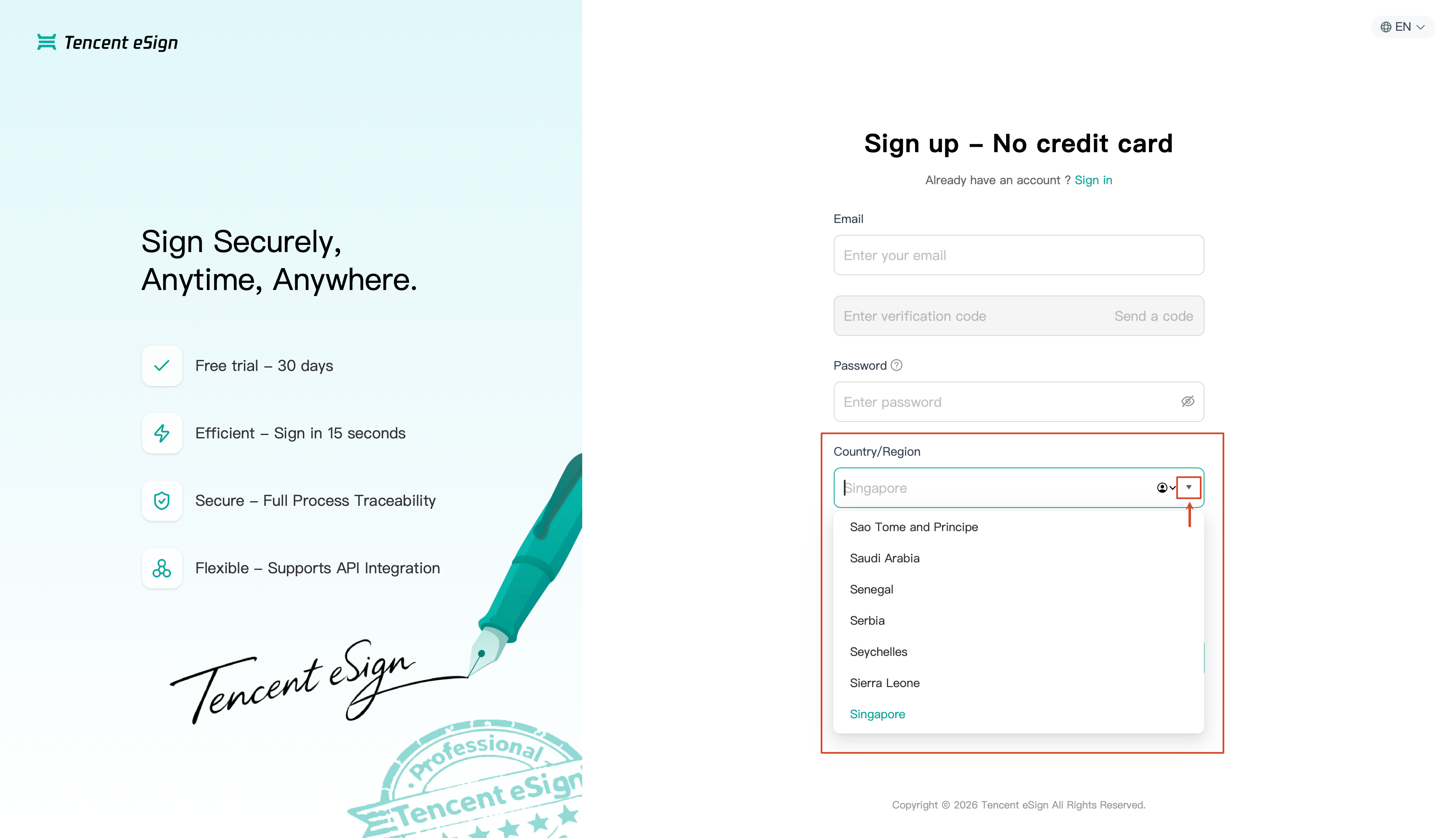
6. Select whether to receive product information emails based on your own situation.
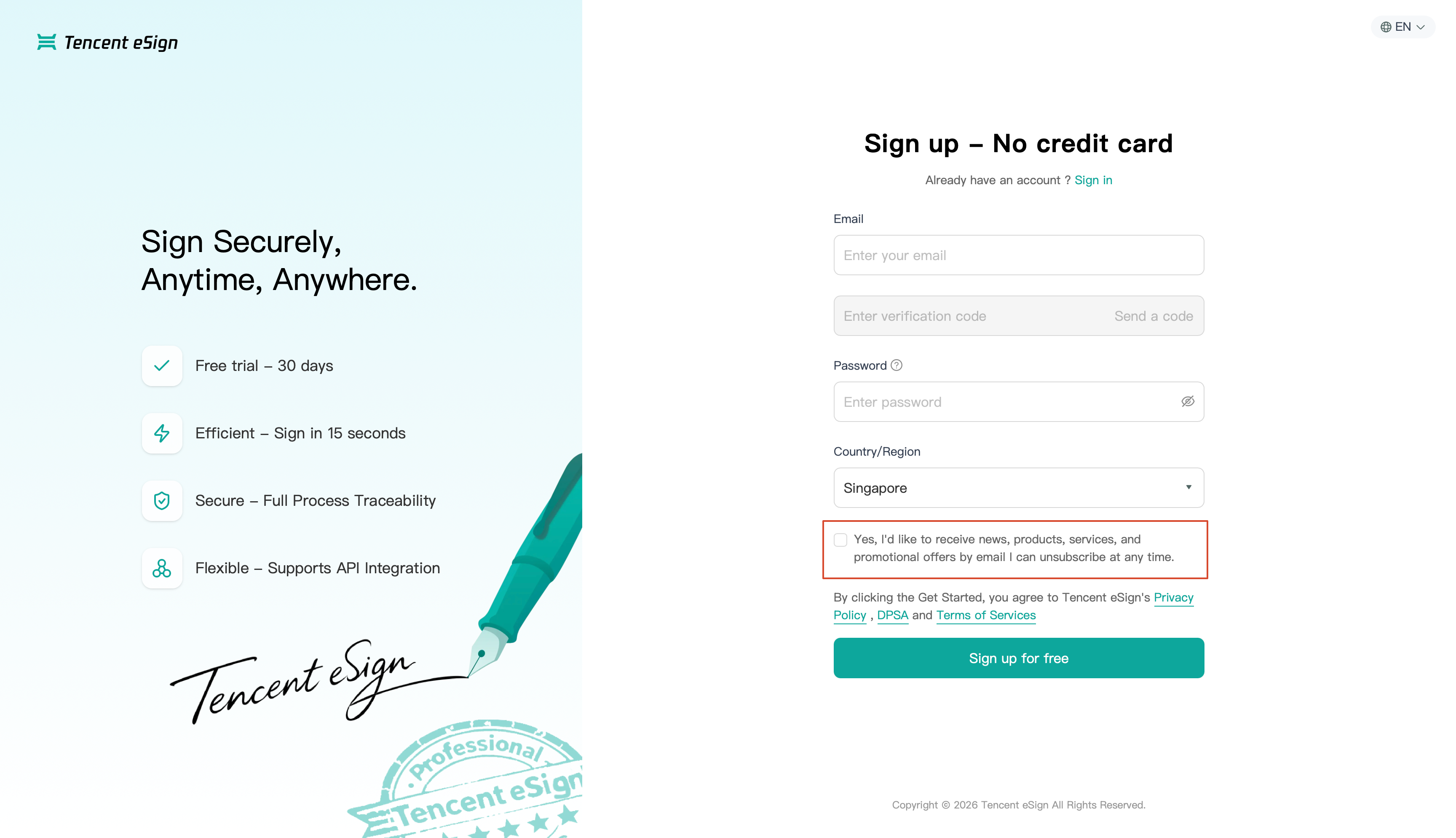
7. Read and agree to the Privacy Policy, Data Processing Agreement, and Service Terms.
8. Click Sign up for free to complete the registration.
Bantuan dan Dukungan
Apakah halaman ini membantu?
Anda juga dapat Menghubungi Penjualan atau Mengirimkan Tiket untuk meminta bantuan.
masukan