Envelope List
Unduh
Mode fokus
Ukuran font
This section introduces basic management operations on the envelope list page, such as filtering, searching, and viewing envelope details.
Entry
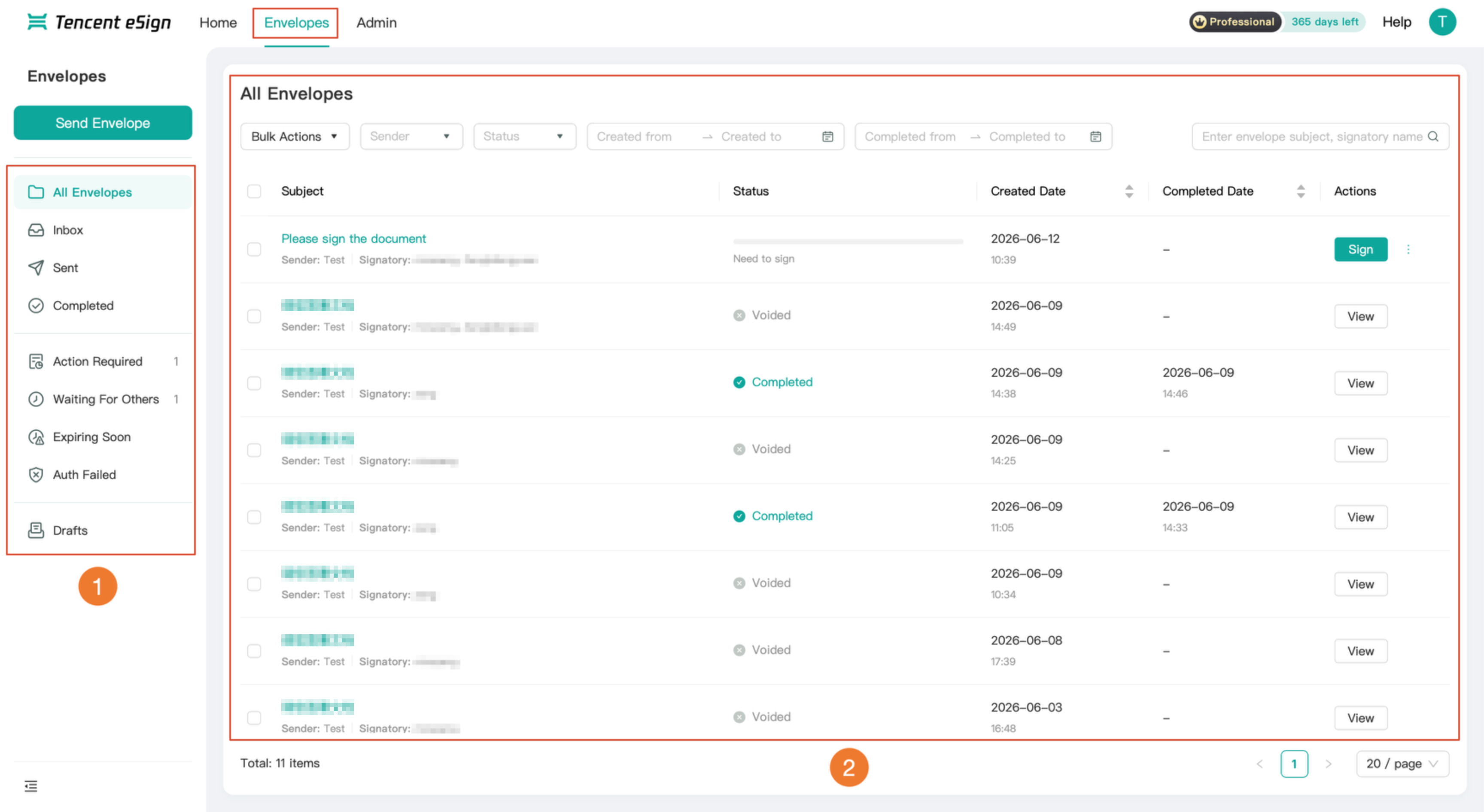
Click Envelopes in the top navigation bar to go to the envelope list page. The left side of the page displays the category navigation (as shown in label 1), and the right side shows the envelopes under the corresponding category (as shown in label 2).
Detailed Features
The left side of the envelope list provides nine categories of navigation, enabling you to quickly locate envelopes by their status.
Category | Description |
All Envelopes | All envelopes in the current workspace. |
Inbox | Envelopes received and pending signature. |
Sent | Envelopes initiated and sent by the current user. |
Completed | Envelopes that have been fully signed. |
Action Required | Envelopes that require action from the current user. |
Waiting For Others | Envelopes that have been sent and are awaiting signature from other parties. |
Expiring Soon | Envelopes approaching the signing deadline. |
Auth Failed | Envelopes whose signing authentication failed. |
Draft | Envelopes that have not been initiated and are saved as drafts. |
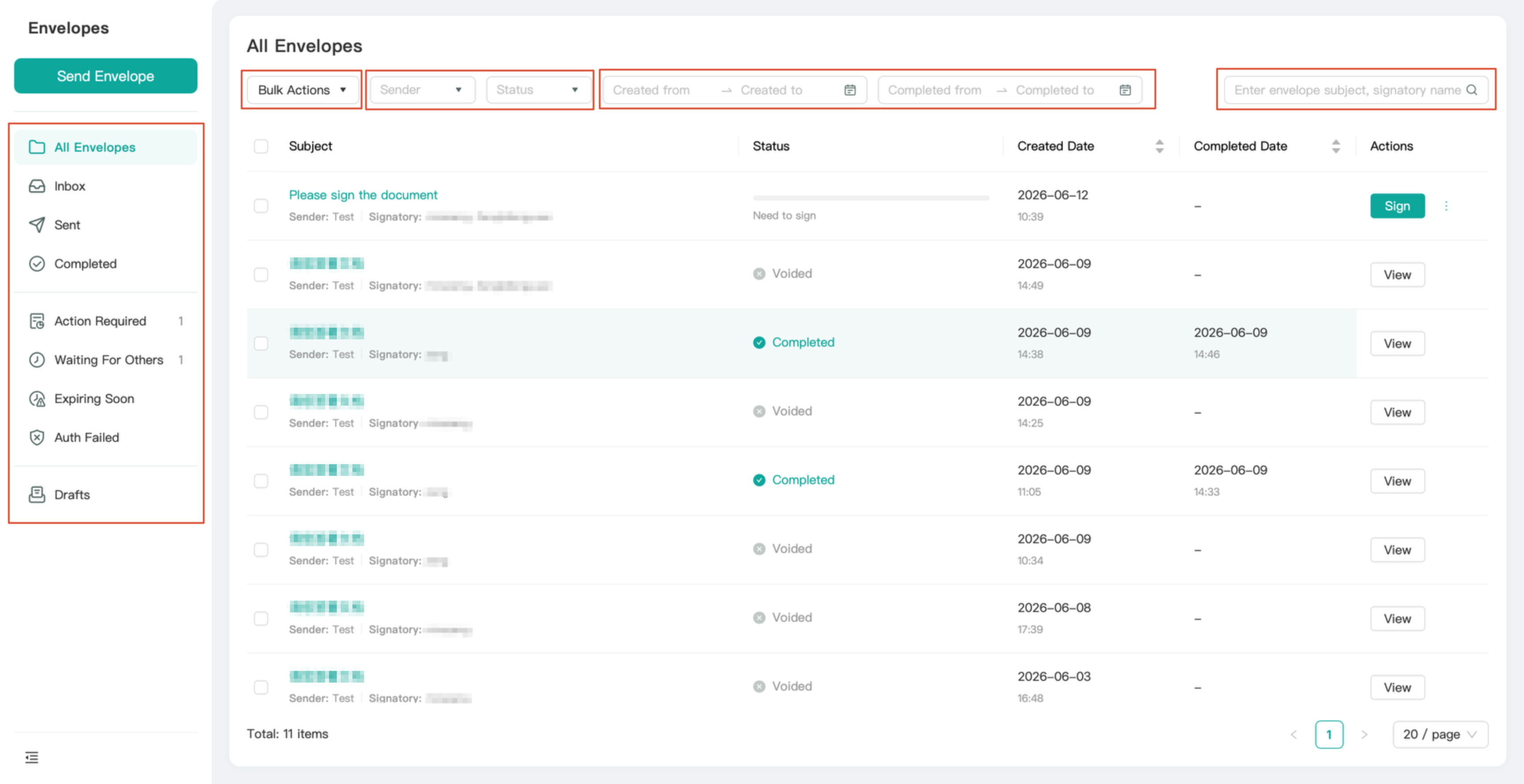
The envelope list supports the following filtering and search methods:
Filter by sender or status.
Filter by created date or completed date range.
Search by envelope subject or signatory name.
Perform unified operations on multiple envelopes through bulk operations: Batch Decline and Batch Void.
Envelope Details
From the envelope list, you can go to the details page of any envelope to view its information and perform corresponding operations.
Viewing Envelope Details
1. Locate the target envelope in the envelope list, click View for that envelope to go to the envelope details page.
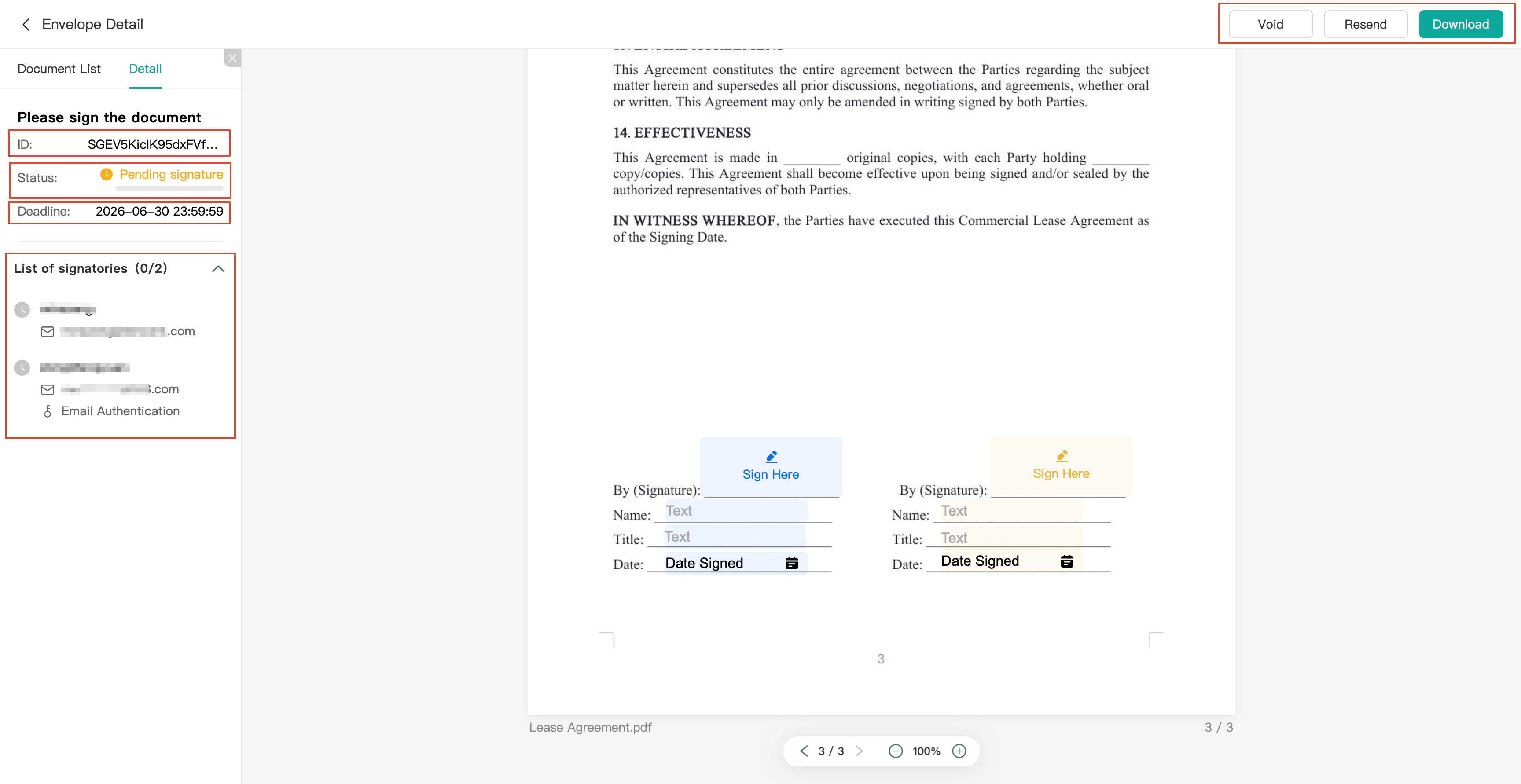
2. The key envelope information is displayed on the left side of the details page, and the envelope document preview is located in the central area.
Envelope Details Page
Information | Description |
ID | The unique identifier of the envelope. |
Status | The current status, such as "In Progress" or "Completed". |
Deadline | Signing deadline. |
List of signatories | List of signatories and their respective signing statuses. |
Operations on the Details Page
Operation | Function |
Void | Void the current envelope and terminate the signing process. |
Resend | Resend the envelope to the signatory. |
Download | Download the envelope document (PDF format). |
Bantuan dan Dukungan
Apakah halaman ini membantu?
Anda juga dapat Menghubungi Penjualan atau Mengirimkan Tiket untuk meminta bantuan.
masukan