Envelope Signing
Unduh
Mode fokus
Ukuran font
This section describes the envelope signing procedures and related operational specifications for the Web Signing and Email Link Signing methods. Signatories can choose the appropriate method to complete the signing based on their scenario.
Web Signing (Account Logged In)
After logging in to the Tencent eSign PC client, the signatories can complete the signing directly within the client. The procedure is as follows:
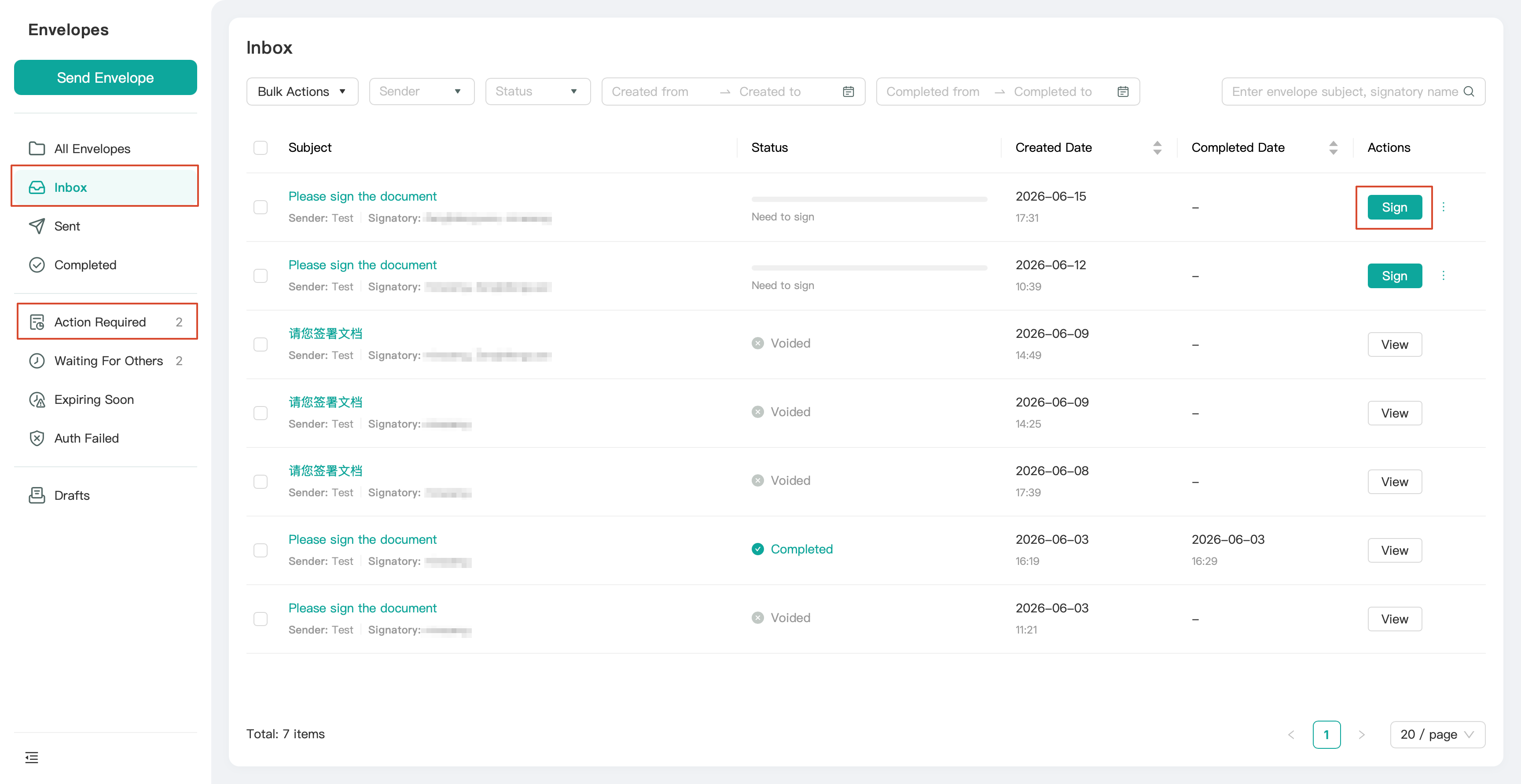
1. Go to the Envelopes page. Locate the envelope pending signature in the Inbox or Action Required category.
2. Click Sign for the target envelope to go to the envelope signing page.
3. Complete the signing operation in the signature area marked as Sign Here in the document.

4. Complete the filling of other controls, such as stamps and text fields, by following the on-page instructions.
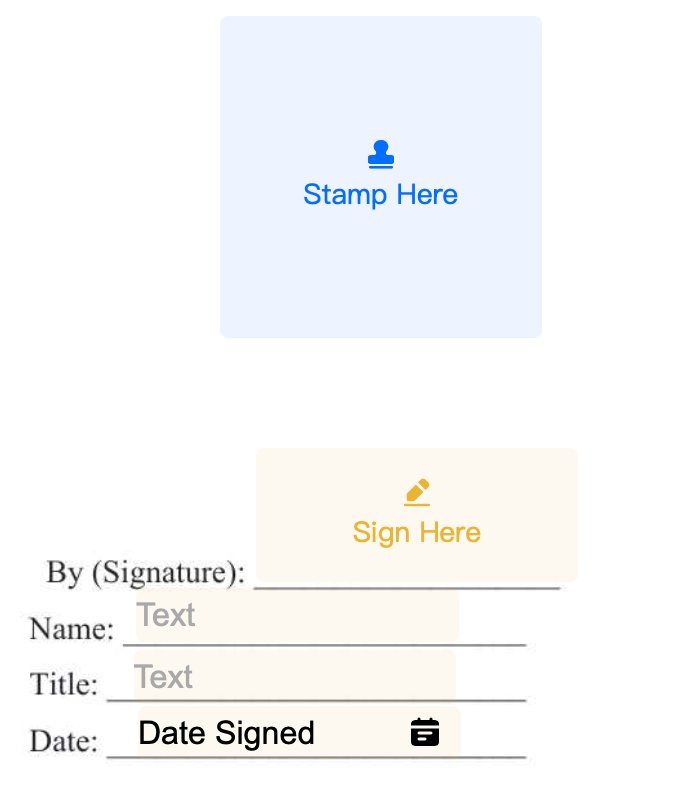
5. After verifying that all signing information is correct, click Complete in the upper-right corner to finish the signing process.
Email Link Signing (Not Logged In)
The signatory can directly go to the signing page to complete the signing by using the link in the signing notification email. The procedure is as follows:
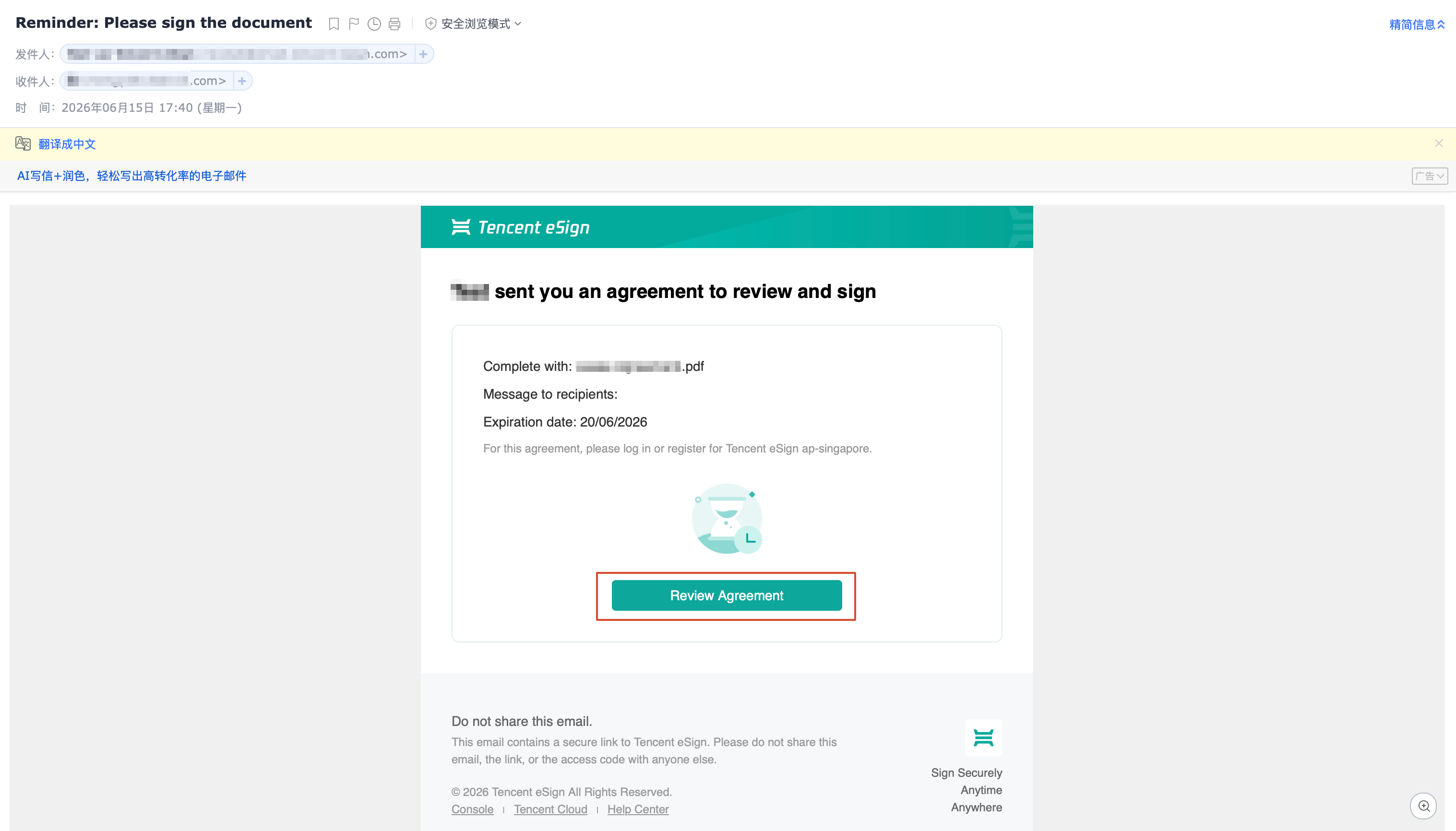
1. Open the signing notification email sent by Tencent eSign to the signatory's designated email address.
2. Click the Review Agreement signing link in the email to go to the signing page.
3. Complete the signing in the signature area marked as Sign Here in the document. Then, fill in other controls, such as stamps and text fields, by following the on-page instructions.
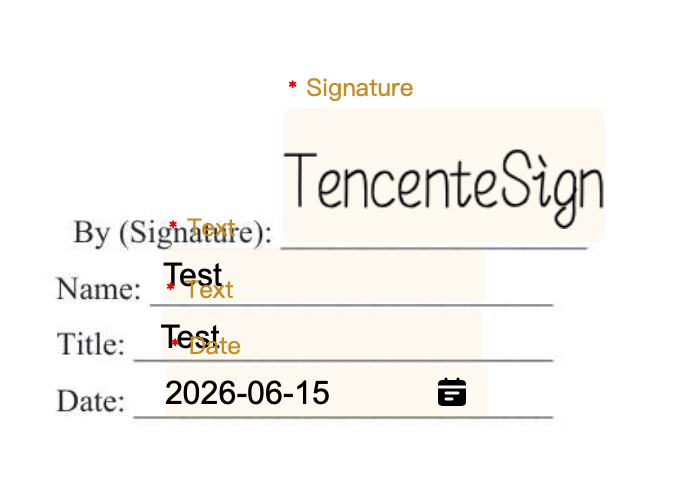
4. After verifying that all signing information is correct, submit to complete the signing process.
Note:
When signing via an email link is performed, no additional identity verification is currently required.
Bantuan dan Dukungan
Apakah halaman ini membantu?
Anda juga dapat Menghubungi Penjualan atau Mengirimkan Tiket untuk meminta bantuan.
masukan