IP Whitelist
ダウンロード
フォーカスモード
フォントサイズ
CodeBuddy provides an enterprise IP address allowlist configuration feature, enabling enterprises to restrict the usage scope of CodeBuddy by IP address.
Configure the enterprise IP address allowlist in the Enterprise Settings - Network Settings menu. The IP address allowlist applies to all CodeBuddy forms (IDE/CLI/plugin). IP addresses that are restricted will be unable to log in or be used.
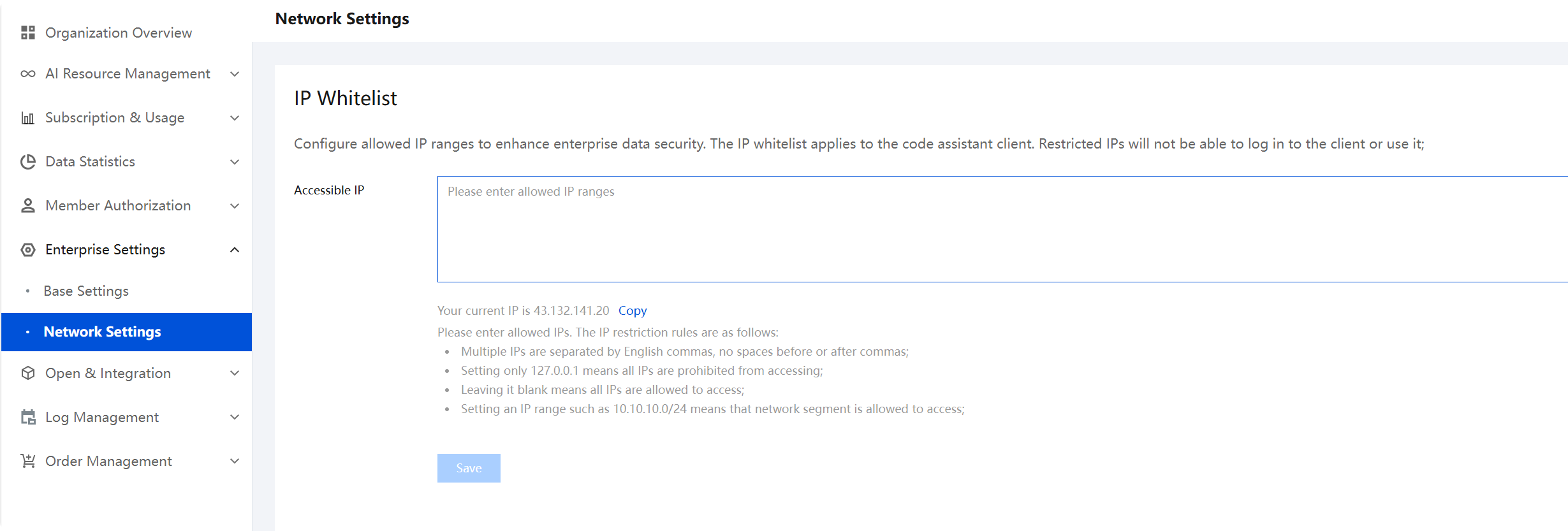
The rules for IP address restriction to take effect are as follows:
Separate multiple IP addresses with English commas, and do not add spaces before or after the commas.
Setting only 127.0.0.1 blocks access from all IP addresses.
Leaving it blank allows access from all IP addresses.
Specify an IP address segment, such as 10.10.10.0/24, to allow access from that network segment.
フィードバック