IP Blocklist/Allowlist
Download
Focus Mode
Font Size
Anti-DDoS supports configuring the IP blocklist and allowlist to block or allow source IPs accessing the Anti-DDoS service, restricting the users from accessing your business resources. IPs in the allowlist are allowed to access without being filtered by any protection policy, while access requests from IPs in the blocklist are directly denied.
Directions
1. Log in to the new Anti-DDoS console and click DDoS Protection on the left sidebar.
2. Select an Anti-DDoS instance ID in the list on the left, such as "bgp-00xxxxxx".

3. In the IP blocklist/allowlist section, click Set.
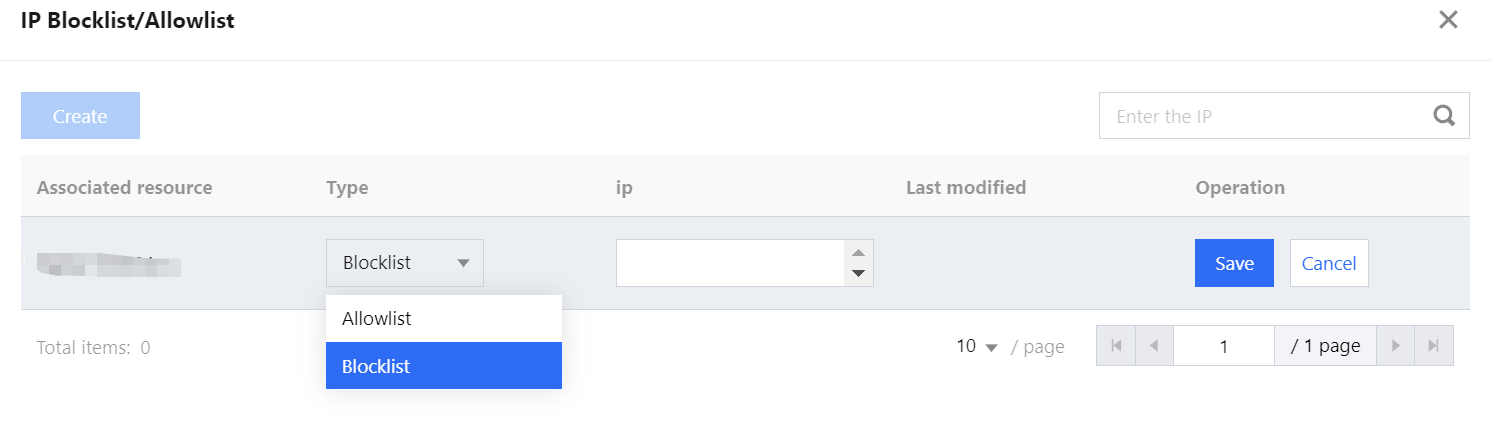
4. In the pop-up window, click Create, select Blocklist or Allowlist as the type, enter an IP, and click Save.
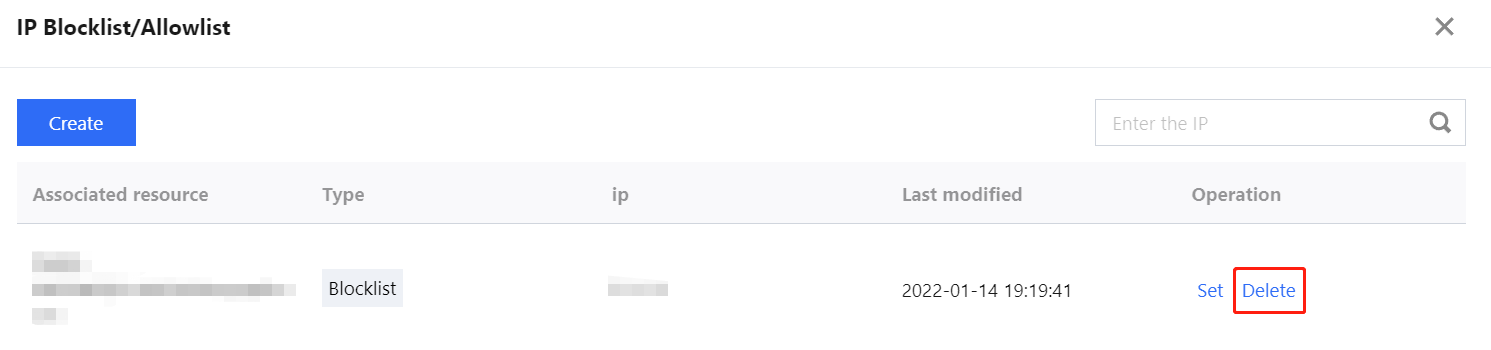
5. Now the rule is added to the IP blocklist/allowlist window. You can click Delete on the right of the rule to delete it.
Help and Support
Was this page helpful?
You can also Contact sales or Submit a Ticket for help.
Help us improve! Rate your documentation experience in 5 mins.
Feedback