Tencent Cloud TCHouse-D supports backing up current data in the form of a file via Broker to a remote storage system, and can restore data to any cluster from the remote storage system. This feature can be used to take one-time or regular snapshot backups of data, or to migrate data between different clusters.
Directions
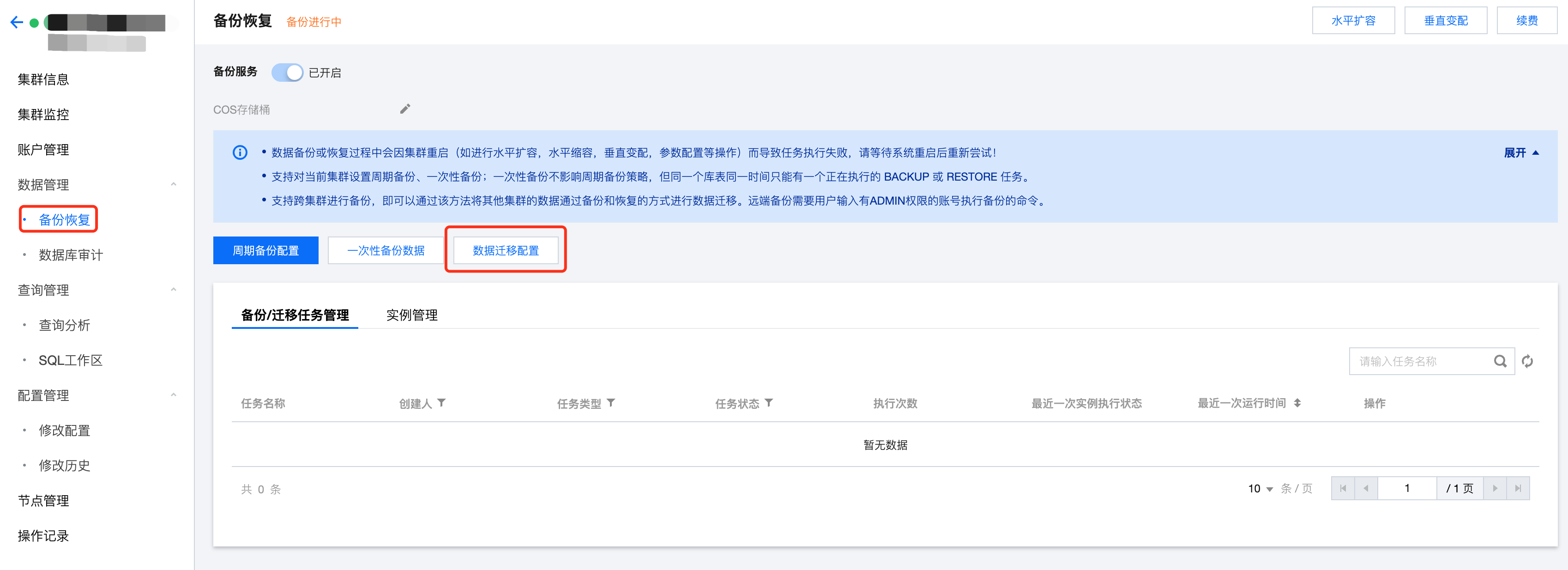
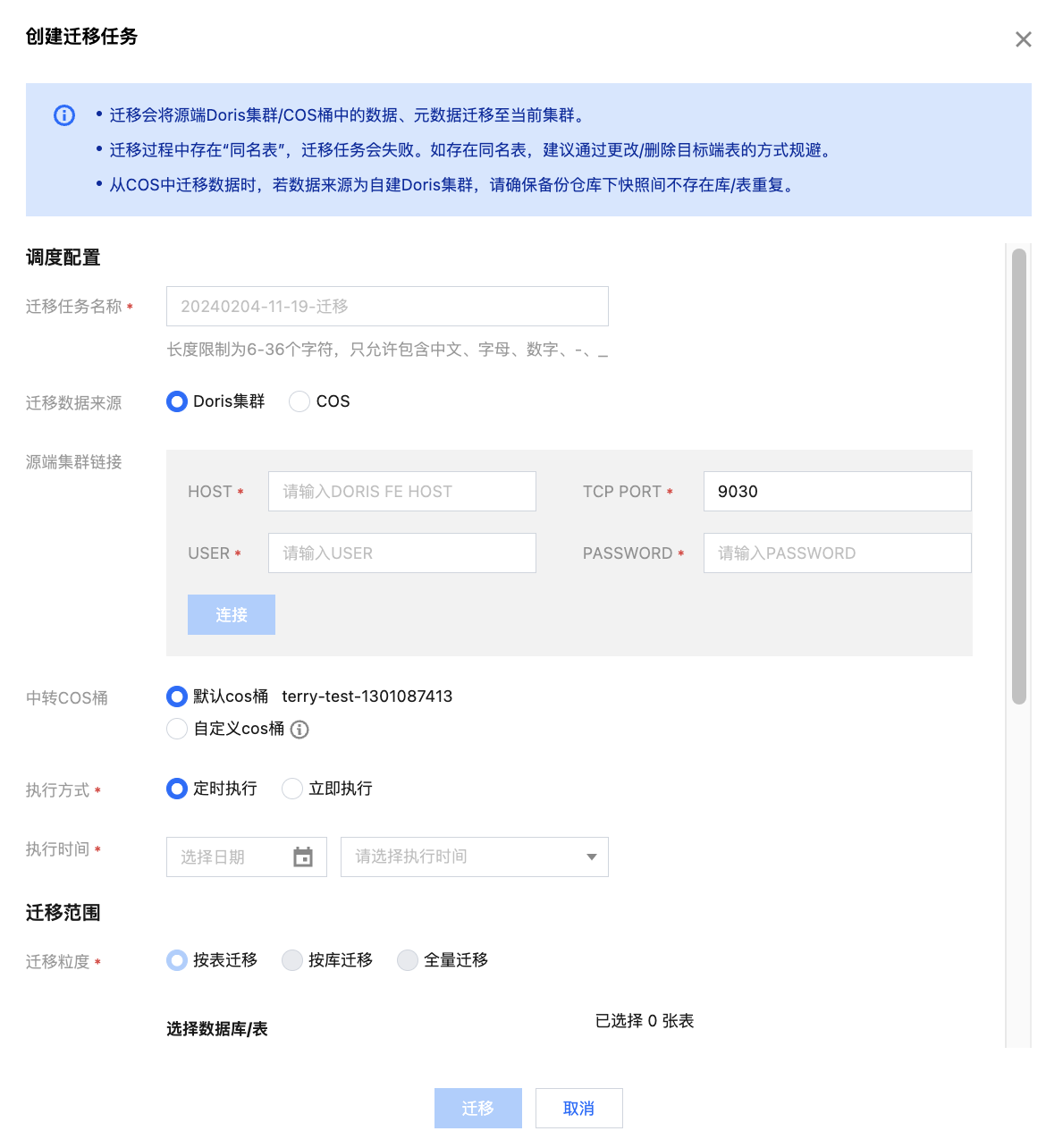
1. Enter the Backup Recovery page, click Data Migration, and fill in the specific configuration information for cross-cluster migration.
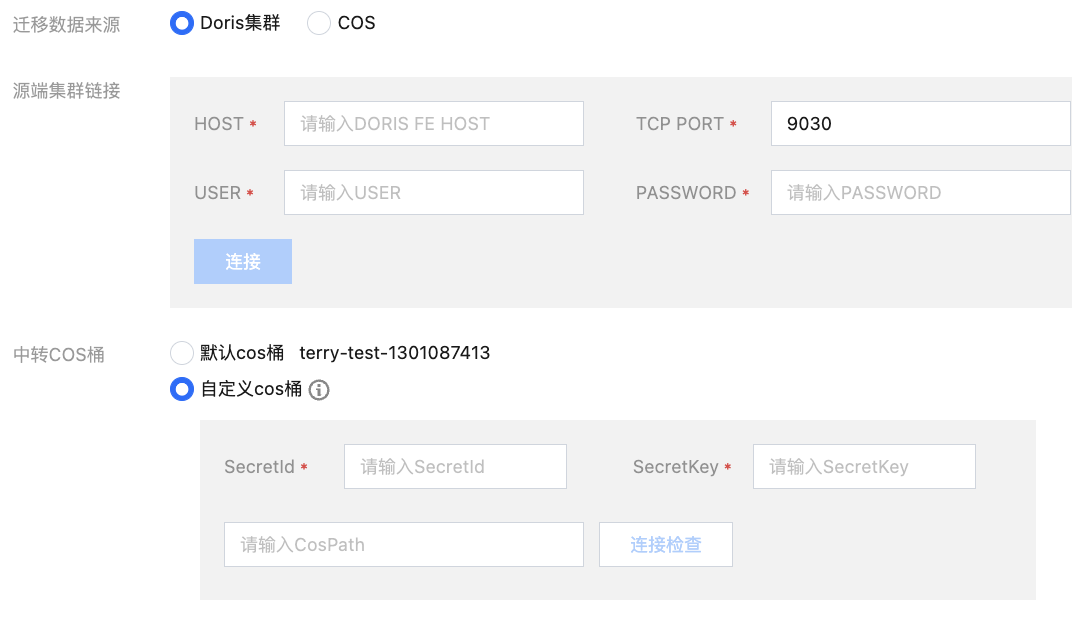
2. The source of the data migration can be a Doris cluster or a COS bucket. Fill in the corresponding configuration information. After passing the connectivity check, you can choose the execution method, execution time, and migration range.
If you plan to migrate data from the Doris cluster, you need to fill in information including the source cluster FE_Host, FE_TCP_PORT, and the USER ID and password with Admin privileges.
If you plan to migrate data from a COS bucket, you need to fill in the SecretId, SecretKey of the corresponding COS bucket, and the COS path for the data to be migrated.
Note:
If you want to migrate data from a created Tencent Cloud TCHouse-D cluster and the target and the far end are in the same VPC, it is recommended to use Doris cluster as data source.
If you want to cross VPC migration, or migrate backup data from any specified COS bucket, it is recommended to use COS as data source.
3. After completing the configuration of the data source for the migration, you can set the execution method and time, and choose the library, table to be migrated, and click Migrate to execute.
4. When you are migrating data from the Doris cluster, by default, the data will be synchronized to the COS bucket on the target end. You can choose to restore data after the backup is completed during the configuration.
5. When you are migrating data from a COS bucket, the data will be automatically synchronized to the Doris cluster at the target end after the migration is completed.
Note:
Backup data will be restored to the database with the same name in the current cluster by table dimension, and there is no need to create a library table in advance.
Cross-Cluster Migration Feature Description
Migrating from Doris Cluster
If you want to migrate data between two clusters in the same VPC, you can set the Doris cluster as the source of the data migration. To establish a connection with the remote cluster, you need to fill in information including the source cluster FE_Host, FE_TCP_PORT, and the USER ID and password with Admin privileges.
After the migration is completed, the data of the remote Doris cluster will be synchronized to the COS bucket designated by the target cluster. You can also configure your own defined COS bucket, specify the migration COS path, and migrate the data to the CosPath/doris_manage_backup path.
You can choose whether to restore the data after migration completion. If checked, the data will be migrated to the specified COS bucket and also automatically synchronized to the target Doris cluster.
Migrating from COS Bucket
Once you have completed the data backup in the remote cluster, the backup instances will be stored in the selected COS bucket, and you can implement cross-cluster data migration based on this.
Note:
The data migration feature does not support cross-region. It is suggested to copy the data in the remote COS bucket to the COS bucket in the target region before migration.
To initiate a backup task that migrates from COS, you need to choose COS as the source of the migration data, and fill in the corresponding key of the remote COS bucket and the COS path of the data to be migrated.
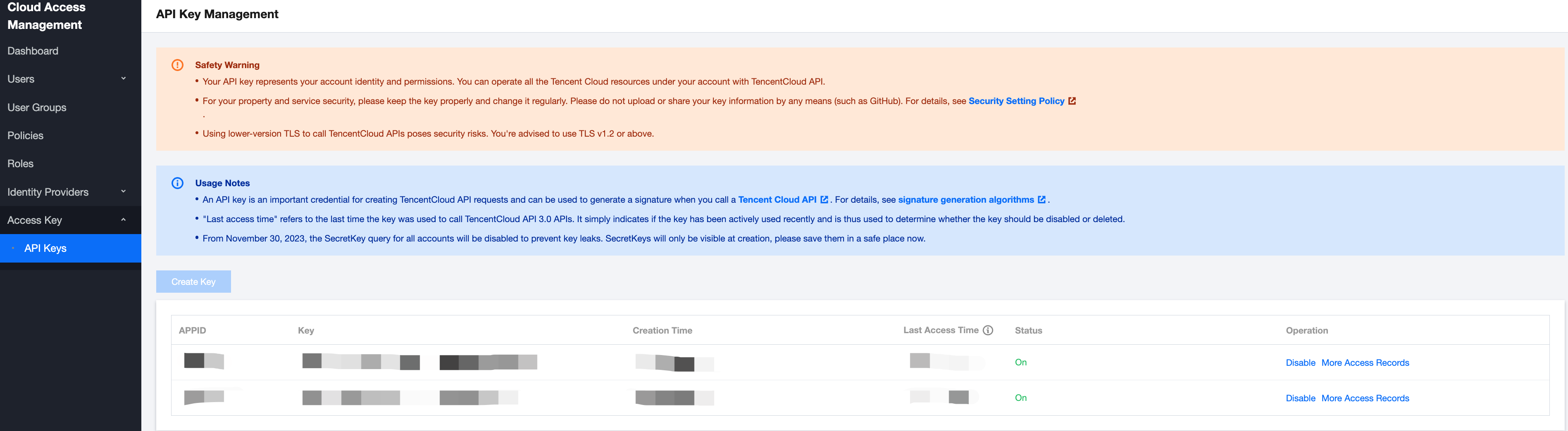
User-defined key: You can create and manage user-defined keys on the API Key Management page. This key can be used to manage all the Tencent Cloud resources under your account. Keep it safe.
The COS path to be migrated is formatted as https://$domain/$backup_dir/$snapshot_dir.
$domain: domain name (can be found in the Overview page of the corresponding bucket in Cloud Object Storage).
$backup_dir: The path of the folder where the file is located.
$snapshot_dir: Backup version snapshot folder path.
After the migration, the data will be automatically synchronized to the target Doris cluster.
Cross-Version Migration Version Description
Tencent Cloud Warehouse-D supports migrating data from old kernel version clusters to new kernel version clusters, but does not support migrating data backed up from new versions to old versions. The supported version correspondence is as shown in the following table: