Data Recovery
Download
Focus Mode
Font Size
Tencent Cloud TCHouse-D supports backing up current data in the form of a file via Broker to a remote storage system, and can restore data to any cluster from the remote storage system. This feature can be used to take one-time or regular snapshot backups of data, or to migrate data between different clusters.
Operation Guide
1. After entering the Backup Recovery page, you can view all tasks in the list below, click Operation > View Instance to view all instances under the corresponding task. For instances that have successfully backed up, you can click Restore data in Operation to perform recovery actions. In Instances, you can also view all instances that were recently executed.
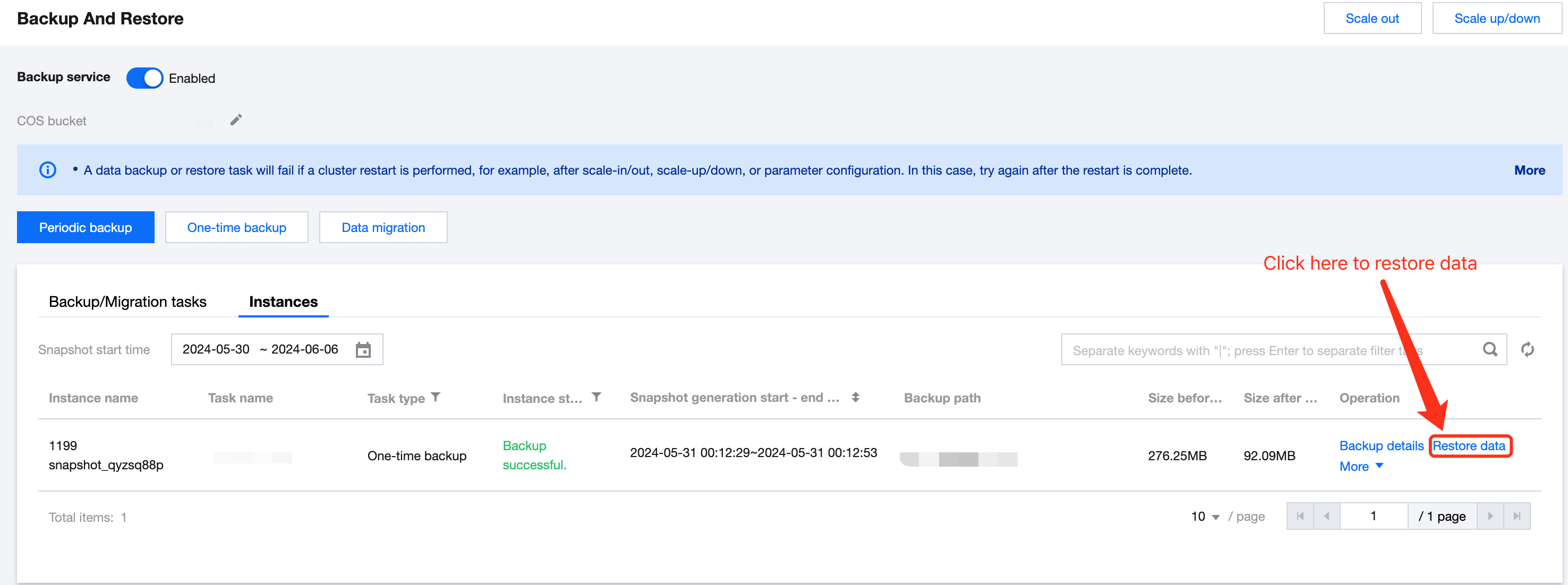
Click the Backup Path to view the COS path, COS bucket, snapshot path, and support one-click copy.
2. Click Restore data to specifically select the data tables planned for recovery, you can choose whether you want to use the backup table's configuration, including the number of table replicas, dynamic partition open status, etc.
Note:
Backup data will be restored to a database with the same name in the current cluster according to the table dimension, without the need to pre-create a database or table.
During data recovery, if a "table with the same name" exists under the target database, the recovery task will fail. It is recommended to avoid this by changing/deleting the target table.
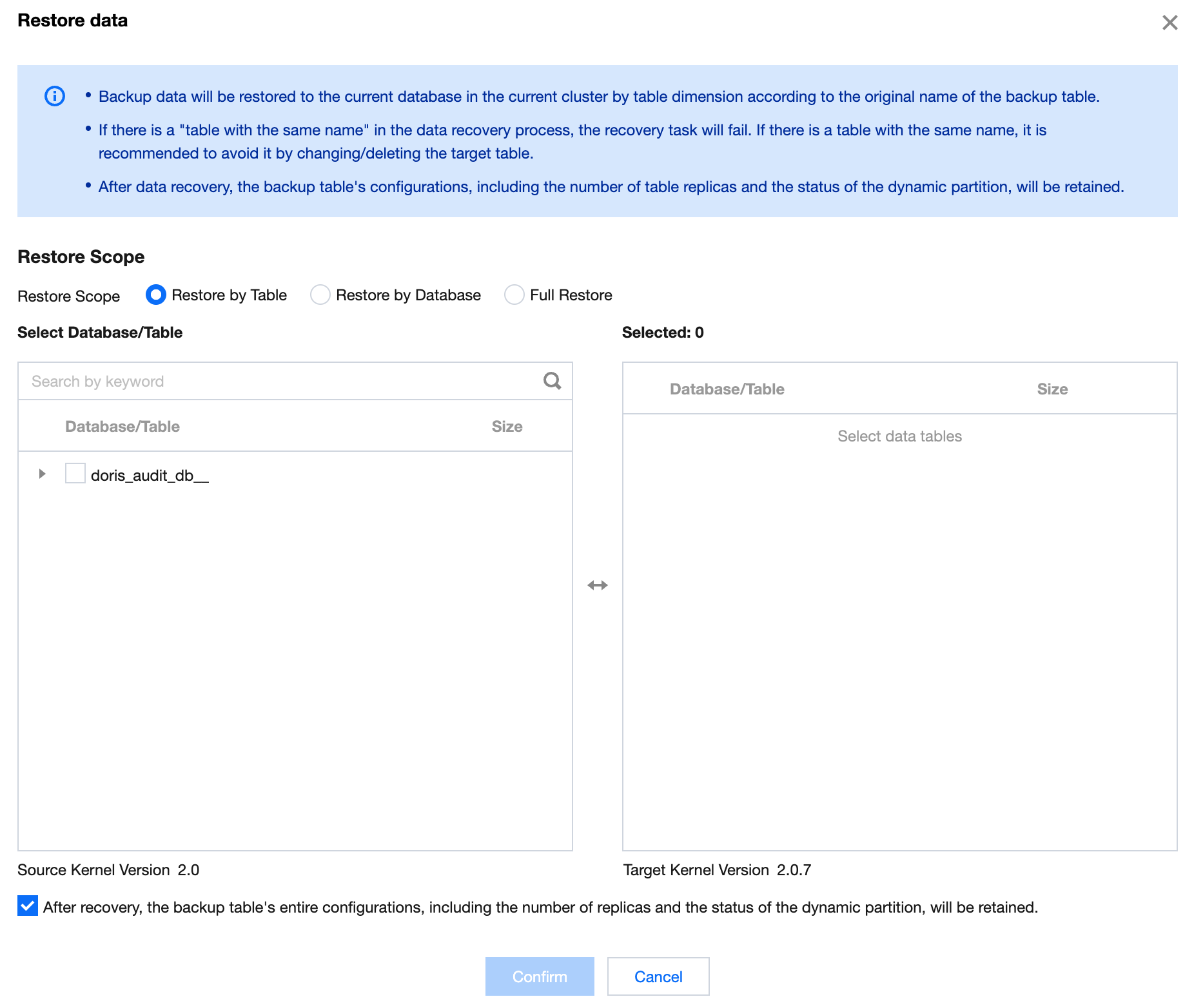
3. After making your selection, click Confirm to start the backup recovery process.
Backup recovery generally requires a certain amount of time to wait, which is related to the amount of data, cluster scale, number of tables, number of shards, degree of parallelism, etc.
To increase the recovery speed, you can contact us to change the configuration through Ticket, but it will require more memory.
Cross-Version Recovery Description
Tencent Cloud TCHouse-D supports restoring data backed up under an older kernel version to a new kernel version cluster, but does not support restoring data backed up in a new version to an older version. The current supported version correspondence is as follows:
Source Cluster Kernel Version | Target Cluster Kernel Version |
0.15 | 0.15, 1.0.X |
1.0.X | 1.0.X, 1.1.0, 1.1.1, 1.1.2 |
1.1.0, 1.1.1, 1.1.2 | 1.1.X |
1.1.3, 1.1.4, 1.1.5 | 1.1.3, 1.1.4, 1.1.5, 1.2.X |
1.2.X | 1.2.X |
Help and Support
Was this page helpful?
You can also Contact sales or Submit a Ticket for help.
Help us improve! Rate your documentation experience in 5 mins.
Feedback