Increasing the Instance Purchase Quota
Download
Focus Mode
Font Size
Overview
If the existing instance purchase quota cannot meet your actual demand, you can apply for an increase in the CVM instance purchase quota as instructed in this document.
Operation Steps
1. Log in to the Cloud Virtual Machine Console, and select Quota Management > Instance Quota from the left navigation bar.
2. On the Instance Quota page, filter by setting Region, Availability zone, Quota object and Instance billing mode to quickly locate quota information.
3. In the instance quota list, click Increase quota in the corresponding row of the quota object to be increased.
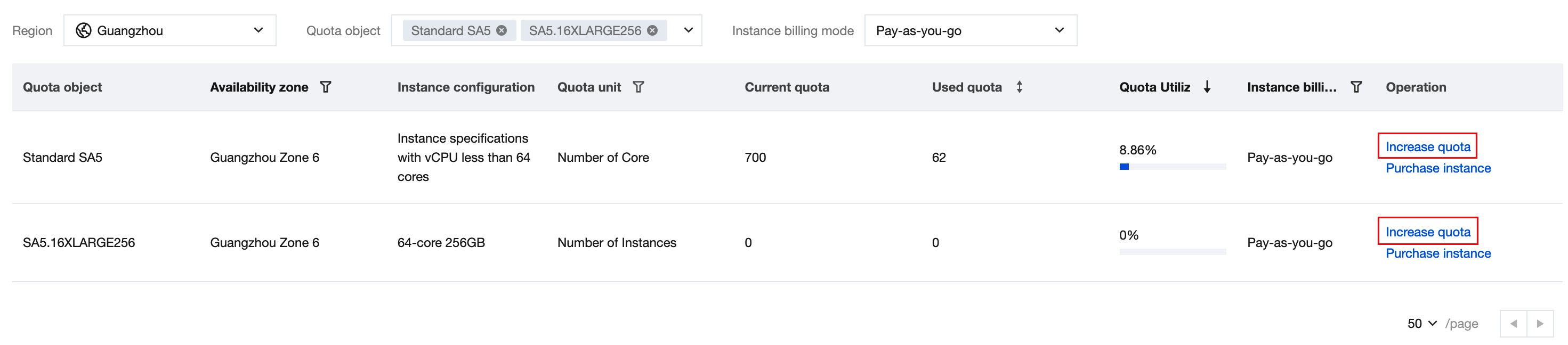
4. In the Instance quota request popup window, fill in the Target quota and Reason for request, and choose whether to notify the application result.
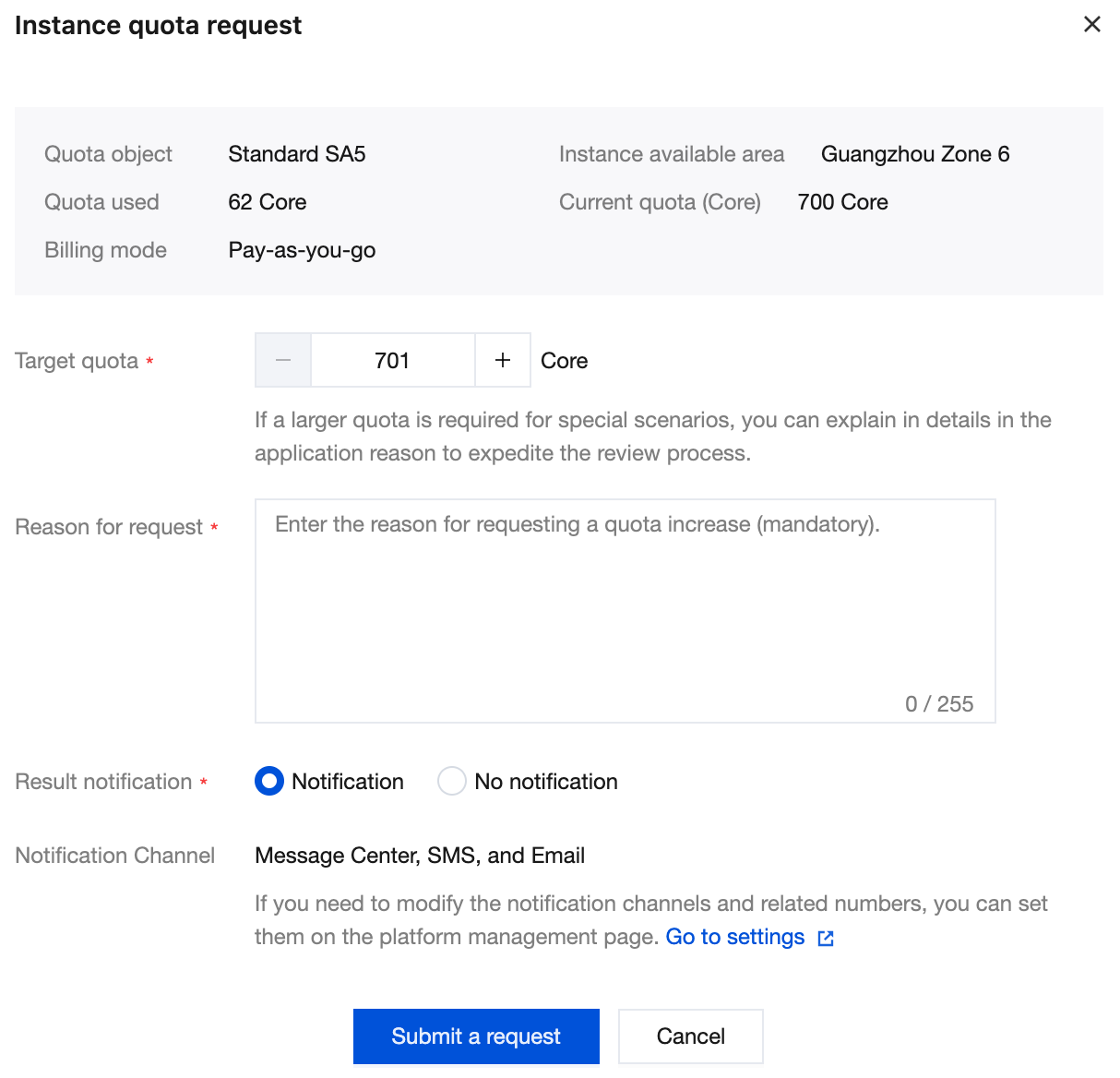
5. After confirming that the information is correct,click Submit a request.
You can view the request status on the Quota Request Records page. For more information about quota request records, please refer to Query Instance Purchase Quota.
Help and Support
Was this page helpful?
You can also Contact sales or Submit a Ticket for help.
Help us improve! Rate your documentation experience in 5 mins.
Feedback