Apps and Keys
Unduh
Mode fokus
Ukuran font
The Applications and Keys page is a core page under the Admin group, used for creating and managing applications that integrate with Tencent eSign's open capabilities. By creating an application here, you can obtain the credentials (keys) required to call APIs, thereby integrating e-signature capabilities such as stamps, templates, and envelope signing into your own business system.
Entry
After logging into the Tencent eSign Admin Console, select Admin in the top navigation bar, and then click Apps and Keys under the group. The Apps and Keys management page is then displayed on the right.
Feature Introduction
Operation Entry Description
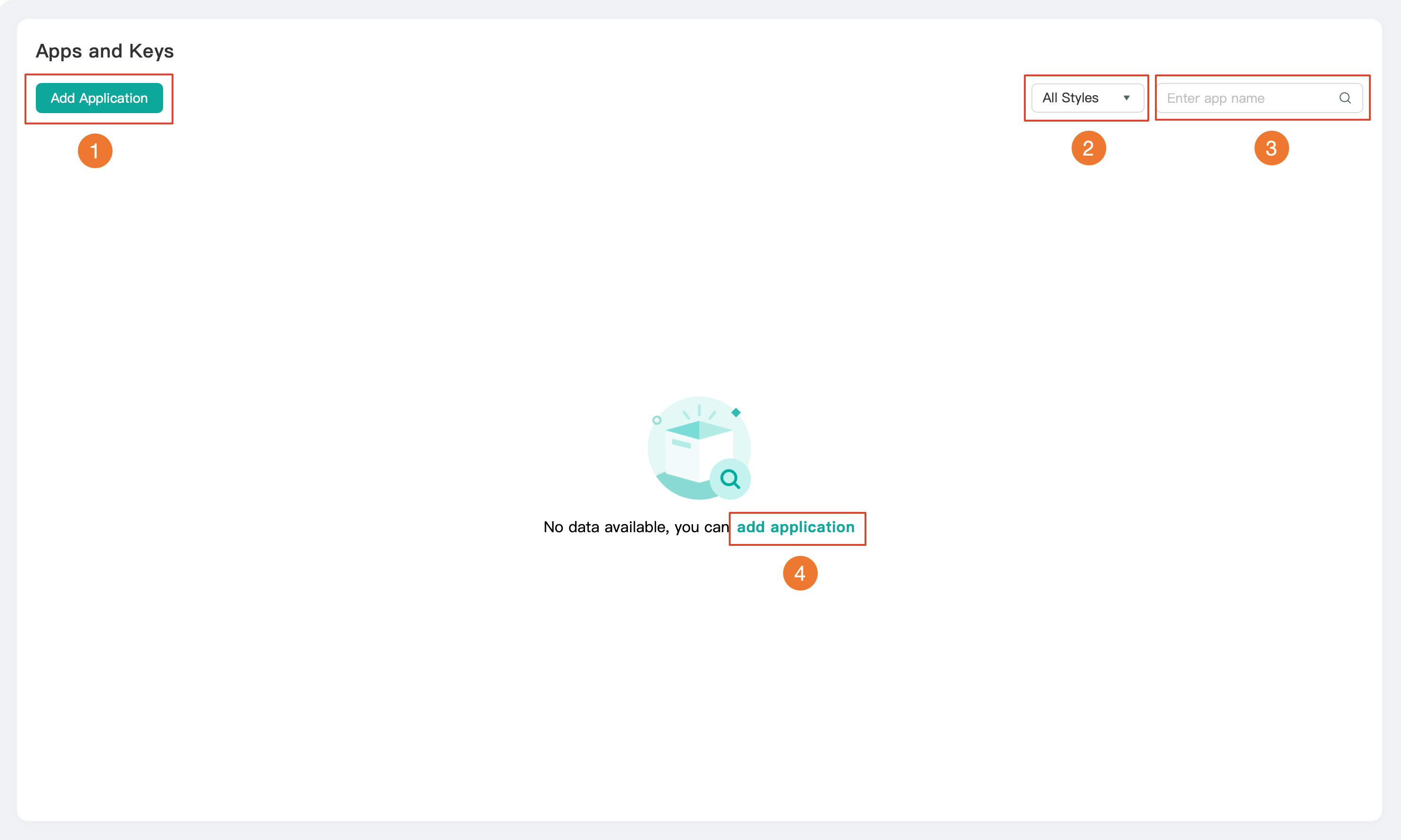
No. | Operation Entry | Feature Description |
1 | Create an application to obtain the app and key required for API integration. | |
2 | Filter by style | Filter the list by application source type (All/Self-built/Third-party). 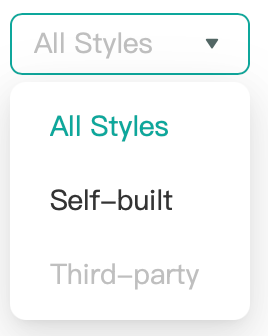 All Styles: Displays all applications without distinguishing their sources (selected by default). Self-built: Displays only applications created by this workspace. Third-party: Displays only applications provided/integrated by third parties. |
3 | Search box | Enter an application name to perform a fuzzy search and quickly locate the target application. |
4 | Add application (empty state link) | A guide entry displayed when the list is empty, used for adding applications. |
Adding an Application
Click Add Application. The system then displays the Add Application form pop-up window (as shown in the figure below). After filling in the configuration items, click Save to complete the application creation.
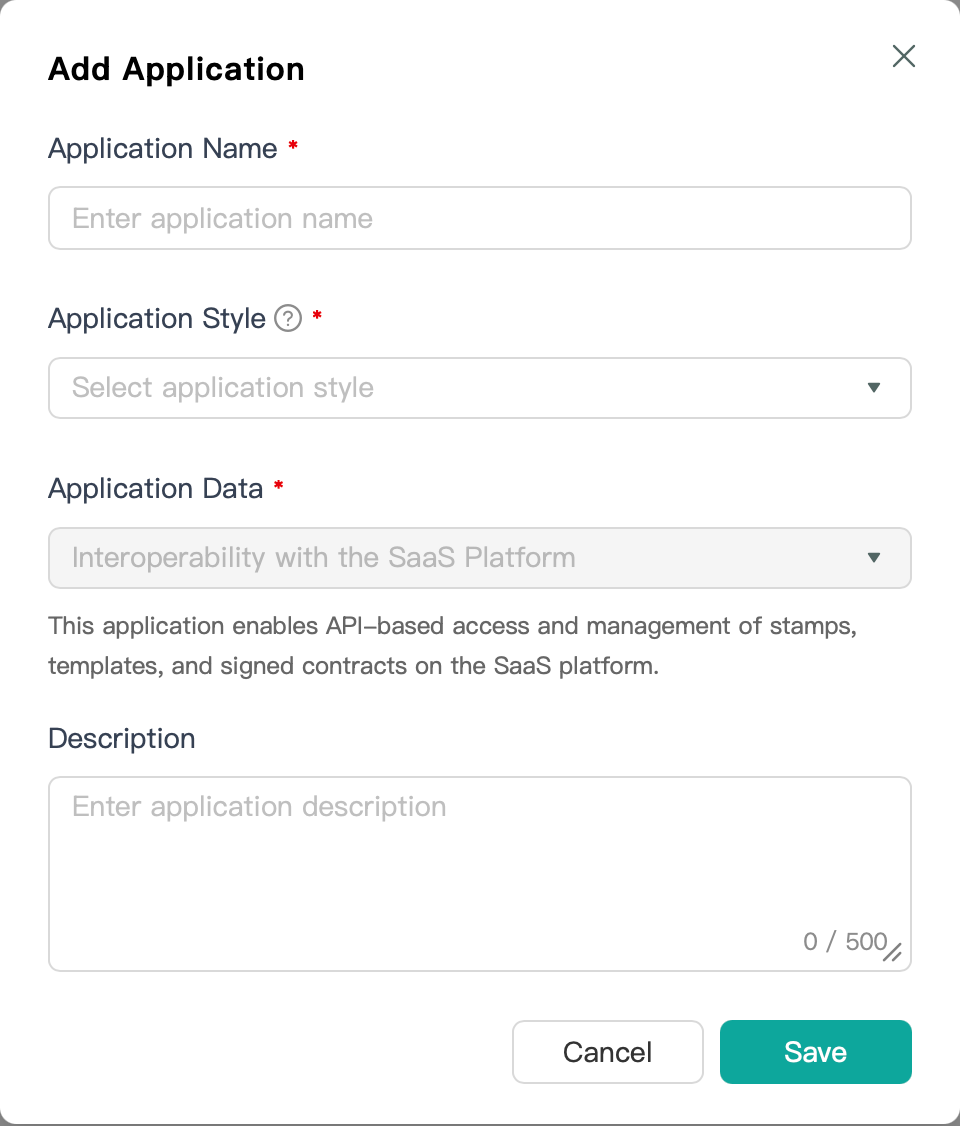
Field | Required | Description |
Application Name | Yes | The display name of the application, used to identify the application in the list. |
Application Style | Yes | Select the application's style type. The available options are Self-built/Third-party. Descriptive hints are provided by the 「?」 icon next to the field, as shown in the figure below: 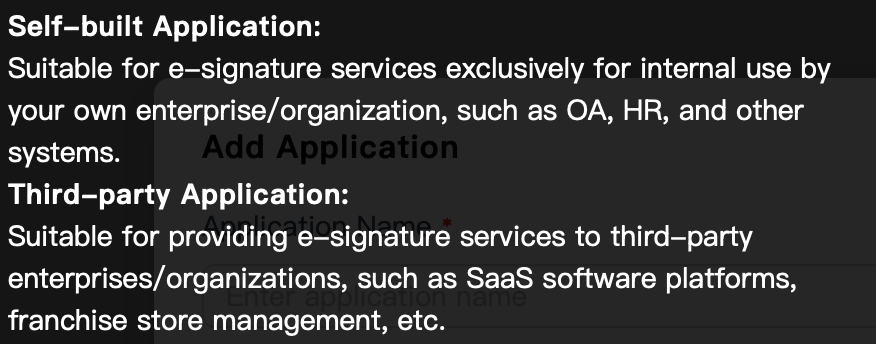 |
Application Data | Yes | Select the data interoperability method for the application. |
Description | No | Supplementary description of the application, with a maximum of 500 characters. |
Note:
API deep integration is a Professional Edition feature. If you are currently on an edition lower than Professional, we recommend upgrading to the Professional Edition to experience this feature.
You can upgrade your current edition by clicking Upgrade Plan on the Billing Overview page, which will redirect you to the purchase upgrade page. If you do not have a Tencent Cloud account, you need to register one for the upgrade purchase. For the registration process, refer to Register Tencent Cloud.
Bantuan dan Dukungan
Apakah halaman ini membantu?
Anda juga dapat Menghubungi Penjualan atau Mengirimkan Tiket untuk meminta bantuan.
masukan