Bulk Exporting DNS Records
Download
Focus Mode
Font Size
Overview
This document describes how to export DNS records of multiple private domains with the bulk record export feature provided by Tencent Cloud.
Directions
1. Log in to the Private DNS console.
2. On the left sidebar, click Bulk Operation to enter the bulk operation management page.
3. Click the Export Records tab and select the private domains for which to export DNS records as shown below:
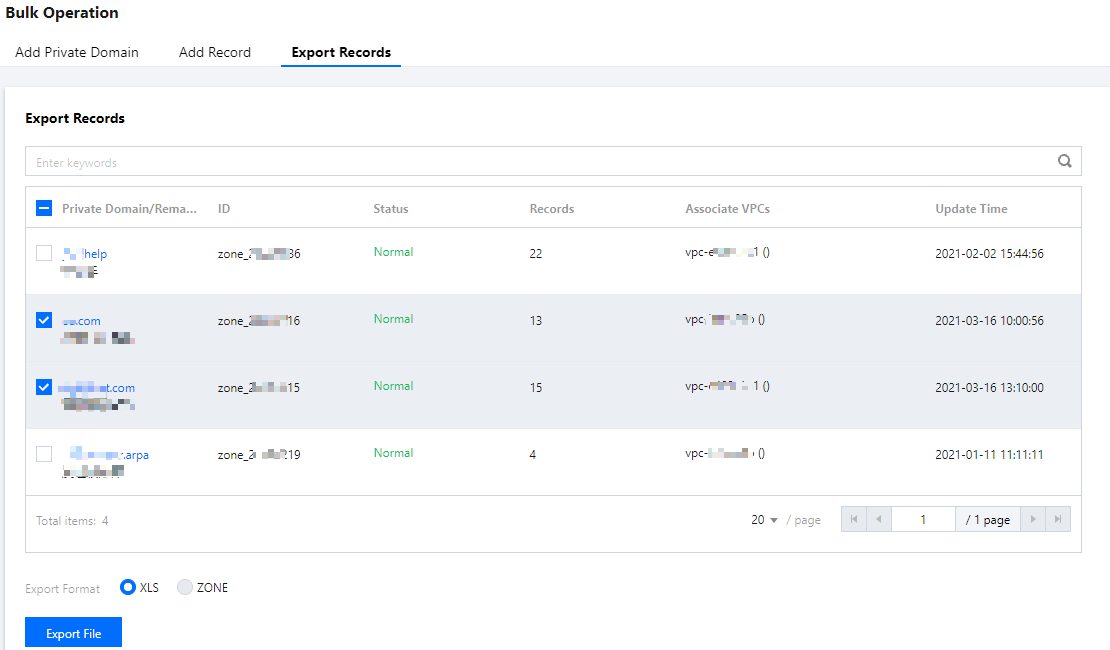
4. Select the export file format as needed.
5. Click Export File to export the file to your local computer.
Note:
If you select multiple private domains, only the XLS export format is supported.
Help and Support
Was this page helpful?
You can also Contact sales or Submit a Ticket for help.
Help us improve! Rate your documentation experience in 5 mins.
Feedback