After your site is connected to EdgeOne, predefined reports are available to help you monitor and analyze service operations. You may also have more specific data analysis requirements, such as the following scenarios:
Scenario
Requirement
In-depth log analysis
Search for logs that match one or more specified conditions. For example:
Query access statistics, such as requested URLs and request counts, for a specified client IP and time range.
Filter by status code, time, and URL to analyze status code distribution.
Filter logs where the security action is Monitor, aggregate request headers and other request characteristics, and optimize security policies.
Service metric monitoring
Monitor EdgeOne service quality and end-user access performance to promptly identify anomalies. Key metrics include overall response time, download speed, and origin response time.
Traffic abuse detection
Identify client IP addresses associated with traffic abuse by analyzing traffic anomalies, access patterns, and request frequency.
Unified multi-cloud monitoring
Build custom dashboards to monitor application data across multiple cloud providers.
Log retention
Retain complete user access logs, including logs of blocked attacks, for more than 30 days.
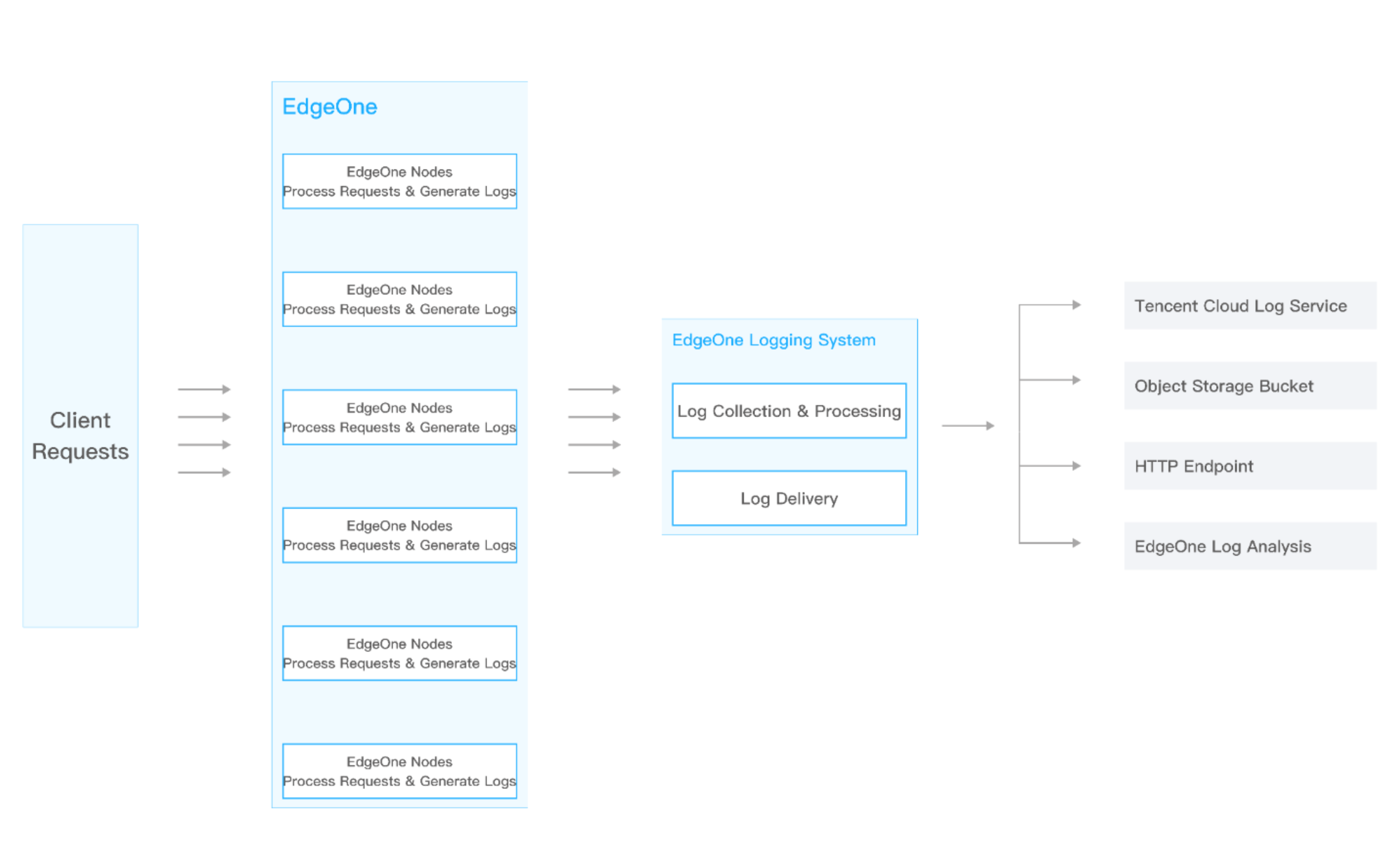
To address these requirements, EdgeOne Real-time Log Push collects and delivers logs in real time to EdgeOne Log Analysis, Tencent Cloud Log Service (CLS), or your self-managed data center, enabling flexible log search and analysis. The following delivery destinations are supported:
Push to EdgeOne Log Analysis: Push logs to the native EdgeOne log analysis platform for direct search, analysis, and download in the console.
Push to Tencent Cloud CLS: Push logs to Tencent Cloud Log Service (CLS) for further search and analysis.
HTTP Service (POST): Push logs to the specified backend server through HTTP POST requests.
Note:
1. Log delivery latency is typically within 5 minutes. To ensure timely delivery, EdgeOne batches logs by record count or time interval before delivering them to the configured destination. By default, logs are delivered in batches of 1,000 records. If fewer than 1,000 records are accumulated, delivery is triggered 5 seconds after the previous batch.