301 Redirect
Download
Focus Mode
Font Size
This example demonstrates how to use the HTTP 301 status code to automatically and permanently redirect client requests to a preset website address. It is commonly used for permanent site migration or merging.
Sample Code
// Target redirect addressconst destinationLocation = 'https://www.example.com';// HTTP status code, used for permanent redirectsconst statusCode = 301;// Async function used to handle requestsasync function handleRequest(request) {// Return a redirect response with the specified target location and status code.return Response.redirect(destinationLocation, statusCode);}// Add a fetch event listener to intercept requests and respond using the handleRequest function.addEventListener("fetch", event => {event.respondWith(handleRequest(event.request));});
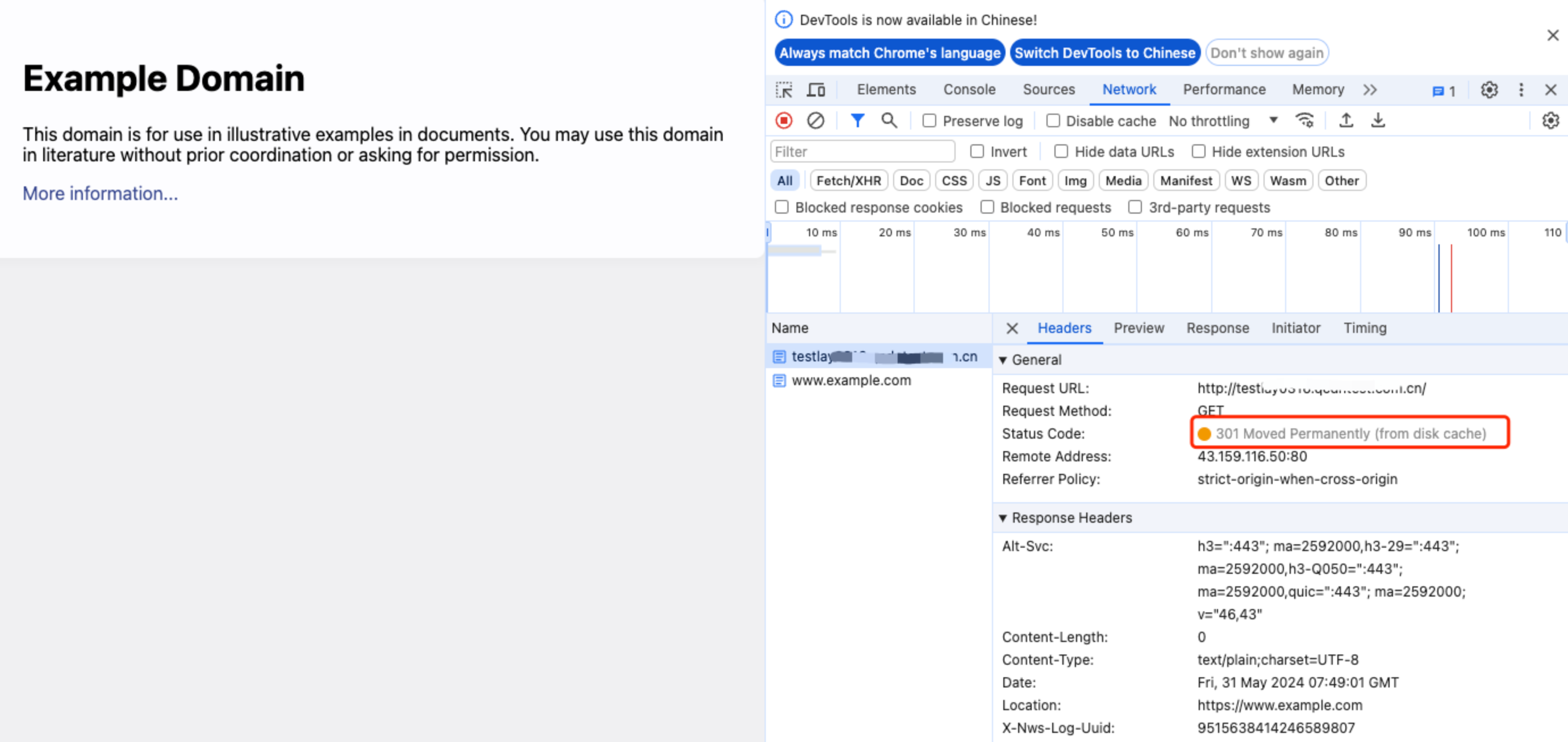
Sample Preview
In the address bar of the browser, enter a URL that matches a triggering rule of the edge function to preview the effect of the sample code.
Related References
Help and Support
Was this page helpful?
You can also Contact sales or Submit a Ticket for help.
Help us improve! Rate your documentation experience in 5 mins.
Feedback