If you have subscribed to the EdgeOne Free Plan Add-on Suite, you need to manually renew it before it expires or set up automatic renewal upon expiration to avoid feature interruption.
Note:
If the add-on suite expires and is not renewed, all unlocked value-added service features (including Smart Acceleration, QUIC, Image/Audio-Video Processing, Edge Functions, and Offline Logs) will be automatically disabled. All configurations related to the add-on suite will be cleared and cannot be recovered. To avoid service interruption, renew your subscription or enable auto-renewal promptly.
Manual Renewal
1. Log in to EdgeOne Plan Management, choose Free Plan > Add-on Suite, and go to the Add-on Suite Management page.
2. On the Add-on Suite Management page, click Renew Now.
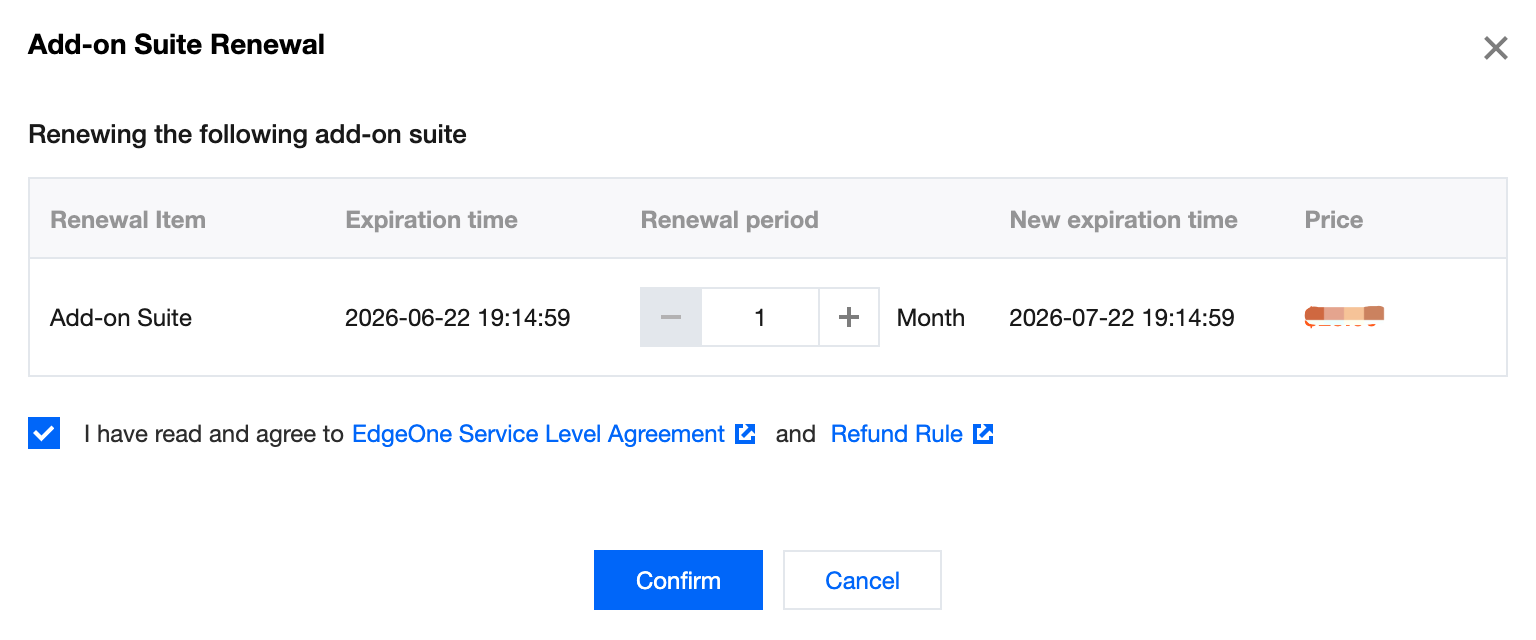
3. In the renewal window that pops up, confirm the current expiration time, select the renewal duration, select I have read and agree to the EdgeOne Service Level Agreement and the Refund Rule, and click OK.
4. You will be redirected to the order payment confirmation page. If you have any vouchers, you may select them for use. Then, click Submit Order.
5. After you submit the order, select the corresponding payment method to complete the payment.
Automatic Renewal
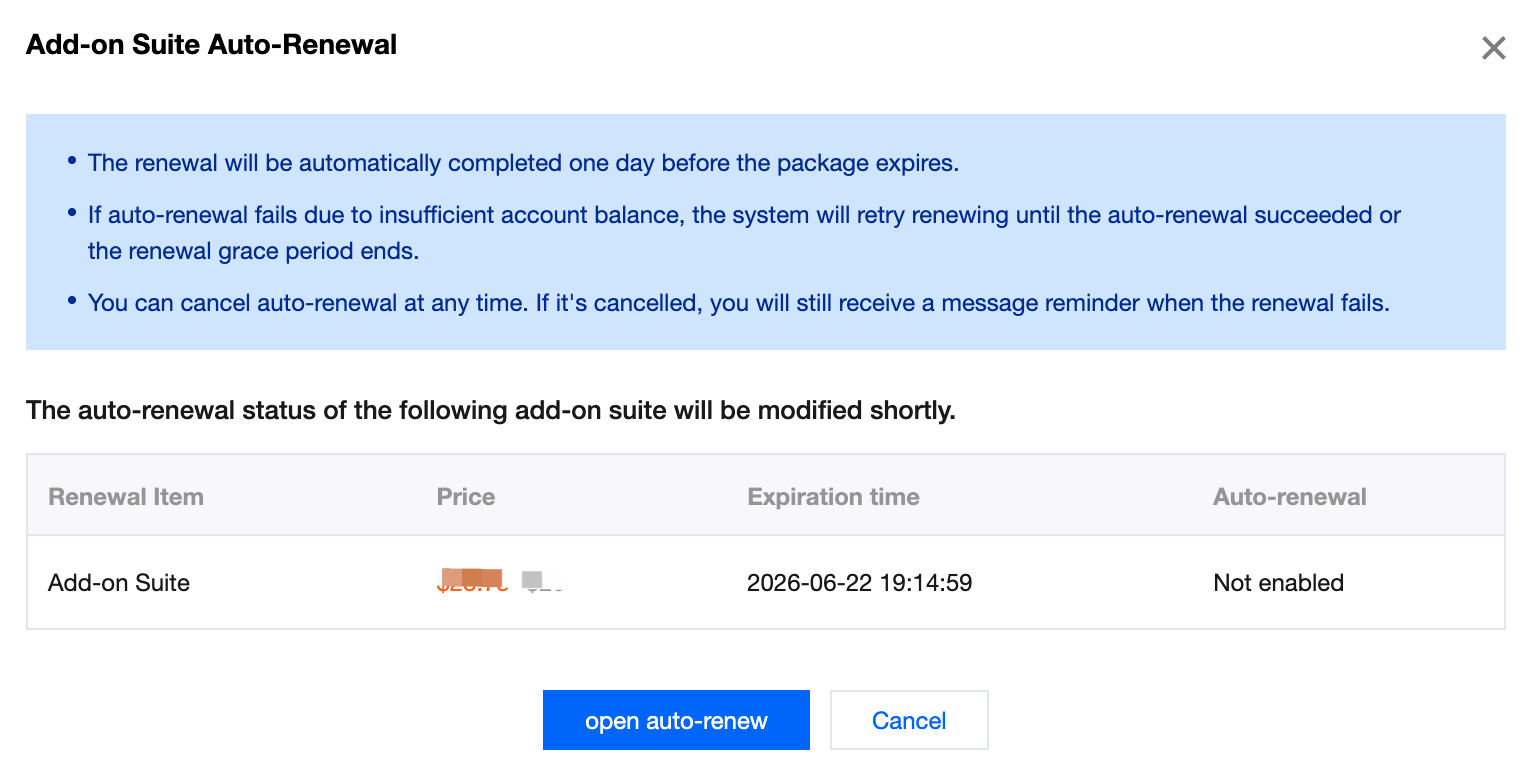
If you do not want to manually renew the subscription, you can enable the auto-renewal feature. After the auto-renewal feature is enabled, the system automatically renews the add-on suite before it expires, with a renewal duration of one month. Ensure that your account has sufficient balance; otherwise, the renewal will fail.
1. Log in to EdgeOne Plan Management, choose Free Plan > Add-on Suite, and go to the Add-on Suite Management page.
2. On the Add-on Suite Management page, click the Auto-Renewal switch.
3. In the pop-up window, confirm the renewal information, click Enable Auto-Renewal to enable the feature.
4. A success notification will pop up in the upper-right corner of the console. When the status of the corresponding auto-renewal switch on the Add-on Suite page is
, it indicates that auto-renewal has been enabled.