Switching the Billing Mode
Download
Focus Mode
Font Size
Scenarios
To provide greater flexibility in using Cloud Virtual Desktop (CVD), Tencent Cloud allows you to switch between pay-as-you-go and yearly/monthly subscription billing modes for CVD instances. You can perform the switch operation in the CVD console based on your actual needs: convert a temporarily used pay-as-you-go instance to a long-term, stable yearly/monthly subscription instance, or convert a long-term, stable yearly/monthly subscription instance to a pay-as-you-go instance for temporary use.
This document describes how to switch between the pay-as-you-go and yearly/monthly subscription billing modes for CVD instances in the CVD console.
Use Limits
You have purchased a CVD instance.
To switch the billing mode, ensure that the selected instance is in the Running status.
For batch operations, a single switch supports a maximum of 20 CVD instances.
For batch operations, ensure that all selected CVD instances have the same billing mode (all are pay-as-you-go or all are yearly/monthly subscription).
Operation Steps
1. Log in to the CVD console and go to the CVD Instance List page.
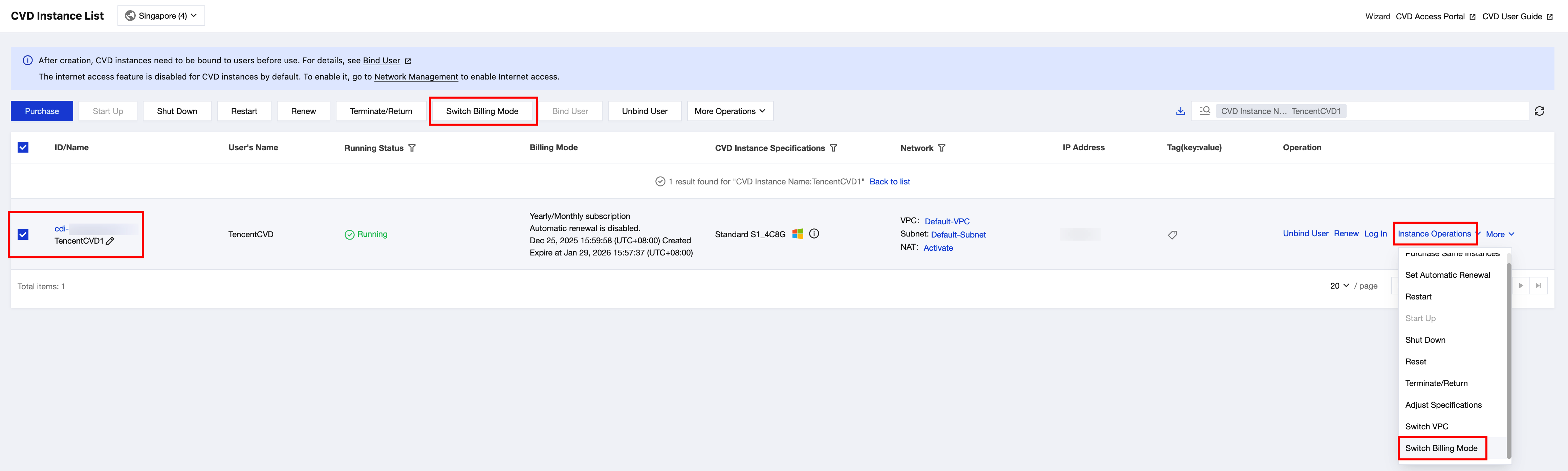
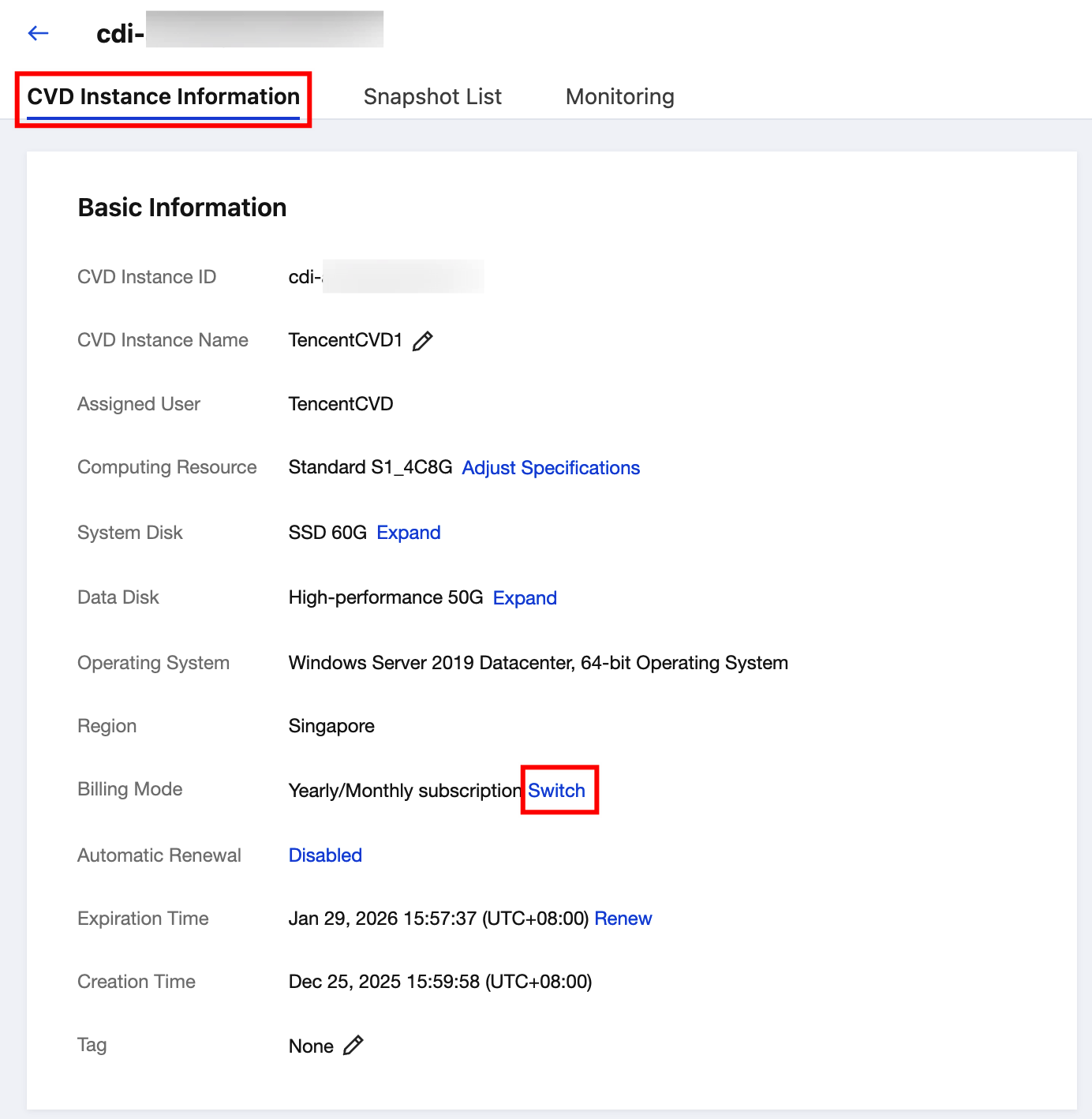
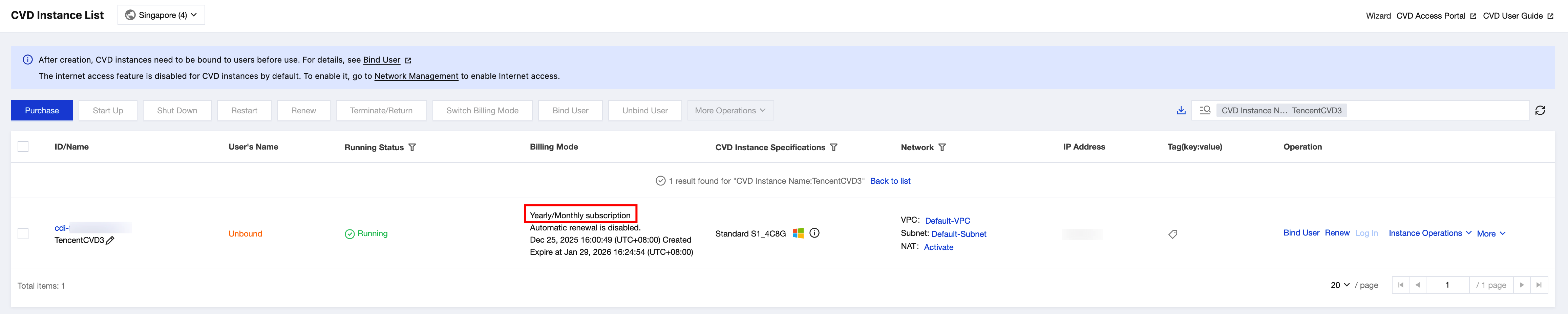
2. Select the CVD instance for which you want to switch the billing mode and initiate the operation using one of the following methods:
On the Desktop List page of the CVD console, click Switch Billing Mode in the operation bar at the top, or choose Instance Operations > Switch Billing Mode in the operation column on the right.
Click the ID of the target CVD instance to go to the CVD Instance Information page. On the instance details page, click Switch next to Billing Mode.
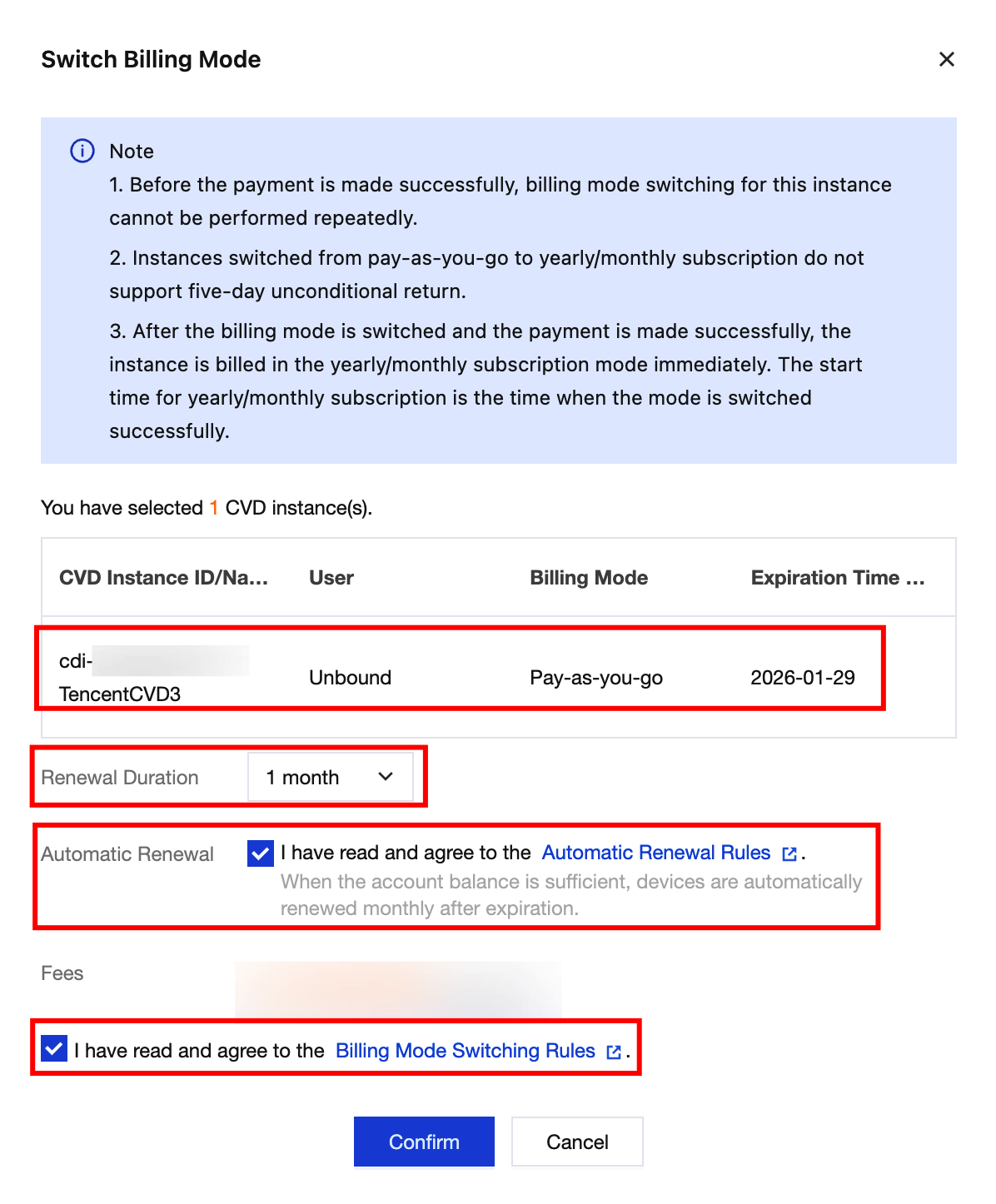
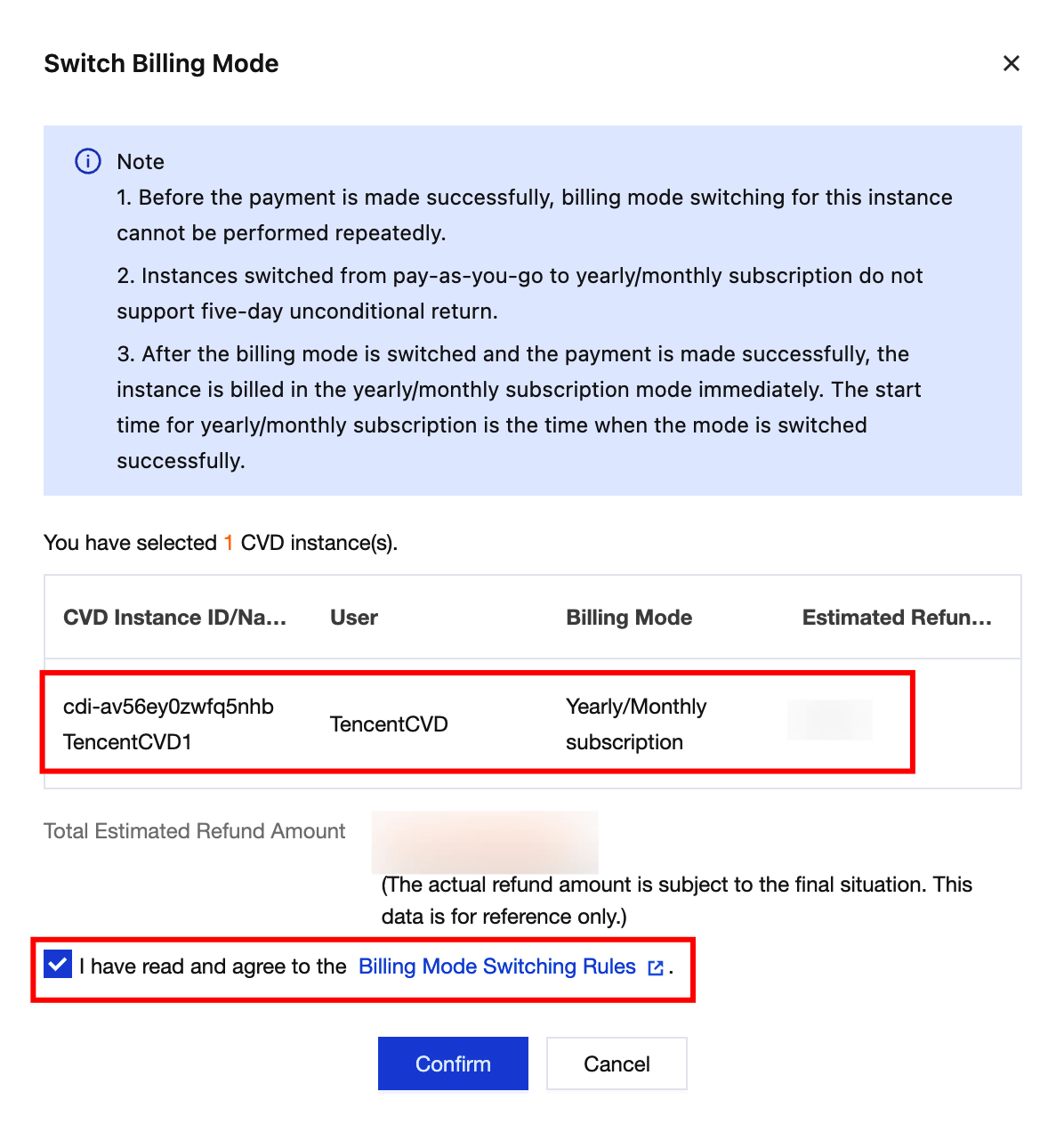
3. In the Switch Billing Mode pop-up window, confirm the CVD instance information and pricing details, and then click Confirm to complete the switch.
Switching from pay-as-you-go to yearly/monthly subscription
Switching from yearly/monthly subscription to pay-as-you-go
4. Switching the billing mode takes a few seconds. During this period, your service will not be interrupted, and all features can be used normally.

5. The billing mode switch is complete.
Help and Support
Was this page helpful?
You can also Contact sales or Submit a Ticket for help.
Help us improve! Rate your documentation experience in 5 mins.
Feedback