Agentic RAG (Agentic Retrieval-Augmented Generation) is the next-generation knowledge base Q&A capability provided by the Tencent Cloud Agent Development Platform. Compared to the single search-generation process of traditional RAG, Agentic RAG leverages the Agent Loop framework to enable autonomous agent reflection, intelligent search policy switching, and multi-round iterative search. This approach delivers a broader answer scope and higher answer accuracy in knowledge-based scenarios.
Traditional RAG vs. Agentic RAG
Comparison Dimension
Traditional RAG
Agentic RAG
Search Methods
Single search
Autonomously plans search policies and performs multi-round iterative searches
Answer Quality
Answer quality is constrained by the initial search results; inaccurate search leads to inaccurate answers.
Self-reflects on search results and automatically adjusts the policy to re-search when inaccuracies are detected.
Scenario
Simple single-document Q&A
Multi-document integration, complex condition filtering, and knowledge Q&A requiring cross-validation
Retrieval Strategy
Fixed policy, cannot be dynamically adjusted
Intelligently switches search policies (hybrid, keyword, and so on) and adapts on demand.
Tools
Knowledge Base Q&A / KnowledgeRetrievalAnswer
Knowledge Base Q&A / AgenticRAGSearch
Use Cases
Multi-document integrated Q&A: Questions that require synthesizing information from multiple documents to answer, such as "Compare the feature differences between Product A and Product B".
Complex condition filtering: Answers need to be generated after filtering is performed based on conditions such as time, region, and category, for example, "What are the changes in the sales policy for the East China region in 2025?"
Cross-validation Q&A: The answer requires cross-validation from multiple knowledge sources, for example, "Has the company's travel reimbursement policy been updated recently?".
Deep reasoning Q&A: This requires understanding the question's intent and performing multi-step reasoning, for example, "What is the approval process for cross-departmental collaboration according to company policy?".
Attention:
Agentic RAG consumes more tokens than traditional RAG. Therefore, it is recommended to reasonably configure the number of reflection rounds based on the actual scenario.
For simple knowledge base Q&A scenarios, it is recommended to use traditional RAG for faster response and lower cost.
Prerequisites
You have created an application in Claw mode or Multi-Agent mode.
The knowledge base has been created and documents have been imported. See File Overview.
Steps
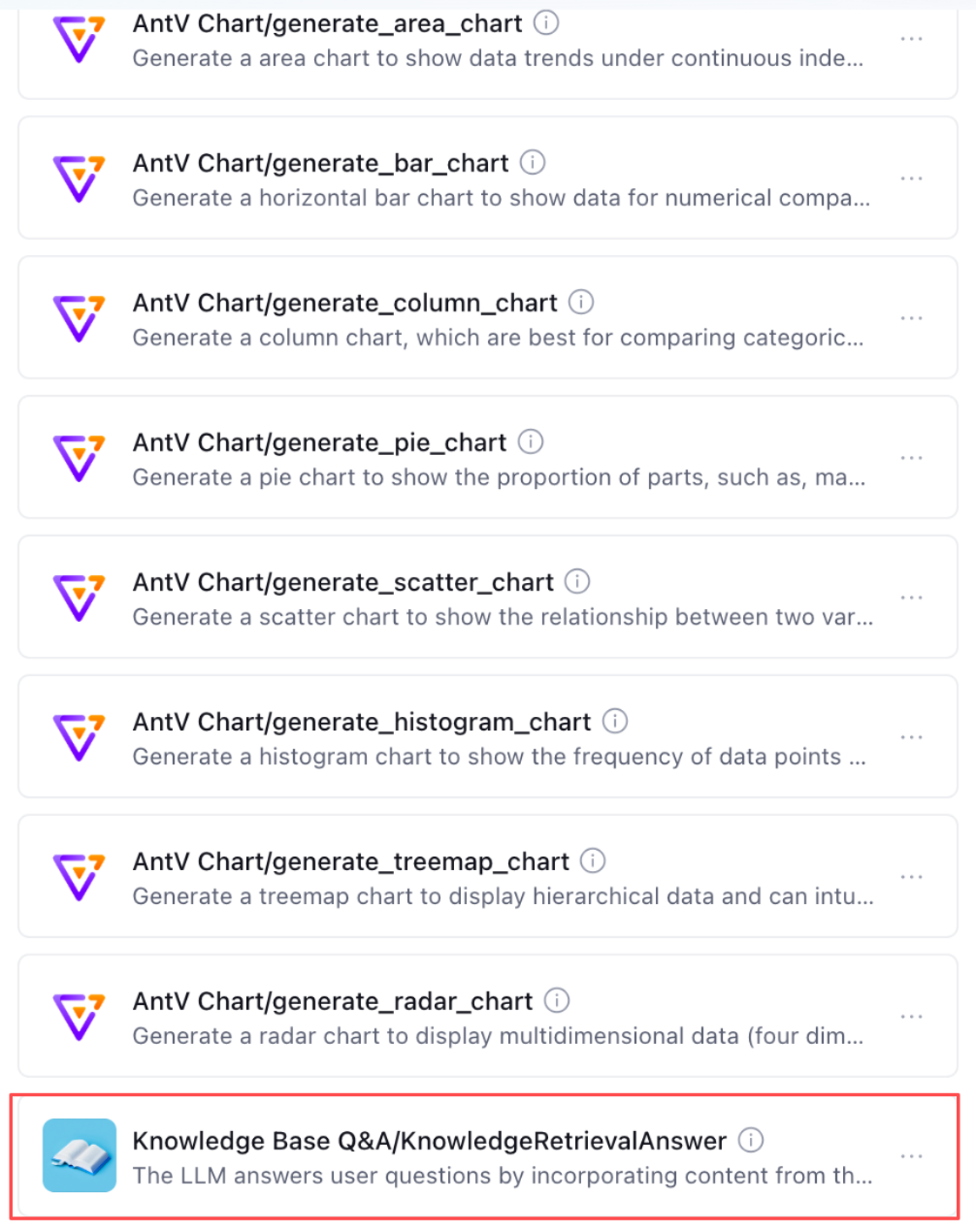
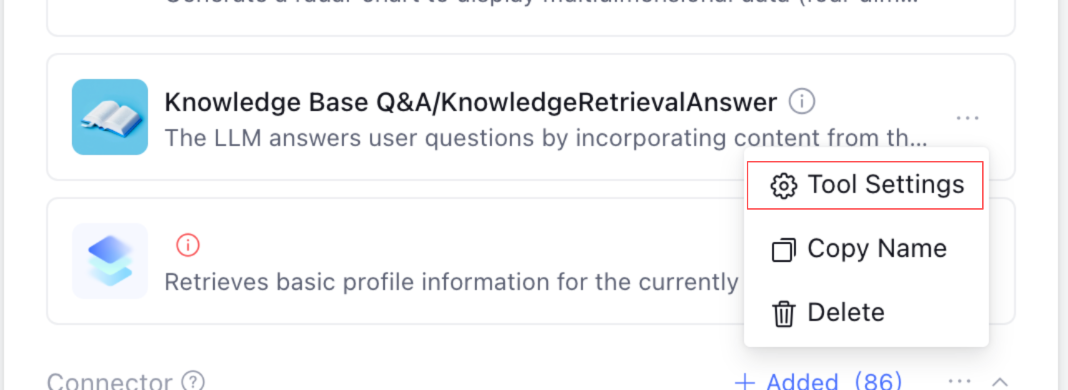
Step 1: Add the KnowledgeRetrievalAnswer Tool
1. Go to the application editing page, and click Add Tool in the tools area.
2. In the tools list, select the KnowledgeRetrievalAnswer tool under the Knowledge Base Q&A category, and then click Add.
3. After the addition is completed, the tool will be displayed in the application tools list.
Step 2: Configure the Reflection Model
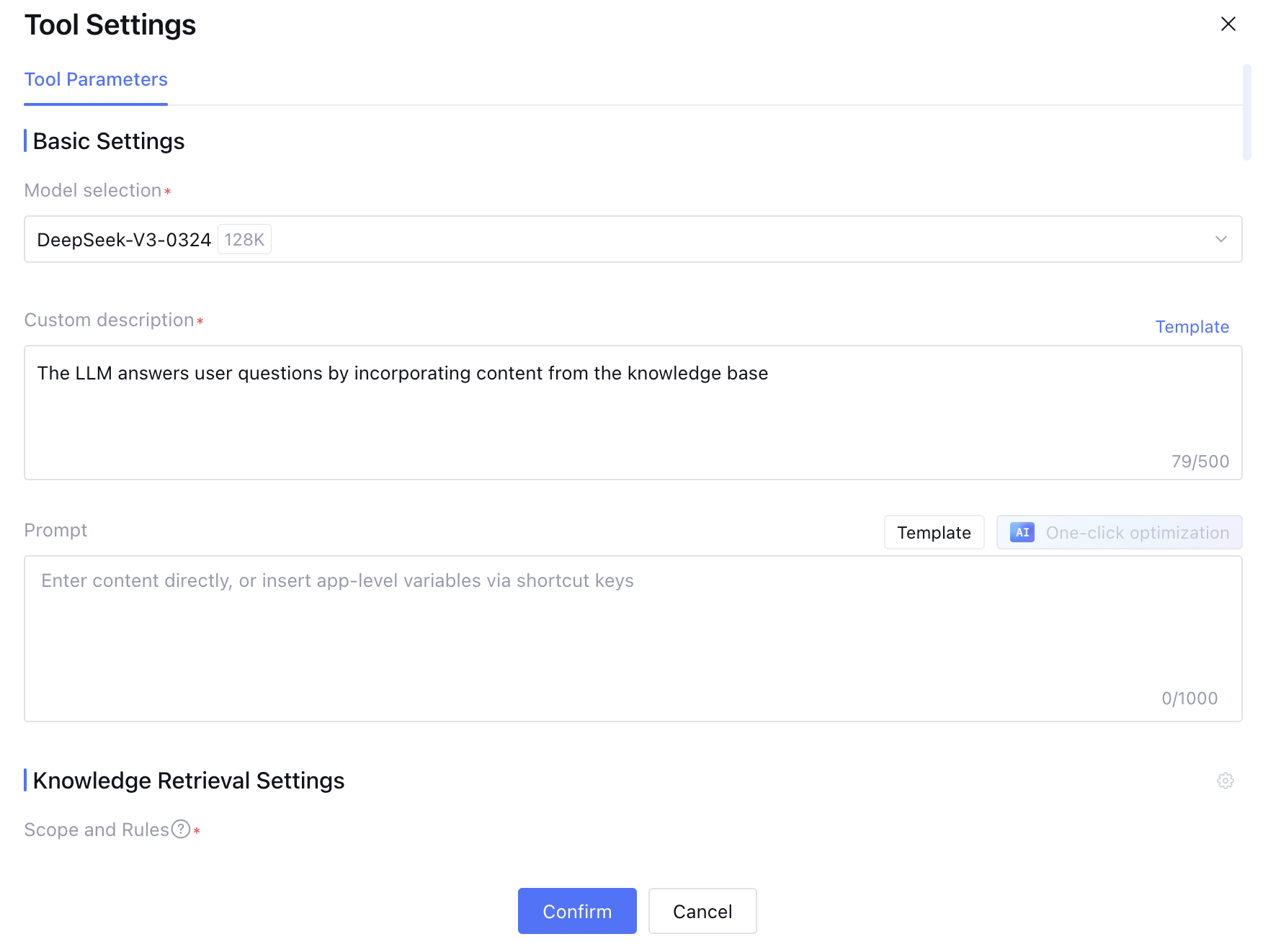
The core capability of Agentic RAG stems from the agent's self-reflection mechanism. The reflection model is responsible for evaluating the relevance and completeness of search results and deciding whether to adjust the search policy for the next round of search.
1. In the Agentic RAG tool settings, locate the reflection model configuration item.
2. Select a reflection model from the dropdown list.
Step 3: Configure the Reranking Model
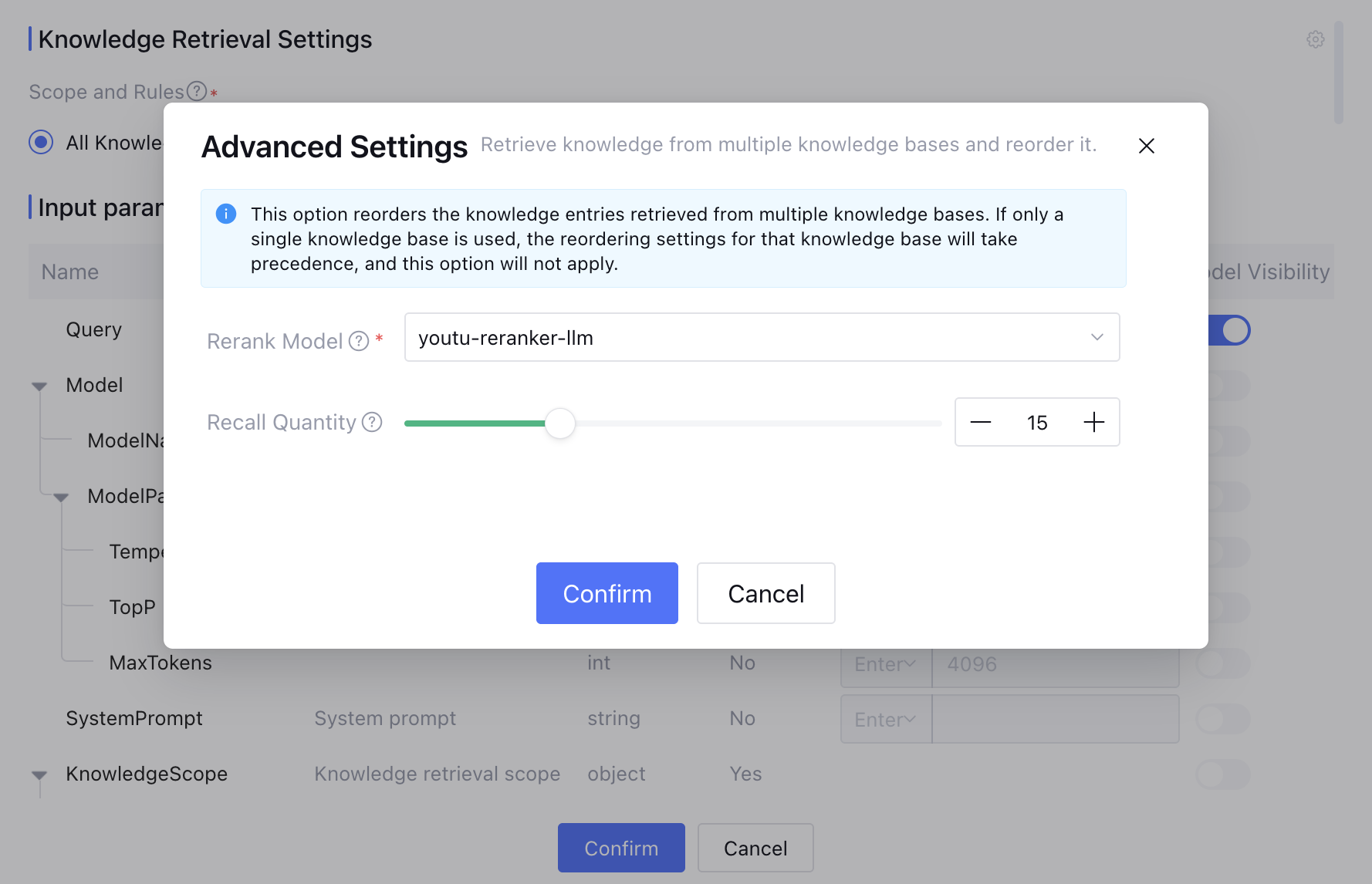
The re-ranking model performs a secondary sort on the initial search results, placing the most relevant documents at the top to improve search accuracy.
1. In the Agentic RAG tool settings, locate the re-ranking model configuration item.
2. Select a re-ranking model from the dropdown list:
Model
Description
youtu-rerank-llm
Default. An LLM-based reranking model with high sorting accuracy.
youtu-rerank
A lightweight reranking model with fast response speed.
Step 4: Configure the Knowledge Search Scope
It specifies the scope of the knowledge base for Agentic RAG search, supporting the selection of either the entire knowledge base or specific knowledge within it.
1. In the AgenticRAGSearch tool settings, locate the knowledge search settings configuration item.
2. Click to select a knowledge base, and then select the knowledge base to be searched in the pop-up window.
3. To further limit the search scope, you can select a specific knowledge range within the knowledge base.
A more precise search scope leads to higher search efficiency and answer accuracy. It is recommended to organize knowledge bases by business scenario to prevent irrelevant knowledge from being included in the search scope.
Step 5: Configure Search Settings
Reflection Rounds controls the maximum number of "reflection-search" iteration cycles that the agent can perform.
1. In the search settings, locate the reflection rounds limit configuration item.
2. Set the number of reflection rounds. The valid range is 0 - 10, and the default value is 3 rounds.
Reflection Rounds
Effect
Applicable Scenarios
0 rounds
Equivalent to a standard search, performing only one search.
Simple Q&A, high requirement for response speed
1 - 3 rounds
Recommended. Achieves a balance between accuracy and response speed.
Most knowledge Q&A scenarios
4 - 6 rounds
Higher accuracy, slower response.
Complex multi-document reasoning, high accuracy requirement
7 - 10 rounds
Highest accuracy, slow response, high Token consumption.
Critical scenarios requiring extremely high accuracy
Note:
1. A higher number of reflection rounds leads to more thorough search results, but it also results in slower response speeds and higher Token consumption.
2. When the number of rounds is set to 0, Agentic RAG reverts to the standard search mode and does not perform self-reflection.
3. It is recommended to start with the default value of 3 rounds and adjust it based on the actual effectiveness and cost.
Step 6: Experience and Publish
1. After the configuration is complete, conduct a conversation test in the application settings.
2. After the test results are satisfactory, publish the application to the production environment. See Application Release.