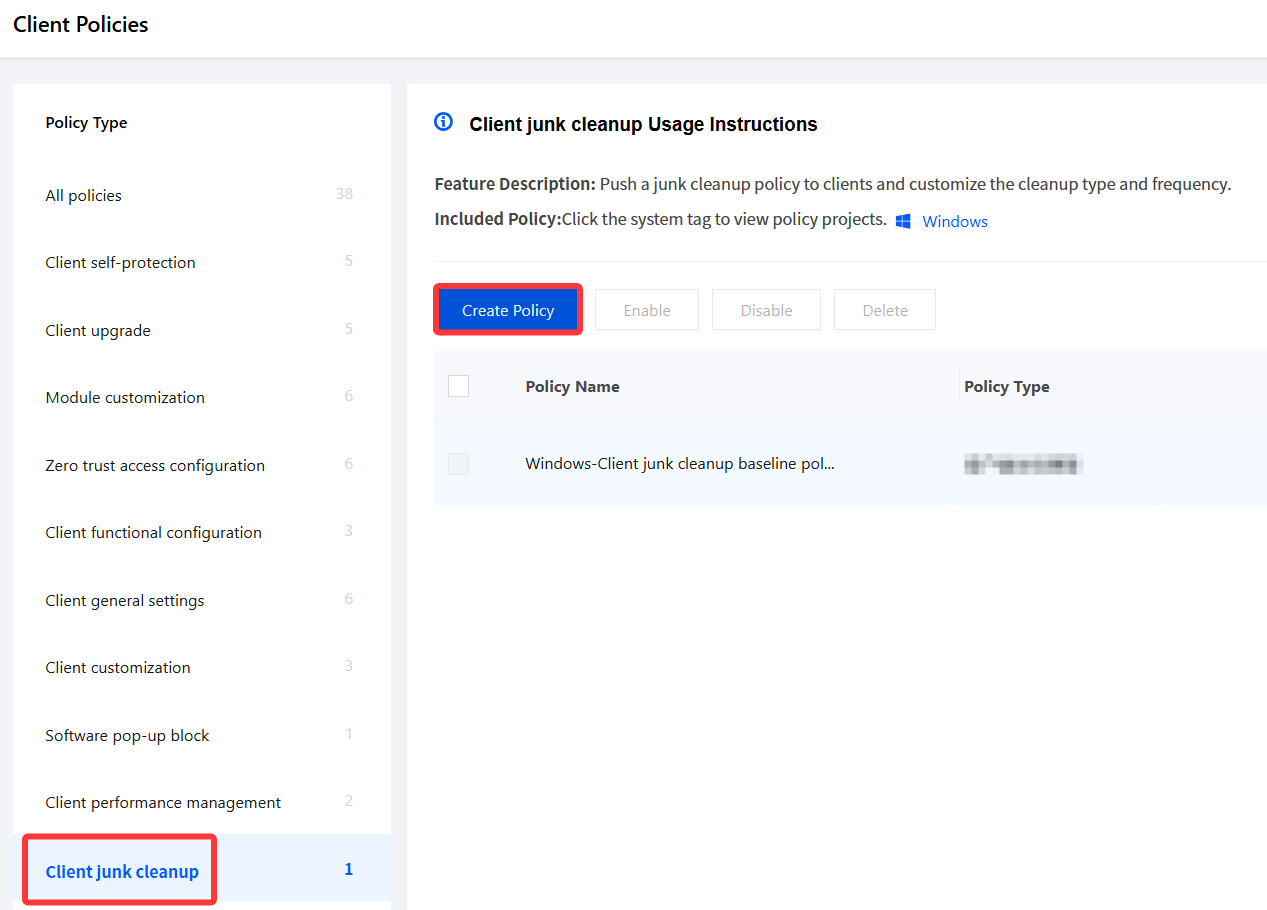
2. On the Client Policy page, select Client junk cleanup and click Create Policy.
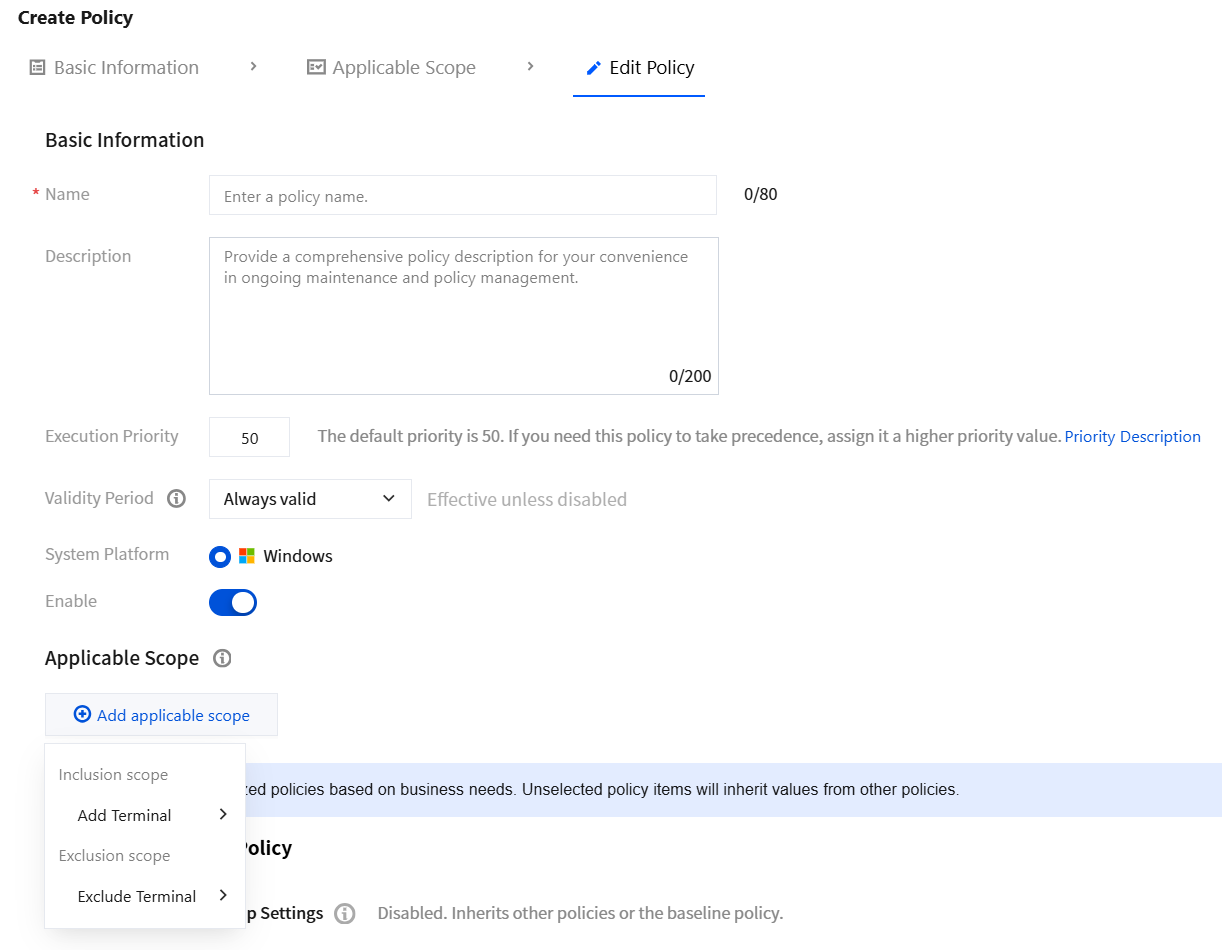
3. On the Create Client Cleanup Policy page, configure the relevant parameters.
3.1 Enter the policy name and other parameters such as the policy description.
3.2 Click Add applicable scope, select the terminal names to be managed/excluded, and click OK.
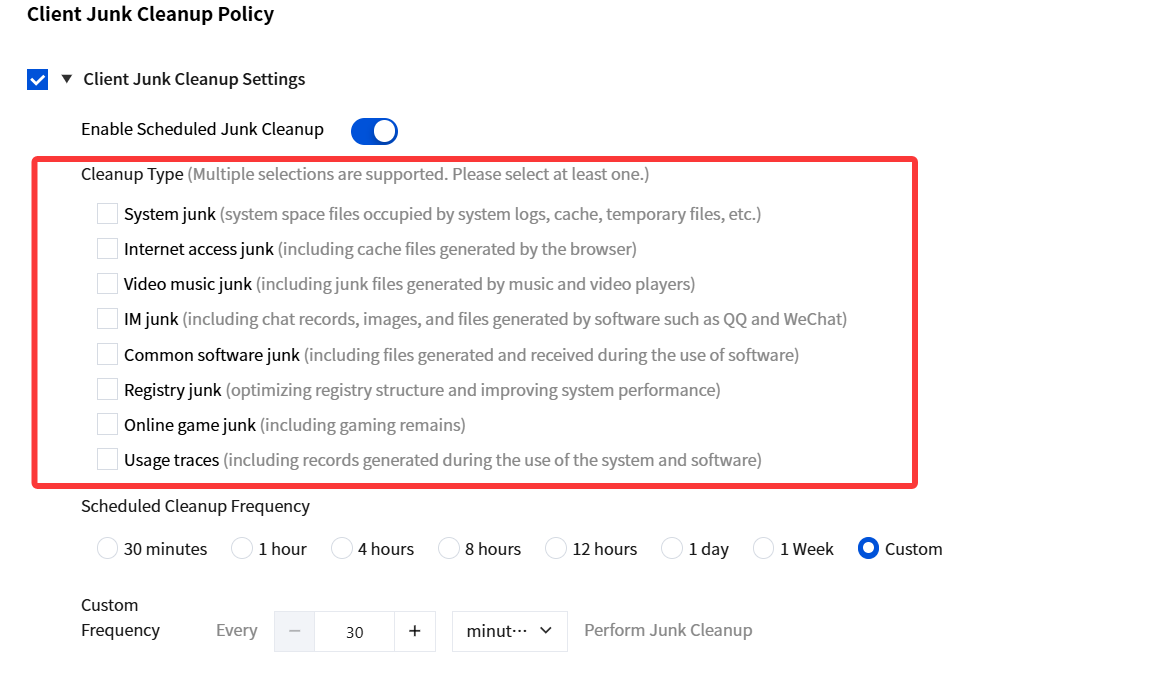
4. Select Client Junk Cleanup Settings, enable Scheduled Cleanup, and configure the cleanup types. After configuration, the iOA console delivers cleanup tasks to clients.
5. For cleanup frequency, you can select scheduled cleanup or configure a custom time. After configuring the cleanup frequency and time, click Save.
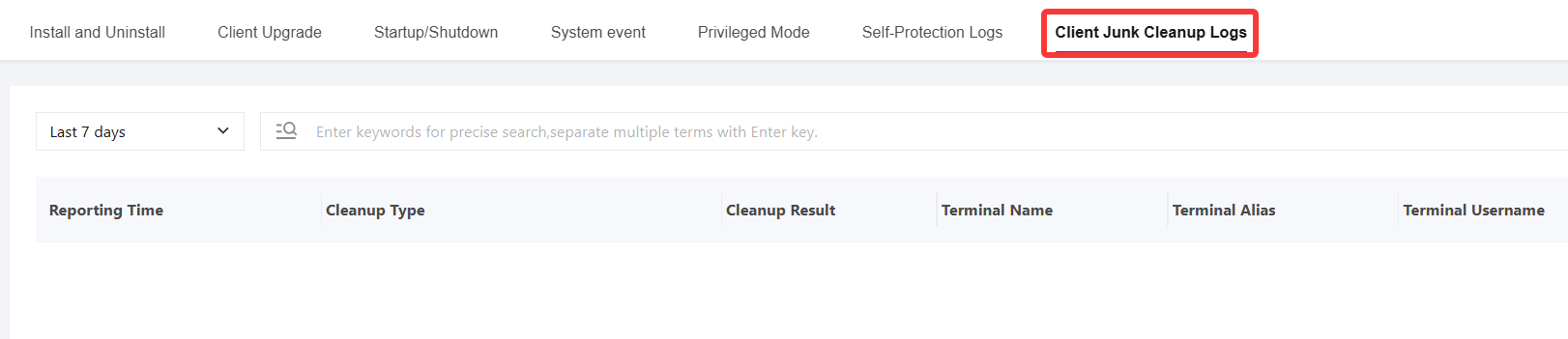
6. After the specified time period is reached, junk files on the selected terminals are automatically cleaned. To view cleanup details, go to General Management Policy > Client Operation Logs > Client Junk Cleanup Logs.