Guide to Configuring Custom Domain Names for Web Resources
Download
Focus Mode
Font Size
Why Do I Need to File for ICP Registration?
A custom domain name must be resolved through CNAME to the CVM that iOA Web resources access, which is equivalent to connecting the domain name to the iOA Tencent Cloud gateway. According to relevant national regulations (for specific policies and regulations, see the policy document section on the MIIT platform), a filing system is implemented for non-commercial Internet information services. Filing information must be associated with the access service provider. If no license is obtained or no filing procedures are completed, the Internet access service provider (Tencent Cloud) must not provide Internet access services for it.
Note:
If your website or APP is hosted on a CVM in the Chinese mainland, and the organizer of the website or APP has no entity information record in the MIIT filing management system, you must complete the initial filing in the Tencent Cloud filing system before activating services. For related configurations, contact technical support.
If you do not use a custom domain name but use the frontend domain name (ztnwork.com) provided by iOA, you do not need to file with Tencent Cloud.
Why Use Custom Domain Names?
When Web services are configured, iOA provides a default frontend address. However, due to specific requirements, the customer may choose not to use this address and instead use the enterprise's own domain name (that is, a custom domain name):
Frontend domain names are hard to remember and inconvenient to promote, and they cannot preserve users' existing usage habits (before connecting to iOA, users used their own domain names).
To integrate with WeCom, you must verify the callback address (the iOA frontend domain cannot be verified).
Business-side integration requirements: if there are special requirements in the business, a fixed domain name must be filled in.
Configuration Instructions
When adding a custom domain name to a Web resource, ensure that the custom domain name has been filed with Tencent Cloud.
If the custom domain name is accessed over HTTPS, select the corresponding SSL certificate for the domain name.
On the public DNS resolution platform, configure CNAME resolution for the custom domain name to point to the frontend domain name of the Web resource.
Configuration Steps
1. Adding Custom Domain Names
1. Log in to the Tencent iOA Zero Trust Security Management System console, choose Trusted Access Management > Resource Configurations in the left sidebar.
2. On the Resource Configuration Information page, click Add Resource.
3. On the Add Resource page, select Web Resource for Access Type. In the custom domain name field, enter the domain name that has been filed with Tencent Cloud, and click Save.
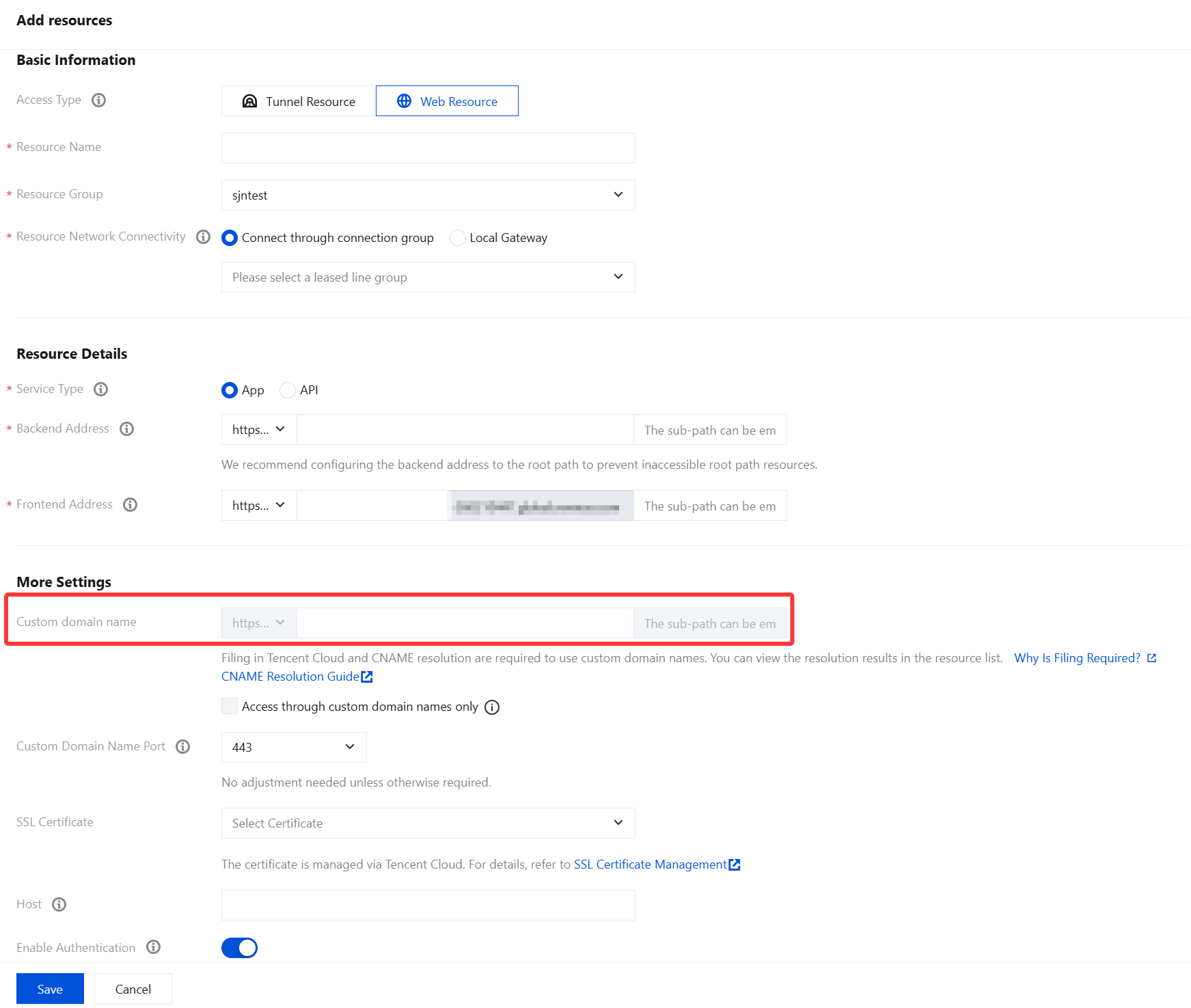
2. CNAME Resolution Configuration
For details on CNAME configuration, see Configure CNAME.
2.1 Adding Domain Resolution on Tencent Cloud
Add a domain name through Tencent Cloud DNSPod.
Configure CNAME resolution.
1. Log in to Tencent Cloud DNSPod, choose Authoritative DNS in the left sidebar, and click DNS Resolution on the Authoritative DNS page.

2. On the Record Management page, click Add Record, configure the relevant parameters, and click OK.

Parameter Name | Description |
Host Record | If the custom domain name is www.example.com, enter www as the host record value. If the custom domain name is example.com, enter @ as the host record value. If the custom domain name is test.example.com, enter test as the host record value. If the custom domain name is a.b.example.com, enter a.b as the host record value. If the custom domain name is *.example.com, enter * as the host record value. If the custom domain name is *.test.example.com, enter *.test as the host record value. |
Record type | CNAME. |
Line Type | Select the "Default" type. Otherwise, some users may fail to resolve the domain name. For example, to direct China Unicom users to 2.com and all other users to 1.com, you can add two CNAME records: one with the line type set to Default and the record value set to 1.com, and another with the line type set to China Unicom and the record value set to 2.com. |
Record Value | Log in to the iOA Zero Trust Management Platform console. In the left sidebar, choose Trusted Access Management > Resource Configuration Information. Click Add Resource, select Web Resource, and use the frontend address configured in the resource details on the Web Resource page. 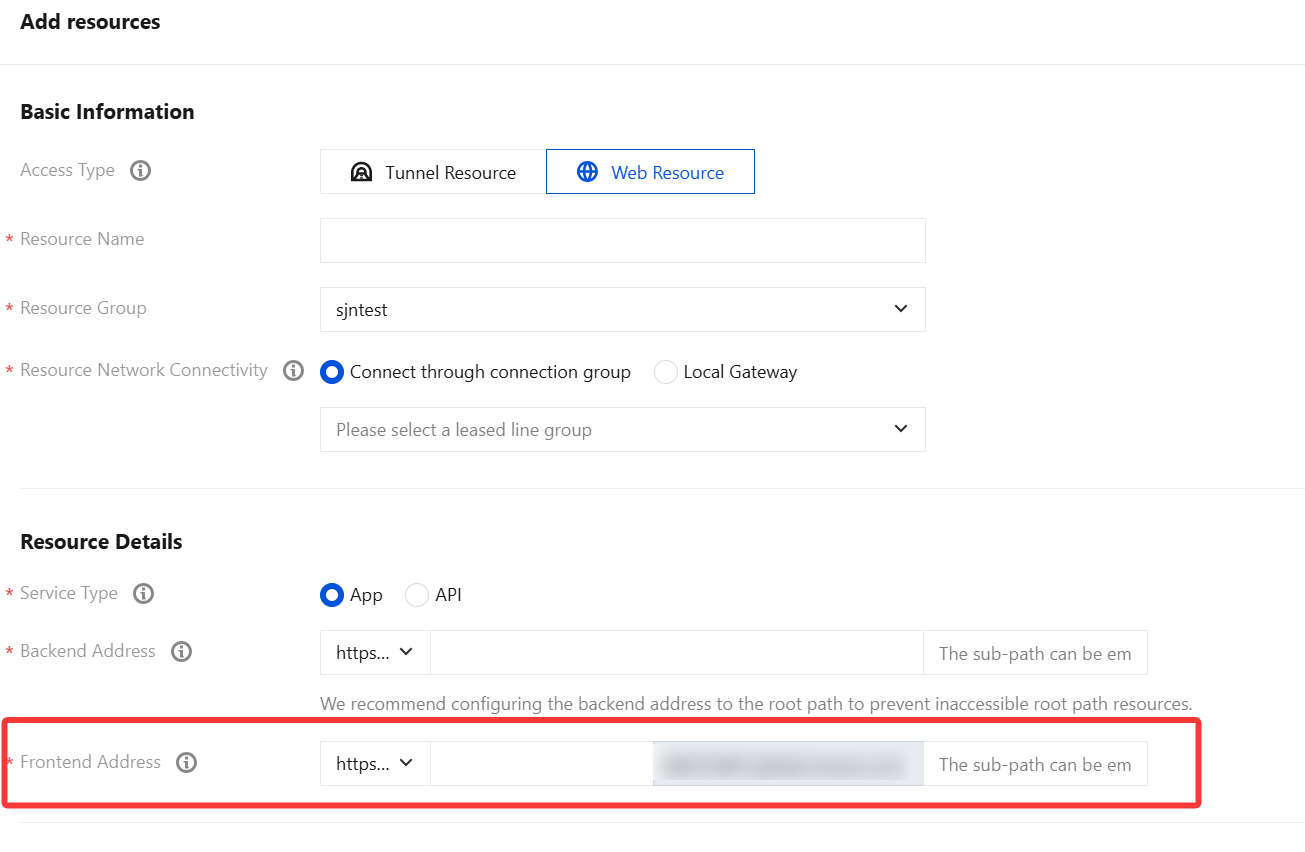 |
Weight | For the same host record and line type, weights can be set for different record values. During resolution, responses are returned based on the configured weight ratio. The input range is an integer from 0 to 100. |
Priority | Not required. |
TTL (seconds) | It is the cache duration. The smaller the value, the faster record modifications take effect across regions. The default value is 600 seconds. |
2.2 Configuring an Existing Domain and Resolution on Tencent Cloud
If the previous domain management platform is Tencent Cloud and you have configured an A record for the business domain name resolution on Tencent Cloud, you can modify the current domain name resolution record to complete the process.
1. As shown in the following figure, log in to Tencent Cloud DNSPod, choose Authoritative DNS in the left sidebar, and click DNS Resolution on the Authoritative DNS page.
The previous business domain name was test.example.com, the host record value was test, and the record value was the business IP address.
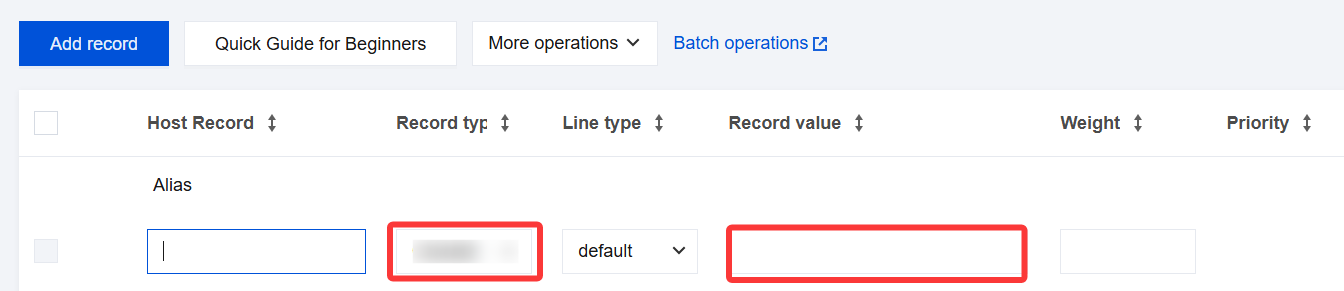
2. On the Record Management page, select the target record, click Modify, and modify the following parameters:
Change the record type to CNAME.
Set the record value to the frontend address configured in the resource details on the Web resource page.
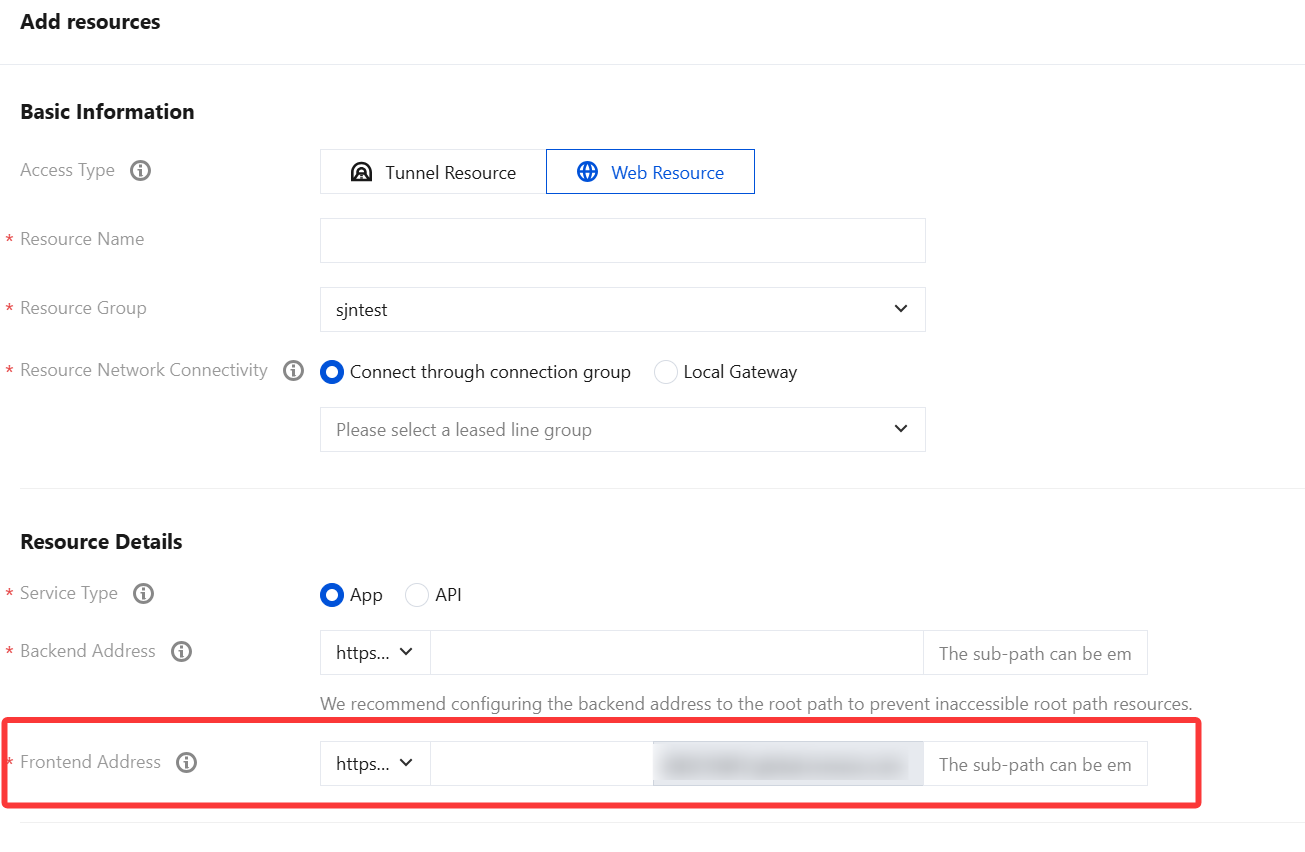
3. After modification, click confirm.

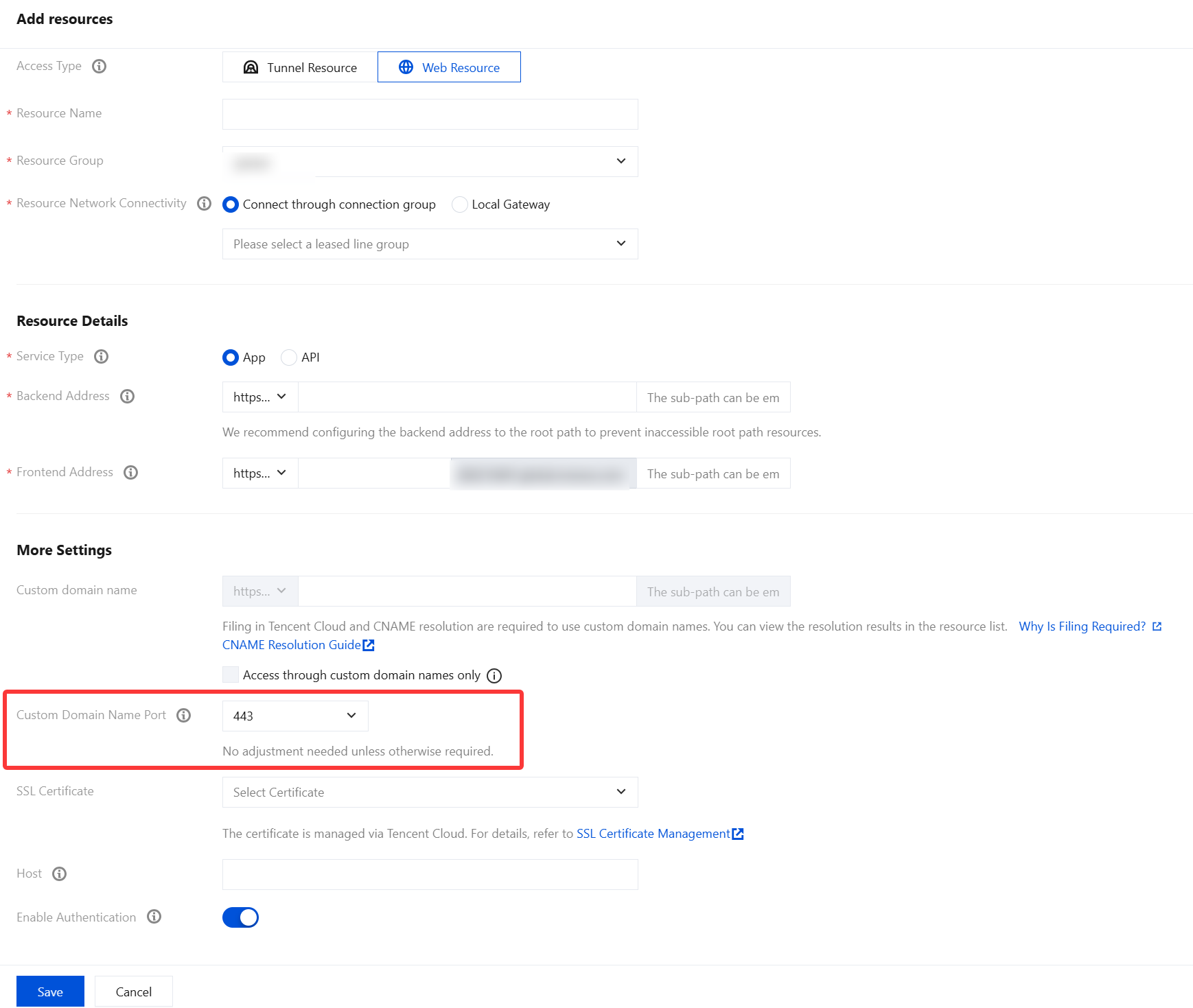
3. Custom Domain Name Ports (Optional)
1. Log in to the Tencent iOA Zero Trust Security Management System console, choose Trusted Access Management > Resource Configurations in the left sidebar.
2. On the Resource Configuration Information page, click Add resource, select Web Resource, note that custom domain names and ports are sensitive resources, and click Save.
Note:
To prevent port conflicts, custom ports are not supported. To open a port, contact technical support.
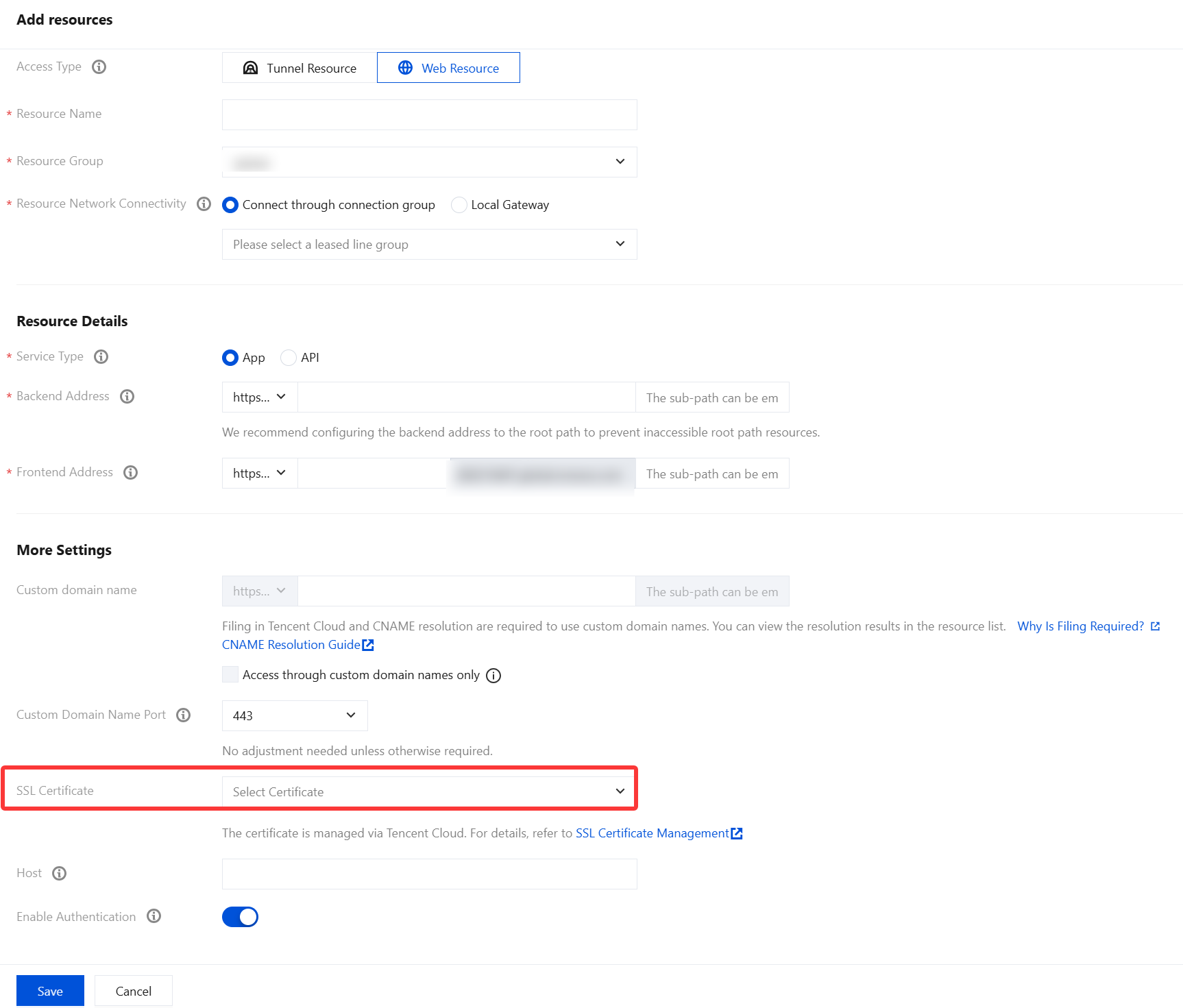
4. Configuring SSL Certificates (Optional)
1. Log in to the Tencent iOA Zero Trust Security Management System console, choose Trusted Access Management > Resource Configurations in the left sidebar.
2. On the Resource Configuration Information page, click Add resource, select Web Resource, and if the custom domain name is accessed over HTTPS, select the corresponding SSL certificate, then click Save.
Note:
Help and Support
Was this page helpful?
You can also Contact sales or Submit a Ticket for help.
Help us improve! Rate your documentation experience in 5 mins.
Feedback