User Permissions
Download
Focus Mode
Font Size
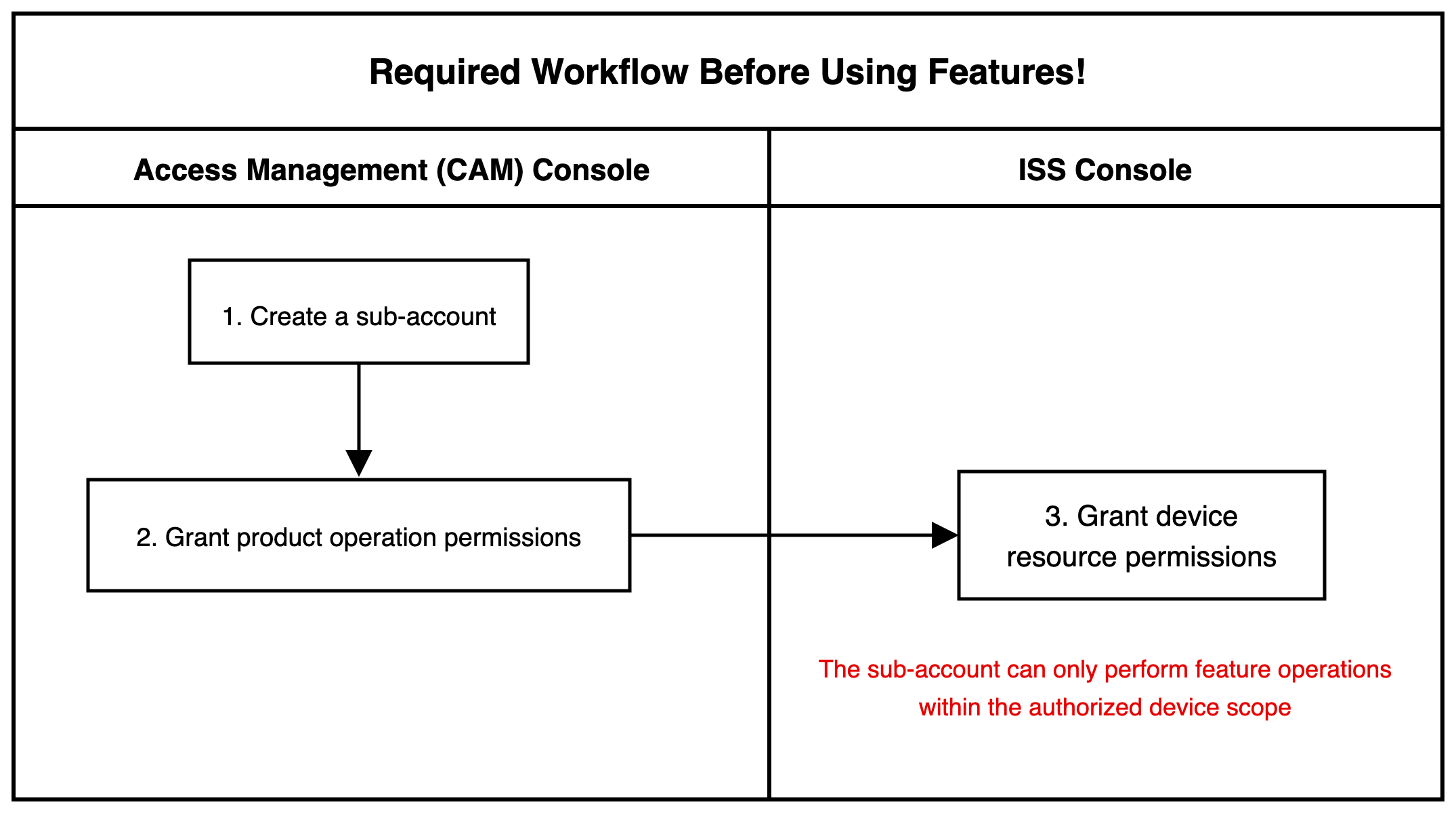
This document describes how to grant sub-accounts the operation permissions and device resources of ISS. The overall workflow is as follows: create a sub-account and grant product operation permissions in the CAM console, and then authorize device resources for the sub-account in the ISS console.
Must-Knows
A sub-account can perform feature operations only within the authorized device scope, and the product operation permissions granted to it are also applied only within the authorized device scope.
Prerequisites
This feature is built based on Tencent Cloud Access Management (CAM). If you already understand basic concepts such as permissions and policies, see CAM Basic Concepts.
Note:
There are multiple sub-account types for a Tencent Cloud account. This feature supports only the "sub-user" type, and other sub-account types are not supported yet.
Operation Steps
Creating a Sub-Account and Granting Product Operation Permissions
Log in to the CAM console, create a sub-account, and grant it the operation permissions of ISS. For detailed operations, see Creating a Sub-account and Granting Permissions.
Authorizing Device Resources for a Sub-Account
1. Log in to the ISS console and select User Permissions.
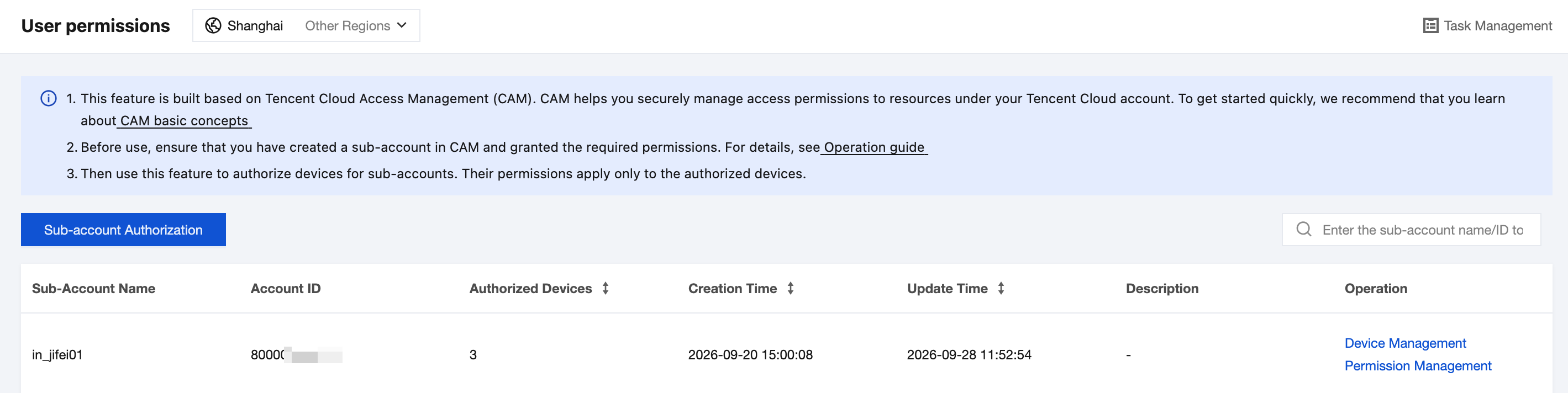
2. Click Sub-account Authorization. In the pop-up window, select the target sub-account and configure the following parameters:
Parameter | Configuration Description |
Sub-account Selection | Enter the account name to search for and select the sub-account to be authorized. |
Authorize Subsequent New Devices | After this feature is enabled, new devices under the root account are automatically authorized to the sub-account. |
Description | Customize the description. The length cannot exceed 128 characters. |
Authorize Devices | Authorization scope. All resources: Authorize all devices under the root account; Specified resources: Select the devices to be authorized from the organization tree. |
3. After the configuration is complete, click OK.
4. Optional: After authorization is complete, you can adjust the sub-account authorization on the User Permissions page. Click Device Management in the operation column of the target sub-account to view the device resource information and unbind device resources. Click Permission Management to manage operation permissions.
Help and Support
Was this page helpful?
You can also Contact sales or Submit a Ticket for help.
Help us improve! Rate your documentation experience in 5 mins.
Feedback