Querying the Instance Purchase Quota
Overview
This article explains how to view the quota details of each instance through the Quota Management Console.
Operation Steps
1. Log in to the Cloud Virtual Machine Console, select Quota Management > Instance Quota in the left navigation bar.
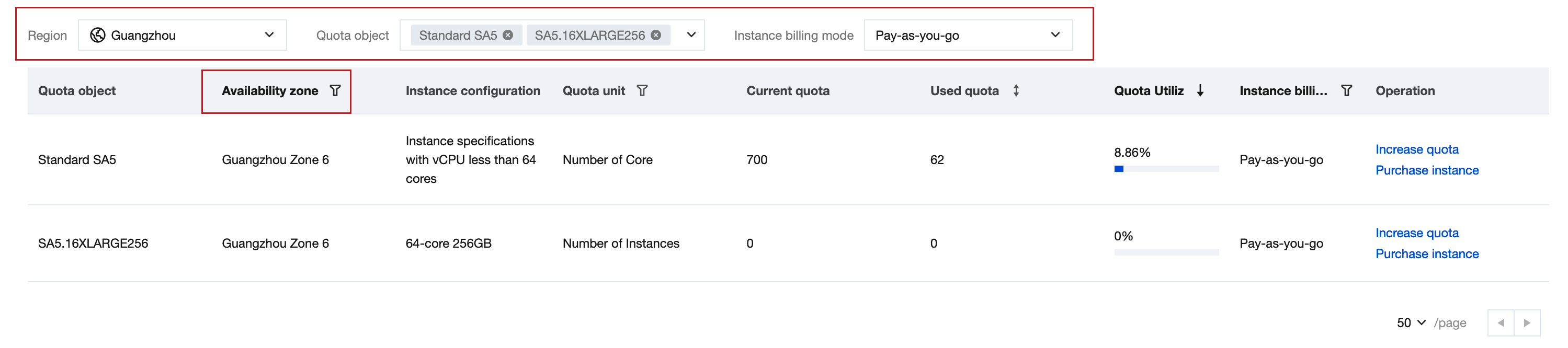
2. On the Instance Quota page, you can view the current quota and used quota of specific instance types in each region, each AZ, and specific billing mode by selecting Region, Availability zone, Quota object and Instance billing mode to search instances.
Help and Support
Was this page helpful?
You can also Contact sales or Submit a Ticket for help.
Help us improve! Rate your documentation experience in 5 mins.
Feedback