Associating an EIP with an Endpoint
ダウンロード
フォーカスモード
フォントサイズ
Use Cases
By associating an EIP with an endpoint, you can use the private link to connect access from the public network to the VPC network where the Gateway Load Balancer (GWLB) instance resides, so as to directly deploy third-party virtual devices, such as firewalls, in the path of the network data. In this way, all data packets will be checked and processed by the firewall to prevent malicious data from entering the network, protecting internal resources from attacks. For more information, see Getting Started with GWLB.
Directions
Note:
Currently, only EIPs bound to CVM instances can be associated with endpoints.
1. Log in to the public IP address console.
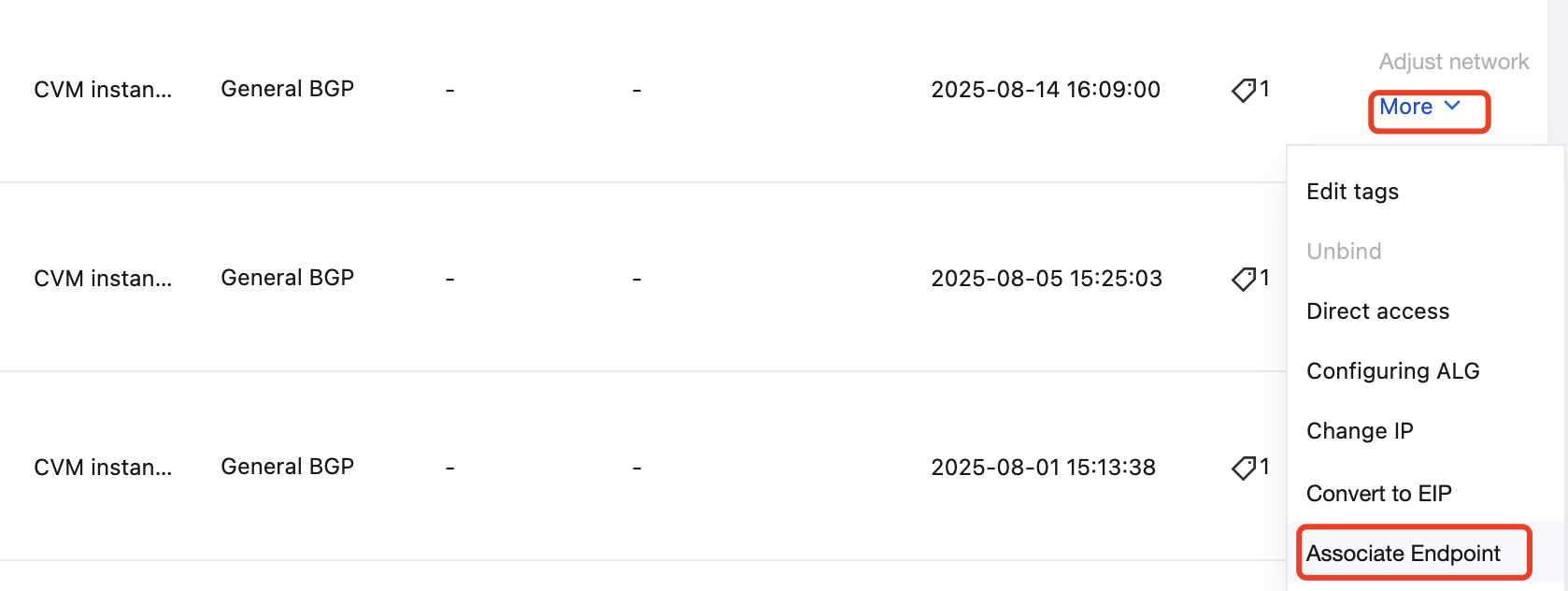
2. In the operation column in the row of the EIP to be associated with an endpoint, select More > Associate Endpoint.
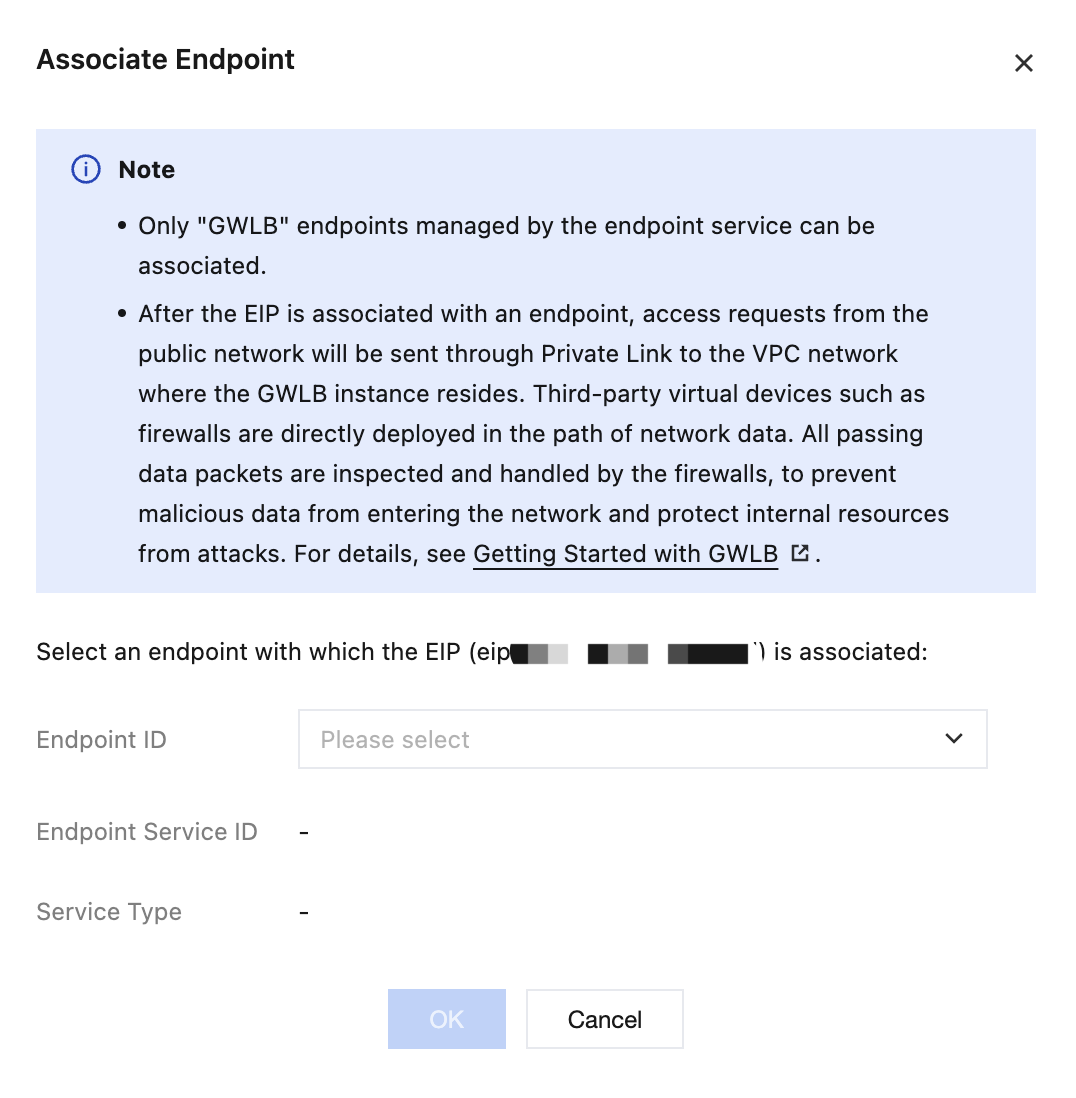
3. Select the instance ID of the endpoint to be associated and click OK.
After the association is successful, the page will be shown below.

フィードバック