Returning a Monthly Bandwidth Subscription EIP
Download
フォーカスモード
フォントサイズ
You can return a monthly bandwidth subscription EIP that is idle and unbound to save fees. After it is returned, the EIP will be in the recycling status and retained for 7 days. If you fail to renew it in this period, the EIP will be automatically released in 7 days.
Note:
If this is not the first return of the monthly bandwidth subscription EIP, that is, if you want to return it after it is renewed while in the pending recycling status, ensure that the time interval between the renewal and this return is at least 6 hours. Otherwise, you cannot return it.
1. Log in to the public IP address console.
2. At the top of the public IP address page, select the region of the monthly bandwidth subscription EIP to be returned, and then select More > Terminate/Return in the Operate column on the right of the target EIP.
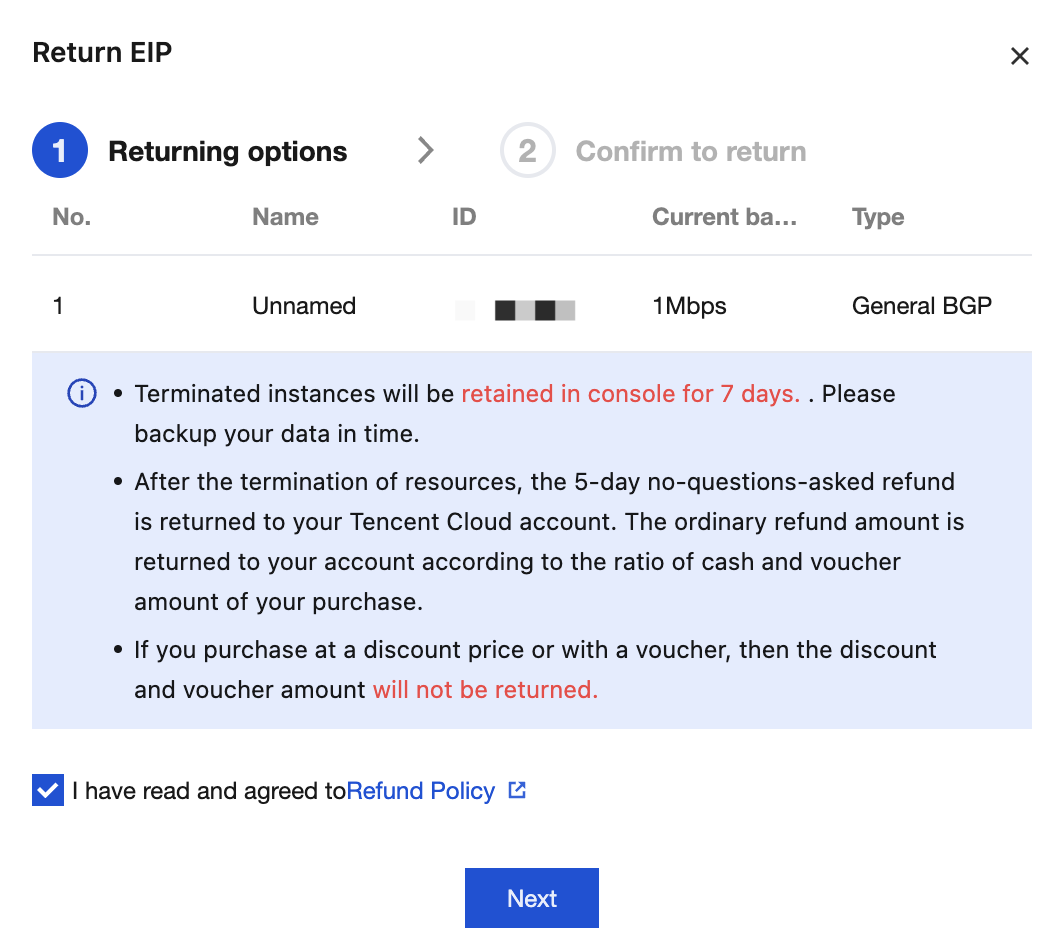
3. In the pop-up Return EIP dialog box, learn about the related instructions for instance termination. If you agree to them, check I have read and agreed to Refund Policy, and click Next.
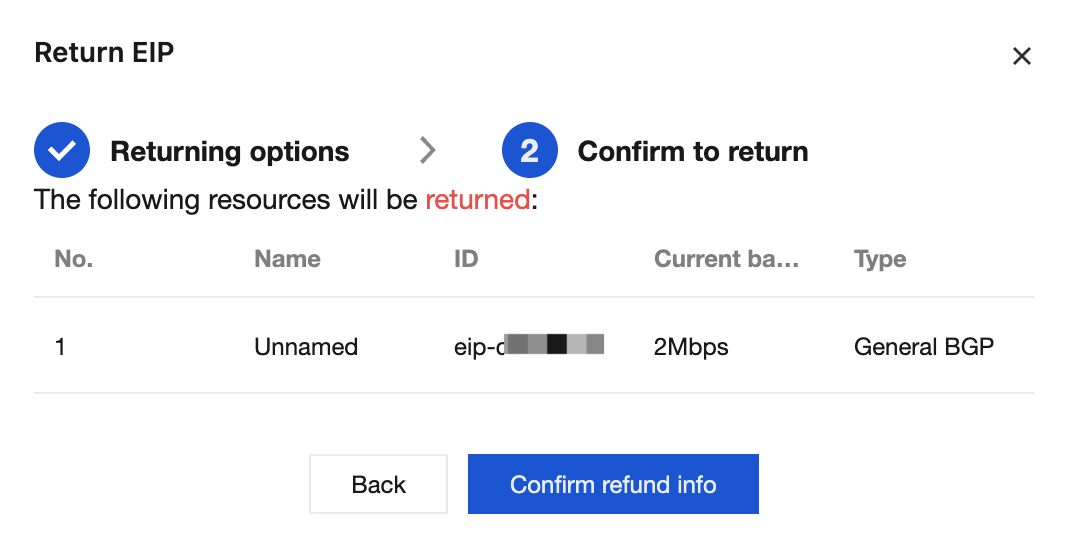
4. After confirming that the information on the resource to be returned is correct, click Confirm refund Info.
5. On the Please confirm the refund information below page, after confirming that the refund information is correct, click Confirm Refund.
6. After confirming that the refund method and amount are correct again, click Confirm Refund.
フィードバック