Releasing a Pay-as-You-Go EIP
Download
フォーカスモード
フォントサイズ
If you no longer use an Elastic IP (EIP), you can release it in the console. After the release, no fees will be charged for the EIP anymore.
Prerequisites
Fee Instructions
After an EIP is released, the fee instructions for different account types are shown below:
Account Type | Billing Mode | Description |
Traditional Account Type | - | No fees will be charged for the EIP. |
Standard Account Type | By traffic | |
| Monthly bandwidth subscription | After you return the EIP, your fees will be returned to you based on the usage proportion of resource packs. For the specific procedure, see Returning a Monthly Bandwidth Subscription EIP. For the refund principles, see General BGP IP Address Refund. |
| By hourly bandwidth | No IP resource fees will be charged for the EIP, and the charging of public network fees will be stopped. |
Directions
1. Log in to the public IP address console.
2. At the top of the Public IP/EIP page, select the region of the EIP to be released. In the operation column in the row of the corresponding EIP, select More > Release.
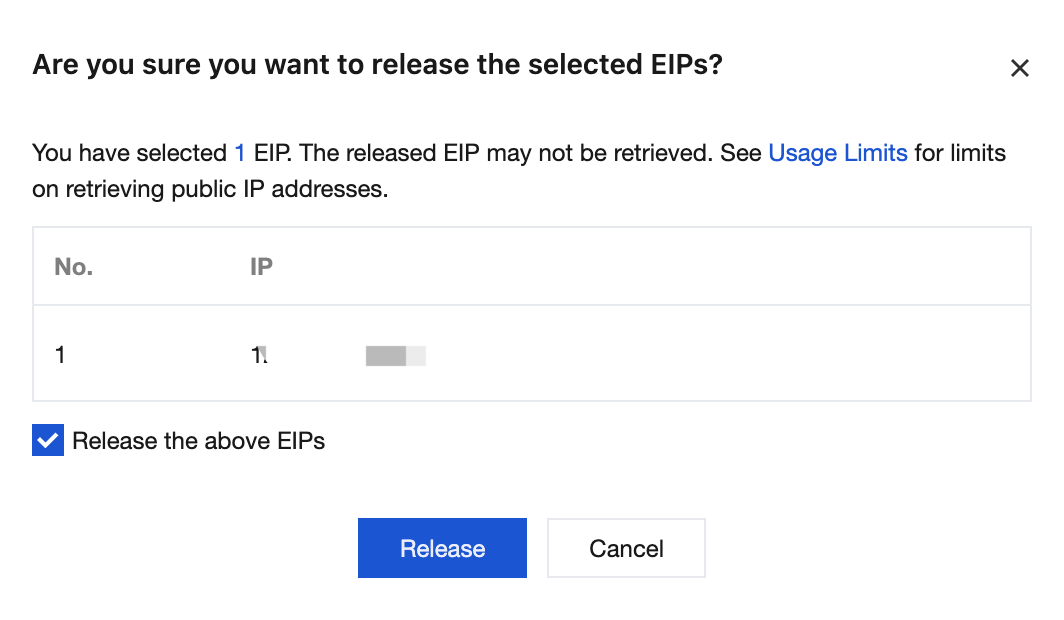
3. In the pop-up Are you sure you want to release the selected EIPs? window, select Release the above EIPs and click Release.
Note
There are corresponding use limits on the retrieval of public IP addresses. See Use Limits. As a result, an EIP may not be retrieved after being released.
Following Steps
If you need to retrieve a public IP address that you have used before and that is currently not assigned to other users, see Retrieving a Public IP Address.
フィードバック