Preparation (Web React Desktop Browser)
ダウンロード
フォーカスモード
フォントサイズ
Feature Preview
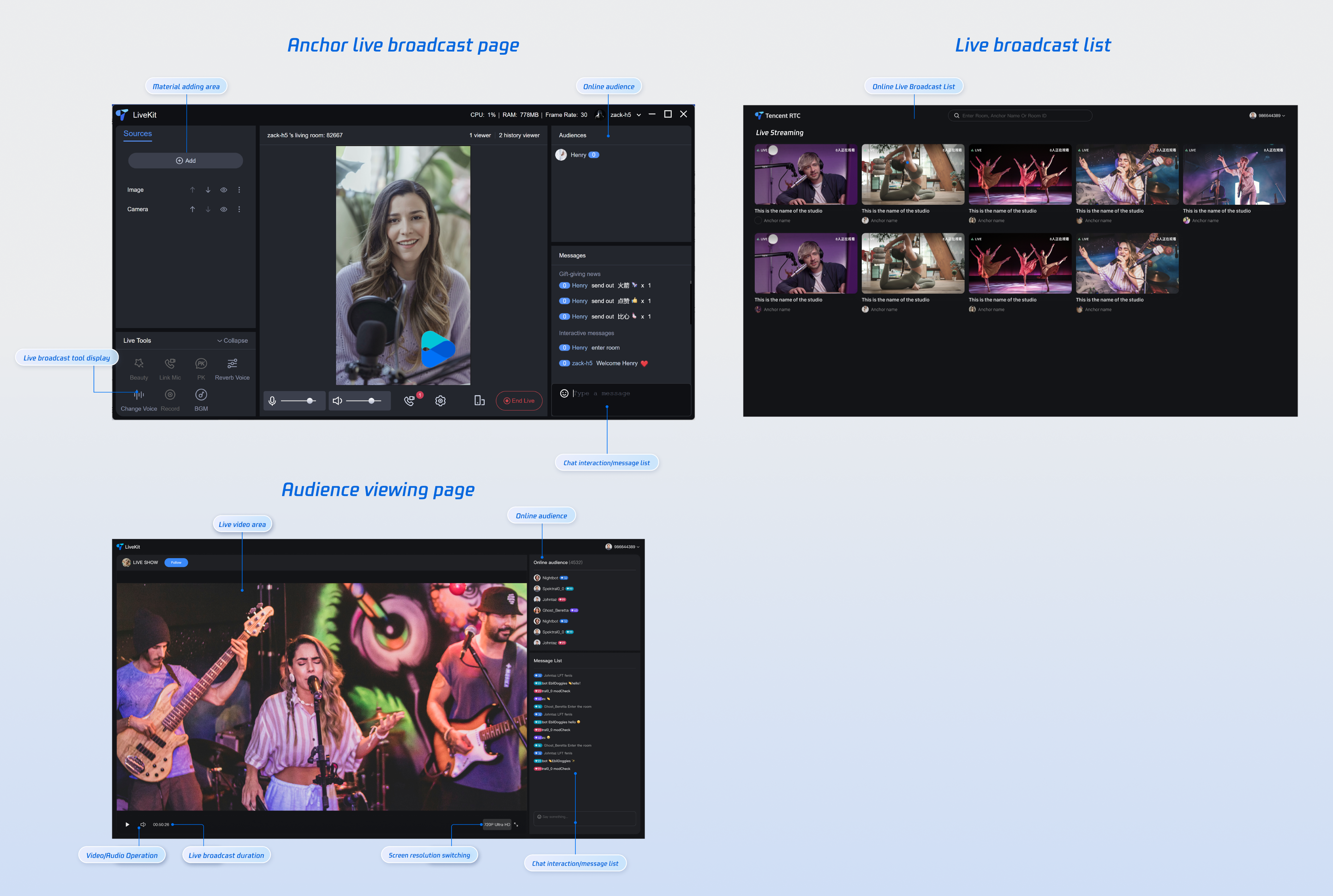
TUILiveKit React is a feature-rich web live streaming component that provides comprehensive live streaming capabilities out of the box:
Preparation
Activate the Service
Before using TUILiveKit, you'll need to activate the service first. See Activate Services to get a trial version or activate the paid version.
Environment Requirements
Devices: Camera, microphone, and speakers
Configuration Requirements
Node.js: ≥ 18.19.1 (Official LTS version recommended, check your current version with
node -v command)react: ≥ 18.2.0 and < 19.0.0
vite: ≥ 5.4.0
typescript: ≥ 5.8.3
sass: ≥ 1.77.0
Code Integration
Step 1: Install Dependencies
Choose your preferred package manager:
npm install tuikit-atomicx-react @tencentcloud/uikit-base-component-react --save
pnpm install tuikit-atomicx-react @tencentcloud/uikit-base-component-react
yarn install tuikit-atomicx-react @tencentcloud/uikit-base-component-react
Step 2: Complete Login
Completing login is the foundation for using TUILiveKit. TUILiveKit features can only be used normally after successful login. Make sure all parameters are configured correctly before proceeding.
Note:
While the sample code shows direct login calls, we strongly recommend calling TUILiveKit's login service only after completing your own user authentication flow. This prevents business logic conflicts or data inconsistency issues and integrates better with your existing user management and permission systems.
// Best practice: Call this login logic immediately after your authentication flow completesimport { useLoginState } from 'tuikit-atomicx-react';const { login, logout } = useLoginState();async function initLogin() {try {await login({SDKAppID: 0, // SDKAppID - SDKAppID obtained when activating serviceuserID: '', // UserID - User IDuserSig: '', // userSig - User signature, see parameter description below for detailed instructions});} catch (error) {console.error('Login failed:', error);}}
Login API Parameter Description
Parameter | Type | Description |
SDKAppID | Int | |
UserID | String | Unique identifier for the current user. It can only contain letters (a-z, A-Z), numbers (0-9), hyphens (-), and underscores (_). |
userSig | String | A ticket for TRTC authentication: Development Environment: Use GenerateTestUserSig.genTestSig locally or the UserSig Generation Tool to generate temporary credentials.Production: Generate UserSig server-side to prevent key exposure. See Server-Side UserSig Generation. |
Next Steps
After completing authentication, you can integrate TUILiveKit's live streaming features. Follow the guides below to implement audience viewing, live lists, and more:
Feature | Description | Integration Guide |
Audience Viewing | Allow viewers to watch live streams, request co-hosting, view room information, see online audience, and interact via chat. | |
Live Room List | Display available live rooms with room information and status. | |
Host Streaming | Enable hosts to start broadcasts with pre-stream setup and in-stream interactions |
FAQ
Do I need to call login every time I enter a room?
No. You typically only need to call
login() once. We strongly recommend integrating the login() and logout() functions returned by useLoginState() with your application's authentication system.Why is HTTPS required for production deployments?
When deploying your application to production, you must use an HTTPS domain. TUILiveKit relies on WebRTC technology and requires access to users' cameras, microphones, and speakers. Browsers enforce HTTPS to protect user privacy and security when accessing these sensitive devices.
Note:
Protocol Requirements for Production:
Due to browser security policy restrictions, using WebRTC capabilities has strict requirements for page access protocols. Please refer to the following table for application development and deployment.
Environment | Protocol | Receive Stream | Send Stream | Screen Sharing | Notes |
Production | HTTPS | ✓ | ✓ | ✓ | Recommended |
Production | HTTP | ✓ | ✗ | ✗ | - |
Local Development | http://localhost | ✓ | ✓ | ✓ | Recommended |
Local Development | http://127.0.0.1 | ✓ | ✓ | ✓ | - |
Local Development | http://[Local IP] | ✓ | ✗ | ✗ | - |
Local Development | file:// | ✓ | ✓ | ✓ | - |
フィードバック