Integrating AI Transcription/Translation into Video Calls
ダウンロード
フォーカスモード
フォントサイズ
This document describes how to quickly build a video call application with AI-powered real-time call captions and translation capabilities using the TRTC Audio/Video Call SDK component (TUICallKit).
Solution Overview
TUICallKit is purpose-built for audio and video call scenarios, supporting up to 9 participants per session. It ships with WeChat-style UI components out of the box, integrates in as few as three steps, and can go live in a single day—cutting development time by up to 90%. TUICallKit works seamlessly across platforms, including Mini Programs, iOS, Android, Web, Flutter, React Native, and more.
TUICallKit now integrates with the TRTC AI real-time speech-to-text and translation engine. With just a few lines of configuration, you can add live captions and multilingual translation directly to your call UI.
Note:
For more information on TUICallKit features and services, see the Video Call Component Introduction.
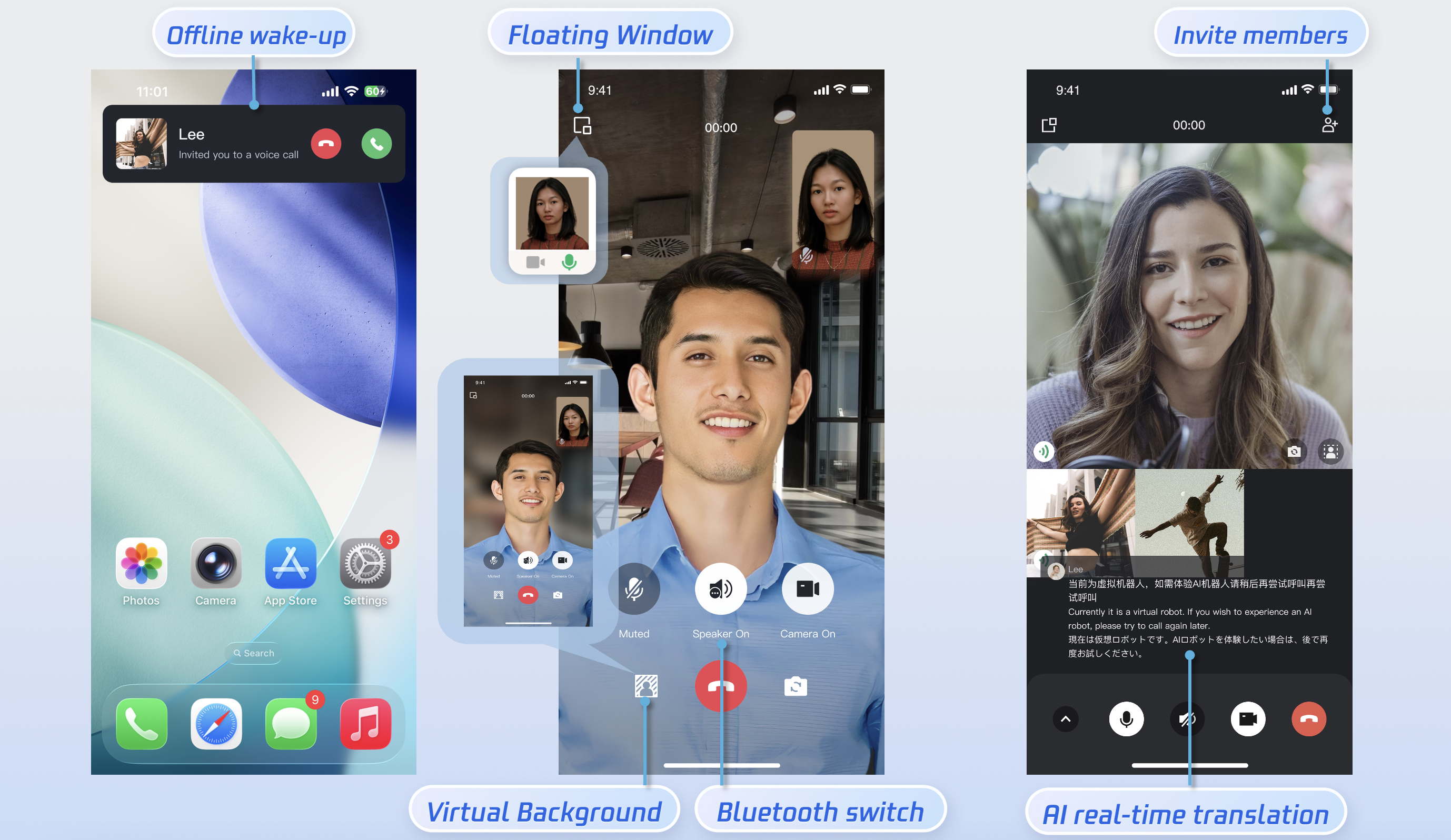
Feature Demonstration
AI Real-Time Translated Captions | AI Real-Time Translation Settings | AI Translation Language Selection |
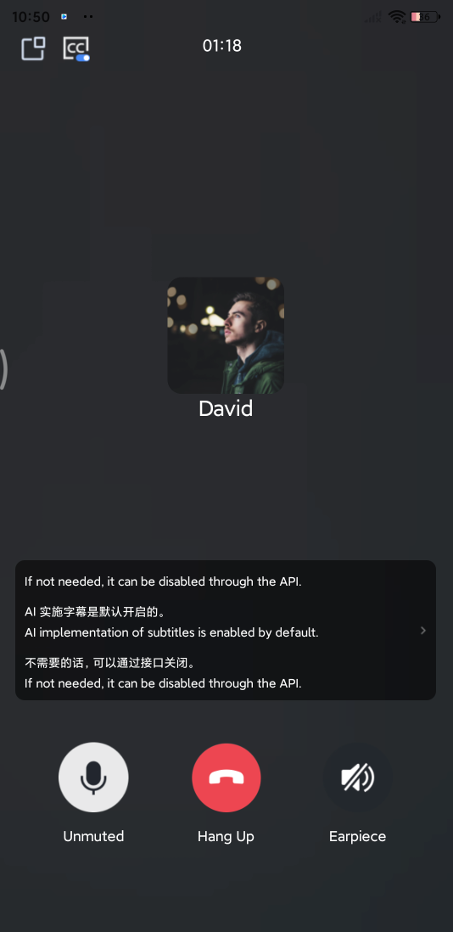 | 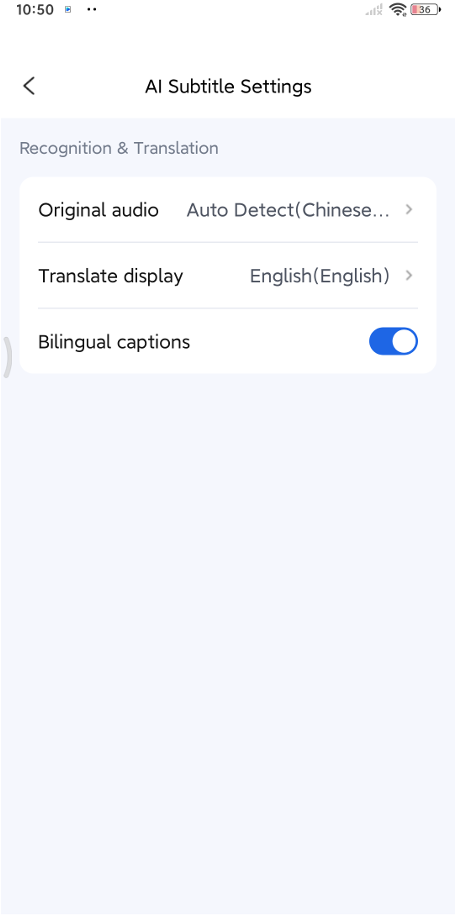 | 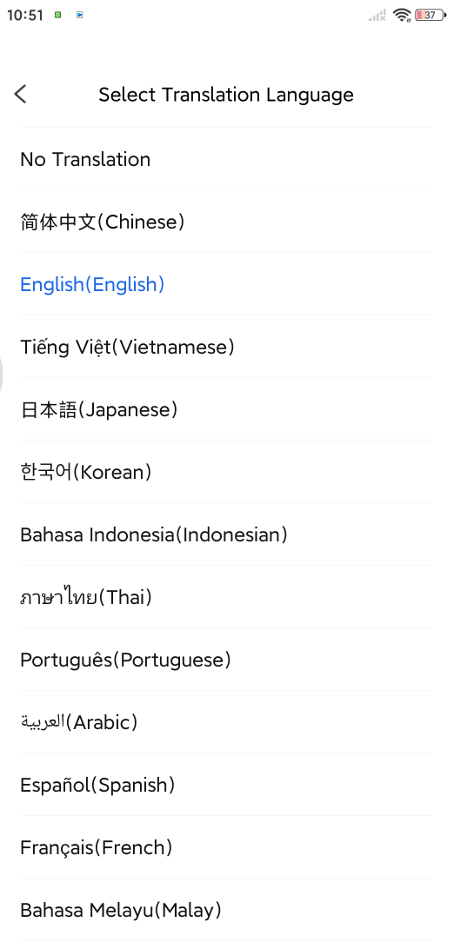 |
Activation and Billing
Using real-time AI call captioning and translation with TUICallKit involves charges from two separate billing modules: TUICallKit usage fees and AI real-time transcription fees.
Note:
TUICallKit is built on Real-Time Communication (TRTC) and Instant Messaging (IM). Accordingly, TUICallKit fees cover both IM usage and a TRTC monthly subscription. For activation steps and details, see TUICallKit Activation.
AI real-time transcription fees include RTC audio charges and AI speech-to-text charges. If translation is enabled, real-time translation charges apply as well. All features are available under the AI Intelligent Recognition service or TRTC monthly subscription packages, with pay-as-you-go billing for any overages. For package tiers and pricing details, see AI Intelligent Recognition Billing.
Integration Process
Step 1: Activate the Service and Integrate the SDK
Follow the Activation Guide to enable the TUICallKit SDK component, then refer to the platform-specific quick integration guides below:
Step 2: Enable AI Real-Time Transcription and Translation
Purchase and activate AI transcription and translation features as needed via AI Intelligent Recognition Billing. Then, follow the Video Call Integration with AI Real-Time Transcription and Translation guide to enable these features in TUICallKit.
フィードバック