Modifying Protections
Download
Focus Mode
Font Size
This document describes how to modify protection configurations. Currently, the supported modification for protection configurations is Edit Tag. To modify the protected resources associated with a protection or modify DDoS protection policies, see Other Related Operations below to access the corresponding documents.
Configuration Guide
1. Log in to the Anti-DDoS console, select Protections in the left sidebar, and go to the Protections page.
2. In the Operation column of the row where the target protection is located, click Edit Tags.

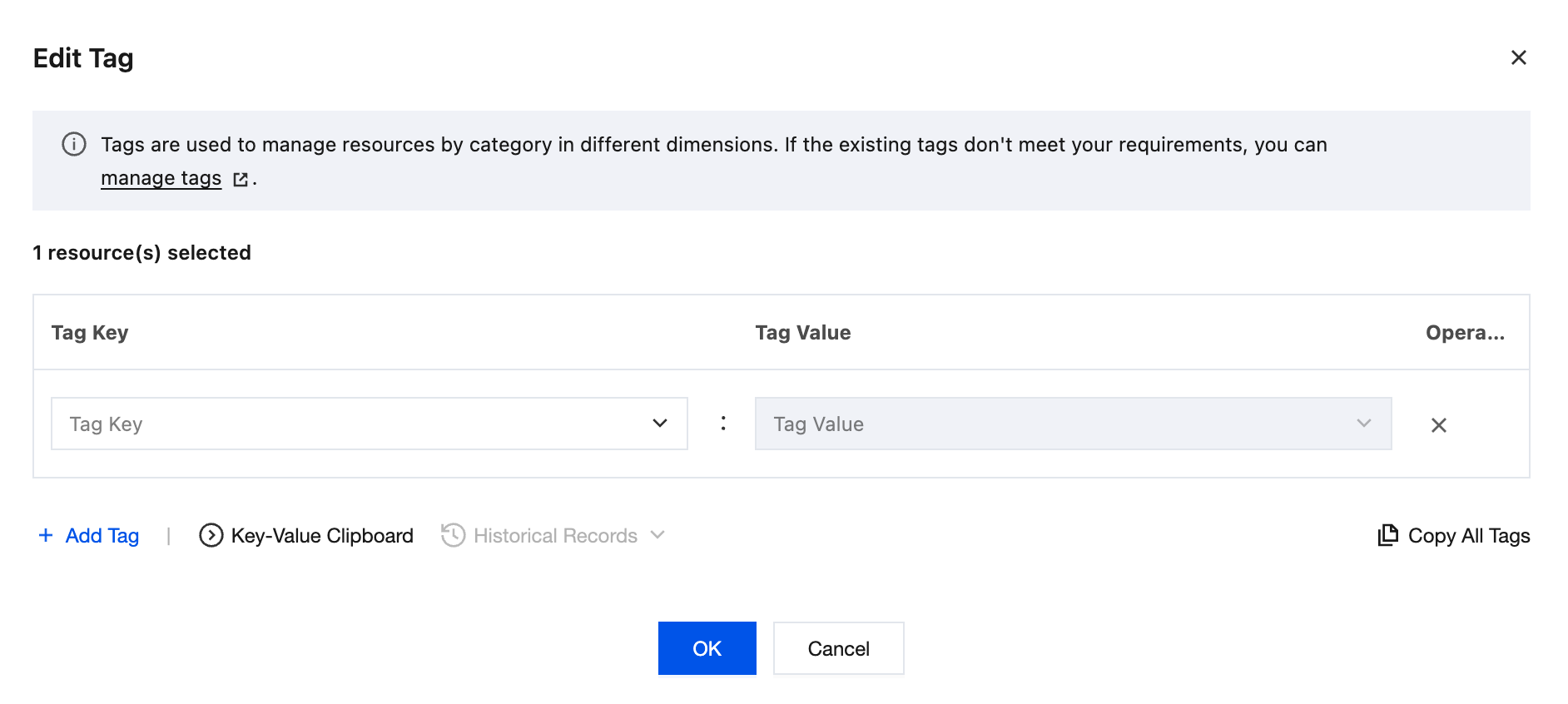
3. In the Edit Tag dialog box, add, modify, or delete tags (tag keys and tag values), and click OK to save the configuration.
Other Related Operations
Modify the List of Protected Resources Associated with a Protection: Click Associate Protected Resources in the Operation column on the Protections page, or modify it on the protection details page. For detailed operations, see Associate Protected Resources.
Modify DDoS Protection Policies: You can configure protection sub-policies such as IP address allowlists and blocklists, port filtering, and protocol blocking. For detailed operations, see L3/4 DDoS Protection Policies.
Help and Support
Was this page helpful?
You can also Contact sales or Submit a Ticket for help.
Help us improve! Rate your documentation experience in 5 mins.
Feedback