Workspace
Download
Focus Mode
Font Size
This article explains how to use the Workspace feature, including workspace management and member management. Before reading, it is recommended to reviewBusiness, Workspace and Permission Overview to understand related concepts.
What Is a Workspace
A workspace represents an independent working area. Members of a workspace can share its internal data resources, while data is isolated across different workspaces. In the Agent Development Platform, shareable data within a workspace includes applications, knowledge bases, custom plugins, and custom prompt templates. Workspaces belong to an enterprise. One enterprise can create up to 20 workspaces.
There are two types of workspace: default workspace and custom workspace.
Default workspace: When the primary account first uses the product, the system automatically creates one default workspace during initialization. The default workspace cannot be deleted.
Custom workspace: Enterprise users with the "super administrator" or "space creator" role can create new workspaces. See Enterprise Management for more details.
A workspace includes Workspace management, Workspace members, and Functions & Data inside the Workspace.
Space Management
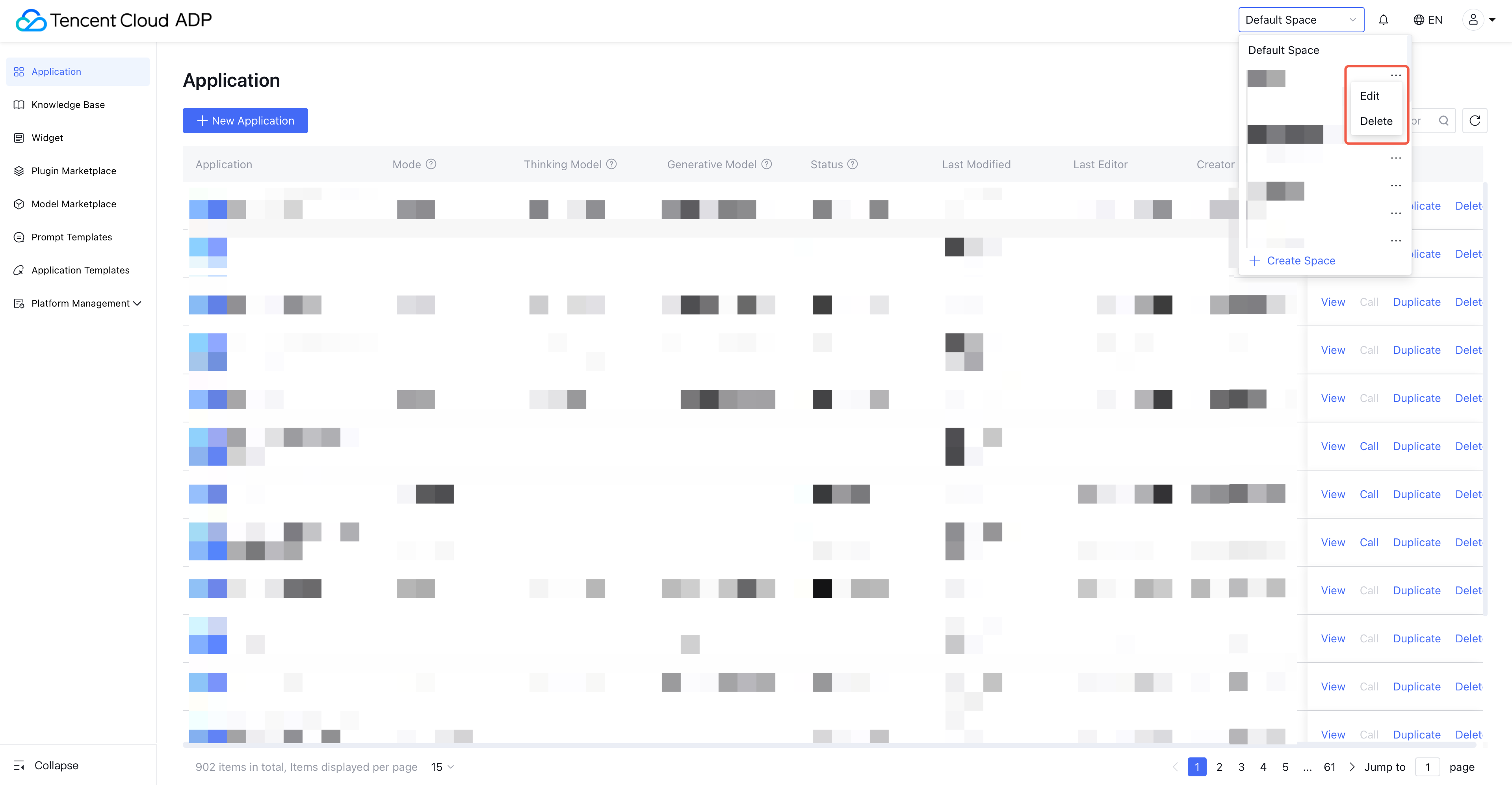
Refers to creating, deleting, and editing custom workspaces.
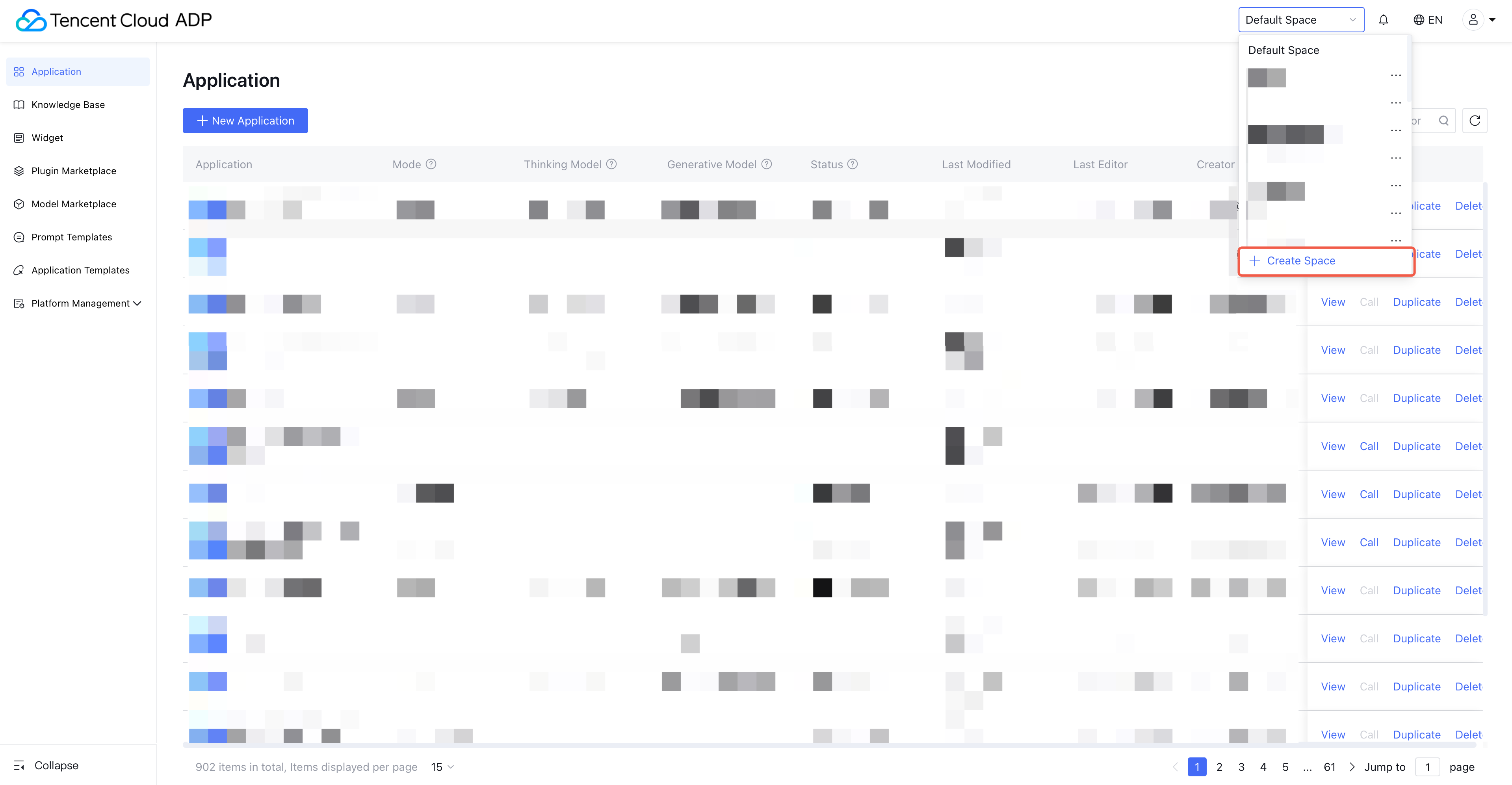
Create space: IIn the workspace list, click Create Space and enter the workspace name. The user who creates the workspace becomes its Administrator by default, with full permissions in the workspace.
Note:
The root account has permissions for all workspaces, but it will not appear in the workspace member list.
Delete space: After deletion, all data inside the workspace will also be deleted. Users with the Delete Workspace functional permission in Platform-Side User Permissions, or who are the Administrator of the workspace, or who hold the Super Administrator role, can delete a workspace.
Note:
Deleting a workspace permanently deletes all data inside it. This action cannot be undone.
Edit space: Refers to modifying the workspace name. Users with the Edit Workspace functional permission in the current workspace’s “Platform-Side User Permissions,” or who are the workspace Administrator, or who hold the Super Administrator role, can edit the workspace.
Space Member
When an enterprise user is added to Workspace A, that user becomes a “member of Workspace A.” A workspace can have multiple members. A user can join multiple workspaces. Workspace members can access the workspace they belong to. you can add workspace members through "Platform-Side User Permissions - User Management".
Note:
Each workspace provides the Platform-Side User Permissions feature to manage its users and permissions.
Functions and Data Inside a Workspace
Data created by users (applications, knowledge bases, plugins, prompt templates) belongs to the workspace. Each piece of data belongs to one workspace only, and data is isolated across workspaces.
Billing resource usage details are filtered by workspace and only show consumption for the current workspace (except for knowledge base capacity statistics and charts, which show data for the entire enterprise).
Official resources such as application templates, official plugins, and official prompt templates are visible across all workspaces.
Models in the Model Marketplace are visible across all workspaces.
Purchased billing resources in the Billing Resource List are visible across all workspaces.
Copying Application
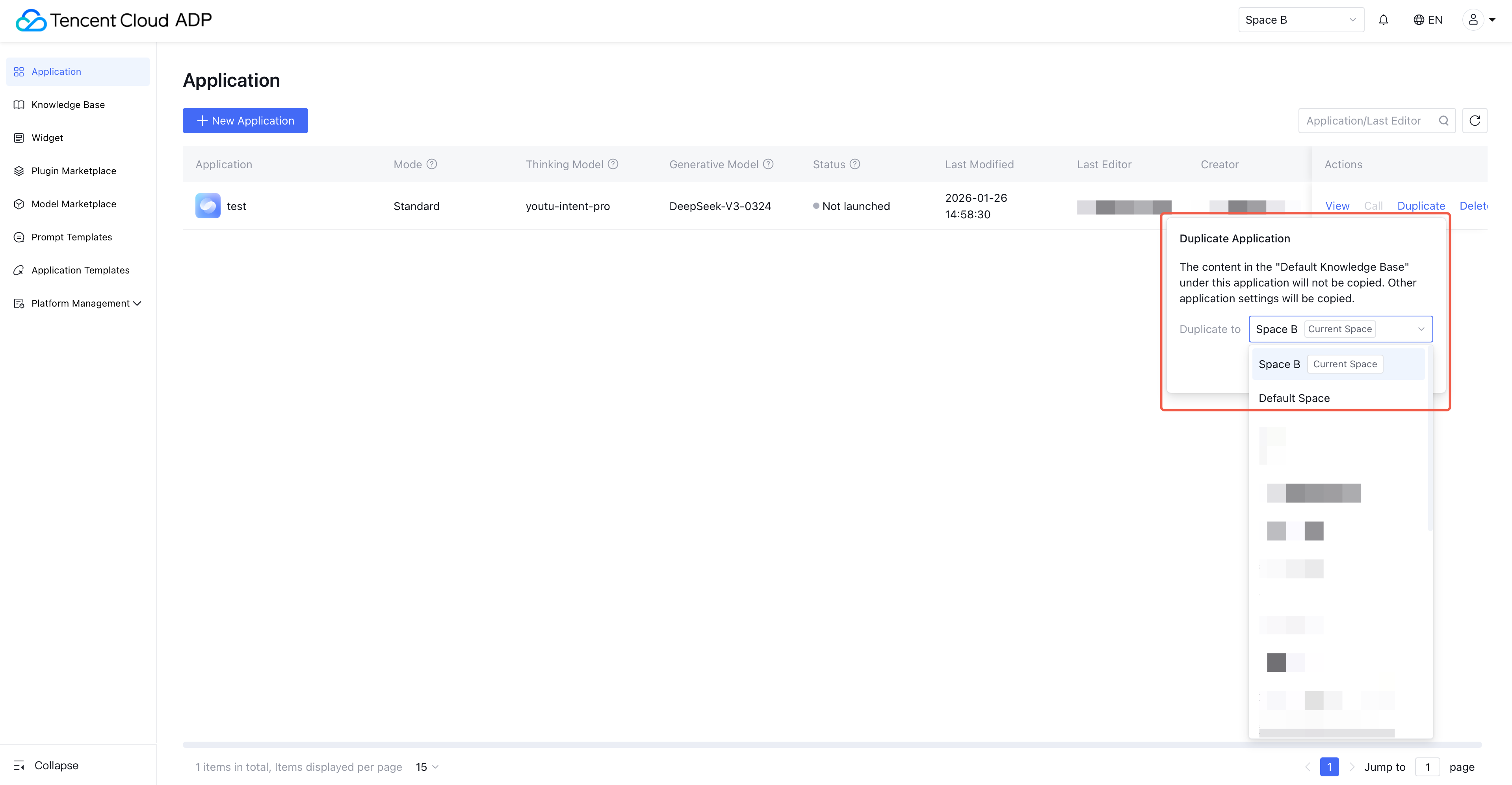
The product supports copying applications within the same workspace and across workspaces. After entering a workspace, go to the Application Development page, click Copy Application, and select either the current workspace or another accessible workspace.
Help and Support
Was this page helpful?
You can also Contact sales or Submit a Ticket for help.
Help us improve! Rate your documentation experience in 5 mins.
Feedback