This article explains how to use the Enterprise Management feature to manage enterprise users and their permissions. Before reading this, it is recommended to review Business, Workspace and Permission Overview for related concepts
Feature Description
Enterprise Management: An enterprise-level feature that currently focuses on managing enterprise users and their permissions.
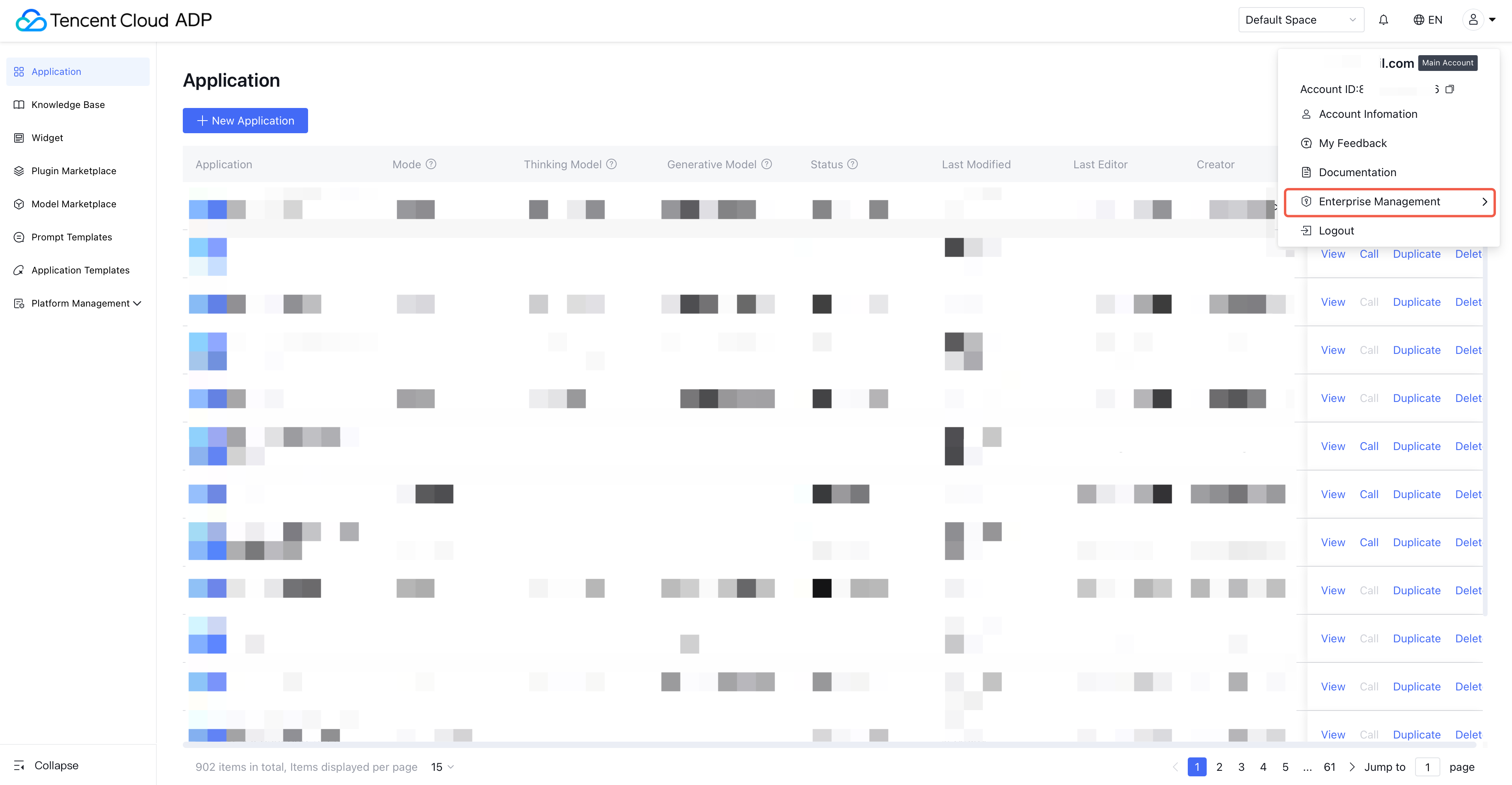
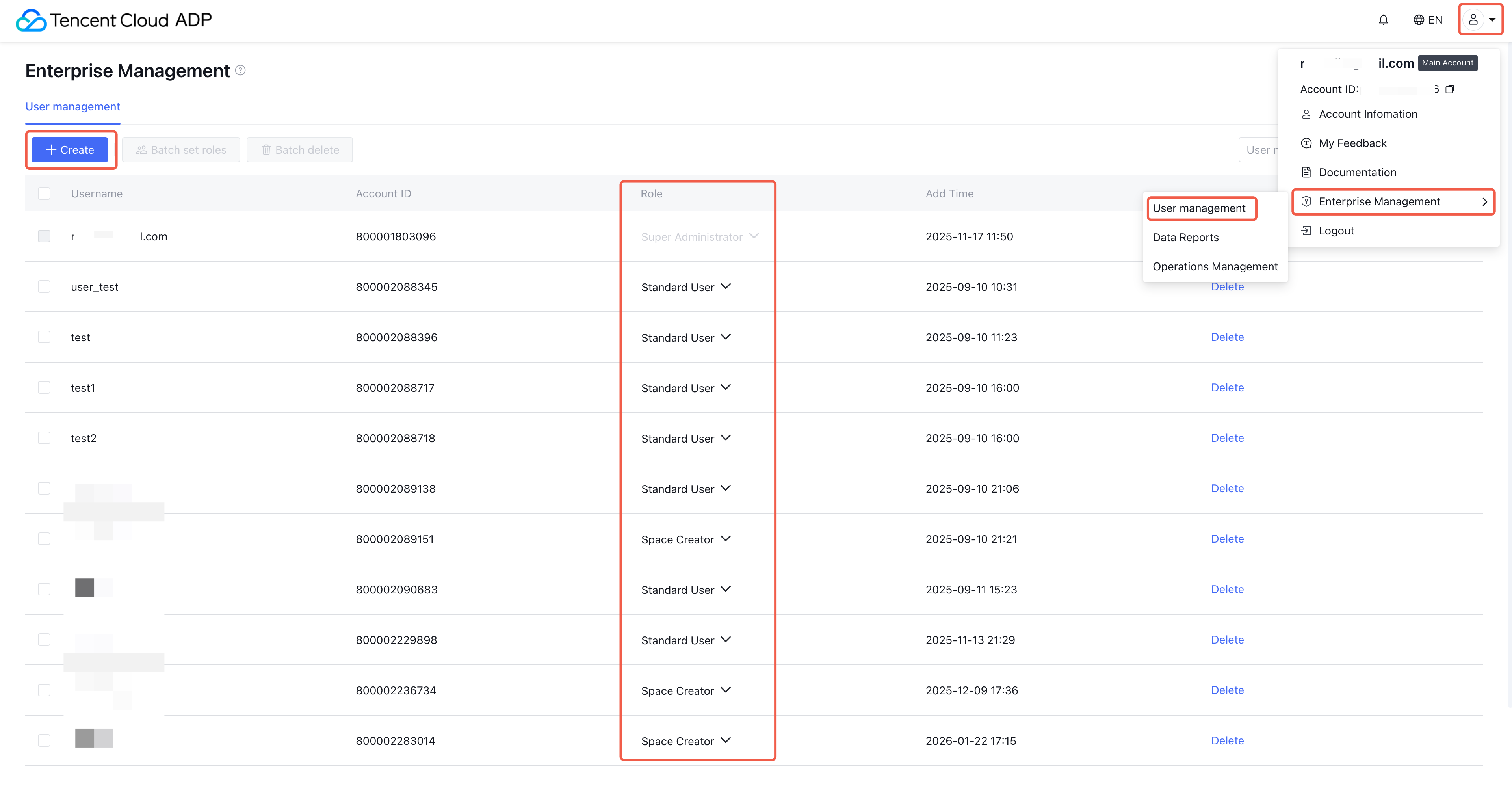
User Management: Refers to managing enterprise users. Supports creating new users, deleting users, and modifying user roles.
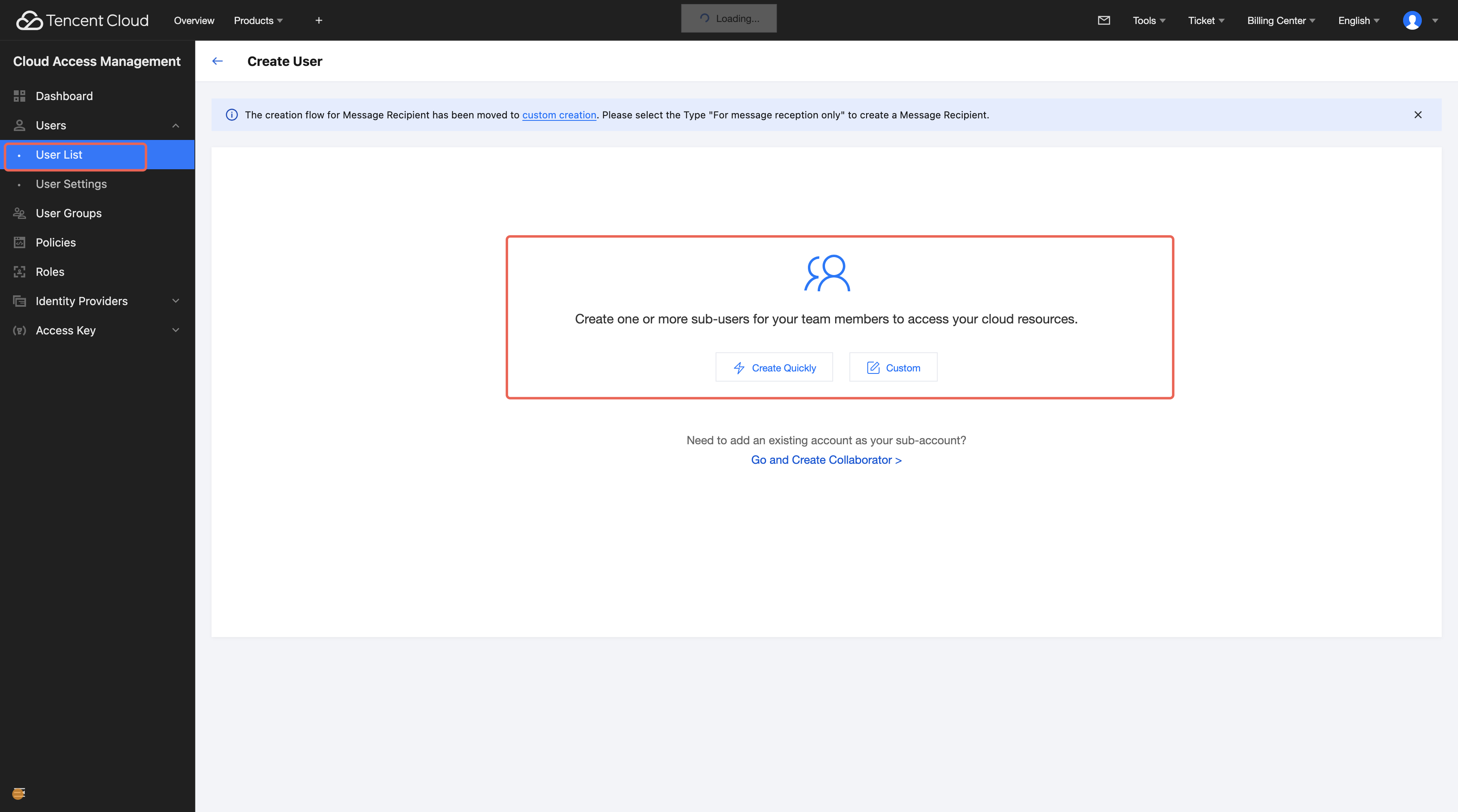
Create user: Click create user, enter Cloud Access Management (CAM), and create a Tencent Cloud sub-account.
Delete user: In "Enterprise Management - User Management", sub-accounts can be deleted. The primary account cannot be deleted.
Modify user role: The product provides three preset roles that control enterprise-level permissions.
Role
Role Permission
Effect
super administrator
The primary account is always a Super Administrator and cannot be changed. Multiple Super Administrators are supported under one enterprise.
✅ Permission to "Enterprise Management - User Management" and new workspaces creation.
✅ Automatically added as a member of every workspace with the highest level of permissions.
Note: To assign a sub-account as a Super Administrator, grant it the AdministratorAccess policy in CAM. Only then can that sub-account create other sub-accounts in Tencent Cloud.
Manage enterprise users (create/delete) in "Enterprise Management - User Management".
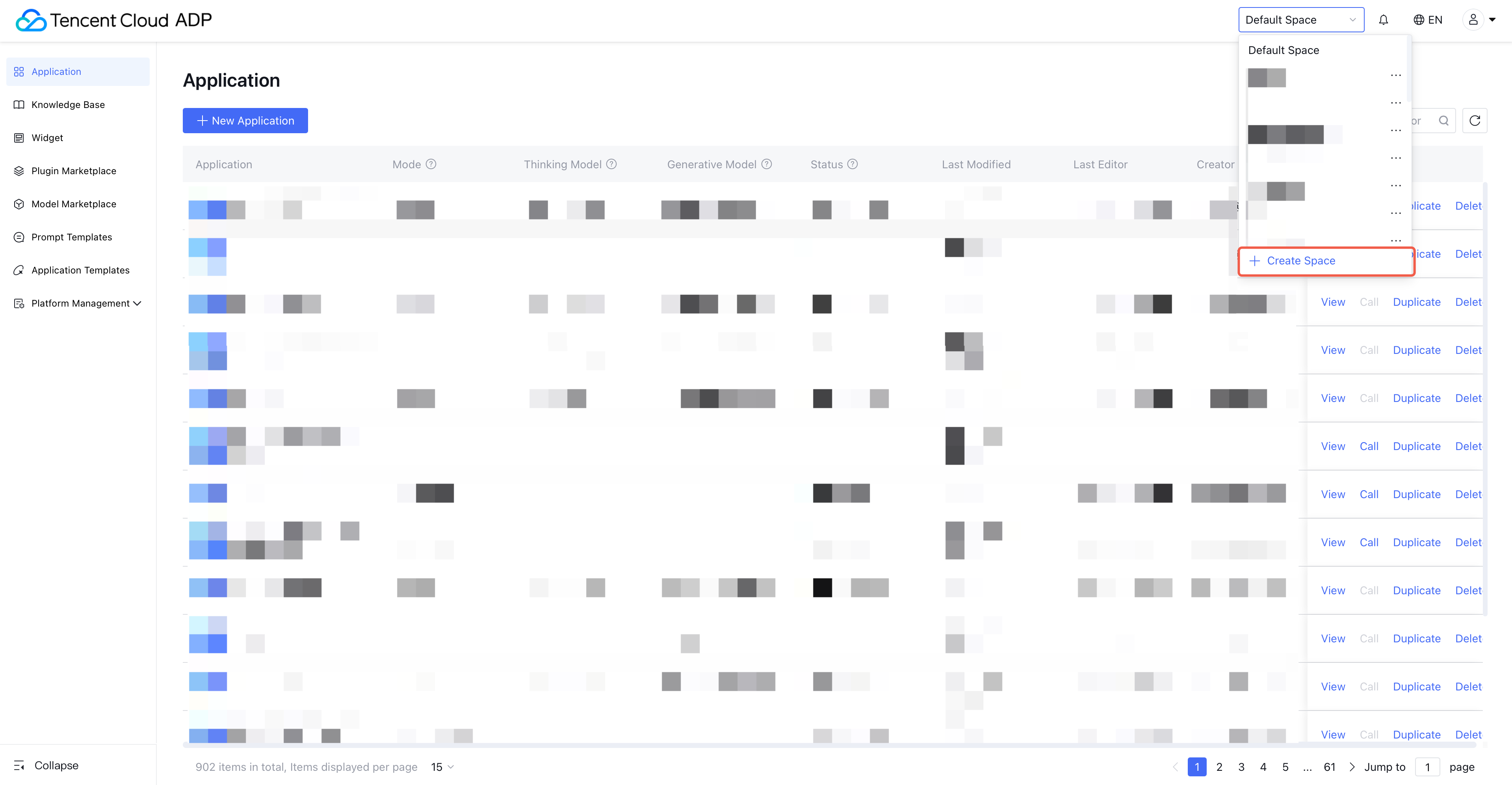
Create new space.
Access all workspaces under the enterprise.
Workspace Creator
Multiple Workspace Creators are supported under one enterprise.
✅Have permission to create new space.
❌ No permission to "Enterprise Management - User Management"
This role is not automatically added to any workspace. When logging in, it cannot access any workspace by default but can create new ones.
If granted access to other workspaces, it can select them from the workspace list.
General user
Newly created sub-accounts will be general users by default. Multiple general users are supported under one enterprise.
❌ No permission to create new space.
❌ No permission to "Enterprise Management - User Management"
General Users are not added to any workspace by default. Without being added by an Administrator, they cannot access or use any workspace.