Billing Resources
Download
Focus Mode
Font Size
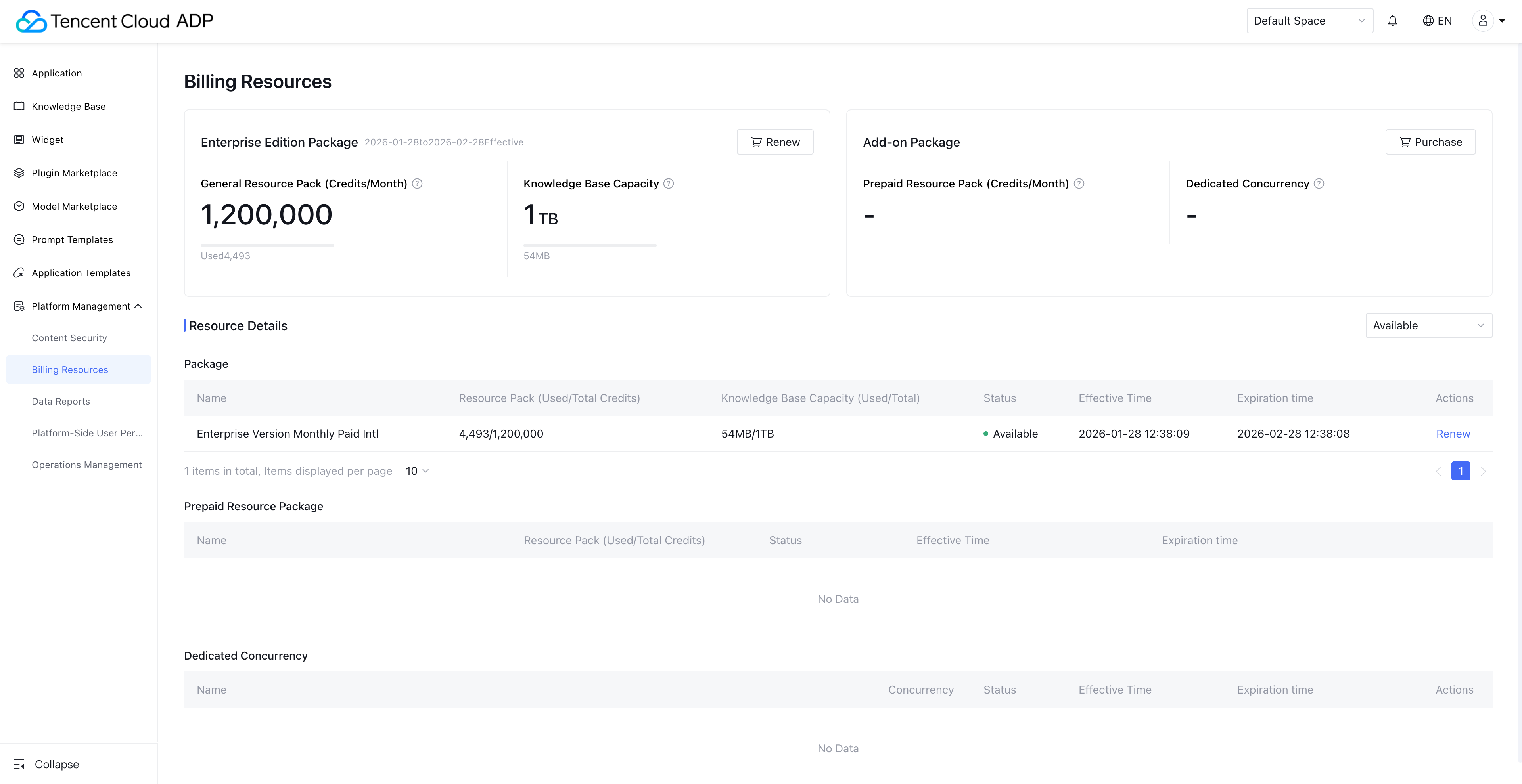
Billing Resources show the trial and paid resources available under the current account, and support viewing resource usage and valid period. Billing management includes the resource dashboard as well as resource detail.
Note:
1. Only users who purchase a package can view this feature page. Customers using old billing items can only view the Billing Resource List feature. View the Billing Overview (Package Subscription) to learn about the package billing method.
2. Users with feature permissions can view this feature page. The space admin must enable the "billing resource" feature permission for the account in Platform-Side User Permission.
Resource Dashboard
Package display: Show the purchased highest specification package. If you have both the free edition and the Professional Edition, display the Professional Edition Package.
General resource package (PU/month): PU resources in the package are issued monthly. The dashboard shows the total resource amount delivered per month.
Knowledge base capacity: Shows the capacity contained in the package, which takes effect during the validity period.
Value-added package: Includes prepaid resource package and exclusive concurrency, shown separately after purchase.
Resource Detail
Package: Supports viewing claimed and purchased packages. You can check the PU resources (issued per month), knowledge base capacity, and effective status of the package, as well as renew and upgrade.
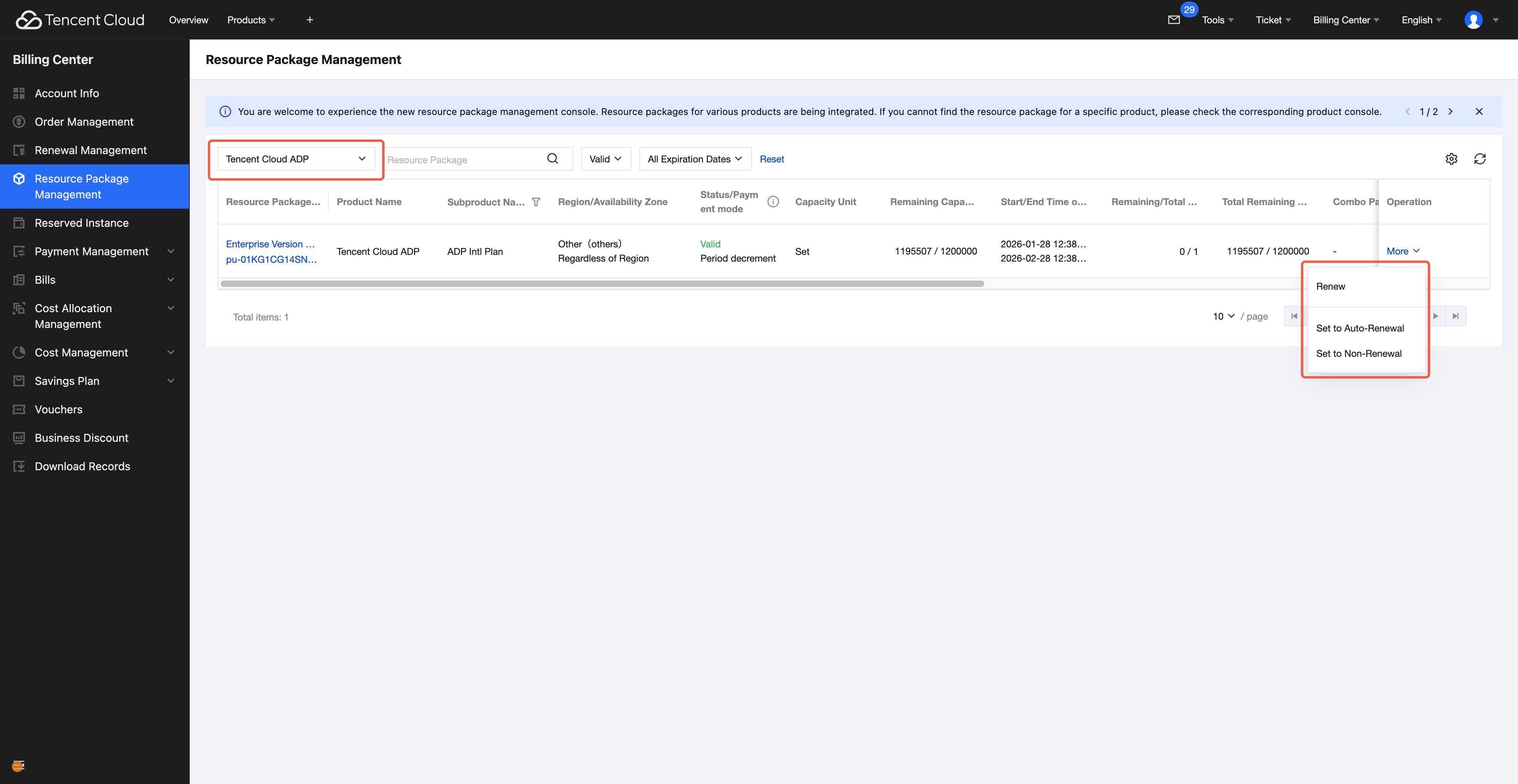
Renewal: Click Renew to enter resource package management, filter "Tencent Cloud ADP" to find related orders, and support manual renewal and automatic renewal.
Upgrade: Click Upgrade to upgrade to the Enterprise Package. Only the package specification is upgraded, and the expiry time remains unchanged.
Prepaid resource package: During the validity period of the package, it preferentially consumes PU resources in the package. After they are exhausted, it consumes PU resources in the prepaid resource package. It supports purchasing additional but does not support renewal.
Exclusive concurrency: Within the validity period of the package, using the corresponding model of exclusive concurrency does not consume tokens. It only takes effect by the concurrency limit and supports renewal and upgrade.
Note:
If there are multiple packages within the same validity period range, only the highest specification takes effect.
A package must be purchased and remain within its validity period to proceed with purchasing an additional work order package.
The package must be renewed on time when it is about to expire. It cannot be used after expiry. The additional work order package takes effect only within the validity period of the package.
When a package expires or PU resources are exhausted, and the used amount of the knowledge base exceeds the available amount, the excess knowledge will be marked as "excess invalid" status after 7 days. The knowledge cannot be retrieved. Purchase resources and manually recover it as needed.
Status description:
Available: The resource is within its validity period and has an available quantity.
Exhausted: The resource is within its validity period but has no remaining PU quota.
Not applied: The resource is yet to come into effect and will take effect in the future.
Expired: The resource has passed its expiry time.
Unavailable: The package is not within its validity period, and the additional work order package is in this status within its validity period.
Invalid: Account overdue or resource refund.
Notification Description
Tencent Cloud Subscription Notifications: Subscribe to official Tencent Cloud channels to receive notifications such as in-site messages, SMS, and email.
Purchased resources are managed by Tencent Cloud Metering and Billing. When resources are exhausted or expired, you can configure notification channels in Tencent Cloud Console > Message Center under Billing Center, Tencent Billing, and Tencent Cloud Agent Development Platform.
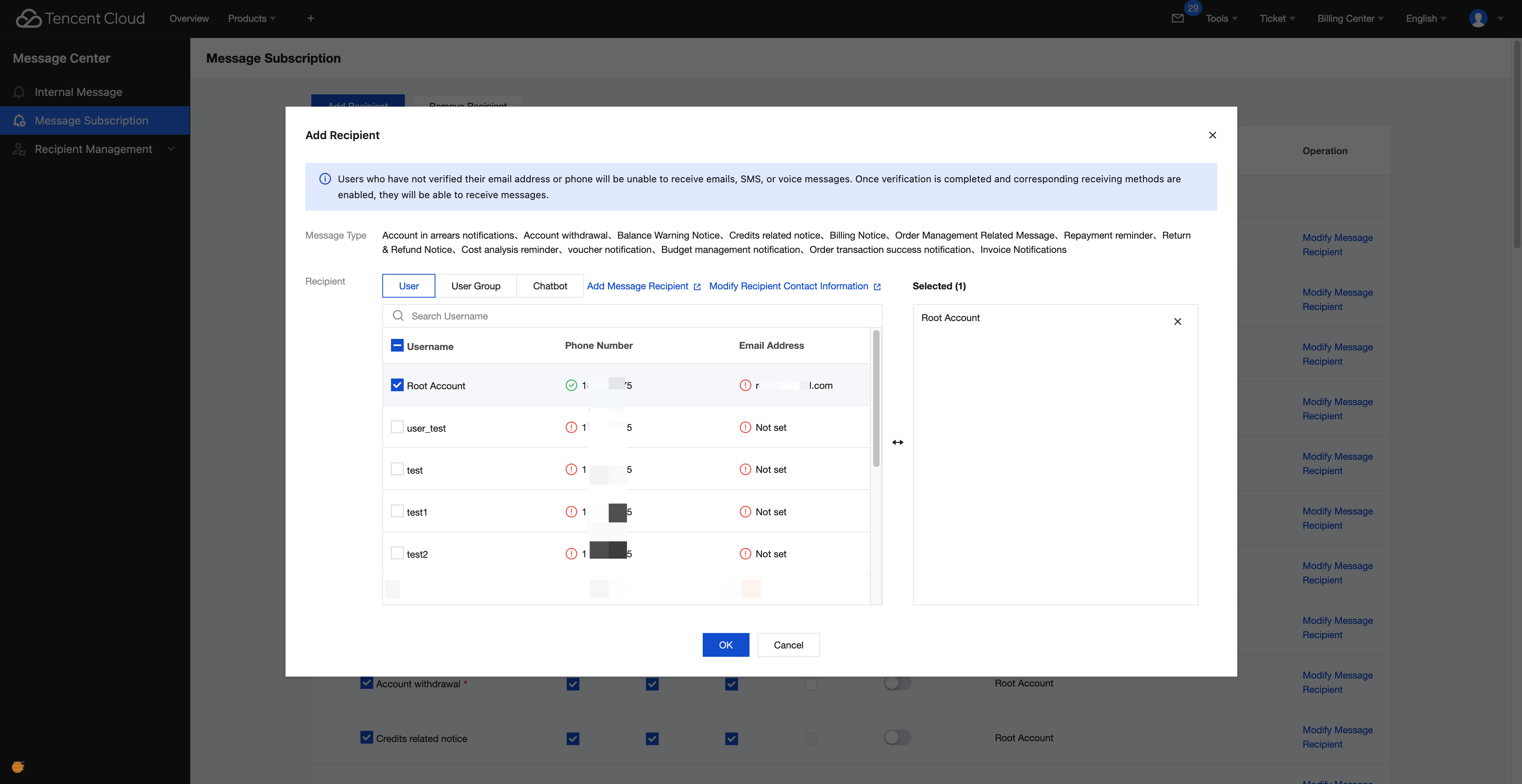
The package and prepaid resource package will notify when the remaining quota reaches 10%, 5%, or 1%, and before resource expires at 7, 5, 3, or 1 day.
Exclusive concurrency will notify before resource expires at 7, 5, 3, or 1 day.
Help and Support
Was this page helpful?
You can also Contact sales or Submit a Ticket for help.
Help us improve! Rate your documentation experience in 5 mins.
Feedback