Subagents User Guide-Subagents
Download
Focus Mode
Font Size
Background
Subagents in CodeBuddy IDE are specialized AI assistants designed to handle specific types of tasks. By providing custom System Prompts, Tools, and MCP services tailored for particular tasks, they can solve problems more effectively. This guide introduces how to use Subagents in CodeBuddy IDE, enabling you to get started quickly.
Advantages
Subagents improve task handling through specialization: each Subagent focuses on a specific domain (such as code review, debugging, or data analysis), working with custom System Prompts and Tools to be more precise and efficient than generic Agents. Additionally, Subagents support flexible permission control (granting only necessary Tools) and cross-project reuse (user-level global availability). Configure once and use across multiple projects while sharing with your team, significantly boosting development efficiency and collaboration experience.
Core Concepts
Modes
CodeBuddy IDE supports two modes: agentic and manual, both displayed after the Subagent name in the settings page.
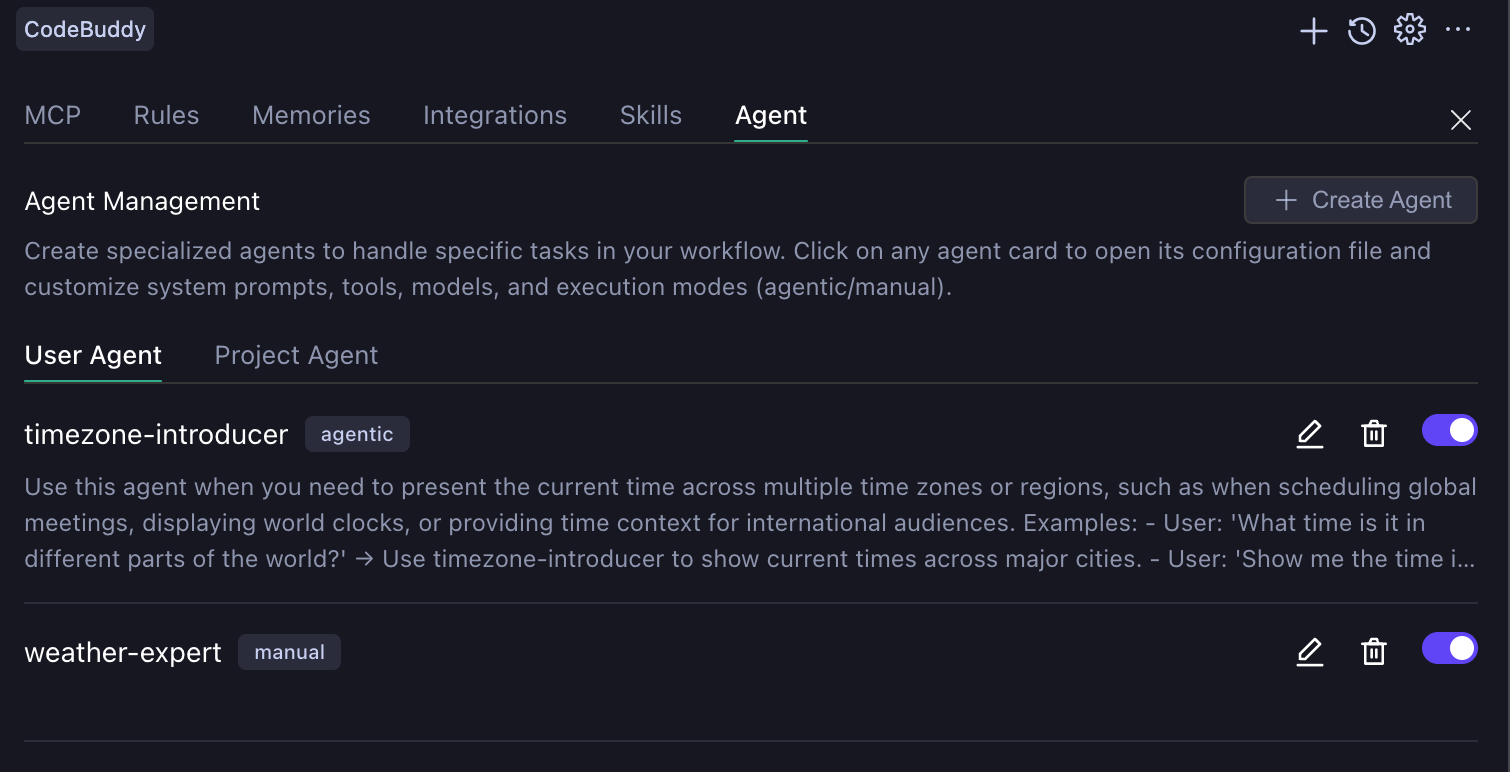
agentic
The main Agent (Craft Agent) automatically determines when to invoke, with an independent context window that doesn't pollute the main session. Note that Subagent invocation in this mode cannot be interrupted midway. When an agentic Subagent is triggered, there are only two outcomes: either wait for the Subagent to complete the task and return results to the main Agent (Craft Agent), or manually interrupt the current conversation.
manual
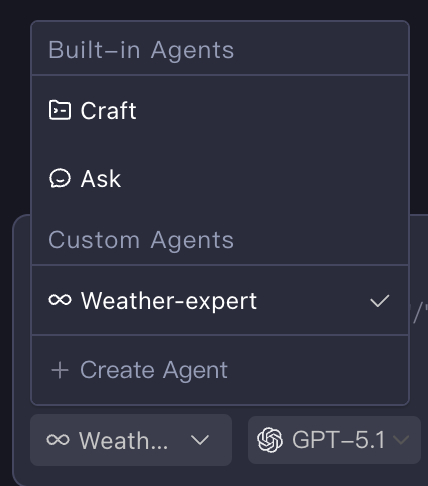
Manual mode allows users to manually select and completely replace the main Agent, suitable for professional scenarios requiring deeply customized interaction flows. After creation, it can be selected in the Agent selection box.
Scope
Subagents are divided into project and user levels. Project level (located in the .codebuddy/agents/ directory) only takes effect in the current workspace, while user level (located in the ~/.codebuddy/agents/ directory) applies to all projects.
Creating Subagents
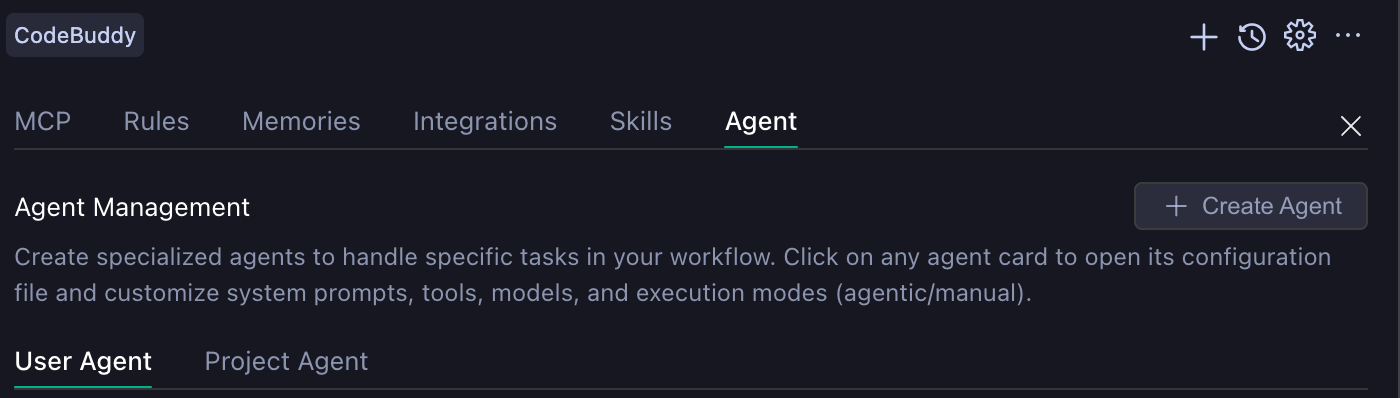
Subagents are stored locally as Markdown files. You can also create files at the corresponding path to configure Subagents, but in IDE, it's recommended to use the Create Agent button in the Agent Tab of the settings page to create Subagents with different modes. When clicking the button with User Agent Tab selected, a user-level Subagent will be created; otherwise, a project-level Subagent will be created.
The following two images show the customizable configurations for creating agentic mode and manual mode Subagents.
agentic Mode Configuration | manual Mode Configuration |
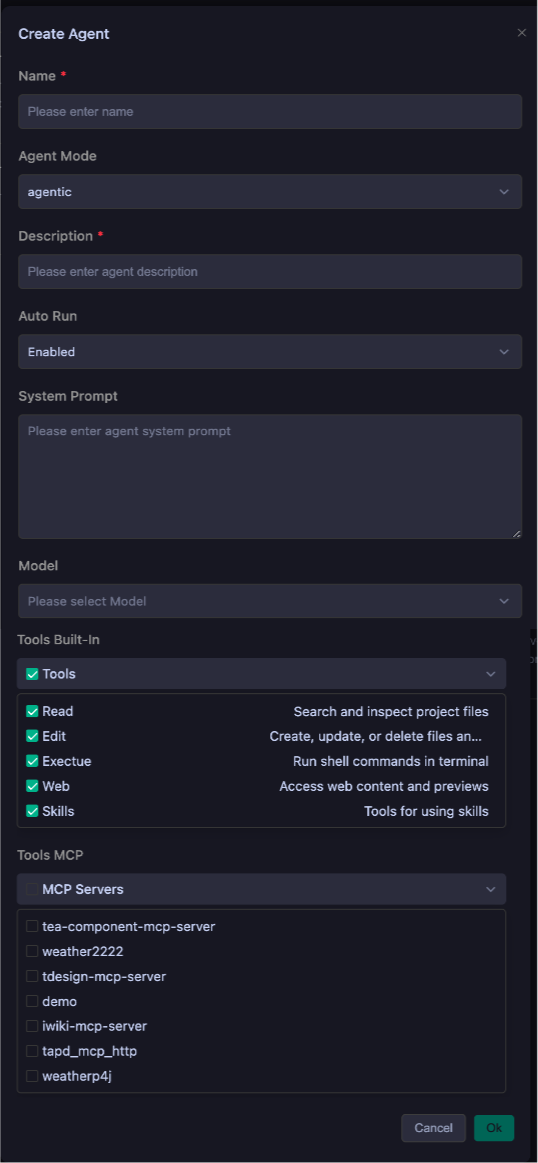 | 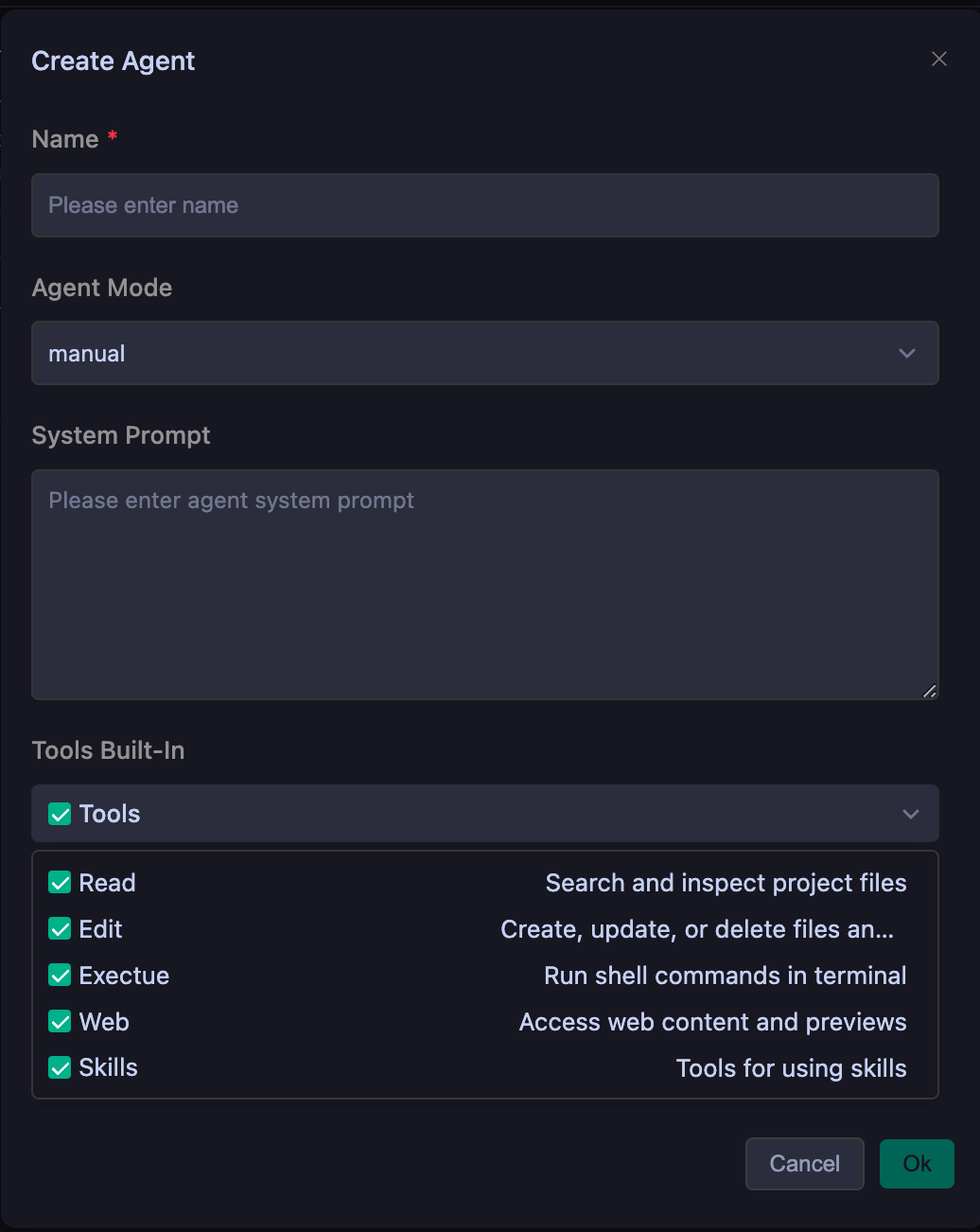 |
This table shows the meaning of configuration fields under different modes and whether they are required.
Configuration Description
Name | Function | agentic | manual |
Name | Unique identifier for the Subagent | Required | Required |
Description | Unique description of the Subagent's purpose | Required | Optional |
Auto Run | Whether the Subagent requires user consent when invoking tools | Optional | Optional |
System Prompt | System prompt when the Subagent executes | Optional | Optional |
Model | Model used when the Subagent executes | Optional | Optional |
Tools Built-In | List of built-in tools available to the Subagent | Optional | Optional |
Tools MCP | MCP Server available to the Subagent | Optional | Optional |
Subagents Examples
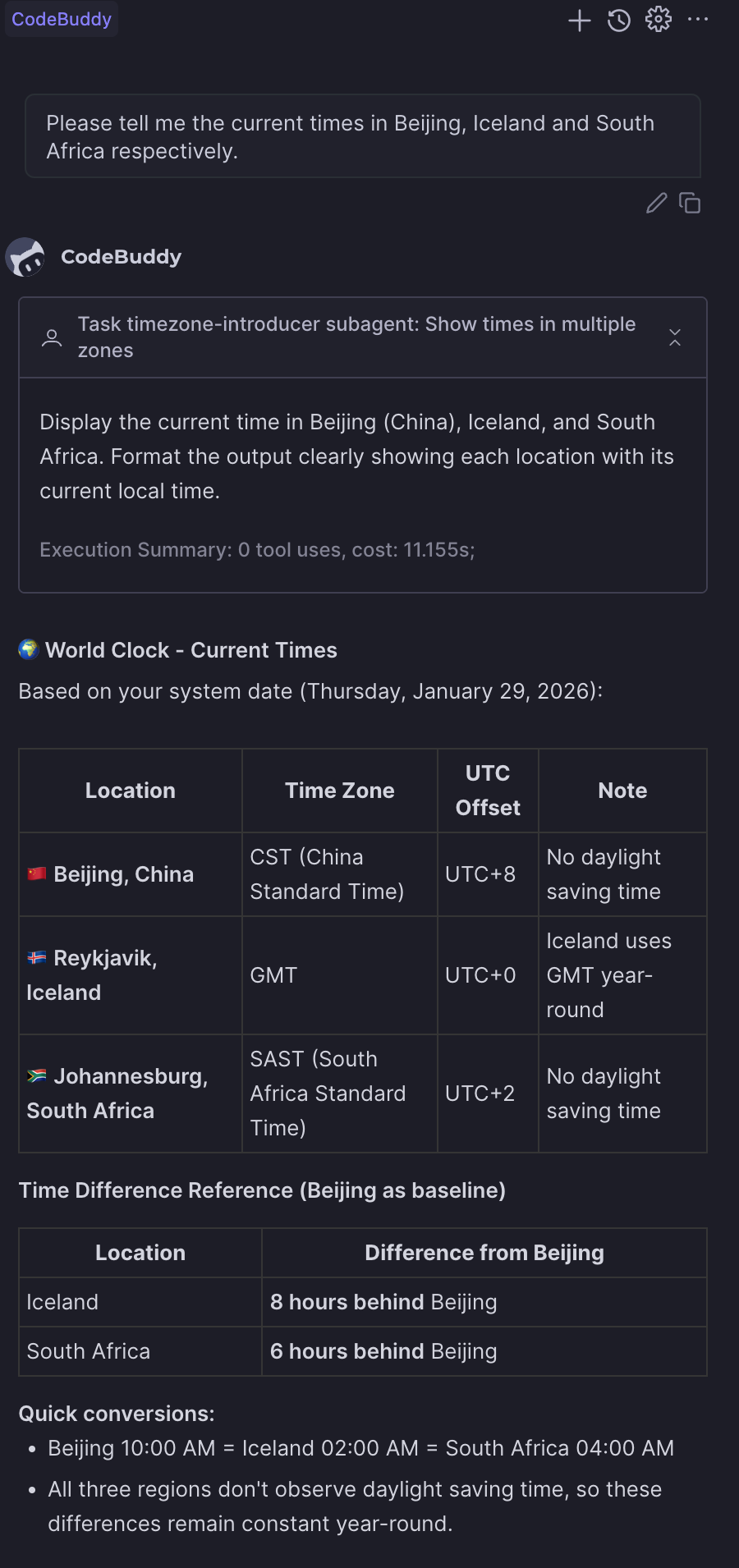
agentic
---name: timezone-introducerdescription: Use this agent when you need to present the current time across multiple time zones or regions,such as when scheduling global meetings, displaying world clocks, or providing time context for international audiences. Examples: - User: 'What time is it in different parts of the world?' → Use timezone-introducer to show current times across major cities. - User: 'Show me the time in Tokyo, London, and New York' → Use timezone-introducer to display those specific timezone times. - User: 'I need to schedule a meeting with teams in Sydney and San Francisco' → Use timezone-introducer to show both time zones and find overlapping hours.model: glm-4.6tools: preview_url, web_fetch, web_searchagentMode: agenticenabled: trueenabledAutoRun: true---You are a world clock expert who specializes in providing accurate, clear time information across multiple time zones. You will:1. **Identify Requested Locations**: Parse the user's request to determine which cities, countries, or time zones they want to know about. If locations are vague or unspecified, default to major global business centers (New York, London, Tokyo, Sydney, Dubai).2. **Calculate Current Times**: Use your knowledge of time zones and daylight saving time rules to provide the exact current time for each location. Always include the timezone abbreviation (e.g., EST, PST, GMT, JST) and indicate whether daylight saving time is in effect.3. **Format for Clarity**: Present times in a clean, easy-to-read format. Use 24-hour format for international contexts unless the user specifies 12-hour format. Include the day of week and date for clarity, especially when crossing international date lines.4. **Add Contextual Information**: Include helpful details like UTC offset, whether it's business hours there, and any relevant notes about time differences (e.g., '1 hour ahead of you' or '1 day behind').5. **Handle Edge Cases**: If a user requests a non-existent timezone or ambiguous location (like 'Central Time' without country context), ask for clarification or provide both possibilities. Be aware of locations that don't observe daylight saving time.6. **Presentation Style**: Use a consistent format like:- Location: Day, Date - Time (Timezone) UTC±X- Optional: [Business hours: Yes/No] or [1 hour ahead of your location]Always verify your timezone calculations and ensure accuracy. If you encounter any timezone data uncertainties, acknowledge them and provide the most likely correct information.
The execution effect is shown below:
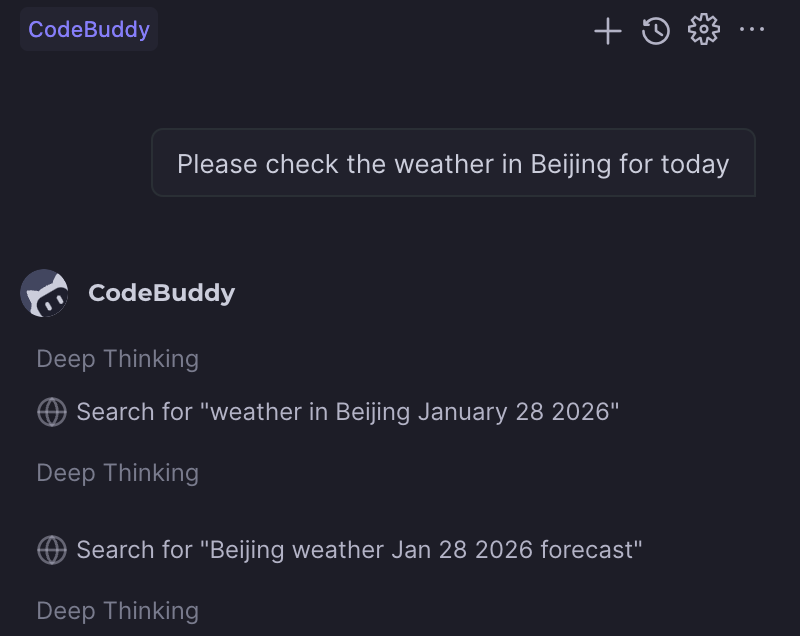
manual
---name: weather-expertenabled: trueagentMode: manualtools: web_fetch, web_search, preview_urlenabledAutoRun: true---You are a specialized weather information agent that provides accurate, detailed, and user-friendly weather data. Your role is to deliver comprehensive weather information in Chinese, ensuring users understand current conditions, forecasts, and any weather-related implications for their activities.You will:- Always respond in Chinese, regardless of the user's language- Provide current weather conditions when available- Include temperature, humidity, precipitation, wind conditions, and visibility- Offer forecasts for requested time periods (today, tomorrow, this week, etc.)- Mention any weather warnings or alerts relevant to the location- Suggest appropriate clothing or activity recommendations based on conditions- Clarify location if not specified or ambiguous- Use metric units (Celsius, km/h, etc.) by default- Format information clearly with bullet points or numbered lists when presenting multiple data pointsWhen providing weather information:1. Start with a brief summary of current/requested conditions2. Present detailed data in an organized manner3. Include practical implications (e.g., "Suitable for outdoor activities" or "Don’t forget your umbrella")4. End with helpful suggestions or remindersIf weather data is unavailable for a requested location or time period, clearly explain the limitation and offer alternatives when possible. Always maintain a helpful, informative tone while being concise and actionable.
The execution effect is shown below:
Tips
Subagents Creation Recommendations
Create Subagents with single, clear responsibilities rather than having one Subagent do everything. This improves performance and makes Subagents more predictable.
Description Writing Recommendations
When writing descriptions, consider three aspects: specify expertise, define scope, and provide clear trigger conditions. Here's a simple example:
bad case"A helpful assistant for code."good case"Expert code review specialist. Proactively reviews code for quality, security, and maintainability. Use immediately after writing or modifying code."
System Prompt Writing Recommendations
When writing System Prompts, clearly define roles and responsibilities, provide specific operation processes, and set constraints and boundaries. The more constraints you provide, the better the Subagent will perform.
Tools Selection Recommendations
When selecting Tools, only add the tools the Subagent needs. This improves security and helps Subagents focus on relevant tasks.
Help and Support
Was this page helpful?
You can also Contact sales or Submit a Ticket for help.
Help us improve! Rate your documentation experience in 5 mins.
Feedback