Kilo Code
Download
Focus Mode
Font Size
The Kilo extension (Kilo Code) is an open-source AI coding Agent. It can directly help you generate code, modify code, and run terminal tasks using natural language within the editor, and it provides capabilities such as code completion, refactoring, and debugging. This article demonstrates how to integrate a model for use with Kilo Code, using DeepSeek V4 Pro as an example.
Environment Requirements
Kilo Code supports VS Code (including VS Code-compatible editors such as Cursor, VSCodium, and Windsurf) and JetBrains IDEs. For specific environment requirements regarding editor editions, operating systems, Node.js, and others, refer to the official Kilo Code documentation. For details, see the Kilo Code Installation Guide.
Installing Kilo
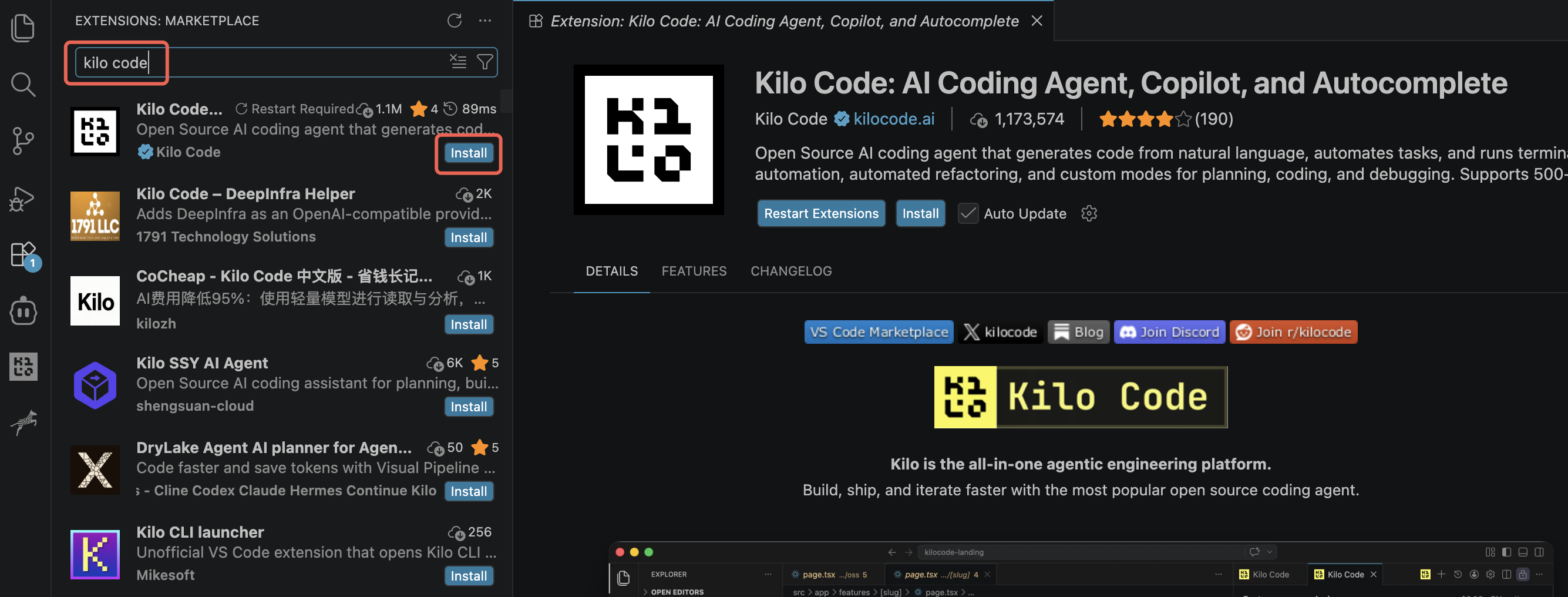
Search for and install the Kilo Code extension in your IDE. This article demonstrates the installation and configuration process using VS Code as an example.
Open VS Code, search for Kilo Code in the Extensions Marketplace, and install it.
Obtaining an API Key
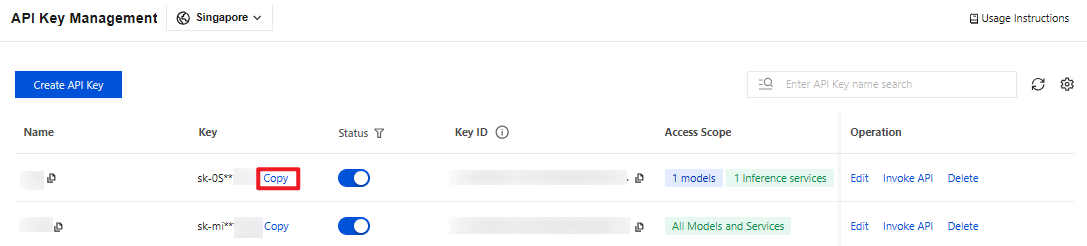
1. Go to the API Key Management page and click Create API Key. For operational details, see Create API Key.
Note:
When setting the Access Scope, if you select "Range", ensure that DeepSeek V4 Pro is selected.
2. After creation, be sure to copy and securely store the API Key. This information will be used in the subsequent process of configuring the tool.
Configuring Kilo Code
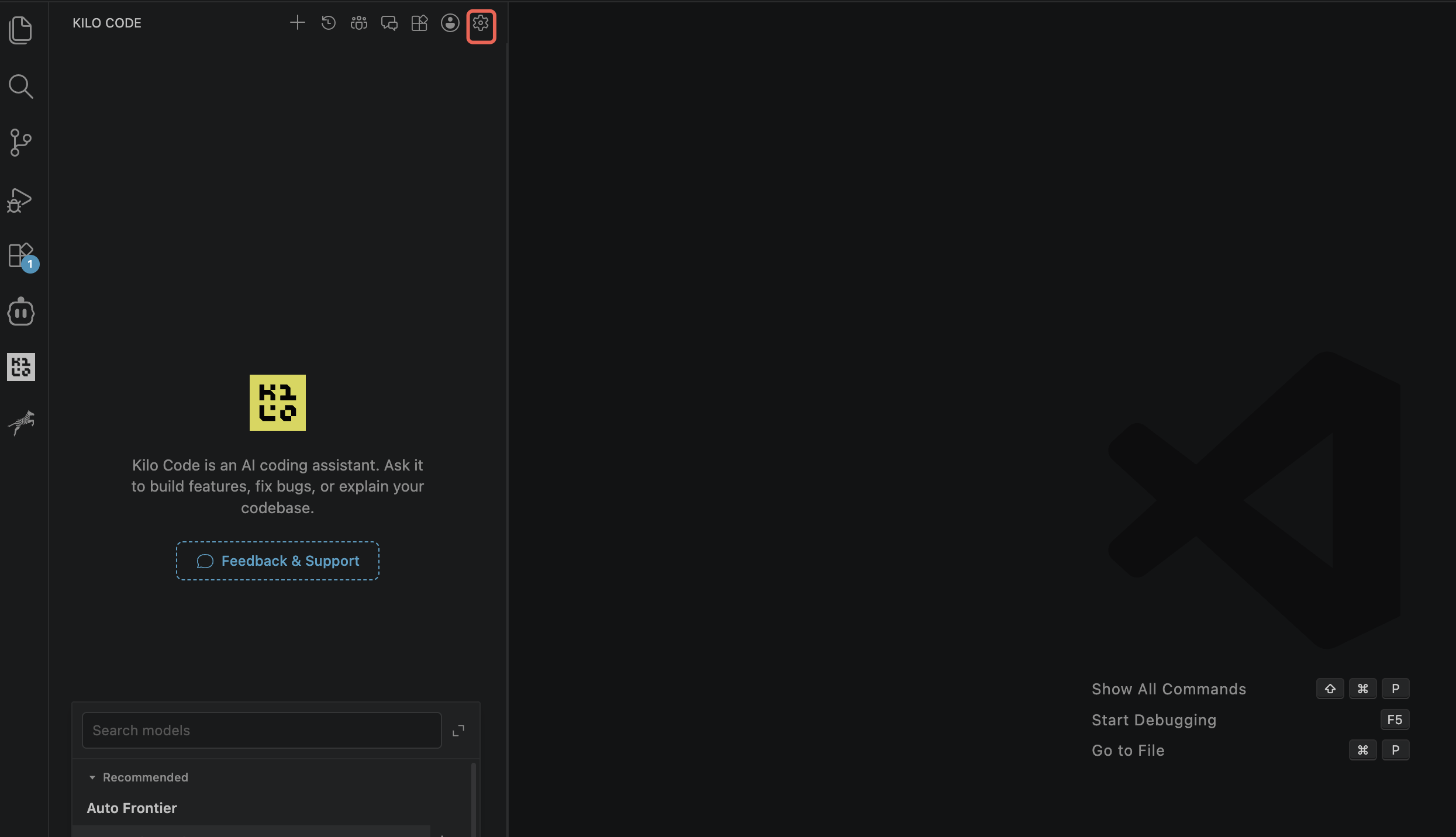
1. Open Kilo Code in VS Code, and click the Settings button in the upper-right corner to go to Kilo Settings.
2. In Kilo Settings, choose Providers > Custom Provider and click "+ Connect" to open the configuration pop-up window.
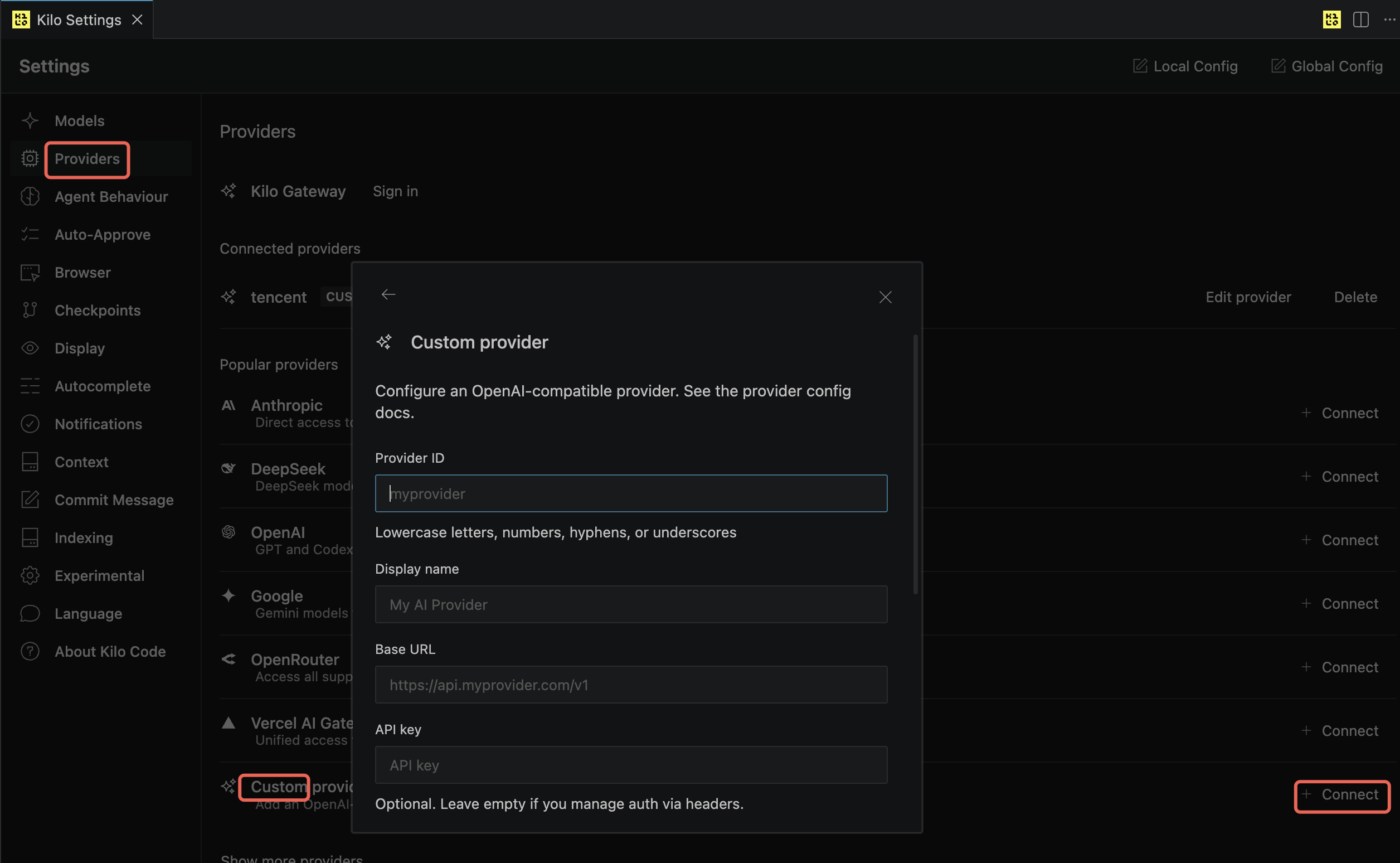
3. Configure the following information and save to submit.
Provider ID: Enter the provider ID, for example,
tencent.Display Name: Enter the provider name, for example,
tencent.Base URL:
https://tokenhub-intl.tencentcloudmaas.com/v1API Key: Enter the API Key you created in the Obtain API Key step.
Model ID: Enter the model ID
deepseek-v4-pro.Model Display Name: Enter
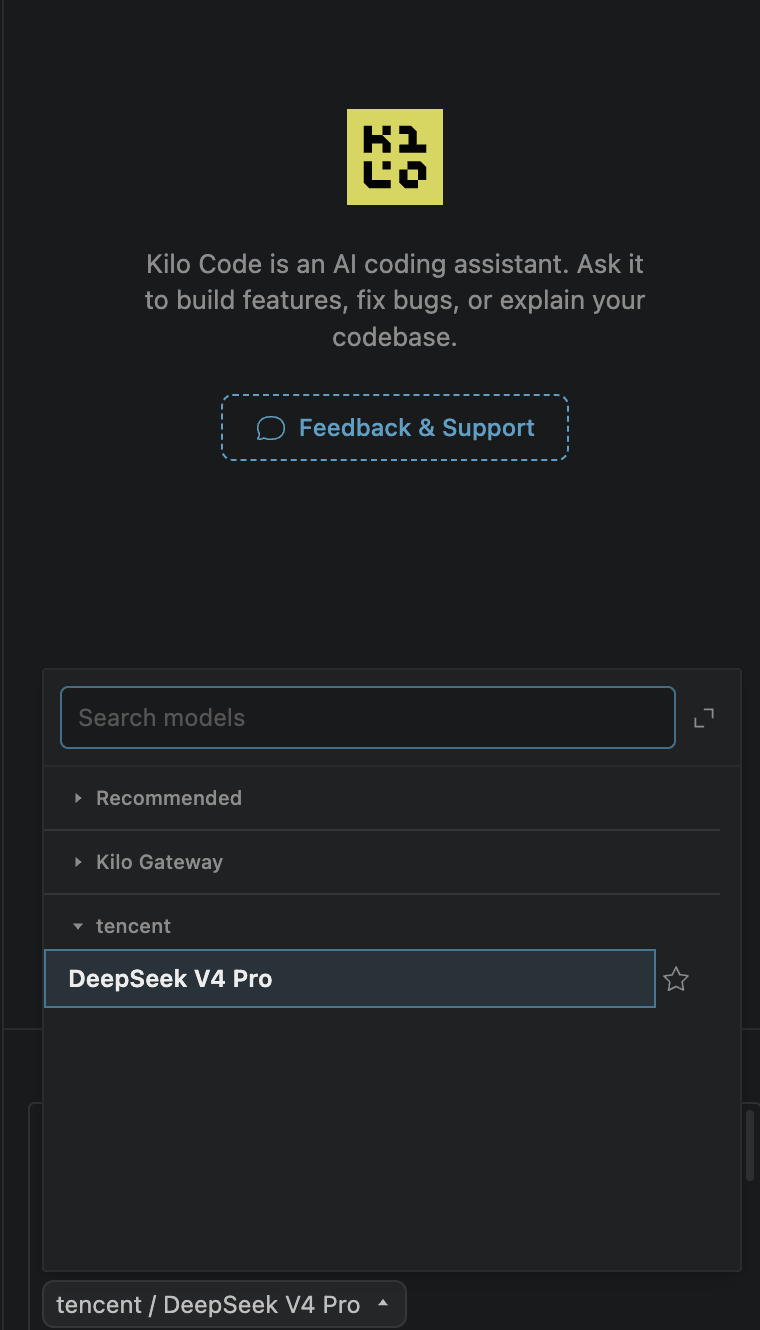
DeepSeek V4 Pro.4. In the model list of Kilo Code, locate and select the DeepSeek V4 Pro model to start a conversation.
Help and Support
Was this page helpful?
You can also Contact sales or Submit a Ticket for help.
Help us improve! Rate your documentation experience in 5 mins.
Feedback