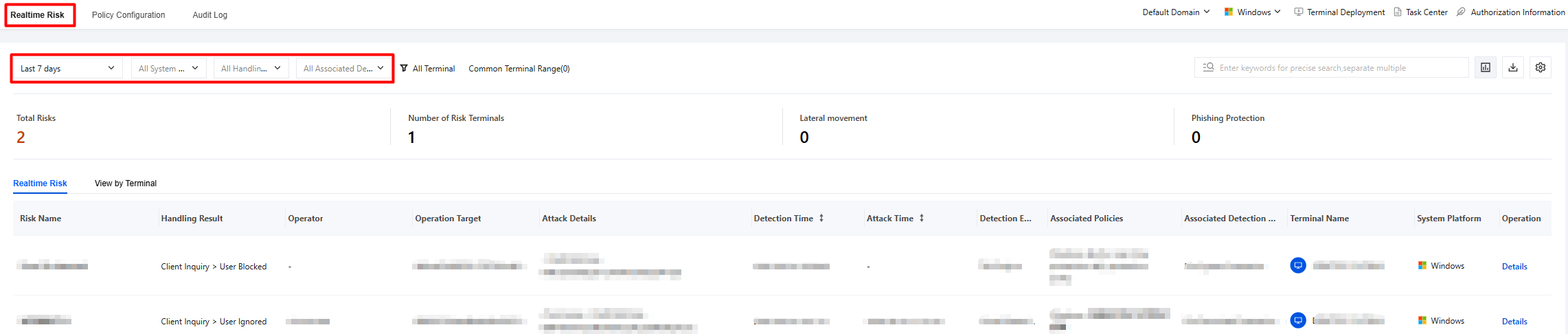
2. On the Real-time Risks page, the system displays the details of detected risks and supports data filtering and statistics.
Time filtering: 7 days by default, and users can customize the filtering range.
Disposal result: supports filtering by all disposal results, automatic system disposal, client inquiry, interception failure, and audit only.
Detection engine: supports filtering by all engines, cloud engine, TAV engine, and threat intelligence.
Associated policies: supports filtering by policy detection items such as process protection, file download protection, USB drive protection, and application layer protection.
Terminal scope: Click to display the terminal filtering component, which shows virus-related data for the target terminals. All terminals are selected by default.
Supports viewing by risk perspective and terminal perspective.
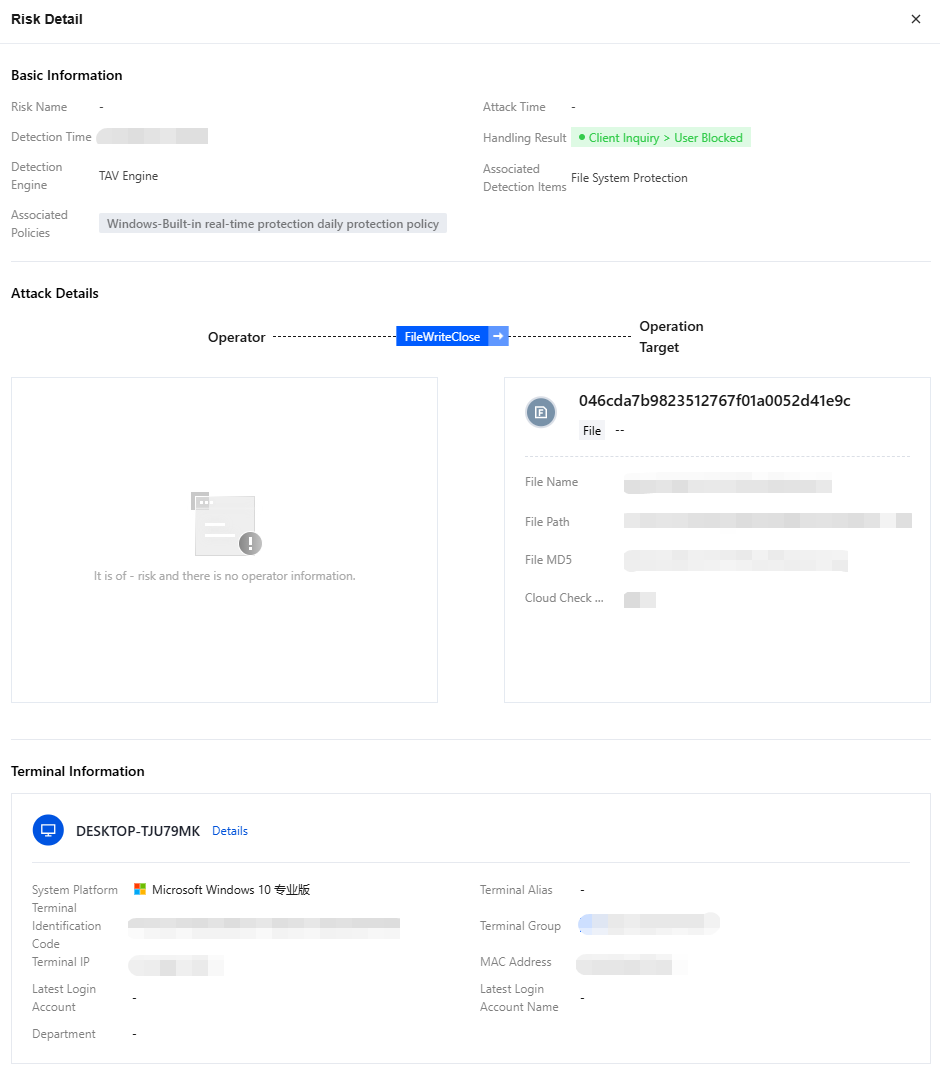
3. Select the target risk and click Details to view the risk details.
Exporting data
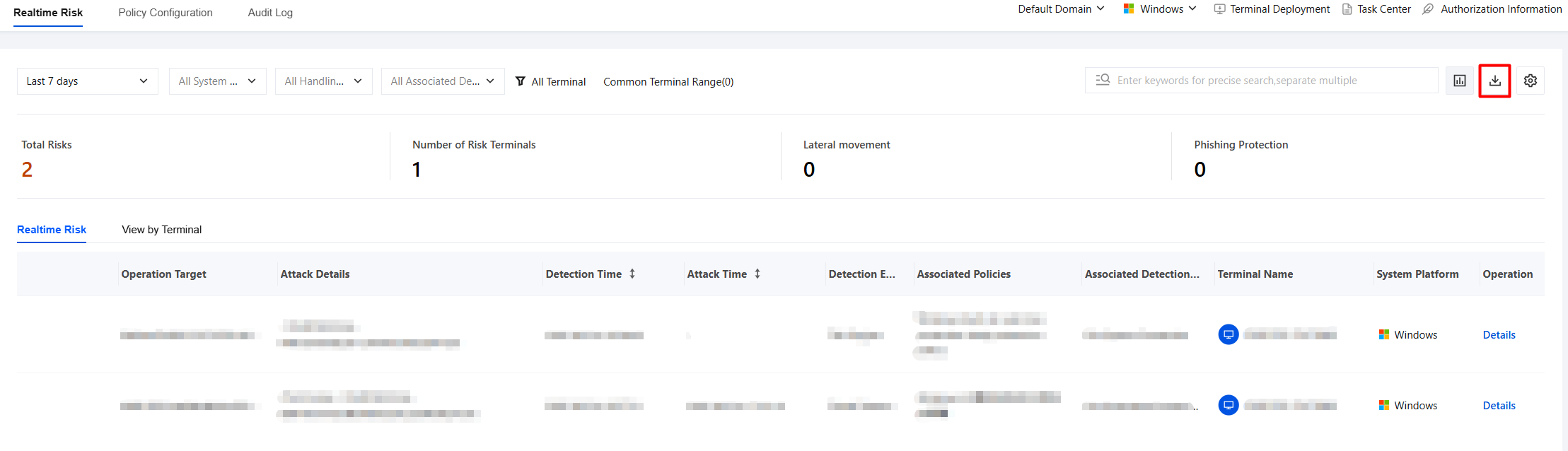
1. On the Real-time Risks page, click the button in the upper-right corner
.
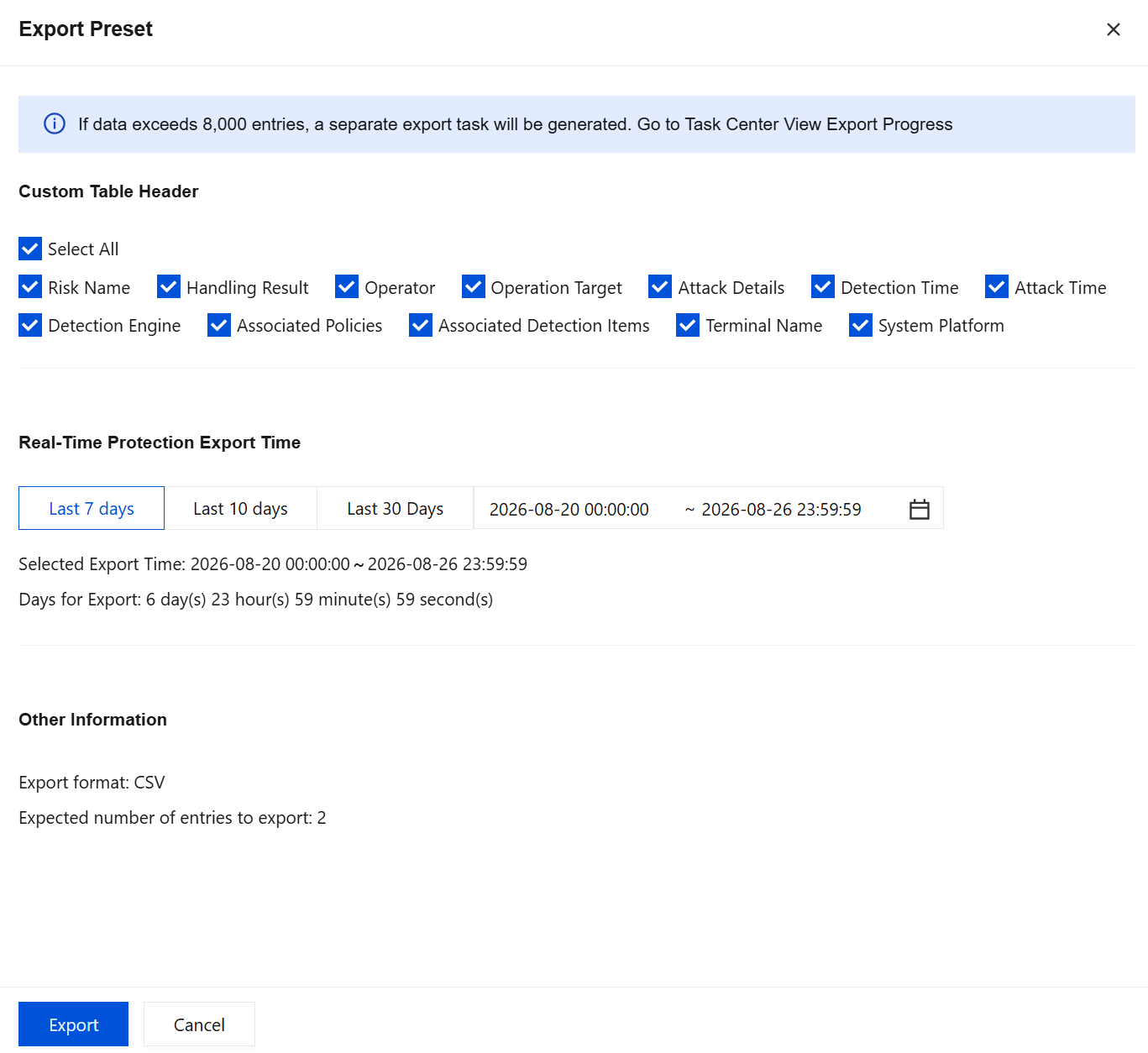
2. Select the custom header and export time parameters, and then click Export.