Enabling the Zero Trust Security Gateway
Download
Focus Mode
Font Size
The zero trust security gateway, also known as the local gateway, is deployed locally to forward client business traffic through the locally deployed gateway. When the zero trust security gateway feature is enabled on the connector under the connection group bound to business resources, terminals preferentially connect to the local gateway for proxy access when accessing business resources. If the terminal fails to reach the local gateway, it then attempts to connect to the cloud-based SaaS gateway for proxy access.
Note:
The local gateway is applicable to scenarios where private network users want to access private network services through zero trust access control. If a local gateway is not required, skip this step and proceed to the next step Create and Authorize Business Resources.
Prerequisites
1. The connector deployment is completed.
2. The Zero Trust Security Gateway feature authorization has been enabled.
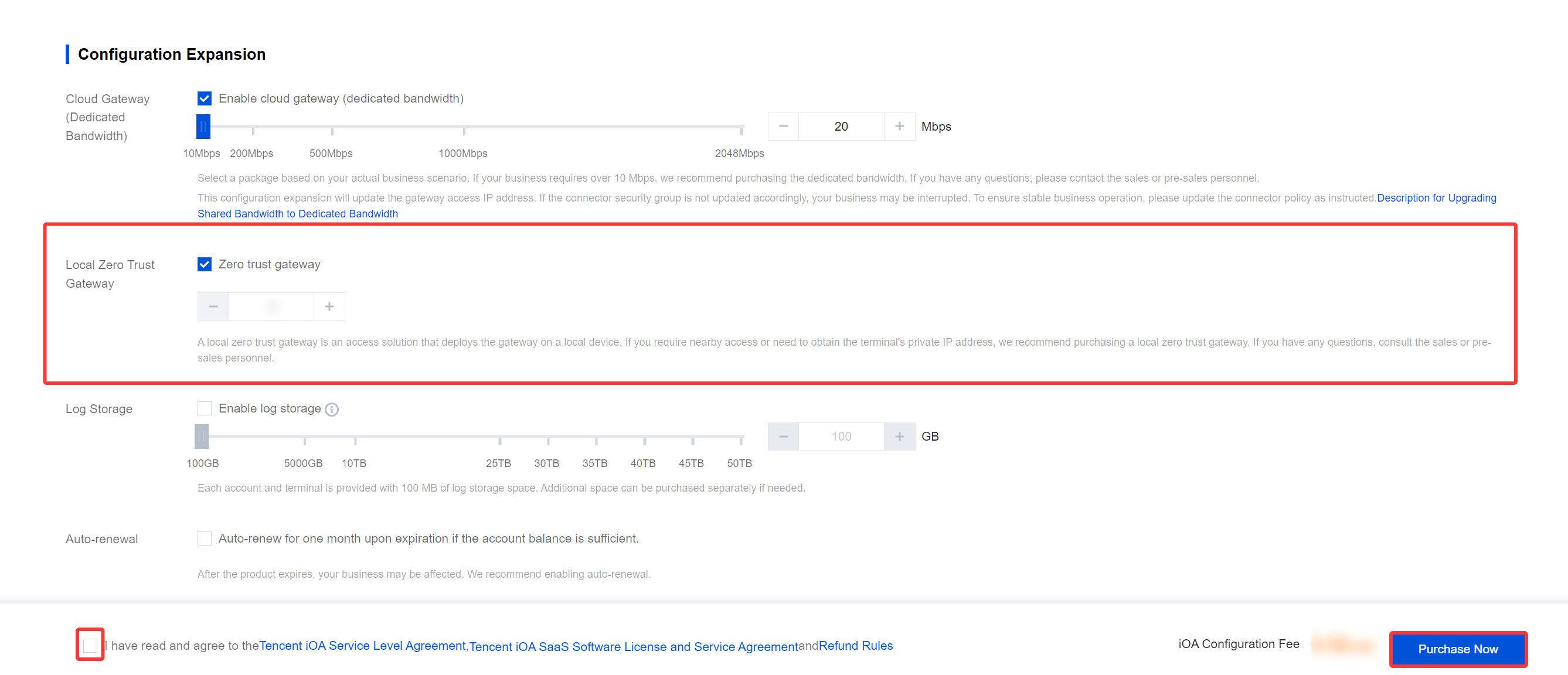
3. Network requirements: Enable communication from the client to the zero trust security gateway over TCP port 9443. If external network terminals also need to access through the local gateway, map port 9443 of the local gateway to the Internet.
Configuration enabling
1. Log in to the Tencent iOA Zero Trust Security Management System console and choose Resource NetworkConnection > Third-Party Cloud Services in the left sidebar.
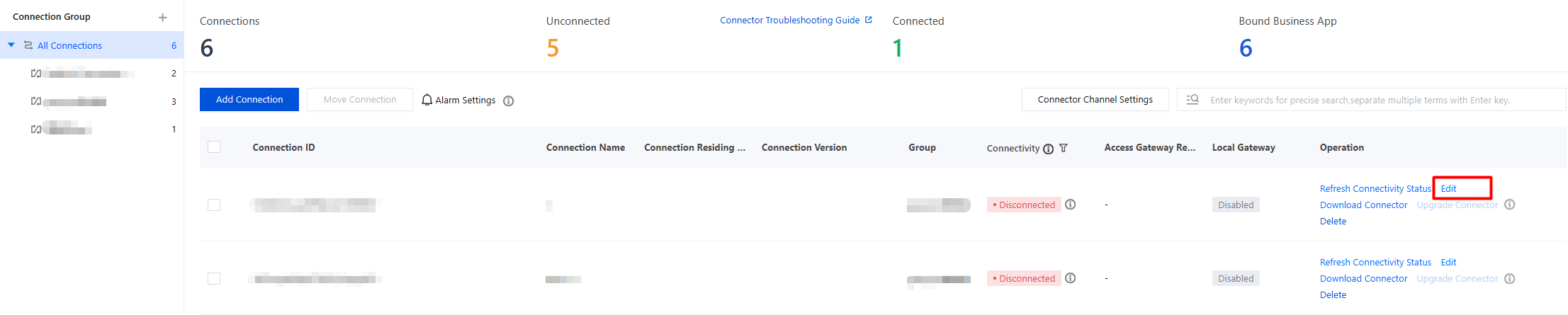
2. On the Non-Tencent Cloud Services page, locate the connection for which you want to enable the local gateway feature and click Edit.
3. In the Add Connection window, enable Zero Trust Gateway and configure the following parameters:
Gateway egress IP/domain name: Enter the IP address or domain name that the client uses to access the local gateway.
Port: The default value is 9443.
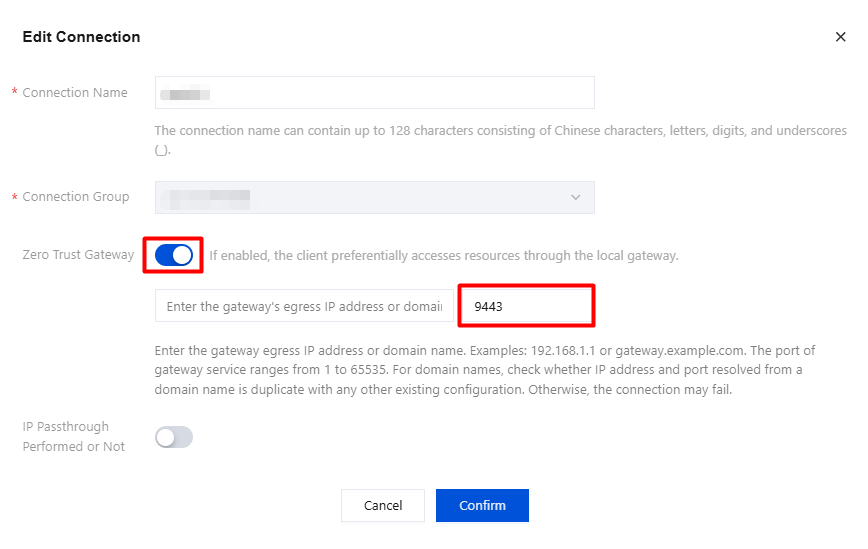
4. After the configuration is completed, click Confirm to save. When resources are accessed, the zero trust security gateway will be preferentially connected.
Help and Support
Was this page helpful?
You can also Contact sales or Submit a Ticket for help.
Help us improve! Rate your documentation experience in 5 mins.
Feedback