Promotion Plan for iOA Client Domain Controllers
Unduh
Mode fokus
Ukuran font
Solution Description
There are mainly two plans for iOA client domain controller promotion:
Plan 1: The domain controller delivers an msi installation package to terminals for installation.
Plan 2: The domain controller delivers a script, and the script installs an exe installation package.
Solution Details
Solution 1: Installing the msi Package on Terminals via Domain Controller Deployment
1. Log in to the Tencent iOA Zero Trust Security Management System console, click Terminal Deployment in the upper-right corner, download the Windows installation package (in exe format), and provide it to iOA Technical Support.
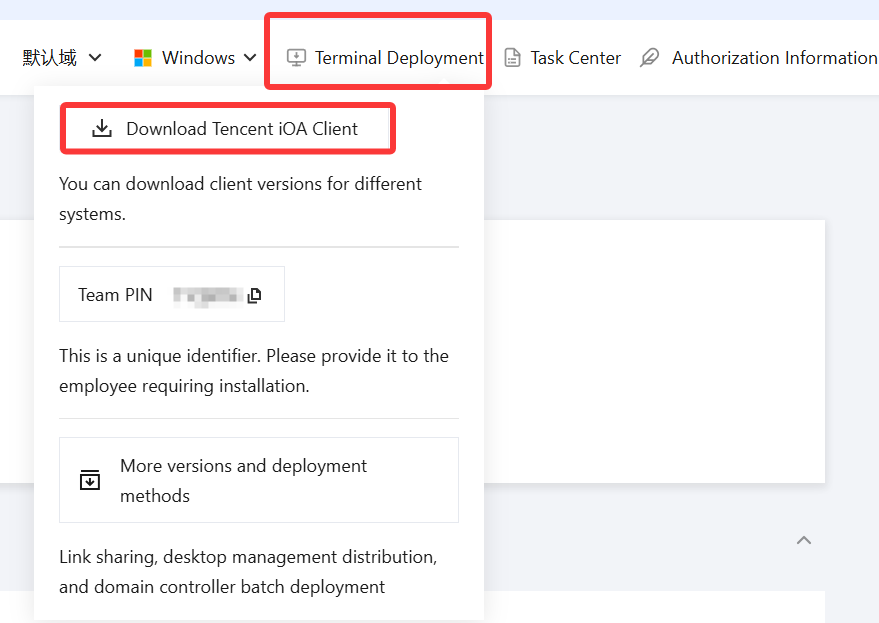
2. iOA Technical Support packages the exe installation package into an msi silent installation package and sends it to the administrator.
3. The administrator pushes the msi installation package to terminals through the domain controller for installation.
Solution 2: Installing the exe Package by Running a Script Deployed via Domain Controller
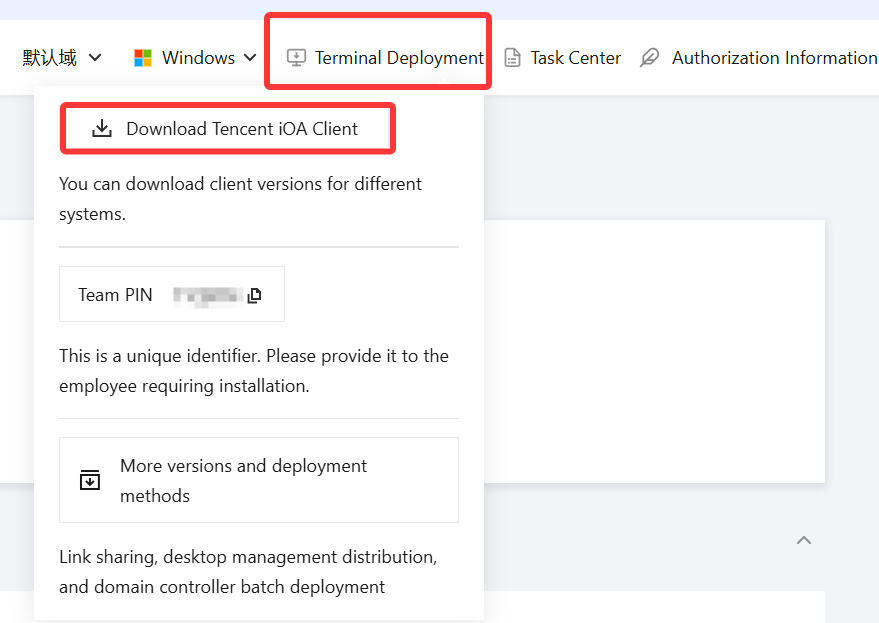
1. Log in to the Tencent iOA Zero Trust Security Management System console, click Terminal Deployment in the upper-right corner, download the Windows installation package (in exe format), and save it on an internal FTP server or another shared server.
2. Write an automatic installation install.bat script by referring to the following script content.
Main script flow: obtain the current version number from the registry > determine whether the terminal has installed the current client version based on the obtained version number -> if not, copy the installation package from the shared server to the local device for installation. Otherwise, exit.
You need to modify the content under install based on actual conditions.
@echo offfor /f "tokens=3" %%i in ('reg query "HKEY_LOCAL_MACHINE\\SOFTWARE\\WOW6432Node\\Tencent\\QQPCMgr" /v "version"') do (set pgPath=%%i)set ioa=%pgPath:~0,5%if "%ioa%"=="208.7" (goto OK) else goto install:installmkdir c:\\YWIT\\IOA_yw\\copy /y \\\\FTP server address\\PCMgr_Setup.exe c:\\YWIT\\IOA_yw\\C:\\YWIT\\IOA_yw\\PCMgr_Setup.exe /s ##qqpcmgr=0exit:OKecho you are OK >> c:\\YWIT\\IOA_yw\\install.logpauseexit
3. The administrator pushes the install.bat script from the domain controller to terminals for execution.
Instructions for Disabling Pop-Ups During Manual Installation
If you choose manual installation, pop-ups will appear during the process. To disable them, do the following:
Method 1: Running the msi Package or bat Script on Terminals with Administrator Privileges
To obtain the msi package: Provide the exe package downloaded from the Terminal Deployment page to Technical Support to generate the msi package.
bat script:
@echo offfor /f "tokens=3" %%i in ('reg query "HKEY_LOCAL_MACHINE\\SOFTWARE\\WOW6432Node\\Tencent\\QQPCMgr" /v "version"') do (set pgPath=%%i)set ioa=%pgPath:~0,5%if "%ioa%"=="208.7" (goto OK) else goto install:installmkdir c:\\YWIT\\IOA_yw\\copy /y \\\\FTP server address\\PCMgr_Setup.exe c:\\YWIT\\IOA_yw\\C:\\YWIT\\IOA_yw\\PCMgr_Setup.exe /s ##qqpcmgr=0exit:OKecho you are OK >> c:\\YWIT\\IOA_yw\\install.logpauseexit
Method 2: Modifying Group Policy
The following describes how to shut down terminals. You can shut them down in batches through the domain controller (this operation requires the domain controller administrator to perform it from the domain controller).
1. Press Win+R to open the Run dialog, type gpedit.msc, and press Enter to open the Local Group Policy Editor.
2. In the window that opens, navigate to "Computer Configuration > Windows Settings > Security Settings > Local Policies > Security Options", and then locate "User Account Control: Behavior of the elevation prompt for administrators in Admin Approval Mode" on the right.
3. Double-click "User Account Control: Behavior of the elevation prompt for administrators in Admin Approval Mode", set it to "Elevate without prompting", and then click OK.
Bantuan dan Dukungan
Apakah halaman ini membantu?
Anda juga dapat Menghubungi Penjualan atau Mengirimkan Tiket untuk meminta bantuan.
masukan