IT Ops Management Scenarios
Unduh
Mode fokus
Ukuran font
How to Control the Installation of Specific Software on Terminals?
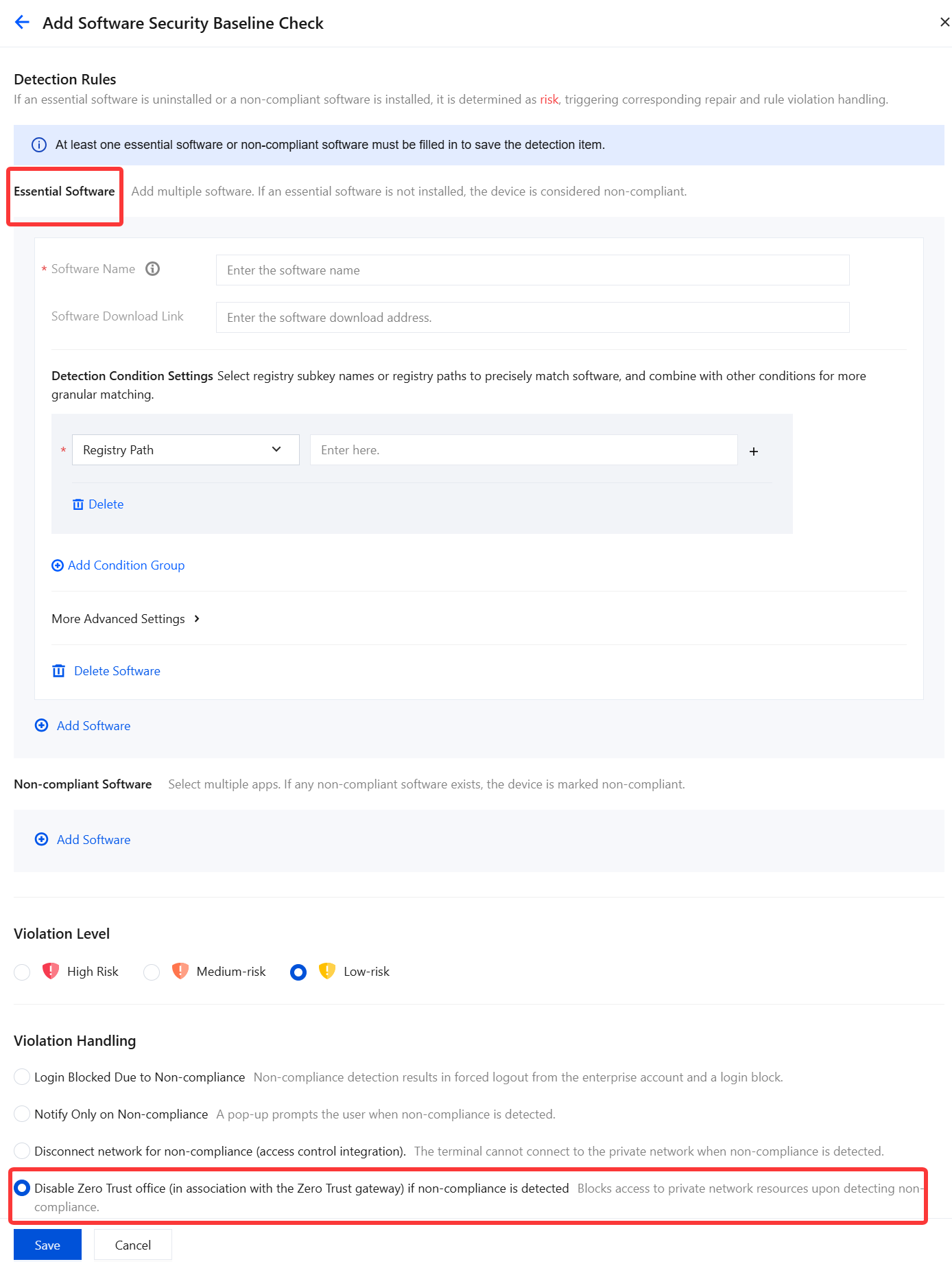
On the Terminal Management > Compliance Detection > Policy Configuration page, configure a software security baseline policy to check whether required software is installed on user terminals.
If you are using the premium edition, you can configure a policy to Disable Zero Trust office (in association with the Zero Trust gateway) if non-compliance is detected, when a user has not installed the specified software and is non-compliant. This guides terminal users to install the specified software by restricting their access to business resources.
When Does Compliance Detection Trigger on Terminals?
Compliance Detection can be triggered at startup, at identity login, at network switching, and at the scheduled inspection intervals configured by the administrator. The administrator can configure compliance detection scans to run at intervals as short as every 5 minutes.

Why Don't Terminal Control Policies Take Effect Immediately on Terminals?
1. After the policy settings are complete, it may take 2 to 4 minutes for the policy to be distributed to user terminals, which can cause a delay. You can view the policy distribution status in the policy list.
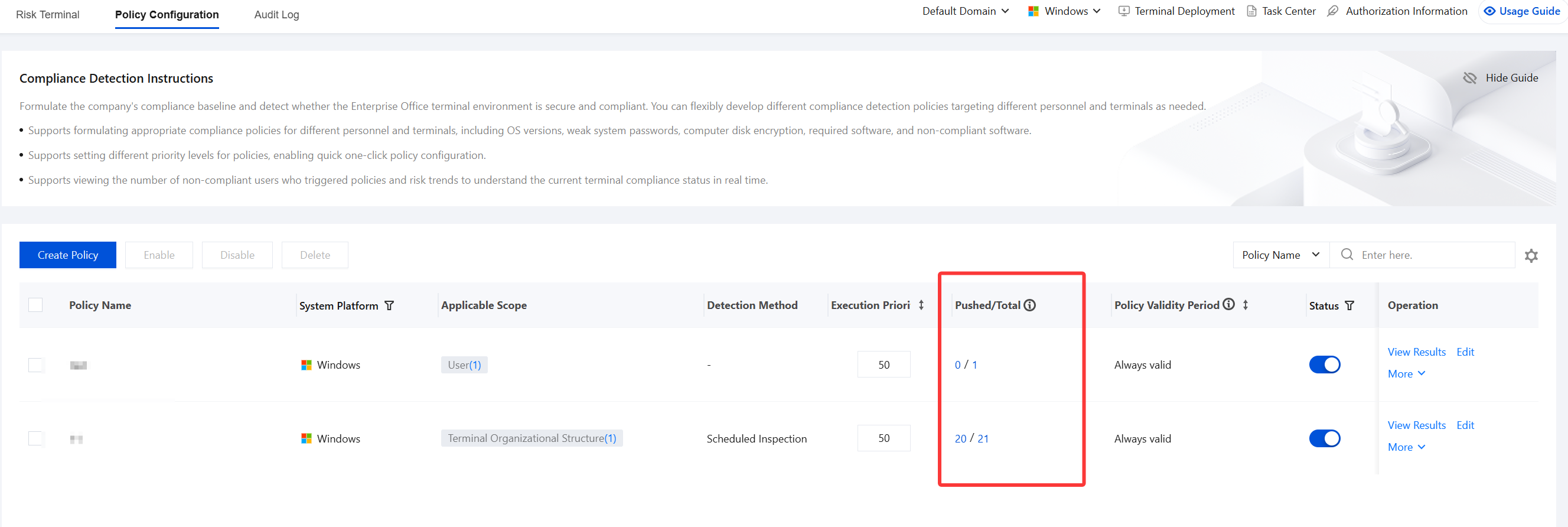
2. If user terminals persistently fail to receive policies or the policies fail to take effect, use the diagnostic tool on the client to run diagnostics, package the logs, and contact us.
Can Terminal Control Policies Be Enforced Without Depending on Login or User Dimensions?
Terminal control policies are policy content that primarily takes effect on user terminals. They can be configured by terminal or by user.
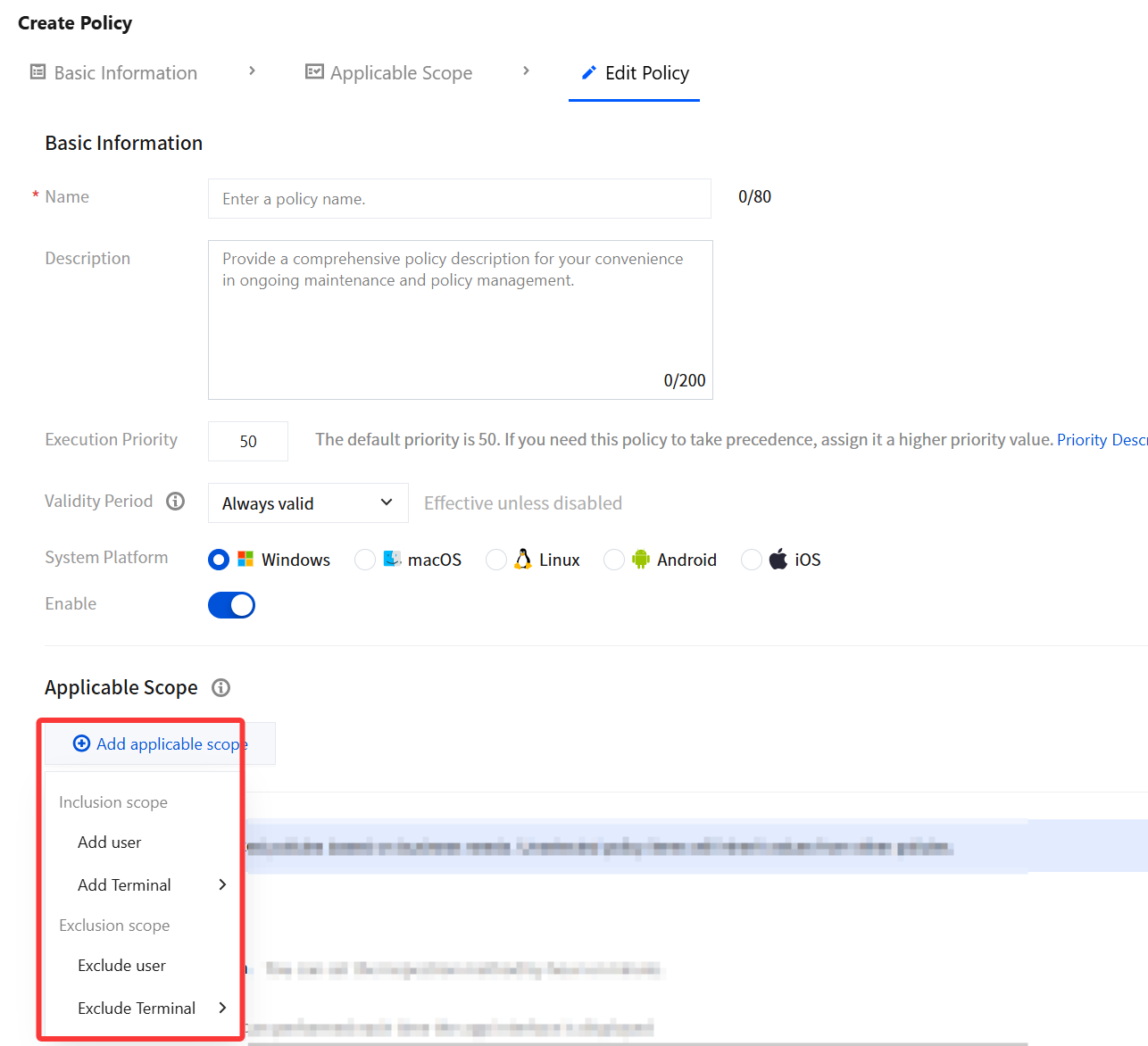
On the Create Policy page, when adding an applicable scope, select the policy distribution targets based on your organization's actual needs.
When distributed to terminals, the policy is assigned to specific terminals.
When distributed to users, the policy is delivered to the terminal where the user logs in based on their login behavior.
How Do the Virus Database and Vulnerability Database Update in iOA?
The iOA virus database and vulnerability database are continuously operated by professional Tencent security operators. Generally, the virus database is updated at least twice a week, and the vulnerability database is updated at least once a month. Terminals of enterprise customers automatically request updates to the latest cloud versions of the virus database and vulnerability database.
How to Configure an Allowlist for Files Exempt from Detection?
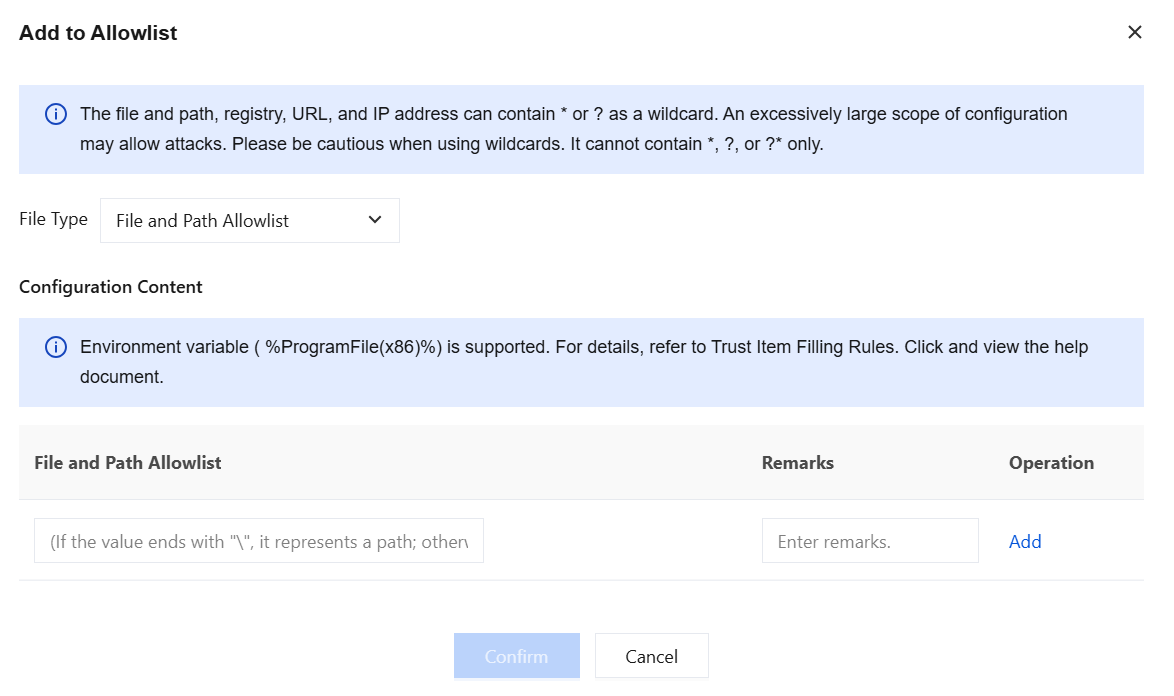
On the Virus Detection > Policy Configuration page, when configuring global detection settings, add the corresponding files to the allowlist.
Bantuan dan Dukungan
Apakah halaman ini membantu?
Anda juga dapat Menghubungi Penjualan atau Mengirimkan Tiket untuk meminta bantuan.
masukan